

• All
  • Must Watch Videos
  • Zapperr Blogs

Zapperr Blogs

How Crestron Integration Powers Modern AV Platforms

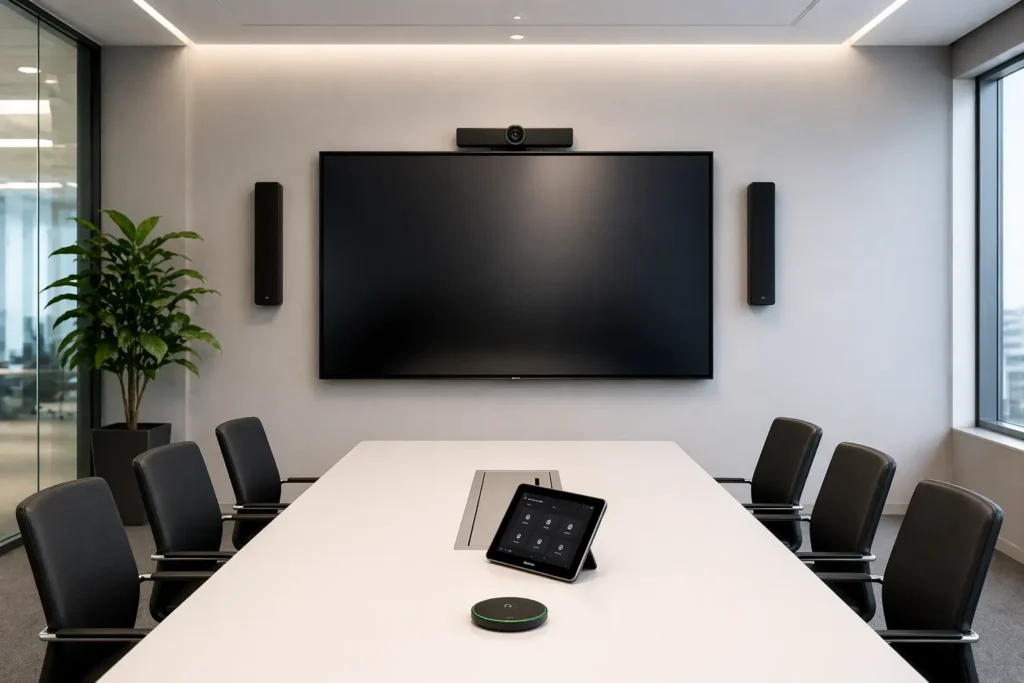
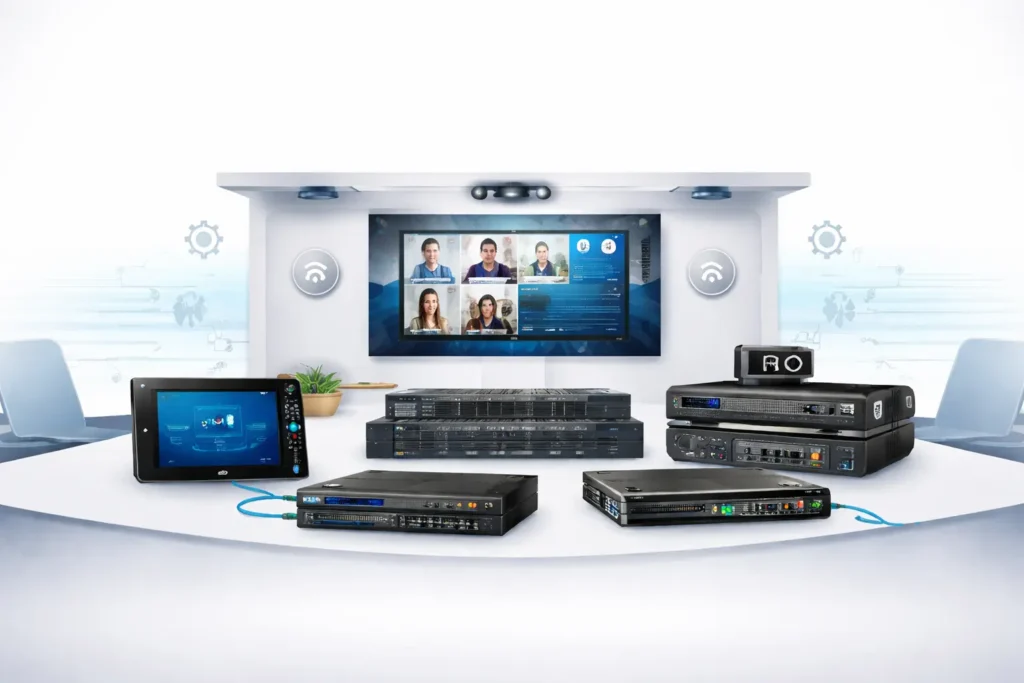
A wide-angle view of a modern enterprise conference room featuring a Crestron touch screen interface on the table, integrated with wall-mounted displays and ceiling microphones for unified AV control.

Modern workplaces depend on advanced audiovisual technology to support collaboration, presentations, training, and hybrid communication. Conference rooms, boardrooms, and collaboration spaces are equipped with cameras, microphones, displays, and control systems that must work together seamlessly.

However, managing multiple AV devices across meeting spaces can be complex without proper system integration. This is where Crestron integration becomes essential. Crestron provides a powerful control ecosystem that connects AV hardware, collaboration platforms, and automation systems into a unified environment.

Through effective AV platform integration, organizations can streamline device management, improve meeting room experiences, and build scalable enterprise AV systems that support modern communication needs.

What Is Crestron Integration?

Crestron integration refers to the process of connecting audiovisual devices, control systems, and collaboration platforms through Crestron technologies.

Crestron control processors and software enable centralized management of various technologies within a facility, including:

  • Video displays and projectors
  • Microphones and audio systems
  • Video conferencing cameras
  • Lighting and environmental controls
  • Room scheduling systems
  • Collaboration platforms

By integrating these technologies into one control platform, organizations can simplify AV operations and deliver seamless meeting experiences.

Why AV Platform Integration Matters

Modern meeting rooms use multiple technologies that must communicate with each other to function efficiently. Without proper AV platform integration, organizations may experience system conflicts, device compatibility issues, or complicated control processes.

Benefits of proper AV integration include:

  • Centralized device management
  • Seamless communication between AV systems
  • Automated meeting room workflows
  • Improved reliability for collaboration environments
  • Enhanced user experience in conference spaces

For companies deploying large-scale enterprise AV systems, integration ensures consistent performance across multiple meeting rooms and office locations.

How Crestron Integrates with Modern AV Platforms

1. Centralized Control for Enterprise AV Systems

One of the most valuable advantages of Crestron integration is centralized control. Crestron systems allow organizations to manage multiple AV devices from a single interface.

This centralized approach enables IT and AV teams to control:

  • Displays and presentation systems
  • Audio distribution and microphones
  • Video conferencing equipment
  • Lighting and environmental settings

Centralized management reduces operational complexity and improves the reliability of enterprise AV systems.

2. Seamless AV Platform Integration

Modern organizations rely on various collaboration platforms and AV technologies. Crestron simplifies AV platform integration by connecting multiple systems into a unified ecosystem.

Key integration capabilities include:

  • Device synchronization across meeting rooms
  • Automatic configuration of AV equipment
  • Simplified control interfaces for users
  • Compatibility with various AV hardware vendors

This integration ensures that devices work together smoothly during meetings and presentations.

3. Intelligent Automation for Meeting Rooms

Automation is a key feature of Crestron-powered AV environments. Crestron systems can automate common meeting room functions to improve efficiency and user experience.

Examples of automation include:

  • Automatically turning on displays when meetings begin
  • Adjusting lighting during presentations
  • Activating microphones and audio systems
  • Switching video sources automatically

These automation features enhance the performance of enterprise AV systems and simplify meeting room operations.

4. Scalable Infrastructure for Growing Organizations

As organizations expand, they deploy additional meeting rooms and collaboration technologies. Crestron supports scalable AV infrastructure that grows with business needs.

Through effective AV platform integration, companies can easily:

  • Add new meeting rooms
  • Integrate additional AV devices
  • Expand collaboration environments
  • Manage AV systems across multiple offices

This scalability ensures long-term flexibility for large organizations.

5. Integration with Multi-Vendor AV Devices

Modern AV environments often include equipment from different manufacturers. Crestron provides flexible integration capabilities that support a wide range of AV technologies.

Crestron systems can integrate with:

  • Audio DSP processors
  • Networked video systems
  • Digital signage solutions
  • Collaboration platforms
  • Building automation systems

This interoperability allows organizations to build flexible and future-ready enterprise AV systems.

Key Benefits of Crestron Integration

FeatureBenefit
Centralized ControlManage AV systems across multiple rooms
AV Platform IntegrationConnect devices and collaboration tools
AutomationSimplify meeting room operations
ScalabilitySupport expanding AV infrastructure
Multi-Vendor CompatibilityIntegrate various AV devices

These capabilities make Crestron integration a powerful solution for modern collaboration environments.

Use Cases for Crestron Integration

Corporate Offices

Crestron simplifies hybrid meeting experiences by integrating AV systems with collaboration technologies.

Educational Institutions

Universities and training centers use Crestron to manage lecture capture systems and interactive classrooms.

Enterprise Conference Rooms

Large conference rooms benefit from centralized AV control and automated meeting workflows.

Smart Workspaces

Crestron enables smart office environments by connecting AV systems with building automation and lighting control.

Best Practices for Successful AV Platform Integration

Organizations deploying Crestron solutions should follow these best practices:

  1. Design a scalable AV architecture before deployment.
  2. Standardize control interfaces across meeting rooms.
  3. Use centralized monitoring tools to track system performance.
  4. Test AV integrations thoroughly before launch.
  5. Maintain documentation for system updates and upgrades.

Following these strategies ensures reliable performance for enterprise AV systems.

Crestron integration enables seamless AV platform integration by connecting audiovisual devices, control systems, and collaboration technologies into a centralized ecosystem. Through automation, scalable infrastructure, and intelligent device management, Crestron helps organizations build efficient enterprise AV systems that support modern hybrid workplaces and collaboration environments.

FAQ: Crestron Integration

What is Crestron integration?

Crestron integration connects audiovisual devices, control systems, and collaboration platforms to create a centralized AV environment.

Why is AV platform integration important?

It ensures AV devices work together seamlessly, improving collaboration and meeting room efficiency.

How does Crestron support enterprise AV systems?

Crestron provides centralized control, automation, and scalable infrastructure for managing AV environments across multiple locations.

What are the benefits of Crestron integration?

Benefits include simplified device management, improved collaboration experiences, automated meeting rooms, and scalable AV infrastructure.

Conclusion

Modern collaboration environments require reliable integration between audiovisual devices and communication technologies. Crestron integration provides a powerful solution for connecting these systems into a unified ecosystem.

By enabling seamless AV platform integration, centralized device control, and scalable infrastructure, Crestron helps organizations build efficient enterprise AV systems that support modern workplaces and hybrid communication environments.

Businesses looking to improve meeting room technology and collaboration efficiency can rely on Crestron solutions to deliver intelligent and future-ready AV integration.

How Crestron Integration Powers Modern AV Platforms Read More »

How Extron Control Systems Support Enterprise AV Integration

Extron Control Systems touchscreen panel controlling audiovisual devices in an enterprise meeting room environment.

Modern businesses depend on reliable audiovisual technology for meetings, presentations, and collaboration. Managing multiple AV devices across offices and conference rooms can be complex without a centralized control system.

Extron Control Systems help organizations manage displays, audio systems, conferencing platforms, and other AV devices through a single control interface. These solutions simplify AV operations and improve system reliability.

Understanding how Extron control systems work in AV integration helps businesses build efficient and scalable AV environments. This article explores their features, benefits, and real-world applications for enterprise environments.

What Are Extron Control Systems?

Extron Control Systems are centralized platforms designed to manage and automate audiovisual equipment in professional environments.

They allow users to control AV devices such as:

  • Displays and projectors
  • Audio processors and microphones
  • Video conferencing systems
  • Lighting and room automation

These enterprise AV control systems enable businesses to operate multiple AV technologies through a single interface.

Key components typically include:

  • Control processors
  • Touch panel interfaces
  • AV control software
  • Device communication protocols

These elements work together to support efficient Extron AV system integration.

How Extron Control Systems Work in AV Integration

Understanding how Extron control systems work in AV integration helps organizations manage complex AV infrastructures.

These systems act as the central hub that connects different AV devices and coordinates their operation.

Device Connectivity

Extron controllers connect AV equipment using IP networks, serial communication, or other protocols.

This allows devices from different manufacturers to function within one integrated AV system.

Centralized Control Interface

Users interact with AV systems through touch panels or control applications.

Common functions include:

  • Turning displays on or off
  • Adjusting audio levels
  • Switching presentation inputs
  • Starting video conferencing sessions

This centralized interface simplifies daily AV operations.

Automation and Workflow Management

Many Extron AV automation solutions allow organizations to automate routine tasks.

Examples include:

  • One-touch meeting start
  • Automatic display activation
  • Scheduled system shutdown
  • Lighting adjustments during presentations

Automation improves efficiency and reduces user errors.

Quick Comparison: Extron Control System Features

The table below highlights the major capabilities of Extron Control Systems and their value for organizations.

FeatureBenefit for Businesses
Centralized ControlManage multiple AV devices from one interface
AutomationEnable one-touch meeting start
ScalabilityExpand AV systems across rooms
MonitoringTrack system performance remotely

These features highlight the benefits of Extron control systems for businesses seeking efficient AV operations.

Key Benefits of Extron Control Systems for Businesses

Organizations implementing Extron Control Systems gain several advantages that improve operational efficiency.

Simplified AV Management

A centralized platform allows IT teams to manage AV devices without dealing with multiple control systems.

This simplifies daily AV operations.

Improved User Experience

Employees can easily operate AV systems using intuitive touch controls.

This reduces technical issues during meetings and presentations.

Reliable System Performance

Extron platforms are designed for professional AV environments, ensuring stable and consistent system performance.

Reliable control is critical for enterprise operations.

Scalable AV Infrastructure

These enterprise AV control systems allow organizations to expand AV infrastructure across new offices or conference spaces.

This flexibility supports business growth.

Remote Monitoring and Maintenance

IT teams can monitor AV system performance remotely.

Early detection of technical issues helps reduce downtime.

Applications of Extron Control Systems in Businesses

Extron Control Systems are widely used across enterprise environments.

Conference Rooms

AV control systems for conference rooms allow users to control displays, microphones, and conferencing platforms easily.

Training Rooms

Training environments often require flexible AV setups.

Extron systems simplify control of presentations, audio systems, and displays.

Command Centers

Control centers rely on coordinated AV infrastructure to monitor and manage operations.

Extron control systems ensure reliable device communication.

Corporate Event Spaces

Large corporate venues require centralized control to manage multiple displays, audio systems, and presentation sources.

Best Practices for Implementing Extron Control Systems

Organizations should follow certain practices to maximize the effectiveness of Extron Control Systems.

Design Scalable AV Architecture

Plan AV infrastructure that can support future expansion.

Standardize Control Interfaces

Consistent control interfaces improve usability across multiple rooms.

Integrate with IT Infrastructure

AV systems should integrate smoothly with enterprise network environments.

Test AV Systems Thoroughly

Testing ensures proper Extron AV system integration before system deployment.

Future Trends in AV Control Systems

Enterprise AV technology continues to evolve.

Future innovations will further enhance the capabilities of Extron Control Systems.

Cloud-Based AV Management

Cloud platforms will enable remote AV system management across multiple locations.

AI-Driven Automation

Artificial intelligence may assist in detecting performance issues and optimizing AV operations.

Expansion of AV-over-IP

Network-based AV infrastructure will continue to grow in enterprise environments.

These trends will further strengthen Extron AV automation solutions.

Conclusion

As businesses rely more on audiovisual technology, managing AV infrastructure efficiently becomes increasingly important.

Extron Control Systems provide centralized control, automation, and scalability for modern enterprise AV environments.

By improving system management and simplifying user interactions, these platforms play a key role in enterprise AV integration.

Understanding how Extron control systems work in AV integration allows organizations to build efficient, reliable, and future-ready AV infrastructures.

FAQ Section

What are Extron control systems used for?

Extron control systems are used to manage AV devices such as displays, microphones, and conferencing platforms through a centralized control interface.

How do Extron control systems help businesses?

They improve AV system management, automate workflows, and enhance reliability in enterprise AV environments.

Where are Extron control systems commonly used?

They are widely used in conference rooms, training facilities, command centers, and corporate event spaces.

How Extron Control Systems Support Enterprise AV Integration Read More »

AV Commissioning Checklist for System Integrators

AV commissioning checklist for system integrators verifying audio video systems before project handover

Modern businesses rely heavily on audiovisual technology to support communication, presentations, and collaboration. From conference rooms and training spaces to command centers and digital signage environments, reliable AV systems are essential for daily operations.

However, installing AV equipment is only the first step. Without proper AV Commissioning, organizations often experience issues such as poor audio quality, display failures, or network connectivity problems.

A structured step-by-step AV commissioning checklist helps system integrators verify every component, validate system performance, and ensure that the entire AV environment works flawlessly before project handover.

This guide explains the AV commissioning process, key strategies, common challenges, and best practices to help AV professionals deliver reliable and high-performing audiovisual systems.

What is AV Commissioning?

AV Commissioning is the process of testing, verifying, and validating audiovisual systems after installation to ensure they operate according to design specifications.

During commissioning, integrators confirm that:

  • AV devices are installed correctly
  • Audio and video signals function properly
  • Control systems operate reliably
  • Networked AV devices communicate effectively
  • End users can operate the system easily

A well-defined AV system testing checklist ensures that all technical components are properly verified before deployment.

For system integrators, this process reduces errors and ensures successful project delivery.

Step-by-Step AV Commissioning Checklist

Below is a simplified AV commissioning workflow used by professional system integrators.

AV Commissioning StepKey Tasks
Installation VerificationCheck cabling, power connections, firmware updates
Audio TestingTest microphones, speakers, and DSP configuration
Video VerificationValidate HDMI signals, displays, and resolution
Control System TestingTest touch panels and automation functions
Network ValidationVerify IP settings and bandwidth usage

This AV installation verification checklist ensures that all technical aspects of the system are validated before client handover.

Why AV Commissioning Matters for Businesses

Organizations invest significant resources into AV infrastructure, but without proper commissioning, systems may fail during important meetings or presentations.

Proper AV Commissioning ensures that AV systems perform reliably from day one.

Key reasons commissioning matters include:

  • Detects configuration errors before deployment
  • Improves audio and video performance
  • Ensures proper integration between AV devices
  • Reduces post-installation troubleshooting
  • Provides documentation for system validation

For enterprises and commercial facilities, commissioning is essential to ensure technology investments deliver real value.

Why AV Commissioning Is Critical

Industry reports indicate that over 35% of AV system issues occur due to configuration errors discovered after installation.

These problems often result from incomplete testing during the deployment phase.

Without a proper commercial AV commissioning process, organizations may experience:

  • System downtime during meetings
  • Poor audio performance
  • Display switching issues
  • Network connectivity failures

By following a structured AV integrator commissioning workflow, integrators can identify and resolve issues before the system goes live.

This proactive approach significantly improves system reliability and user satisfaction.

Best Practices for AV Commissioning

Successful commissioning requires a structured approach and attention to detail.

Below are key best practices used by professional system integrators.

1. Verify Installation Before Testing

Before starting AV Commissioning, confirm that the installation phase is complete.

Verify:

  • Equipment mounting and rack installation
  • Signal cable connections
  • Network configuration
  • Device firmware versions

Completing this AV installation verification checklist ensures that the system is ready for testing.

2. Perform Comprehensive Audio Testing

Audio performance is one of the most important aspects of an AV environment.

During AV system testing, integrators should verify:

  • Microphone inputs
  • Speaker outputs
  • DSP processing
  • Audio signal routing
  • Echo cancellation and audio levels

Proper calibration ensures clear communication in meeting rooms and collaboration spaces.

3. Validate Video Signal Routing

Video testing confirms that all displays and switching systems function correctly.

Key verification tasks include:

  • Testing HDMI connections
  • Checking AV-over-IP video streams
  • Verifying display resolution
  • Testing video switching between sources

This step ensures seamless presentations and video conferencing experiences.

4. Test Control System Functionality

Modern AV environments rely on centralized control systems that allow users to manage multiple devices through a single interface.

Control system testing should verify:

  • Touch panel responsiveness
  • Automation scripts
  • Device communication
  • User interface navigation

A properly tested control interface ensures that users can operate the system easily.

5. Validate Network Infrastructure

Many modern AV environments operate on IP-based networks.

Network validation includes:

  • Verifying IP address configuration
  • Testing network bandwidth
  • Checking AV-over-IP streaming performance
  • Confirming VLAN configuration

A stable network infrastructure is essential for modern AV deployments.

Benefits of AV Commissioning for Businesses

Organizations that prioritize AV Commissioning gain several advantages.

Reliable System Performance

Well-tested systems operate consistently and reduce technical disruptions.

Improved Collaboration

Clear audio and reliable video improve meeting experiences.

Reduced Maintenance Costs

Early detection of configuration issues prevents costly repairs later.

Faster Troubleshooting

Commissioning documentation helps support teams diagnose issues quickly.

Higher ROI on AV Investments

Businesses gain the full value of their AV infrastructure when systems operate efficiently.

Common AV Commissioning Challenges

Even experienced system integrators may face challenges during the commissioning process.

Network Configuration Errors

Incorrect network settings can prevent AV devices from communicating.

Solution:
Collaborate with IT teams and validate network configuration early.

Audio Calibration Problems

Poor DSP tuning can cause uneven sound distribution.

Solution:
Use professional calibration tools during the AV system testing checklist phase.

Device Integration Issues

Equipment from different manufacturers may require additional configuration.

Solution:
Verify compatibility and update firmware before commissioning.

Future Trends in AV Commissioning

The AV industry continues to evolve as new technologies emerge.

Future commissioning processes will likely include:

AI-Based System Diagnostics

Artificial intelligence may automatically detect system performance issues.

Remote AV Monitoring

Cloud-based platforms allow integrators to monitor system health remotely.

AV-over-IP Expansion

More AV environments are transitioning to network-based infrastructure.

Automated Commissioning Tools

Future tools may automate parts of the commercial AV commissioning process, making testing faster and more accurate.

System integrators who adopt these technologies will gain a competitive advantage.

Conclusion

Installing AV equipment is only part of a successful AV project. Ensuring that every component functions correctly is what truly determines system performance.

AV Commissioning provides the final verification that confirms audio performance, video quality, network connectivity, and control system functionality.

By following a structured step-by-step AV commissioning checklist, system integrators can identify configuration issues early and deliver reliable AV systems to their clients.

For businesses, this means fewer technical problems, smoother collaboration, and greater confidence in their AV technology investments.

As AV systems become more complex and network-driven, professional commissioning will remain a critical step in successful system integration.

FAQ

What is an AV commissioning checklist?

An AV commissioning checklist is a structured process used by system integrators to test and verify audiovisual systems before deployment.

Why is AV commissioning important?

It ensures system reliability, improves audio and video performance, and prevents technical issues after installation.

When should AV commissioning be performed?

AV commissioning should take place after installation but before the final system handover to the client.

AV Commissioning Checklist for System Integrators Read More »

Q-SYS Programming Best Practices for AV Integrators

Q-SYS programming interface used by an AV integrator to design audio DSP signal flow and control systems for enterprise audiovisual installations.

Q-SYS programming best practices help AV integrators design reliable, scalable, and easy-to-manage audiovisual systems. These practices include planning system architecture, using modular programming, implementing clear naming conventions, optimizing DSP signal flow, documenting system logic, and thoroughly testing AV environments before deployment.

Platforms like Q-SYS Designer Software enable AV professionals to integrate audio processing, video routing, control automation, and networked devices within a single ecosystem. However, without structured programming standards, even powerful AV platforms can become difficult to maintain and troubleshoot.

By following proven Q-SYS programming strategies, AV integrators can ensure better system performance, improved user experience, and long-term scalability for enterprise AV environments such as conference rooms, command centers, and large venues.

What are Q-SYS programming best practices?

Q-SYS programming best practices include:

  1. Planning system architecture before programming
  2. Using modular programming structures
  3. Implementing clear naming conventions
  4. Documenting signal flow and control logic
  5. Optimizing DSP and audio routing
  6. Designing simple user interfaces
  7. Implementing fail-safe automation logic
  8. Thoroughly testing AV systems before deployment
  9. Enabling remote monitoring and diagnostics
  10. Designing systems for future scalability

Following these practices helps AV integrators build AV systems that are stable, efficient, and easier to maintain over time.

Why Q-SYS Programming Standards Matter

Enterprise AV environments often involve multiple interconnected technologies working together, such as:

  • Conference room AV systems
  • Video conferencing platforms
  • Digital signage displays
  • Microphones and audio processing
  • Control and automation systems

Without structured programming standards, these systems can become difficult to maintain and troubleshoot.

Following Q-SYS programming best practices helps organizations achieve:

  • Greater system stability
  • Faster troubleshooting
  • Improved user experience
  • Easier maintenance
  • Better scalability for future upgrades

For AV integrators managing multiple installations, consistent programming standards make system support much more efficient.

1. Plan the System Architecture Before Programming

Successful AV integration always begins with proper system planning. Jumping directly into programming without defining the architecture can lead to complex and inefficient system designs.

Before starting development in Q-SYS Designer Software, AV integrators should clearly define how the entire AV ecosystem will operate.

Key Components to Plan

Important system components include:

  • Core processors
  • Network infrastructure
  • Audio routing paths
  • Video switching configuration
  • Control interfaces
  • Third-party device integration

Benefits of Planning

Proper system planning provides several benefits:

  • Cleaner signal flow
  • Reduced programming errors
  • Faster development
  • Easier troubleshooting
  • Better scalability

A well-defined architecture simplifies the programming process and improves overall system reliability.

2. Use Modular Programming Design

Large AV systems can quickly become complex if everything is built in a single structure. Modular programming helps maintain organization and improves system flexibility.

Instead of building one large program, divide the system into reusable modules.

Examples of Modular Components

Common modules include:

  • Conference room control modules
  • Audio DSP processing modules
  • Display control modules
  • Microphone management modules

Advantages of Modular Programming

Using modular design provides several benefits:

  • Faster deployment
  • Reusable programming templates
  • Simplified troubleshooting
  • Easier system upgrades

Many AV integrators develop standard templates for meeting rooms that can be reused across multiple projects.

3. Implement Clear Naming Conventions

Clear naming conventions are critical when managing complex AV systems. Poor labeling can make troubleshooting extremely difficult.

Every component in the Q-SYS design should have a descriptive and meaningful name.

Good Naming Examples

  • ConferenceRoom_Mic_Input
  • Boardroom_Display_Control
  • Lobby_Audio_Zone

Avoid vague names like:

  • Mic1
  • DSP2
  • ControlA

Why Naming Matters

Consistent naming conventions help technicians:

  • Identify components quickly
  • Troubleshoot issues efficiently
  • Maintain systems long term
  • Understand system architecture easily

Clear naming significantly improves system maintainability.

4. Document the Entire AV System

Documentation is one of the most important but often overlooked aspects of AV programming.

Every system should include detailed documentation explaining how it works.

What Should Be Documented?

Key information includes:

  • Signal flow diagrams
  • Device IP addresses
  • Network configuration
  • Control logic workflows
  • Automation settings

Documentation Best Practices

To maintain effective documentation:

  • Add internal notes in the design file
  • Maintain external system documentation
  • Clearly label scripts and logic blocks

Good documentation ensures that future technicians can maintain the system efficiently.

5. Optimize DSP and Signal Flow

Digital Signal Processing (DSP) is critical for delivering high-quality audio performance. Poor DSP design can lead to several issues such as:

  • Audio latency
  • Microphone feedback
  • Distorted sound
  • Unbalanced audio levels

DSP Optimization Tips

AV integrators should:

  • Avoid unnecessary DSP blocks
  • Maintain proper gain staging
  • Keep signal flow clean and organized
  • Monitor processor load levels

Optimized DSP design improves both audio clarity and system reliability.

6. Implement Fail-Safe Logic and Error Handling

AV systems operate in real-world environments where network interruptions or device failures can occur.

Fail-safe programming ensures systems remain operational even when unexpected problems arise.

Examples of Fail-Safe Logic

  • Automatic device reconnection
  • Default audio routing if control fails
  • System reset after inactivity
  • Error alerts for operators

These safeguards help minimize downtime and improve system stability.

7. Design User-Friendly Control Interfaces

End users typically have little technical knowledge of AV systems. Control interfaces must therefore be simple and intuitive.

A well-designed interface allows users to easily perform tasks such as:

  • Starting meetings
  • Selecting presentation sources
  • Adjusting volume
  • Muting microphones

Interface Design Tips

  • Use clear button labels
  • Keep layouts simple
  • Reduce steps for common actions
  • Maintain consistent interface design

User-friendly controls improve productivity and reduce technical support requests.

8. Test AV Systems Before Deployment

Testing is essential before delivering an AV system to the client.

Even well-designed systems can contain hidden issues that only appear during real-world usage.

AV System Testing Checklist

Important testing tasks include:

  • Verifying audio signal routing
  • Testing video switching
  • Checking device control functions
  • Validating network communication
  • Testing the user interface

Thorough testing ensures the system operates reliably once installed.

9. Enable Remote Monitoring

Remote monitoring tools allow AV integrators to manage systems without physically visiting the site.

These tools allow technicians to:

  • Monitor device health
  • Detect failures early
  • Receive alerts
  • Perform remote troubleshooting

Remote monitoring improves system uptime and reduces maintenance costs.

10. Design for Future Scalability

AV systems often need upgrades as organizations expand. Designing scalable systems ensures future updates can be implemented easily.

Scalability Tips

  • Leave DSP headroom
  • Use flexible routing structures
  • Create reusable modules
  • Plan network capacity

Scalable systems protect long-term AV investments.

Common Mistakes AV Integrators Should Avoid

Even experienced AV professionals can make programming mistakes.

Common mistakes include:

  • Overly complex signal routing
  • Poor labeling and organization
  • Lack of documentation
  • Insufficient testing
  • Ignoring DSP optimization

Avoiding these issues improves system reliability and customer satisfaction.

The Future of Software-Based AV Systems

The AV industry is rapidly shifting toward software-driven and network-based AV systems.

Platforms like Q-SYS Designer Software enable integration with:

  • Cloud-based monitoring
  • AI-driven analytics
  • Smart building automation
  • Hybrid workplace collaboration tools

As AV environments become more advanced, expertise in Q-SYS programming best practices will be increasingly valuable for AV integrators.

Final Thoughts

Following Q-SYS programming best practices helps AV integrators design systems that are:

  • Reliable
  • Scalable
  • Easy to maintain
  • Optimized for long-term performance

By focusing on structured programming, proper documentation, and thorough testing, AV professionals can deliver high-quality AV systems that support modern workplace collaboration.

Q-SYS Programming Best Practices for AV Integrators Read More »

Expert dvLED Wall Programming Services for High-Performance Displays

Expert dvLED Wall Programming services with technician configuring LED video wall and AV control system for seamless display performance.

The Invisible Foundation: Why Your dvLED Wall Needs Specialized Programming

Direct-view LED (dvLED) has officially moved from the high-tech confines of command centres into the heart of mainstream AV—lobbies, boardrooms, and retail hubs. But as the hardware becomes more accessible, a hard truth remains: the best display in the world only performs as well as it is programmed. Professional dvLED Wall Programming services ensure that every component of the display works perfectly together to deliver the performance organisations expect.

At Zapperr AV, we bridge the gap between “physical installation” and “optimal performance.” Here is how our certified programming expertise ensures your dvLED investment doesn’t just turn on, but truly shines.

1. Mastering the Custom Pixel Space

Unlike standard 16:9 displays, dvLED walls often feature “exotic” resolutions tailored to architectural needs.

The Zapperr Advantage: We don’t settle for “stretched” images. Our programmers specialize in EDID management and pixel-to-pixel mapping, ensuring that your content source aligns perfectly with the physical diodes. We lock in custom timings so your 4K feed doesn’t default to a blurry 1080p.

2. Deep Integration with Industry-Leading Processors

A dvLED wall is only as smart as its controller. Whether you are using NovaStar, Brompton, or Megapixel VR, Zapperr AV provides deep API integration that goes beyond simple power commands.

Dynamic Control: We program Automated Brightness levels that respond to ambient light sensors, protecting viewer comfort and diode lifespan.

Intuitive Presets: We simplify complex canvases. With one touch on a Crestron or Q-SYS panel programmed by Zapperr, your wall can switch from a single “Executive Presentation” mode to a multi-window “Global Dashboard.”

3. Proactive System Health Monitoring

dvLED generates significant heat and draws variable power. If unmanaged, this leads to premature failure.

Smart Failsafes: Zapperr AV integrates SNMP and telemetry monitoring. We program your system to send real-time alerts to your IT team if a cabinet exceeds thermal thresholds, or even initiate a graceful cooling shutdown before damage occurs.

4. Precision Commissioning and Seam Correction

Physical alignment is only half the battle. The “final mile” of a successful deployment is software-based calibration.

Visual Uniformity: Our team uses software-based seam correction to fine-tune edge brightness, making the joins between LED modules invisible. We ensure color consistency across the entire wall, regardless of the batch or processor used.

Why Choose Zapperr AV?

As dvLED becomes “mainstream,” the market is flooded with hardware, but lacks the certified programming expertise to back it up. At zapperrav.com, we don’t just install displays; we engineer digital canvases. We ensure your high-end hardware is supported by high-end logic, giving you a seamless, stable, and stunning visual experience.

Ready to Elevate Your Display?

Visit Zapperr AV today to see how our certified programmers can bring your dvLED project to life.


Expert dvLED Wall Programming Services for High-Performance Displays Read More »

Best Practices for Crestron Programming in Commercial AV Systems

Crestron programming interface controlling commercial AV systems in a smart meeting room with touch panel automation and video conferencing setup

Modern workplaces rely heavily on technology for communication and collaboration. From boardrooms to training centers, businesses depend on advanced commercial audiovisual systems to conduct meetings, presentations, and hybrid conferences.

However, installing AV hardware alone does not guarantee a smooth experience. Many organizations struggle with complex controls, integration issues, and unreliable system performance. This is where Crestron Programming for Commercial AV becomes essential.

Automation platforms like Crestron allow multiple devices—displays, microphones, cameras, and lighting systems—to work together through a centralized control system. When implemented correctly, these solutions simplify operations, improve user experience, and increase workplace productivity.

This guide explains the best practices for Crestron programming in commercial AV systems, helping businesses, AV integrators, and IT teams design efficient and scalable automation environments.

What is Crestron Programming?

Crestron Programming for Commercial AV is the process of configuring automation software that enables audiovisual devices to communicate and operate through a centralized control system. It allows organizations to manage displays, audio equipment, lighting, and conferencing tools from a single interface.

Automation systems powered by Crestron are widely used in corporate offices, universities, and government facilities to streamline AV control systems and improve meeting room efficiency.

Why Crestron Programming Matters in Commercial AV

As workplaces become more digital, the demand for reliable commercial AV automation is increasing. Companies frequently use collaboration platforms like:

  • Microsoft Teams
  • Zoom

Without proper programming and AV system design and integration, devices from different manufacturers may fail to work together efficiently.

Professional Crestron system integration ensures that:

  • Devices communicate smoothly
  • Meeting rooms start with one touch
  • Audio and video synchronization works correctly
  • IT teams can manage systems centrally

This makes smart meeting room technology easier to operate for employees and visitors.

Key Best Practices for Crestron Programming

1. Prioritize User-Friendly Interface Design

A well-designed interface is critical for any Crestron touch panel programming project.

Users should be able to start meetings, control devices, and adjust settings with minimal effort.

Best practices include:

  • Large, clearly labeled buttons
  • One-touch meeting launch
  • Simple navigation menus
  • Logical grouping of controls

This approach improves the usability of enterprise AV systems.

2. Use Modular Programming Architecture

Experienced developers rely on modular programming when building Crestron automation solutions.

This approach divides the system into reusable modules such as:

  • Display control module
  • Audio control module
  • Lighting control module
  • Video conferencing module

Benefits of modular architecture include:

  1. Faster troubleshooting
  2. Easier system upgrades
  3. Simplified maintenance
  4. Greater scalability

3. Optimize System Performance

Efficient Crestron control system programming ensures fast response times and reliable automation.

Optimization techniques include:

  • Reducing unnecessary logic loops
  • Minimizing network traffic
  • Managing processor loads
  • Streamlining device communication

Proper optimization is essential for large commercial audiovisual systems that control multiple devices simultaneously.

4. Implement Scalable AV System Design

Modern offices expand quickly, so AV system design and integration must support future growth.

Scalable systems allow organizations to:

  • Add new meeting rooms
  • Integrate new devices
  • Upgrade collaboration tools
  • Expand enterprise AV networks

Using scalable Crestron automation solutions ensures long-term reliability.

5. Ensure Seamless Integration with Collaboration Platforms

Meeting rooms often depend on conferencing software such as:

  • Zoom
  • Microsoft Teams

Proper programming ensures that users can:

  • Start meetings instantly
  • Share presentations
  • Control cameras and microphones
  • Switch between conferencing platforms

This level of commercial AV automation improves collaboration in hybrid workplaces.

Real-World Use Cases

Corporate Meeting Rooms

Large corporations implement Crestron system integration to manage meeting rooms across multiple floors.

Benefits include:

  • Centralized AV control
  • One-touch meeting launch
  • Automated lighting and display control

Universities and Training Centers

Educational institutions use AV control systems for lecture halls and hybrid classrooms.

Automation allows instructors to easily control:

  • Projectors
  • Microphones
  • Recording systems
  • Video conferencing tools

Conference and Event Spaces

Event venues rely on Crestron Programming for Commercial AV to manage large audiovisual setups including LED displays, audio processors, and live streaming equipment.

Benefits of Professional Crestron Programming

Organizations investing in professional Crestron control system programming gain several advantages.

Improved System Reliability

Proper programming reduces system failures and improves stability.

Simplified Technology Management

IT teams can manage multiple devices from a single control platform.

Increased Productivity

Employees spend less time troubleshooting AV issues.

Scalable AV Infrastructure

Businesses can expand their enterprise AV systems without redesigning the entire setup.

Common Crestron Programming Mistakes

Even experienced developers sometimes face challenges in commercial AV automation projects.

Overcomplicated Interfaces

Complex control panels confuse users and slow down meetings.

Solution:
Use simple, intuitive layouts.

Poor Device Integration

Different hardware components may fail to communicate properly.

Solution:
Follow standardized integration protocols.

Lack of Documentation

Without proper documentation, future maintenance becomes difficult.

Solution:
Maintain clear programming documentation and system diagrams.

Future Trends in Commercial AV Automation

The AV industry continues to evolve as new technologies transform workplaces.

Key trends shaping the future include:

AI-Driven AV Systems

Artificial intelligence is improving device automation and system diagnostics.

Cloud-Based AV Management

Cloud platforms enable remote monitoring and management of AV systems.

Smart Meeting Room Analytics

Organizations are using data analytics to optimize meeting room utilization.

Companies adopting advanced Crestron automation solutions will benefit from these innovations as workplace technology evolves.

Conclusion

As organizations adopt hybrid work models, reliable audiovisual infrastructure has become essential. Effective Crestron Programming for Commercial AV ensures that meeting rooms, training spaces, and conference facilities operate smoothly.

By focusing on user-friendly interfaces, modular programming, performance optimization, and scalable system design, businesses can build reliable and efficient AV environments.

Companies that invest in professional Crestron system integration and advanced commercial AV automation solutions will create smarter workplaces that support productivity, collaboration, and innovation.

FAQs

1. What is Crestron programming used for?

Crestron programming enables centralized control of AV devices such as displays, audio systems, cameras, and lighting. It simplifies automation and improves usability in commercial environments.

2. Why are Crestron systems popular in commercial AV?

Crestron systems are widely used because they offer reliable automation, scalable infrastructure, and seamless integration with modern collaboration platforms.

3. What industries use Crestron AV automation?

Industries using Crestron automation solutions include corporate offices, universities, hospitals, government buildings, and conference centers.

4. How does Crestron improve meeting room technology?

Crestron systems automate device control, simplify meeting room setup, and integrate with collaboration platforms like Zoom and Microsoft Teams.

5. What skills are needed for Crestron programming?

Developers typically need knowledge of AV networking, automation scripting, system integration, and AV control systems design.

Best Practices for Crestron Programming in Commercial AV Systems Read More »

The Future of Audio Visual Technology in Business

In today’s fast-changing digital workplace, businesses rely heavily on audio visual (AV) technology to improve communication, collaboration, and productivity. From smart meeting rooms to AI-powered conferencing systems, AV technology is transforming how organizations operate. As companies continue to adopt hybrid work models and global collaboration, the future of AV technology is becoming more innovative, integrated, and intelligent.

In this blog, we explore the future of audio visual technology in business and how organizations can benefit from adopting modern AV solutions.

The Growing Importance of AV Technology in Business

Modern workplaces depend on seamless communication. Whether teams are working from the office, home, or different countries, businesses need reliable tools to collaborate effectively.

We are seeing organizations invest more in:

  • Smart conference rooms
  • Wireless presentation systems
  • Video conferencing solutions
  • Integrated control systems
  • Cloud-based AV management

These technologies help teams connect instantly, share ideas efficiently, and improve decision-making processes.

Key Trends Shaping the Future of AV Technology

1. AI-Powered Meeting Rooms

Artificial intelligence is revolutionizing business communication. AI-enabled cameras, microphones, and meeting platforms can automatically track speakers, reduce background noise, and optimize video quality.

We are seeing AI-driven AV systems that can:

  • Automatically frame meeting participants
  • Provide real-time transcription and translation
  • Enhance audio clarity using intelligent noise cancellation

These features create more engaging and productive meetings.

2. Cloud-Based AV Management

Cloud technology is transforming how businesses manage AV infrastructure. Instead of maintaining complex on-site systems, organizations can now control and monitor their AV devices remotely.

With cloud-based AV management, we can:

  • Monitor system performance in real time
  • Troubleshoot issues remotely
  • Update software across multiple locations
  • Manage devices from a centralized dashboard

This approach reduces maintenance costs and improves operational efficiency.

3. Seamless Hybrid Work Collaboration

Hybrid work is here to stay, and AV technology plays a critical role in connecting remote and in-office teams. Future AV systems are designed to ensure every participant has an equal experience, regardless of their location.

We are seeing solutions such as:

  • Smart collaboration boards
  • Wireless content sharing
  • High-definition video conferencing
  • Integrated room booking systems

These technologies make hybrid meetings more interactive and efficient.

4. Integrated AV Control Systems

Managing multiple AV devices can be challenging without centralized control. Modern AV systems integrate displays, cameras, microphones, lighting, and room controls into a single platform.

With integrated control systems, we can:

  • Simplify meeting room operations
  • Automate room settings
  • Control multiple devices with a single interface
  • Improve user experience

This makes technology easier for employees to use and reduces IT support requirements.

5. AV Analytics and Smart Insights

Data is becoming an essential part of AV technology. Businesses can now use AV analytics to understand how meeting spaces and technology are used.

With AV analytics, we can:

  • Track meeting room usage
  • Optimize workspace design
  • Improve meeting efficiency
  • Identify technology issues early

This helps organizations make smarter decisions about workplace technology investments.

Benefits of Advanced AV Technology for Businesses

Adopting modern AV solutions offers several advantages for businesses. When we implement the right AV systems, organizations can experience:

  • Better communication and collaboration
  • Improved productivity
  • Enhanced meeting experiences
  • Reduced operational costs
  • Simplified technology management

These benefits allow businesses to operate more efficiently while creating a more connected workplace.

Preparing Your Business for the Future of AV

As technology continues to evolve, businesses must invest in scalable and flexible AV solutions. We recommend focusing on:

  • Future-ready AV infrastructure
  • Cloud-based management platforms
  • Integrated control systems
  • AI-driven collaboration tools

By planning strategically, organizations can ensure their AV systems support long-term business growth.

Upgrade Your Business with Future-Ready AV Solutions

The future of business communication is powered by smart, integrated, and scalable audio visual technology. If your organization wants to stay competitive, now is the time to invest in modern AV solutions.

At Zapperr AV, we help businesses design, implement, and manage advanced AV systems that transform collaboration and productivity. From AV consulting and system integration to ongoing support, we deliver solutions tailored to your business needs.

Ready to future-proof your workplace technology? 
Contact our experts today to discover how the right AV solutions can elevate your business communication and collaboration.

Get in touch with us today and take the first step toward a smarter, more connected workplace.

The Future of Audio Visual Technology in Business Read More »

Top Benefits of Crestron AV Control Systems for Businesses in Australia

Crestron AV control systems benefits for businesses including centralized control, hybrid meetings, automation, and scalable AV solutions.

Across Australia, workplaces are adopting smarter technologies to improve collaboration, communication, and operational efficiency. Managing multiple audiovisual devices in meeting rooms, boardrooms, and large venues can become complex without a centralized system.

That’s where Crestron AV control systems make a difference.

We help businesses across Australia simplify technology by integrating audio, video, lighting, and conferencing tools into a single, easy-to-use platform. From corporate offices to universities and healthcare facilities, Crestron solutions allow us to create reliable, scalable, and intelligent AV environments.

Centralized AV Control for Modern Workplaces

One of the biggest advantages of Crestron AV control systems is centralized management. Instead of controlling multiple devices separately, we enable teams to manage everything through a single interface such as a touchscreen, tablet, or mobile device.

With Crestron, we can control:

  • Displays and projectors
  • Audio systems
  • Lighting and blinds
  • Video conferencing platforms
  • Room scheduling systems

This simplified control allows employees to start meetings quickly and use technology without technical complexity.

Better Hybrid Meetings and Collaboration

Hybrid work has become a standard model for many Australian organizations. Because of this, we design AV environments that support seamless collaboration between in-room and remote participants.

Crestron systems integrate smoothly with platforms like Microsoft Teams and Zoom.

With these integrations, we enable teams to:

  • Launch meetings instantly
  • Share content easily
  • Provide a consistent experience for remote participants
  • Improve communication across locations

This helps create professional meeting environments that support modern workplace collaboration.

Smart Automation for Office Efficiency

Another powerful feature of Crestron systems is intelligent automation. We design meeting spaces that respond automatically to schedules and occupancy sensors.

For example:

  • Displays power on when meetings begin
  • Lighting adjusts automatically
  • Video conferencing systems launch instantly
  • Motorized blinds adjust for optimal visibility

By automating these functions, we reduce setup time and make meetings more efficient.

Scalable AV Solutions for Growing Businesses

Whether we are supporting a single office or multiple locations across Australia, Crestron systems are designed to scale easily.

We can expand AV infrastructure by adding:

  • New meeting rooms
  • Training spaces
  • Collaboration hubs
  • Large conference environments

This flexibility allows us to build long-term AV solutions that grow with your business.

Remote Monitoring and System Management

We also implement remote monitoring capabilities that allow IT teams to manage AV systems across multiple locations.

With remote management, we can:

  • Monitor system performance
  • Troubleshoot issues remotely
  • Perform updates and maintenance
  • Reduce system downtime

This proactive management ensures that AV systems remain reliable and fully operational.

Customizable User Interfaces

Crestron systems offer customizable user interfaces designed specifically for each workplace environment.

We configure touchscreen panels with simple layouts so employees can easily operate meeting room technology with minimal training. This ensures meetings start on time and systems function smoothly every time.

Conclusion

Implementing Crestron AV control systems provides a smarter and more efficient way to manage workplace technology in Australia. By combining centralized control, automation, and seamless integration with collaboration platforms, we help businesses create productive and future-ready environments.

With the right AV control system in place, we can improve meeting efficiency, simplify technology management, and support the evolving needs of hybrid work.

Upgrade Your AV Systems with Expert Crestron Solutions

If you are looking to improve meeting room technology and workplace collaboration, we can help.

Our team designs and implements customized Crestron AV control systems that simplify operations and enhance productivity across Australian workplaces.

Contact us today to discuss your AV automation needs and build a smarter workplace with Crestron technology.


Top Benefits of Crestron AV Control Systems for Businesses in Australia Read More »

QSys AV Control for Healthcare Facilities

Healthcare environments demand precision, reliability, and crystal-clear communication. In hospitals, clinics, and medical campuses, even minor AV disruptions can impact patient care and operational efficiency. That’s why we implement intelligent, scalable AV control systems using Q-SYS, developed by QSC.

By designing and programming QSys solutions specifically for healthcare facilities, we help create smarter, safer, and more connected environments.

Why We Choose QSys for Healthcare AV Control

Healthcare facilities operate 24/7. We need systems that are:

  • Reliable under pressure
  • Secure and compliant
  • Easy to manage centrally
  • Scalable for future expansion

QSys delivers a network-based AV ecosystem that allows us to control audio, video, and room automation from a single platform.

How We Improve Communication in Healthcare Facilities

1️⃣ We Deliver Crystal-Clear Audio for Critical Situations

In medical environments, audio clarity is essential. We configure QSys with:

  • Advanced acoustic echo cancellation
  • Automatic gain control
  • Noise suppression
  • Multi-zone paging systems

This ensures clear communication during:

  • Emergency code alerts
  • Surgical coordination
  • Nurse station paging
  • Telehealth consultations

When clarity matters most, we ensure the system performs flawlessly.

2️⃣ We Centralise AV Control Across Departments

Hospitals include operating theatres, ICUs, boardrooms, training rooms, and waiting areas. Instead of managing separate systems, we unify everything through QSys.

With centralised control, we can:

  • Monitor system health in real time
  • Manage audio routing across departments
  • Control displays and cameras remotely
  • Reduce downtime through proactive maintenance

This improves operational efficiency and reduces IT workload.

3️⃣ We Enable Seamless Telehealth & Video Integration

Telemedicine is now essential. We integrate QSys with platforms like Microsoft Teams and Zoom to support:

  • Remote patient consultations
  • Virtual specialist meetings
  • Multi-location medical collaboration
  • Medical training sessions

By optimising DSP processing and camera control, we ensure professional-quality virtual care experiences.

4️⃣ We Strengthen Emergency Communication Systems

Emergency response speed saves lives. We design QSys systems to:

  • Instantly route emergency announcements
  • Trigger pre-recorded alert messages
  • Override background audio
  • Send zone-specific notifications

This level of automation enhances safety and compliance within healthcare environments.

5️⃣ We Build Scalable, Future-Ready AV Infrastructure

Healthcare facilities expand and evolve. With QSys’s software-based architecture, we can:

  • Add new rooms without replacing core infrastructure
  • Update firmware remotely
  • Integrate third-party systems
  • Scale from small clinics to large hospital campuses

We design systems that grow with your facility.

Real-World Applications We Support

🏥 Operating Theatres

We configure controlled audio routing and video feeds for observation and documentation.

🩺 Nurse Stations

We implement multi-zone paging and emergency alert management.

🎓 Training & Simulation Labs

We deploy recording, streaming, and instructor-controlled AV systems.

🏢 Administrative & Boardrooms

We integrate conferencing, presentation systems, and automated controls.

We Prioritise Security and Compliance

Healthcare IT environments require strict security. We configure QSys systems with:

  • Secure network segmentation
  • Role-based access control
  • Encrypted communications
  • IT policy alignment

This ensures your AV infrastructure supports compliance standards without compromising performance.

Why We Recommend Professional QSys Programming

Healthcare AV systems are complex. Each room has unique technical and operational requirements. We:

  • Design optimised signal flows
  • Configure automated safety triggers
  • Integrate telehealth platforms
  • Ensure redundancy where required
  • Provide long-term support and monitoring

Our goal is to deliver stable, secure, and easy-to-manage AV control systems that healthcare teams can rely on every day.

Ready to Upgrade Your Healthcare AV Infrastructure?

We specialise in designing and programming QSys AV control systems for healthcare facilities of all sizes.

If you want:

✔ Reliable emergency communication
✔ Seamless telehealth integration
✔ Centralised AV control
✔ Reduced downtime and proactive monitoring
✔ A scalable, future-ready solution

Let’s build a smarter healthcare environment together.

👉 Contact us today to schedule a consultation and discover how we can transform your healthcare AV systems with QSys.

QSys AV Control for Healthcare Facilities Read More »

How AV Monitoring Solutions Prevent Costly Downtime for Australian Businesses

In today’s fast-moving Australian business environment, technology drives everything. From corporate boardrooms and universities to healthcare facilities and government offices, AV systems are critical to daily operations.

When these systems fail, productivity stops.

At Zapperrav, we understand that AV downtime isn’t just a technical issue — it’s a business risk. That’s why we provide professional AV monitoring solutions designed to keep your systems running smoothly and prevent disruptions before they impact your organisation.

Why AV Downtime Is More Expensive Than You Think

Many businesses only think about AV support when something breaks. But by that point, the cost has already begun.

Downtime can result in:

  • Cancelled client meetings
  • Disrupted hybrid conferences
  • Lost productivity
  • Emergency repair expenses
  • Damage to brand reputation

Instead of reacting to failures, we focus on proactive AV maintenance to prevent them from happening in the first place.

What Are AV Monitoring Solutions?

Our AV monitoring solutions provide continuous, real-time oversight of your audiovisual systems. We remotely track the health and performance of:

  • Displays and projectors
  • Audio processors and amplifiers
  • AV control systems
  • Video conferencing equipment
  • Network connectivity
  • Power status and device temperature

By monitoring system performance 24/7, we identify potential issues early — often before users even notice a problem.

This proactive approach keeps your business running without interruption.

How Remote AV Support Makes the Difference

One of the biggest advantages of modern AV infrastructure is the ability to provide remote AV support.

When an issue arises, we can:

  • Access systems remotely
  • Diagnose faults in real time
  • Restart or reconfigure devices
  • Apply firmware updates
  • Resolve many problems without an on-site visit

For organisations with multiple offices across Australia, remote AV support dramatically reduces response times and eliminates unnecessary travel delays.

The result? Faster resolutions and minimal disruption.

The Power of Proactive AV Maintenance

Traditional AV support is reactive — something breaks, then it gets fixed.

We believe that approach is outdated.

With proactive AV maintenance, we continuously analyse system performance data to detect early warning signs such as:

  • Overheating equipment
  • Signal instability
  • Failing components
  • Network communication errors

By addressing minor issues early, we prevent major failures, reduce emergency call-outs, and extend the lifespan of your AV investment.

Proactive maintenance not only lowers costs — it improves reliability and user confidence in your technology.

Why Australian Businesses Trust Proactive Monitoring

Hybrid work environments and digital collaboration tools have made AV systems mission-critical.

We work with Australian businesses that rely on seamless communication across:

  • Corporate offices
  • Education institutions
  • Healthcare environments
  • Government facilities
  • Commercial venues

For these organisations, reliable AV performance isn’t optional — it’s essential.

Our AV monitoring solutions, combined with expert remote AV support and structured proactive AV maintenance, provide peace of mind that systems will perform when they are needed most.

Frequently Asked Questions

1. What are AV monitoring solutions?

AV monitoring solutions are systems that continuously track the health and performance of audiovisual equipment to detect and resolve issues before they cause downtime.

2. How does remote AV support reduce downtime?

Remote AV support allows technicians to access and fix systems without waiting for an on-site visit, significantly reducing response time and business disruption.

3. What is proactive AV maintenance?

Proactive AV maintenance involves monitoring system performance, identifying early warning signs, and resolving potential issues before equipment fails.

4. Is AV monitoring suitable for multi-site organisations?

Yes. AV monitoring solutions are especially valuable for businesses operating across multiple Australian locations, providing centralised oversight and faster issue management.

5. How much can businesses save with proactive monitoring?

While savings vary, businesses typically reduce emergency repair costs, avoid productivity losses, and extend equipment lifespan — leading to substantial long-term cost benefits.

🚀 Protect Your Business with Smarter AV Support

At Zapperrav, we don’t wait for systems to fail.

We provide intelligent AV monitoring solutions, fast remote AV support, and structured proactive AV maintenance to keep your business operating without interruption.

If your organisation depends on reliable AV systems, it’s time to move from reactive fixes to proactive protection.

👉 Book a consultation with our team today and discover how we can:

  • Reduce AV downtime
  • Improve system reliability
  • Lower long-term maintenance costs
  • Ensure seamless business operations

Let’s future-proof your AV systems — before problems arise.

How AV Monitoring Solutions Prevent Costly Downtime for Australian Businesses Read More »

Scroll to Top