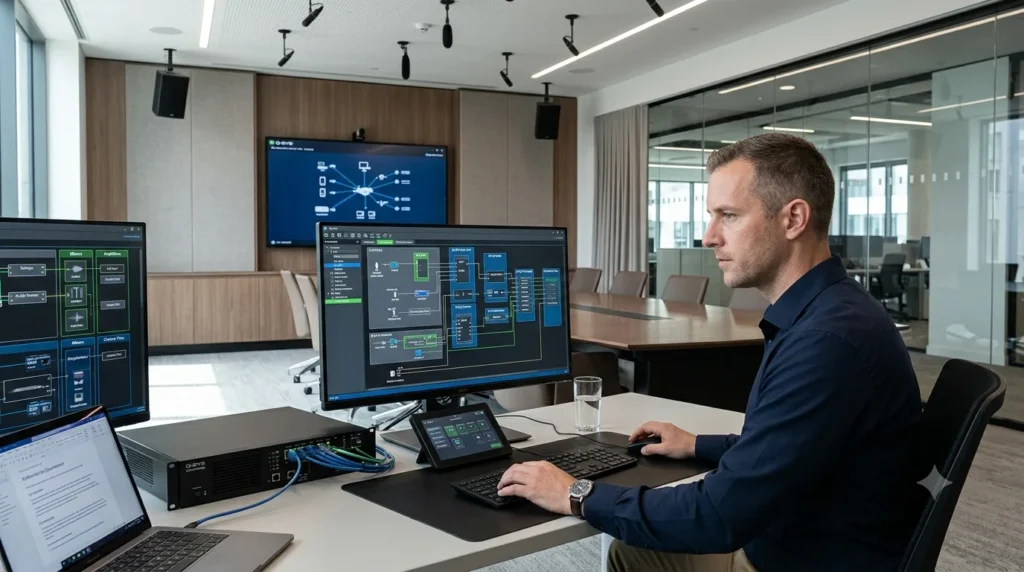
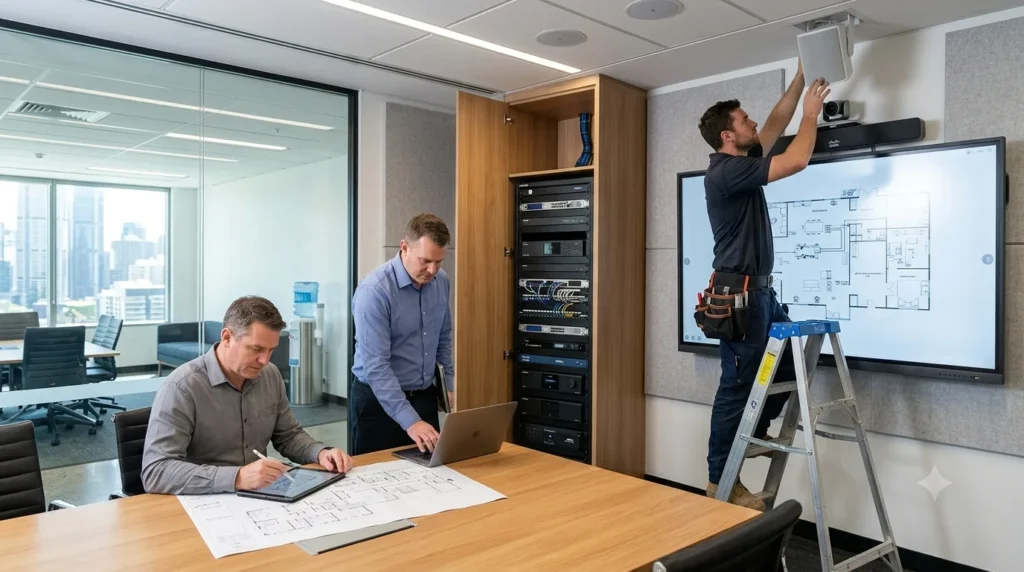
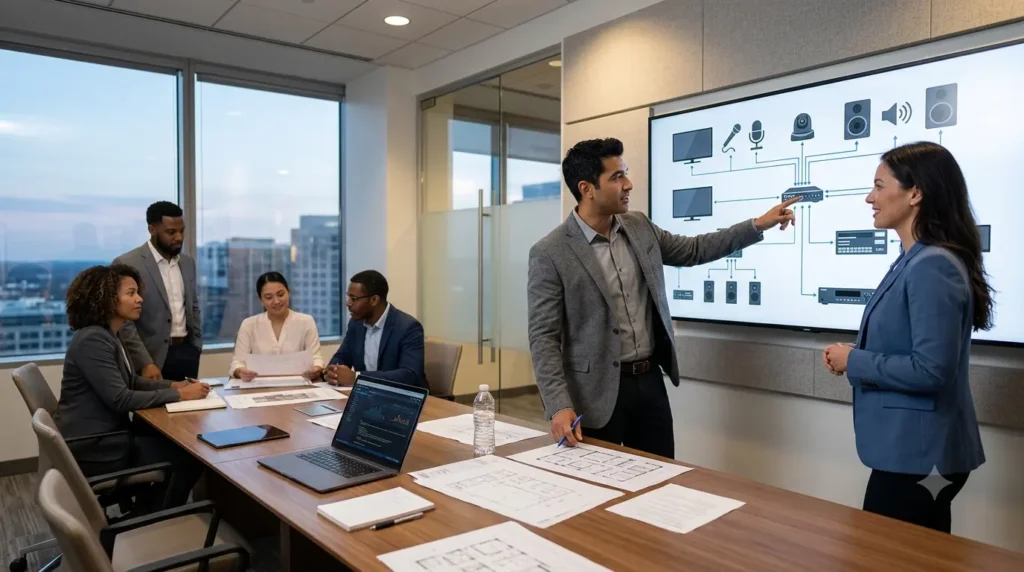
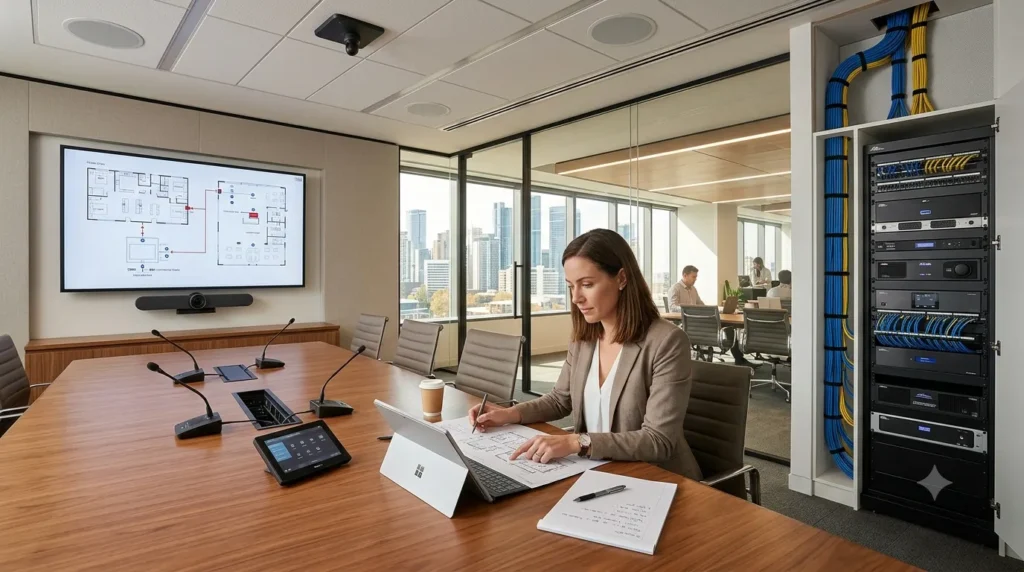
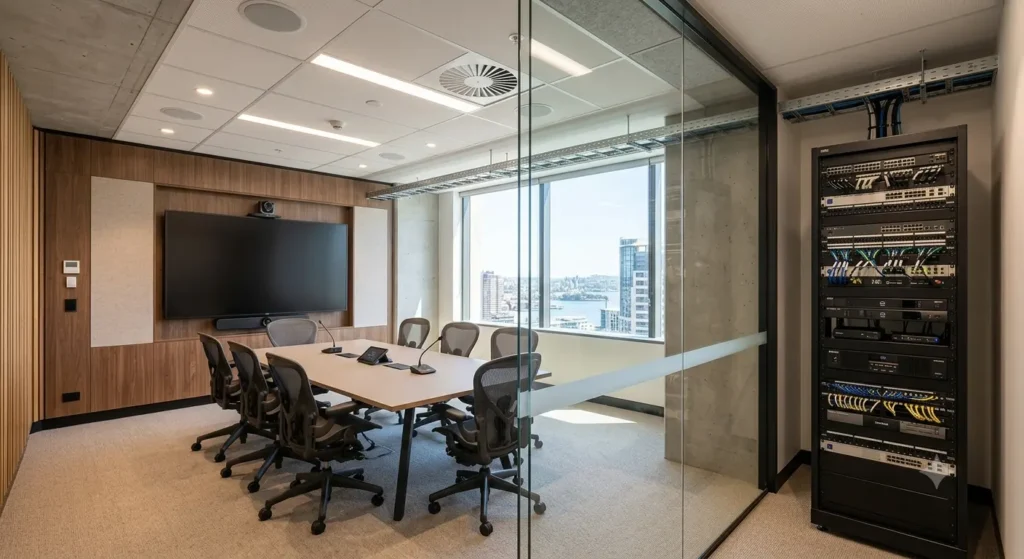
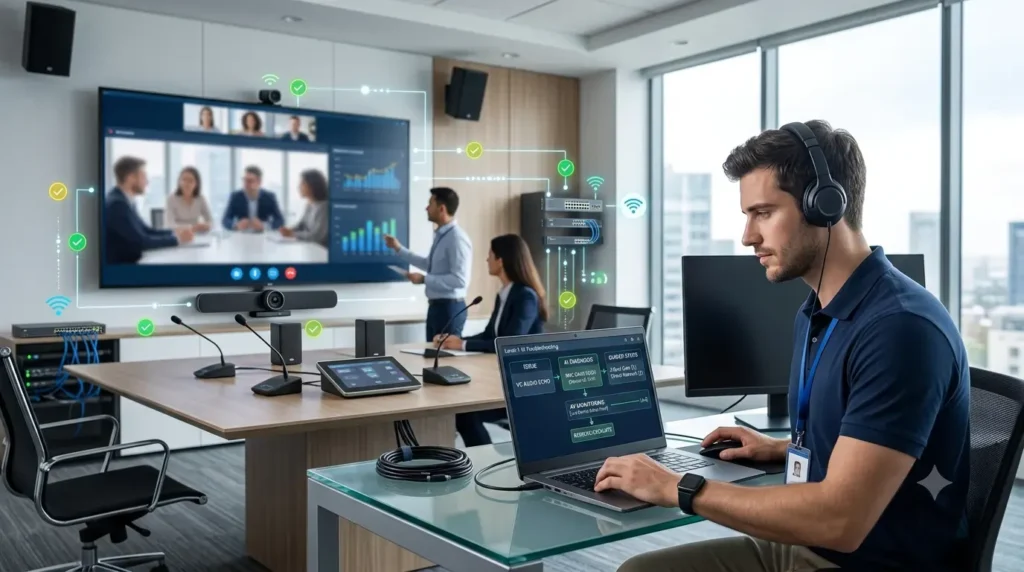
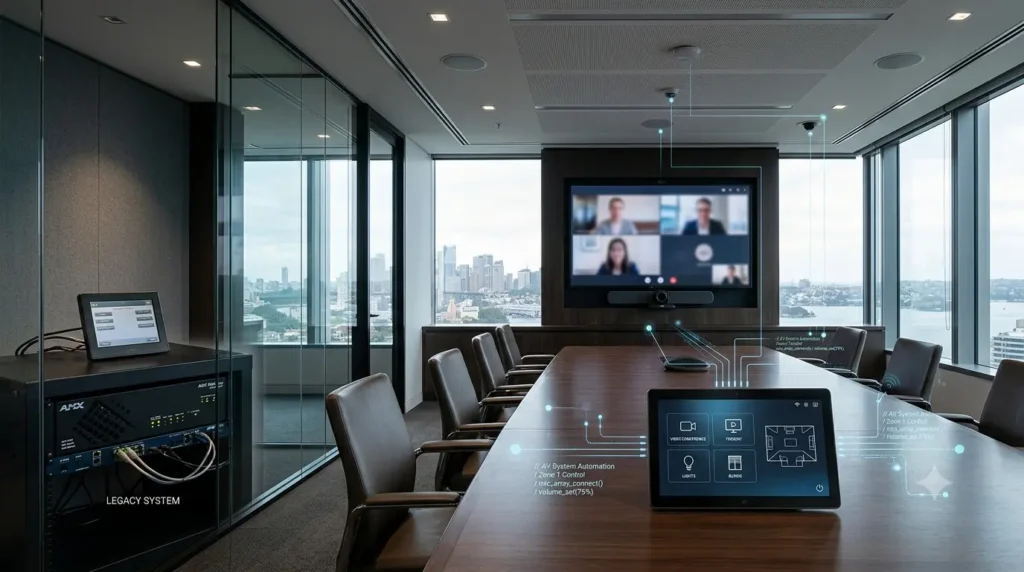
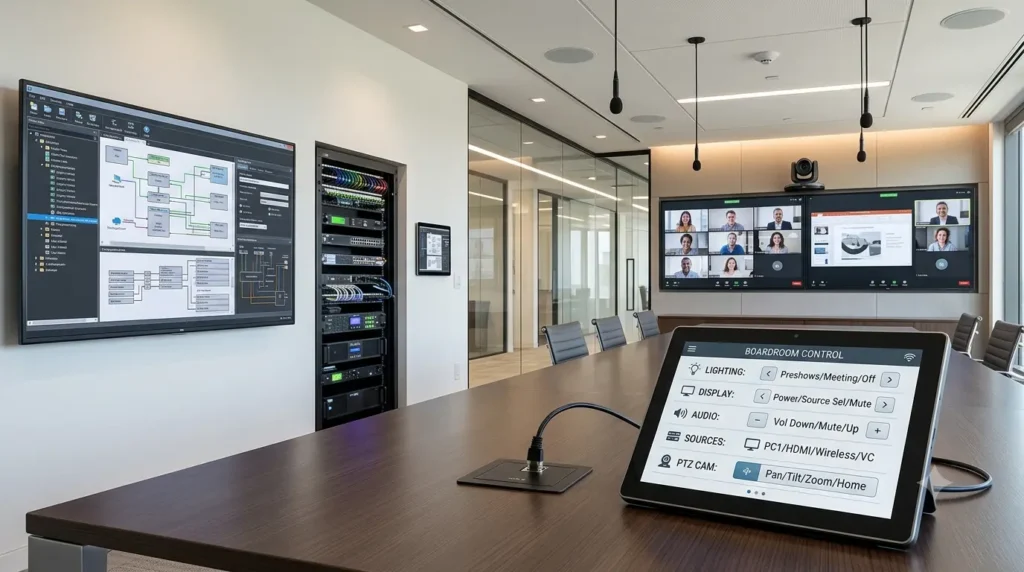
The right Q-SYS programmer is the one who can show similar systems they have delivered, explain how they integrate third-party devices, and hand over editable files and clear documentation. Certification helps, but it is not enough on its own.
Hiring a Q-SYS programmer is an important step in delivering a reliable audio-visual system. The right professional turns your AV design into a working solution with clear control logic, dependable audio routing and a user-friendly interface.
Choosing a programmer on certification or price alone can cause problems later. For projects across Australia and New Zealand, you also need to weigh practical experience, troubleshooting skills, documentation and the ability to work with your existing AV infrastructure.
This guide covers what to look for in a Q-SYS programmer, which certifications matter, and the questions to ask before you hire. If you are also comparing roles, see our guide to what a Q-SYS programming contractor actually does.
1. What does a Q-SYS programmer do?
A Q-SYS programmer develops and configures AV control and audio-processing solutions on the Q-SYS platform from QSC. Depending on the project, the work may include:
Configuring Q-SYS Core processors and networked audio devices.
Building audio signal flows and processing components.
Creating touch-screen control interfaces.
Integrating third-party equipment through supported drivers, APIs or control protocols.
Configuring room automation, presets and system logic.
Testing, troubleshooting and documenting the completed system.
For example, a corporate meeting room may need microphone processing, loudspeaker routing, display control, camera presets and a simple touch-screen interface. The programmer must make these work as one coherent system.
A room that works only when the programmer is standing beside it is not a finished solution.
2. Essential skills to look for
Q-SYS Designer experience. Ask for hands-on experience with Q-SYS Designer, the platform’s design and configuration environment. They should understand signal flow, processing components, control logic, design validation and deployment to compatible Q-SYS hardware.
Audio and networking knowledge. A strong programmer understands more than the software. They should know how gain structure, DSP routing, network addressing, clock synchronisation and multicast traffic affect performance. This matters most in larger installations with multiple rooms and networked audio devices.
Control integration. Many projects need Q-SYS to talk to displays, projectors, cameras, lighting or third-party control platforms such as Crestron. Ask how they approach device integration, protocol compatibility, error handling, and recovery when a device stops responding.
Troubleshooting and documentation. A professional diagnoses faults methodically and provides useful handover documentation: signal-flow diagrams, control descriptions, configuration records and a documented testing process.
3. Which Q-SYS certifications matter?
Q-SYS offers official training and certification pathways for professionals working with its ecosystem. Relevant training shows familiarity with the platform and its design principles. When evaluating a candidate:
Ask for their current Q-SYS training or certification details.
Verify credentials through official Q-SYS resources.
Check that their training matches your project’s requirements.
Review real project experience alongside their credentials.
Certification is useful evidence of training, but it does not prove experience with every integration scenario. For larger or more complex projects, ask for examples of similar systems they have delivered.
4. Contractor, in-house or freelancer?
Specialist contractor or integrator. Suits project-based work, multi-room rollouts and systems that need design, programming, commissioning and ongoing support from one team. You get shared knowledge, so the project does not depend on one person.
In-house programmer. Suits organisations with a steady stream of changes across many sites. It requires ongoing training and cover for leave and turnover.
Freelancer. Can suit small, well-defined rooms. Check how they handle documentation, handover and support after the project ends, because these are the common gaps.
5. What a Q-SYS programming quotation should include
Whatever the price, compare quotations on scope. Before you compare, clarify:
Number of rooms and Q-SYS Core devices.
Required audio processing and control functionality.
Number and complexity of third-party integrations.
Touch-screen interface requirements.
Testing, commissioning and documentation.
Remote support, revisions and post-handover assistance.
Request a fixed-scope quotation where possible. It should define deliverables, assumptions, exclusions and how changes are handled. A quotation that leaves essential integration work or commissioning outside the agreed scope can cost more in the end.
6. Red flags
No examples of similar systems they have delivered.
Unwillingness to provide editable design files and documentation.
Vague answers about testing and commissioning.
No plan for support after handover.
Credentials that cannot be verified.
7. Questions to ask before hiring
Have you programmed systems similar to ours?
Which Q-SYS training or certifications have you completed?
How do you approach third-party integrations?
What testing and commissioning do you include?
Will we receive editable design files and documentation?
How do you handle revisions and additional requirements?
What support do you provide after handover?
Clear answers show both technical capability and commercial transparency.
Conclusion
Hiring the right Q-SYS programmer involves more than checking certification. Evaluate practical experience, audio and networking knowledge, integration capability, documentation and the scope of work. A well-defined brief and a transparent, fixed-scope quotation reduce surprises during programming and commissioning.
If your project needs specialist support, explore our Q-SYS programming services in Australia or contact Zapperr AV to discuss your system requirements and get a fixed-scope quote.
FAQs
Is Q-SYS programming difficult? It requires knowledge of Q-SYS Designer, audio processing, control logic, networking and device integration. Complexity depends on the project.
Should I hire a certified Q-SYS programmer? Relevant official training is valuable, but also assess hands-on experience and the ability to deliver systems similar to yours.
Can a Q-SYS programmer work remotely? Many configuration and programming tasks can be done remotely when secure access, suitable equipment and project arrangements allow. Physical testing or on-site commissioning may still be needed.
What should a Q-SYS programming quotation include? The programming scope, integrations, testing, documentation, deliverables, exclusions and any additional support terms.
Can Zapperr AV program Q-SYS systems in Australia and New Zealand? Yes. Zapperr AV provides Q-SYS programming for projects across Australia and New Zealand. Contact us to discuss your requirements.
Choosing the right audiovisual (AV) professional can help Australian businesses avoid installation issues, unclear responsibilities and unexpected project costs.
An AV consultant helps plan the solution, an AV installer handles physical installation, and an AV integrator brings the different technologies together. Some companies offer all three services, so the key is understanding exactly what your project requires.
Use this checklist to choose the right professional for your next office fit-out, meeting room upgrade or commercial AV project.
1. AV Consultant Checklist: Plan Before You Buy
An AV consultant helps you define your requirements before you commit to equipment or installation. This is particularly useful when you need detailed technical documentation or want to compare proposals from different suppliers.
Use this checklist:
Define business needs and user requirements.
Prepare AV system designs and technical specifications.
Document equipment locations, connections and infrastructure requirements.
Compare suitable technologies and equipment options.
Establish the project scope and budget expectations.
Review proposals against the agreed requirements.
Provide project oversight if required.
Example: A business is building a new office in Melbourne and needs meeting rooms, a training space and a boardroom. An AV consultant can document the requirements before the business requests quotations.
Best for: Businesses that need planning, design documentation or independent technical advice before choosing a solution.
2. AV Installer Checklist: Get the Equipment Installed
An AV installer focuses on the physical installation of equipment. This may include displays, speakers, microphones, cameras, equipment racks and cabling, depending on the agreed scope and relevant qualifications.
Use this checklist:
Mount displays, projectors, cameras and speakers.
Install equipment racks and connect AV devices.
Complete cabling within the approved scope.
Follow installation drawings and site safety requirements.
Check equipment placement and physical connections.
Confirm whether configuration and programming are included.
Identify who will test and commission the finished system.
Example: A company already has approved meeting room designs and equipment specifications. It needs a contractor to mount displays, install cameras and connect the specified devices.
An installer may be sufficient for this work, provided the project does not require additional integration services from another specialist.
Best for: Projects where the design is ready and the main requirement is physical installation.
3. AV Integrator Checklist: Make the Complete System Work Together
An AV integrator connects and configures audiovisual technologies so they operate as a coordinated system. Depending on the engagement, the work may include design, equipment integration, programming, configuration, testing and commissioning.
Installing every device correctly is important, but users also need those devices to work together.
Use this checklist:
Design or review the complete AV system.
Integrate displays, audio equipment and conferencing platforms.
Configure control processors and touch panels.
Program room controls and user workflows where required.
Test audio, video and control functions.
Verify system performance against agreed requirements.
Provide final technical documentation and handover.
Confirm post-installation support arrangements.
Example: A meeting room needs one-touch conferencing. When a user starts a meeting, the system should select the correct camera, activate the microphones, route audio and display the meeting content.
An AV integrator can coordinate these functions, subject to the equipment capabilities and project scope.
When evaluating an AV integrator in Australia, look for relevant technical experience, clear deliverables and a defined testing process.
Best for: Businesses that need multiple AV components to operate as one coordinated solution.
4. AV Integrator vs AV Installer vs AV Consultant: Quick Comparison
Your requirement
Professional to consider
Define requirements and plan the project
AV consultant
Prepare technical designs and specifications
AV consultant or AV design specialist
Mount and connect equipment
AV installer
Program room controls and integrate technologies
AV integrator
Test the complete system against agreed requirements
AV integrator or commissioning specialist
Obtain independent project oversight
AV consultant or project manager
Deliver design, integration and commissioning under one scope
Provider with the relevant end-to-end capabilities
These roles can overlap. Always confirm the actual services included in the proposal rather than assuming a job title guarantees a particular deliverable.
5. Checklist for Choosing the Right AV Provider
Before signing a contract, ask these questions.
Relevant experience: Has the provider completed projects similar to yours?
Clear scope: Does the quotation list included services, exclusions and assumptions?
Design documentation: Will you receive the drawings and equipment schedules you need?
Programming: Who will configure control systems and room workflows?
Commissioning: How will the provider verify that the system works as intended?
Compliance: Does the team meet relevant licensing, registration and competency requirements?
Project costs: Are additional charges and potential variations explained?
Handover: Will you receive final documentation and user guidance?
Ongoing support: Who will help if the system develops a fault after handover?
A low quotation may exclude programming, commissioning or documentation. Compare proposals against the same requirements so you understand the full scope before making a decision.
6. Frequently Asked Questions
Is an AV integrator the same as an AV installer?
No. An AV installer generally focuses on physical equipment installation and connections. An AV integrator focuses on bringing the system components together, which may include programming, configuration, integration and commissioning. Some providers perform both roles.
Do I need an AV consultant before hiring an AV integrator?
Not always. For a straightforward project, an integrator may be able to assess your requirements and propose a solution. More complex projects may benefit from independent advice and detailed design documentation before procurement.
What should an AV integration quotation include?
It should clearly explain the equipment, design responsibilities, installation, programming, commissioning, documentation, exclusions and support arrangements relevant to the project. It should also state how the provider will verify that the completed system meets the agreed requirements.
How do I choose an AV integrator in Australia?
Compare relevant project experience, technical capabilities, documentation, commissioning procedures, costs and support. Confirm who will perform regulated work and whether the provider can deliver the services your project needs.
Final Thoughts
The right AV professional depends on your project requirements.
An AV consultant helps you plan, an AV installer handles the physical installation, and an AV integrator connects the technologies into a coordinated solution. Some providers can manage all these stages, provided their proposal includes the required services.
Start with a clear scope, assign responsibilities and confirm how the completed system will be tested.
If your business needs help connecting audiovisual technologies, explore Zapperr AV’s system integration services to understand the available approach for your project.
The goal is not simply to install equipment. It is to deliver an AV system that works reliably for the people who use it.
Modern commercial AV systems are no longer just about connecting a display, microphone and speakers. A meeting room may need to work with video conferencing, room control, audio processing, cameras, displays, lighting, networking and other building technologies.
That is where AV system integration becomes important.
Instead of treating every device as a separate island, an integrated AV system brings different technologies together into one coordinated user experience. Two platforms that play a major role in this space are Crestron and Q-SYS. They approach integration differently, but both can help organisations build systems that are easier to operate, automate and manage.
If you want a head-to-head platform comparison, see our post on Crestron vs Q-SYS: Which Control System Is Best for Your AV Environment?. This article looks at a different question: where each platform fits in the integration process, and what has to happen around it for the project to succeed.
What Is AV System Integration?
AV system integration is the process of designing and connecting audio, video, control and related technologies so they work together as one practical system.
A modern meeting room might include:
Displays or projectors
Cameras and microphones
Speakers and audio DSP
Video distribution
Room control and touch panels
Video conferencing equipment
Network-connected devices
Lighting or other room systems
Without proper integration, users end up juggling remotes, apps and control interfaces. A professional integrator looks at the complete workflow instead. What should happen when a meeting starts? What happens when a user selects a presentation source? How should the room respond when the meeting ends?
The technology should support those workflows, not make users memorise how every device works.
Where Crestron Fits
Crestron has long been used for control and automation in commercial AV environments. Its documentation describes a control system as a network-based component that can control different devices and link them together, issuing commands and collecting data based on user actions or automated events.
In practice, a user can tap one control interface while the system handles several actions behind it. Selecting “Presentation” can set the display, source and room settings together.
The role of Crestron programming
Programming defines how the control system behaves. A professional Crestron programmer builds the logic for room workflows, device communication, user controls and automation based on the installation’s requirements. Crestron’s 4-Series control systems are programmable and can integrate with network-connected technologies.
The programming layer is the bridge between a simple user command and the collection of technical actions that follow. Users do not want to think about protocols, IP addresses or control commands. They just want the meeting to work.
Where Crestron suits best
Crestron is a strong fit when a project needs detailed control logic across multiple technologies, such as:
Custom room workflows and touchscreen interfaces
Automated source selection
Display, projector and audio control
Integration with other building technologies
Network-based device communication and centralised management
Not every project needs the same level of custom programming, though. Crestron’s .AV Framework is designed to let supported room configurations be set up through configuration rather than custom code. Other environments, with unusual workflows or a wide range of integrated technologies, need more customised behaviour.
Where Q-SYS Fits
Q-SYS takes a different approach. It is a software-based platform that combines audio, video and control in one architecture, with support for third-party integrations. The Q-SYS Control Engine sits alongside the audio and video engines in the Q-SYS OS, and the platform includes tools for controlling native devices and third-party hardware and software.
That makes it attractive when audio, video and control need to work closely together, because the DSP, video and control layers are not completely separate pieces.
Q-SYS does not mean “no programming”
Q-SYS offers different control approaches, from configuration and no-code options through to scripting and custom integrations. Q-SYS Designer is the environment for designing the system, including DSP, control and user control interfaces. A straightforward space may need a simple interface. A complex one may need custom logic and third-party integrations.
Which One Should You Choose?
There is no responsible one-size-fits-all answer. Both platforms support sophisticated environments. A project team should weigh:
Existing technology infrastructure
Required control workflows
Audio processing and video requirements
Third-party integrations
Network architecture
User interface requirements
Monitoring and management needs
Scalability and long-term support
The decision should come from the project requirements, not from whichever platform happens to be familiar. The platform is only one part of the solution. Design, configuration, programming, testing and commissioning all shape the final result.
Integration Does Not End on Commissioning Day
Modern AV environments need ongoing monitoring and maintenance. Crestron’s XiO Cloud is a cloud platform for remotely provisioning, monitoring and configuring Crestron devices, including device status, group settings and scheduled firmware updates. Q-SYS Reflect is a subscription service for remote monitoring and management of Q-SYS Cores and, optionally, third-party devices across an estate.
This matters most for organisations running many rooms or sites. The goal is not just to build an AV system, but one that stays practical to operate and support.
The Full Integration Lifecycle
Buying compatible equipment does not automatically create a successful system. The integration layer determines how components communicate and how people use them. A sound project covers:
Requirements: what users and stakeholders actually need
Design: system architecture, signal flow and equipment
Integration: connecting the technologies
Programming: control logic and user interfaces
Testing: verifying each component and workflow
Commissioning: testing the complete system against agreed requirements
Documentation: recording the system so future support is easier
Support: maintaining it as needs change
Skip one of these steps and the problems usually show up later, often at the client walkthrough. A rack full of expensive equipment is not a successful AV system if the person using the room needs a technical degree to start a meeting.
How Zapperr AV Delivers Crestron and Q-SYS Projects
We are certified across Crestron, Q-SYS, Extron, Biamp, AMX, Dante and more, so we match the specialist to your platform instead of pushing one. In practice that means:
Fixed-price delivery. Your quote is your final cost, with no hourly billing. We turn quotes around within 24 hours.
Tested before site day. Code is checked against your drawings before it leaves our desk, and we can pre-commission remotely.
Full documentation. Your team can support the system after handover.
White-label if you need it. Your brand, your client, our technical delivery.
One example: on a 22-room Q-SYS and Crestron fitout with a builder pushing for practical completion, remote pre-commissioning the week before site led to zero defects at the client walkthrough, and retention was released the same day. See more in Our Work.
Choosing the Right Approach in Australia and New Zealand
For projects across Australia and New Zealand, start with the requirements: the spaces, the users, existing infrastructure, control needs, the audio and video architecture, the network and the long-term support model. Then choose the platform.
For Crestron projects, the programming should match the room workflows required, not add complexity just because the platform allows it. For Q-SYS projects, consider how the integrated audio, video and control architecture fits the technical and operational needs. We work remotely and on site across both countries.
Final Thoughts
Good AV system integration makes complex technology feel simple. Crestron offers powerful control and automation, with programming playing a key role when workflows are customised. Q-SYS brings audio, video and control together in one platform and supports native and third-party integrations.
Neither should be chosen just because it is popular or familiar. Understand the project first, then select the architecture, technology and programming strategy that fits it. When that is done well, people walk into the room, press one button and get on with the meeting.
Is Crestron suitable for AV system integration? Yes. Crestron control systems are designed to integrate and automate technologies in networked commercial and other environments. Custom Crestron programming can be used when a project needs specific control workflows.
What is Q-SYS used for? Q-SYS is an integrated audio, video and control platform. Its architecture combines these functions and supports native Q-SYS products as well as third-party integrations.
Does Q-SYS require programming? It depends on the project. Q-SYS provides configuration and no-code options, and also supports scripting and custom control for more advanced requirements.
Should I choose Crestron or Q-SYS? The right choice depends on your requirements, existing infrastructure, control needs, system architecture, integrations and long-term support. A qualified AV integrator should assess these before recommending a platform.
Why is programming important in AV integration? Programming determines how connected technologies respond to user actions and automated events. Good programming simplifies complex room workflows and creates a consistent user experience.
Choosing the right AV integrator is about more than finding a company that can install displays, speakers, cameras and control systems.
A commercial AV system needs to work as one connected solution. It may need to support presentations, video conferencing, room control, collaboration, digital signage and other business requirements. If the design or integration process is rushed, small decisions can become expensive problems later.
That is why choosing an AV integrator should start with a clear checklist—not just a comparison of quotes.
Here is a practical buyer’s guide to help you evaluate an AV integration company, ask better questions and understand what you are actually paying for.
1. Define What You Need the AV System to Do
Before contacting an AV integrator, start with your requirements.
You do not need to specify every microphone, processor or cable. That is where professional AV system design comes in. Instead, explain how people will use the spaces.
Consider:
Which rooms need AV?
How many people will use each room?
Is video conferencing required?
What type of presentations will users deliver?
What audio coverage is needed?
Will users need room control?
Does the AV system need to connect to the corporate network?
Are there security or compliance requirements?
Does the system need to support future expansion?
A good integrator should ask these questions before recommending equipment.
If the first conversation is simply, “Which equipment brand do you want?” before anyone understands your requirements, the process may be starting in the wrong place.
2. Check the Integrator’s AV Design Capability
Do not assume every AV installer provides the same level of design and engineering.
For larger commercial projects, the design determines how different components will work together. It can cover signal flow, audio, video, control, networking, equipment racks, room layouts and system interfaces.
Ask whether the AV integrator provides:
AV system design
System schematics
Floorplans
Rack elevations
Equipment schedules
Bill of materials
Signal-flow diagrams
Control-system design
Installation documentation
Documentation is particularly important when several contractors or teams are involved.
AVIXA’s ANSI/AVIXA D401.01:2023 Documentation Requirements for Audiovisual Systems provides a framework for determining AV documentation requirements, responsibilities and delivery for professional AV projects.
Good documentation also makes future maintenance easier. When something stops working two years later, you want a technician to find the answer in the project documentation—not start opening ceiling tiles and hoping for the best.
3. Look for Relevant Project Experience
An AV integrator may have years of experience, but the more important question is whether that experience matches your project.
A company experienced with small meeting rooms may have a different skill set from an integrator handling a corporate headquarters, education campus, healthcare facility or multi-room enterprise deployment.
Ask for examples of similar projects.
Look for experience with:
Similar building types
Comparable room sizes
Similar AV technologies
Complex system integration
Networked AV
Video conferencing
Control systems
Multi-room deployments
You are not simply checking how many projects the company has completed. You are checking whether the team has dealt with problems similar to the ones your project could face.
4. Ask About Technical Expertise and Certifications
AV technology can involve many different platforms, manufacturers and protocols.
Ask who will actually design, program, install and commission your system.
Depending on the project, relevant experience may include platforms such as:
Crestron
Q-SYS
Biamp
Extron
Dante
Microsoft Teams Rooms
Zoom Rooms
You should also ask about relevant manufacturer training and professional certifications.
Most importantly, find out whether the people presented during the sales process will actually work on your project.
A long list of technologies on a company website does not tell you who will be responsible for your installation.
5. Read the AV Integration Quote Carefully
Two AV proposals can look similar while covering very different scopes.
Before comparing prices, check exactly what each proposal includes.
Look for:
AV design
Equipment supply
Installation
Cabling
Rack assembly
Programming
Configuration
Testing
Commissioning
Project management
User training
Documentation
Warranty support
Also ask what is not included.
This matters because unclear scope can create additional costs later.
A proposal with a lower equipment price is not automatically cheaper if essential design, programming, commissioning or project-management work appears later as an extra.
Ask the integrator to explain the assumptions behind the quotation.
6. Understand Their AV System Integration Process
Modern AV systems rarely operate completely on their own.
Your AV integrator may need to coordinate with:
IT teams
Network administrators
Electrical contractors
Builders
Architects
Facilities teams
Security teams
Other technology suppliers
Ask how these responsibilities will be managed.
For example:
Who defines the network requirements?
Who provides network ports and VLAN information?
Who coordinates power requirements?
Who handles third-party system integration?
Who is responsible when another building system affects AV performance?
AVIXA maintains standards and guidelines covering areas such as AV documentation, system performance verification and AV/IT infrastructure. These resources reinforce the importance of coordinating AV requirements rather than treating the AV installation as a standalone activity.
Clear responsibility at the beginning can prevent a lot of finger-pointing at the end.
7. Do Not Overlook AV Programming
Good hardware does not automatically create a good user experience.
AV programming determines how users interact with the system.
Ask your integrator:
How will users start a meeting?
How will they select a presentation source?
How will they control audio?
How will displays respond?
What happens if a device becomes unavailable?
Can administrators troubleshoot the system?
Can the control interface be expanded later?
The objective should be simple operation.
If users need a 20-minute training session just to start a presentation, the system may not have been designed around the user.
Good AV programming should make the technology feel straightforward, even when the system behind the interface is complex.
8. Ask How the System Will Be Tested and Commissioned
Installation is not the finish line.
A professional AV project should include testing and AV commissioning to verify whether the completed system meets the agreed requirements.
Ask:
What will be tested?
What performance criteria will be used?
Who performs the testing?
When will testing happen?
How are defects documented?
How are problems corrected?
What commissioning documentation will you receive?
AVIXA’s Audiovisual Systems Performance Verification standard provides a framework for determining what parts of an AV system should be verified, when verification should occur, how verification criteria are established and how results are reported.
That is an important distinction.
“Everything turns on” is not the same as “the system has been properly verified.”
9. Discuss Network and Cybersecurity Requirements
Many modern AV devices connect to networks, cloud platforms or other systems.
That makes cybersecurity an important part of the procurement conversation.
Ask about:
Network requirements
Device access
Administrative accounts
Remote access
Firmware updates
Software updates
Cloud services
Vendor support
Device lifecycle
Security responsibilities
NIST guidance on IoT device cybersecurity recommends considering security requirements when organisations acquire and integrate connected devices.
The exact requirements will depend on your organisation, but the conversation should happen before equipment is deployed—not after IT discovers a collection of unfamiliar devices on the network.
10. Ask What Happens After Installation
Your relationship with an AV integrator should not necessarily end when installation is complete.
Ask what support is available after handover.
Consider:
Warranty support
Service agreements
Remote support
On-site support
Preventive maintenance
Remote monitoring
Software updates
Replacement equipment
Response procedures
A clear support process can be especially important for meeting rooms, boardrooms, training spaces and other environments that employees depend on every day.
11. Check References and Communication
Before signing the contract, ask for relevant customer references.
Do not only ask whether the customer liked the system. Ask practical questions:
Was communication consistent?
Was the scope clearly explained?
Were changes handled professionally?
Were problems resolved?
Was the final documentation useful?
Did the system meet the original requirements?
How responsive was the integrator after installation?
Also pay attention to communication during the sales process.
If getting a straightforward answer takes several days before the project begins, it is reasonable to ask how communication will work once architects, contractors, IT teams and installers are involved.
12. Compare Total Value, Not Just Price
Price matters. But AV procurement should not become a race to find the smallest number on a spreadsheet.
A lower proposal may exclude services that another integrator has included.
Ask every shortlisted AV integrator to explain its assumptions, exclusions and responsibilities.
That gives you a much more useful comparison than simply looking at the final number.
AV Integrator Buyer’s Checklist
Before selecting an AV integration company, make sure you can answer:
☐ Does the integrator understand our requirements?
☐ Do they have relevant project experience?
☐ Can they provide professional AV design documentation?
☐ Are the proposed technologies appropriate for our environment?
☐ Is the project scope clearly defined?
☐ Are installation, programming and commissioning included?
☐ Are AV, IT and contractor responsibilities clear?
☐ How will the system be tested?
☐ What network and cybersecurity requirements need to be addressed?
☐ What documentation will we receive?
☐ What support is available after installation?
☐ Can the integrator provide relevant customer references?
☐ Can the system be maintained and expanded in the future?
If you cannot get clear answers, pause before signing.
The issue may not be the equipment. The procurement process may simply need more definition.
Frequently Asked Questions About Choosing an AV Integrator
What does an AV integrator do?
An AV integrator brings different audiovisual technologies together into a complete working system. Depending on the project, this can include design, equipment selection, installation, programming, configuration, testing, commissioning, documentation and support.
What should I look for in an AV integrator?
Look for relevant project experience, technical expertise, clear project documentation, transparent scope, programming and commissioning capability, good communication and reliable post-installation support.
What should an AV integration quote include?
A detailed proposal should clearly identify the equipment and services included. Depending on the project, this may cover design, equipment supply, installation, cabling, programming, commissioning, project management, documentation, training and support.
Why is AV commissioning important?
Commissioning helps verify that the installed AV system performs according to the agreed requirements. It can identify configuration, connectivity, performance or operational issues before the system is handed over to users.
What is the difference between an AV installer and an AV integrator?
An AV installer generally focuses on the physical installation of equipment and cabling. An AV integrator can provide a broader service that brings design, equipment, installation, programming, configuration, commissioning and other system components together into a complete solution. The exact scope varies by provider, so buyers should always check what services are included.
Need Help With Your AV Project?
Choosing an AV integrator does not have to mean comparing confusing equipment lists and trying to work out which proposal is actually complete.
Zapperr AV provides independent AV consulting, design, programming, system integration and commissioning services for commercial projects. Our approach focuses on understanding the project requirements first, then developing an AV solution that aligns with the space, users, technology and budget.
If you are planning a new AV project, upgrading an existing system or need an independent review of an AV proposal, talk to Zapperr AV about your project requirements.
The right AV solution starts with the right questions—and a clear scope.
A well-written AV scope of work gives everyone involved in a commercial project a clear understanding of what the audio visual system must deliver, who is responsible for each task, and what is included in the project budget.
Without a detailed scope, important requirements can be missed. This can lead to design changes, equipment conflicts, installation delays, programming issues and unexpected costs later in the project.
Whether you are planning AV for a corporate office, boardroom, training facility, education space, government building or large commercial development, the scope should connect the client’s requirements with the technical design, installation, programming, commissioning and handover process.
What Is an AV Scope of Work?
An AV scope of work is a project document that defines the required audio visual systems, services, deliverables, responsibilities and acceptance requirements.
It can cover areas such as:
Displays and video distribution
Projection systems
Audio systems
Video conferencing
Room control
Digital signage
AV-over-IP
Control systems
Network and IT requirements
AV programming
Installation
Testing and commissioning
Documentation and training
The scope should describe what the completed AV system needs to achieve rather than simply providing a list of equipment.
Why Is an AV Scope of Work Important?
A detailed scope creates a common reference point for the client, AV consultant, integrator, builder, electrical contractor, IT team and other project stakeholders.
It can help:
Define project requirements before procurement
Reduce misunderstandings between trades
Establish clear responsibilities
Support accurate AV budgeting
Identify exclusions and assumptions
Coordinate AV with architectural and building services
Define programming and commissioning requirements
Establish measurable acceptance criteria
Most importantly, a good scope helps prevent the situation where everyone assumes that someone else is responsible for a particular part of the AV system.
1. Define the Project Objectives First
Start by explaining what the AV system needs to achieve.
For example, a boardroom may require high-quality video conferencing, wireless presentation and simple one-touch room control. A training room may require presentation, speech reinforcement and recording capabilities.
Document the intended user experience before specifying equipment.
Ask:
Who will use the room?
What content will be presented?
How will users connect?
Is video conferencing required?
Who will operate the system?
What level of automation is required?
Are accessibility requirements applicable?
Does the system need to integrate with existing technology?
These answers provide the foundation for the technical scope.
2. Create a Room-by-Room AV Requirements Schedule
For commercial projects, a room-by-room schedule makes the scope much easier to understand.
Room
Video
Audio
Conferencing
Control
Boardroom
Display
Ceiling speakers
Required
Touch panel
Training Room
Dual displays
Microphones + speakers
Required
Room controller
Meeting Room
Display
Integrated audio
Required
Simple control
Reception
Digital signage
Background audio
Not required
Central management
The exact requirements will depend on the project, but the principle is the same: define what each space needs before selecting equipment.
3. Define Video Requirements
Specify the expected video performance and functionality.
Consider:
Display size and location
Projection requirements
Resolution
Sources and inputs
HDMI or USB connectivity
Wireless presentation
Video distribution
AV-over-IP requirements
Digital signage
Content routing
Accessibility and viewing requirements
Avoid specifying equipment models too early unless the project requires specific approved products. Performance requirements can provide greater flexibility during procurement.
4. Define Audio Requirements
Audio should be scoped according to how each room will be used.
The scope may need to address:
Microphones
Ceiling or wall-mounted speakers
Amplification
DSP
Audio sources
Acoustic considerations
Speech intelligibility
Background music
Audio conferencing
Hearing assistance requirements
The physical room also matters. Ceiling height, finishes, room size and background noise can all influence the appropriate audio design.
5. Include Video Conferencing Requirements
Modern commercial AV projects often depend on reliable video conferencing.
Define whether the room requires platforms such as Microsoft Teams Rooms, Zoom Rooms or another conferencing solution.
Document requirements for:
Cameras
Microphones
Speakers
USB connectivity
Room PCs or dedicated conferencing appliances
Content sharing
BYOD
Room scheduling
Control
Integration with existing IT systems
The scope should also identify which requirements sit with the AV contractor and which sit with the client’s IT team.
6. Define AV Control Requirements
A technically capable AV system can still create a poor user experience if the control interface is complicated.
The scope should identify required touch panels, control processors, room controllers, automation and integration with lighting, shading or other building systems where applicable.
Programming should not be treated as an afterthought.
The scope should define:
Control system programming
DSP configuration
User interface design
Device integration
Automation
Room logic
Scheduling integration
Testing and debugging
User interface documentation
If programming requirements are unclear, the project can reach installation completion while the system still requires significant engineering work.
12. Define Testing and Commissioning Requirements
Commissioning should be clearly included in the AV scope.
Define testing for:
Audio performance
Video signal paths
Control functionality
Conferencing
Network communication
Device integration
Room automation
Fault conditions
User workflows
The scope should also identify what constitutes successful completion.
13. Specify Documentation and Handover
A project is not complete simply because the equipment is switched on.
Handover requirements can include:
As-built drawings
Final equipment schedules
Programming backups
Configuration files
Test results
User guides
Maintenance information
Warranty documentation
Training
Commissioning reports
These documents help the client operate and maintain the system after project completion.
14. Clearly State Exclusions
Exclusions are just as important as inclusions.
For example, the scope may clarify whether the following are excluded:
Electrical works
Builder’s works
Network infrastructure
Structural supports
Acoustic treatment
Internet services
Client-provided equipment
Third-party software
Ongoing support
Clearly documented exclusions reduce the risk of scope disputes later.
15. Connect the AV Scope to the Project Budget
The AV scope and budget should work together.
Every major requirement should have a corresponding cost allowance. If the client adds additional rooms, higher-performance displays, advanced control or more complex integration, the financial impact should be visible.
A detailed scope therefore supports better AV scope and budget planning and helps stakeholders understand what the project investment covers.
Common AV Scope of Work Mistakes
Avoid these common problems:
Creating a generic scope that does not reflect the actual rooms
Providing only an equipment list
Leaving IT responsibilities unclear
Ignoring coordination with other trades
Treating programming as an afterthought
Failing to define commissioning
Not documenting exclusions
Omitting handover requirements
Using an outdated scope after project changes
A scope should be reviewed whenever the project requirements, design or budget changes.
AV Scope of Work Checklist
Before issuing the scope, confirm that it covers:
Project objectives
Room requirements
Video
Audio
Conferencing
Control
Network and IT
Equipment
AV design documentation
Installation
Programming
Testing
Commissioning
Training
Handover
Exclusions
Responsibilities
Budget assumptions
Acceptance criteria
When Should You Use an AV Consultant?
For larger or more complex commercial projects, involving an independent AV consultant early can help establish the requirements before procurement or installation begins.
An AV consultant can help translate business requirements into technical specifications, coordinate AV with the building design, develop documentation, review proposals and establish commissioning requirements.
Early planning is particularly valuable when AV needs to coordinate with architecture, electrical, IT, security, lighting and building management systems.
AV Scope of Work vs AV Design: What Is the Difference?
An AV scope defines what the project needs to deliver and what services are included.
AV design explains how the system will achieve those requirements.
For example, a scope may state that a boardroom requires high-quality video conferencing, presentation and room control. The detailed AV design then determines the equipment, signal flow, rack configuration, cabling and control architecture required to deliver those functions.
Both documents should work together.
Final Thoughts
A strong AV scope of work for commercial projects does more than describe equipment. It establishes clear requirements, responsibilities, deliverables, budget expectations and acceptance criteria from the beginning.
When the scope is detailed and aligned with the AV design, installation, programming and commissioning process, project stakeholders have a much clearer path from initial requirements to successful handover.
If you are planning a commercial AV project and need help defining the requirements, developing an AV scope, creating technical documentation or coordinating design and commissioning, Zapperr AV can help you plan the project before costly decisions are locked in.
Speak with Zapperr AV about your project requirements and get independent AV advice, design and project support tailored to your commercial environment.
Frequently Asked Questions
What should an AV scope of work include?
It should define project objectives, room requirements, AV systems, equipment requirements, installation, programming, testing, commissioning, documentation, responsibilities, exclusions and acceptance criteria.
Who should write an AV scope of work?
Depending on the project, the scope may be developed by an AV consultant, project manager, AV integrator or another qualified professional. For complex projects, an independent consultant can help establish requirements before procurement.
Should an AV scope include equipment models?
Not always. A scope can define performance and functionality requirements first. Specific models can then be selected during detailed design or procurement where appropriate.
Why is commissioning important in an AV project?
Commissioning verifies that the installed AV system performs according to the agreed requirements. It can identify configuration, signal, control, audio and integration problems before handover.
When should an AV scope be created?
Ideally, the AV scope should be developed during the planning and design stages, before procurement and installation. This gives the project team an opportunity to identify requirements, dependencies and budget implications early.
A new office fit-out is a chance to create a workplace that looks good, works well and supports how your team actually does business.
But there is one thing that can quickly spoil the experience: a meeting room where the screen looks great, the microphone refuses to cooperate and everyone spends five minutes asking, “Can you hear me?”
That is why AV design for new office fit-outs deserves attention before construction begins.
From meeting room displays and video conferencing to cabling, acoustics and commissioning, every part of the audiovisual system needs to work together.
This AV design checklist for new office fit-outs explains what office owners, architects, facilities managers, IT teams and project managers should consider before approving an AV design.
1. Start With an Office AV Requirements Checklist
Before choosing equipment, understand what each room needs to do.
A small meeting room, executive boardroom, training space and reception area may all require different AV solutions. Installing the same equipment everywhere is not always the smartest approach.
Start by identifying:
What is the purpose of each room?
How many people will use it?
Will employees join video conferences?
Will users present from laptops or shared systems?
Does the room need wireless presentation?
Will the space support training, town halls or hybrid meetings?
Who will operate the technology?
What equipment does the IT team need to support?
For example, a small huddle room may need a display, camera, microphone and simple controls. A larger boardroom may need multiple microphones, larger displays, presentation switching and more advanced audio processing.
Design the AV around the room’s purpose—not around a catalogue of equipment.
Create a room-by-room AV schedule
A simple requirements schedule gives everyone a shared reference.
Room
Key AV requirements
Huddle room
Display, camera, microphone and easy meeting controls
Meeting room
Display, video conferencing, audio and presentation connectivity
Boardroom
Display system, microphones, speakers and room control
Training room
Presentation, video, audio and flexible connectivity
Reception
Digital signage or information display, if required
These are examples, not fixed equipment specifications. The final design should reflect the actual room, users and project budget.
For a more detailed approach, see Zapperr AV Consultation Services, where AV requirements can be assessed before design decisions are finalised.
2. Plan Display Size, Placement and Viewing
A display should be easy to see from the intended seating positions.
The right size depends on the room dimensions, viewing distance, content and how people will use the screen.
A presentation room showing slides may have different requirements from a room where users regularly review detailed spreadsheets or remote participants.
Before selecting displays, check:
Where will the screen be installed?
How far away will the furthest viewer sit?
Can everyone see shared content clearly?
Will people face the screen comfortably?
Will windows create glare?
Does the display support the required resolution and connections?
Is the wall suitable for mounting the equipment?
AVIXA publishes professional standards and guidelines for audiovisual systems, including display-related planning resources. Its standards can support more structured AV design decisions.
Consider natural light
Large office windows create a bright, welcoming workplace. They can also make displays harder to see and affect video conferencing images.
Coordinate display placement, blinds and lighting with the interior design team.
The aim is not to make the room dark. It is to create a space where people can work comfortably and technology performs as intended.
3. Design Audio for Clear Communication
Audio problems can ruin an otherwise well-designed meeting room.
People need to hear the speaker clearly, whether they are sitting in the room or joining remotely.
Audio design should consider:
Microphone coverage.
Loudspeaker placement.
Room size and seating.
Background noise.
Echo and reverberation.
Speech clarity.
Video conferencing requirements.
A room with hard floors, glass walls and exposed ceilings may behave differently from one with acoustic panels, carpet and soft furnishings.
This is why audio should be considered alongside room design rather than added after the interiors are complete.
Do not rely on technology to fix every acoustic problem
Digital signal processing can improve audio performance, but it cannot eliminate every problem caused by room acoustics.
HVAC noise, reflective surfaces and poor microphone placement may still affect speech clarity.
For larger or acoustically challenging spaces, coordinate with suitable AV and acoustic specialists.
A microphone can pick up a voice. It cannot convince a noisy air-conditioning system to be quiet.
4. Coordinate AV With the Office Fit-Out Design
AV planning should happen alongside architectural and interior design—not after the ceiling, walls and furniture are already finished.
Screens, cameras, microphones, speakers and control panels all need suitable locations.
Some equipment may also require ceiling support, wall reinforcement, cable pathways or access for maintenance.
Coordinate AV requirements with:
Furniture layouts.
Ceiling plans.
Wall finishes.
Glass partitions.
Lighting.
HVAC.
Electrical services.
IT infrastructure.
Fire and building requirements.
For example, a ceiling speaker may conflict with a light fitting. A display may need wall reinforcement. A camera may have an obstructed view of the room.
These issues are easier to resolve during design than after installation.
Why AV coordination matters
Early coordination helps reduce last-minute changes and makes it easier for contractors to understand the intended system.
For complex projects, Zapperr AV Design Services can support design documentation such as floor plans, schematics, rack elevations and equipment schedules.
5. Plan AV Cabling, Power and Network Infrastructure
An AV system needs the right infrastructure to operate reliably.
That includes suitable power, connectivity, cable pathways and access for maintenance.
During the office fit-out, define requirements for:
AV cable pathways.
Conduits and cable trays.
Floor boxes and wall plates.
Equipment power outlets.
Network connections.
Rack locations.
Cable access.
Service routes.
Coordination with other building services.
Do not wait until installation day to decide where the cables should go.
That can lead to visible cabling, inconvenient equipment locations or unnecessary changes to finished spaces.
Plan the AV rack early
Larger office AV systems may require racks for processing, distribution, control and other equipment.
Rack planning should consider equipment space, power, cable management, ventilation and maintenance access.
AVIXA provides specific standards for rack design and rack building, covering areas such as equipment loading, cable management and thermal management.
A rack is not a magic cupboard where heat and tangled cables disappear. Give it a proper place in the design.
6. Make the AV System Easy to Use
An office AV system should help people start meetings, share content and communicate—not require a technical expert every time someone wants to present.
Consider:
Simple room controls.
Clear instructions.
Accessible control locations.
Easy laptop connectivity.
Suitable viewing positions.
Support for assistive listening where required.
Consistent user experience across similar rooms.
A user-friendly design reduces confusion and helps employees use the technology confidently.
Accessibility also deserves attention during planning. Consider how different users will interact with displays, microphones, controls and other room technology.
This international standard addresses ergonomic principles for the design and evaluation of environments involving interactive systems.
The practical lesson is straightforward: if a user needs a ten-minute explanation before starting a meeting, the controls may need simplifying.
7. Allow for Future Office Changes
Office technology and working habits change.
Meeting rooms may become training spaces. Teams may grow. Furniture layouts may change. New equipment may need to connect to existing systems.
Good AV design allows reasonable flexibility without requiring a complete rebuild whenever the office changes.
Consider:
Accessible cable pathways.
Suitable equipment access.
Flexible room layouts.
Scalable infrastructure where justified.
Space for maintenance.
Equipment replacement requirements.
Future changes to room use.
Future-proofing does not mean buying every new technology available.
It means making sensible decisions today that support likely business needs tomorrow.
The newest technology is not automatically the best technology. The best system is one that fits the business and can be supported properly.
8. Prepare Professional AV Design Documentation
Good documentation helps everyone understand what the AV system should include and how it should be installed.
Depending on the project, AV documentation may include:
AV floor plans.
Display and camera locations.
Audio layouts.
Equipment schedules.
Rack elevations.
Cable schedules.
Signal flow diagrams.
Control requirements.
Coordination notes.
Testing and commissioning requirements.
AVIXA’s documentation standard provides guidance for determining audiovisual documentation requirements and coordinating AV documentation with architectural, engineering and construction documentation.
Clear documentation gives installers and project stakeholders a shared reference.
It also helps the client understand what the system should deliver.
9. Include AV Testing and Commissioning From the Start
An AV system is not finished simply because the equipment is installed and the screens turn on.
The system should be checked against its intended requirements before handover.
Your AV commissioning checklist should include:
Displays show the expected content.
Microphones provide suitable coverage.
Loudspeakers deliver clear audio.
Video conferencing works as intended.
Presentation connections function correctly.
Room controls operate properly.
Equipment is labelled.
Cables and racks are documented.
Users receive suitable training.
Outstanding issues are recorded and resolved.
AVIXA publishes performance verification guidance for audiovisual systems, including processes for determining verification criteria, timing and reporting.
Testing helps identify problems before the office becomes busy.
It is much better to discover a microphone issue during commissioning than five minutes before an important client presentation.
Complete AV Design Checklist for New Office Fit-Outs
Before approving the AV design, check that the following items have been addressed.
Room-by-room AV requirements.
Display size and viewing positions.
Microphone and loudspeaker requirements.
Room acoustics and background noise.
Lighting and natural light coordination.
AV cabling, power and network infrastructure.
Rack location and equipment access.
Accessibility and user experience.
Future flexibility.
AV drawings and documentation.
Testing, commissioning and user training.
This checklist provides a starting point. The final requirements should come from the actual project, room layouts and intended use.
Frequently Asked Questions About Office AV Design
1. When should AV design begin during a new office fit-out?
AV design should begin during the early planning and design stages, before major construction decisions are finalised. This allows the AV team to coordinate with architects, interior designers, electrical contractors and IT teams.
2. What should an office AV design checklist include?
An office AV design checklist should cover room requirements, displays, audio, video conferencing, cabling, power, network infrastructure, rack locations, accessibility, documentation and commissioning.
3. Why is AV coordination important in office fit-outs?
AV coordination helps ensure equipment locations, cable pathways, power requirements and room layouts work together. It can reduce late changes and make installation easier.
4. Do all office meeting rooms need the same AV equipment?
No. Equipment requirements depend on room size, purpose, occupancy, seating, video conferencing needs and how users will present content. A huddle room and a boardroom may need different systems.
5. Why is AV commissioning important?
Commissioning checks whether the installed AV system performs according to the intended requirements. It can identify issues with audio, video, controls, connectivity and documentation before the system is handed over.
Final Thoughts: Plan Your Office AV Before Construction
A new office fit-out is an opportunity to create a workplace where technology supports people rather than interrupts them.
The best AV design considers room use, display visibility, audio quality, infrastructure, accessibility, documentation and testing from the beginning.
When AV consultants, architects, IT teams and contractors coordinate early, they can make more informed decisions and avoid unnecessary surprises later.
At Zapperr AV, we help businesses plan audiovisual systems around their actual requirements. From AV consultation and design to commissioning, the focus should be on creating systems that are practical, reliable and easy to use.
Planning a new office fit-out? Get your AV requirements right before the walls go up.
Government meetings leave little room for “the screen worked yesterday.”
When an AV system fails in a government building, the impact can go beyond an inconvenient meeting. Poor audio can affect accessibility. A failed display can interrupt an important briefing. An improperly secured device can introduce technology, network, or privacy concerns.
That is why AV systems for government buildings require careful planning around security, compliance, reliability, accessibility, monitoring, and long-term support.
The goal is not to install the most complicated AV system available. It is to create a dependable environment that supports the building’s purpose, users, IT policies, security requirements, and future needs.
Key Considerations for Government AV Systems
Before selecting AV equipment, government organisations should consider:
Security and access requirements
Applicable laws, standards, and internal policies
Network architecture
Room functionality
Accessibility
Reliability and redundancy
AV monitoring
Commissioning and documentation
Maintenance and lifecycle planning
These considerations should influence the AV design from the beginning rather than being added after installation.
Government AV environments can also be connected to wider IT infrastructure. NIST takes a risk-based approach to information and system security, including consideration of confidentiality, integrity, and availability. This provides a useful framework for understanding how connected AV technology should be assessed within an organisation.
Why AV Systems for Government Buildings Need Careful Planning
Government facilities can include council chambers, courtrooms, public meeting spaces, executive boardrooms, training rooms, briefing rooms, conference rooms, and control centres.
Each environment has different requirements.
A public meeting room may prioritise clear speech, presentation sharing, captioning, and accessibility. An executive boardroom may require advanced conferencing and room-control capabilities. A facility handling sensitive discussions may require additional security controls based on the organisation’s policies.
There is no single government AV system that works for every facility.
The AV solution should reflect:
How the room will be used
What information is being handled
Who will use the system
How users will access the technology
How the AV system connects to the network
What security and IT requirements apply
How the system will be supported over time
A well-planned AV environment starts with these requirements before equipment is purchased.
Compliance Should Begin With AV Design
Compliance should not become a last-minute checklist before project handover.
The applicable requirements depend on the country, government organisation, facility, and type of information or activities involved. Federal, state, and local organisations may have different obligations.
For this reason, AV teams should identify applicable requirements before equipment selection and installation.
A well-planned government AV project should document:
Applicable regulations and standards
Internal security policies
Network requirements
User-access requirements
Equipment locations
Data and connectivity considerations
Testing requirements
Commissioning procedures
Maintenance responsibilities
This creates a traceable design process and makes it easier for IT, facilities, security, and AV teams to understand how the system is intended to operate.
Rather than describing an AV product as simply “government compliant,” organisations should identify the specific requirements that apply to their environment and verify the system against those requirements.
That distinction matters.
AV Security Is More Than Protecting the Equipment Rack
A locked equipment rack is useful, but it is not the entire security strategy.
Modern government AV systems can include network-connected displays, cameras, microphones, control processors, conferencing systems, computers, media players, and other devices.
As AV technology becomes more connected, organisations need to consider how these devices fit into the wider IT and cybersecurity environment.
NIST SP 800-53 provides security and privacy controls covering areas such as access control, system and communications protection, configuration management, and physical and environmental protection.
For government AV environments, practical security considerations can include the following.
Network Architecture
AV devices should be connected according to the organisation’s approved network architecture.
Where appropriate, network segmentation and access restrictions can help limit unnecessary communication between systems. The correct implementation should be determined by the organisation’s IT and cybersecurity teams rather than by applying a generic AV template.
User Access
Not everyone who can operate a meeting room needs administrator privileges.
User permissions should match job responsibilities, while administrative access should remain limited to authorised personnel.
This can help reduce unnecessary access and make system administration easier to manage.
Device Configuration
Default credentials, unnecessary services, outdated firmware, and poorly managed configurations can create avoidable security concerns.
AV equipment should therefore follow the organisation’s approved configuration and security processes.
Regular review of device configurations can also help organisations maintain a more manageable AV environment.
Physical Security
Critical AV equipment may require physical protection depending on the facility and the sensitivity of its use.
Control processors, network equipment, computers, and other infrastructure should be located and protected appropriately.
Security works best as a series of sensible controls rather than one magical checkbox.
Reliability Matters When Meetings Cannot Simply Stop
Government facilities often support public meetings, presentations, training sessions, executive meetings, and important internal communications.
When an AV system fails, the meeting may still have to continue.
Reliability also depends on what happens after installation.
A system can be professionally installed and still become difficult to manage if nobody maintains it. That is where AV monitoring and lifecycle planning become important.
AV Monitoring Helps Teams Detect Problems Earlier
Large government organisations may operate multiple meeting rooms and facilities.
Without central visibility, support teams may only discover an issue when an employee reports that a display, processor, or other device is not working.
AV monitoring can give technical teams visibility into supported equipment and system status.
Depending on the monitoring platform and configuration, organisations may be able to monitor devices such as:
Displays
Projectors
Control processors
Amplifiers
Network-connected AV equipment
Other supported room technology
The objective is not to monitor every device simply because monitoring exists.
The objective is to identify the equipment and conditions that matter most and provide useful information when something requires attention.
This supports a shift from reactive AV support toward more proactive AV management.
And discovering that a conference-room display has failed before the meeting starts is generally much more useful than discovering it when everyone is already sitting down.
Standardisation Can Simplify AV Management
A government organisation with multiple buildings can eventually accumulate a surprisingly diverse collection of AV equipment.
One room may use one control system. Another may have a completely different interface. A third may contain equipment that nobody remembers purchasing.
This can make support unnecessarily complicated.
Where practical, standardisation can simplify:
User training
Troubleshooting
Spare equipment management
Documentation
Maintenance
Monitoring
Support procedures
Future upgrades
Standardisation does not mean every room needs to be identical.
A council chamber and a small meeting room have different requirements. However, organisations can still standardise design principles, control approaches, documentation, equipment categories, and support processes.
The result is a more predictable and manageable AV environment.
Accessibility Should Be Built Into AV Design
Government facilities serve employees, visitors, community members, and other users with different needs.
Accessibility should therefore be considered during the AV planning and design process.
Depending on the facility and applicable requirements, this can include:
Clear speech reproduction
Captioning
Hearing assistance
Accessible control interfaces
Readable information on displays
Appropriate room layouts
The exact requirements depend on the relevant jurisdiction, building, and organisation.
The principle is straightforward: an AV system should help people participate rather than create another barrier.
Commissioning Proves Whether the AV System Works
Installation is not the end of an AV project.
AV commissioning provides an opportunity to test the completed system under realistic operating conditions before handover.
A proper commissioning process can include:
Testing displays and signal paths
Checking microphone coverage
Testing audio performance
Verifying control functionality
Testing conferencing systems
Checking network connectivity
Confirming device configurations
Testing automated functions
Recording faults and corrections
Completing system documentation
The commissioning process should also leave the organisation with useful records.
Good documentation helps future technicians understand how the system was designed, configured, connected, and tested.
That can save considerable time when troubleshooting problems or planning future upgrades.
Government AV Systems Need Lifecycle Planning
AV equipment does not last forever.
Displays age. Projectors require maintenance. Control processors become outdated. Software changes. Security requirements evolve. Rooms get redesigned.
That means government organisations should consider the full AV system lifecycle rather than treating installation as a one-time purchase.
A properly planned AV environment can provide benefits beyond better meetings.
It can help organisations achieve:
More reliable meeting rooms
Better visibility into AV equipment
Easier troubleshooting
More consistent user experiences
Better accessibility
Clearer documentation
More predictable maintenance
Better lifecycle planning
Improved coordination between AV, IT, facilities, and security teams
The exact benefits will depend on the organisation, facility, technology environment, and operational requirements.
Frequently Asked Questions About Government AV Systems
What should government organisations consider when planning an AV system?
Government organisations should consider security, applicable requirements, network architecture, room functionality, accessibility, reliability, monitoring, commissioning, documentation, maintenance, and equipment lifecycle.
How can AV systems in government buildings be secured?
Security can include appropriate network architecture, access controls, device configuration, firmware management, physical protection, and alignment with the organisation’s wider IT and cybersecurity processes.
Why is AV monitoring important for government facilities?
AV monitoring can provide visibility into supported equipment and help technical teams identify issues before they disrupt meetings or other activities.
Why is AV commissioning important?
Commissioning allows the completed system to be tested under realistic conditions. It can identify faults, verify functionality, confirm configurations, and provide useful documentation before handover.
Should every government meeting room use the same AV equipment?
Not necessarily. Different rooms have different purposes and requirements. However, organisations can standardise design principles, documentation, control approaches, equipment categories, and support processes where practical.
How often should government AV equipment be replaced?
There is no single replacement schedule for every government AV environment. Organisations should consider equipment age, supportability, software, security requirements, reliability, maintenance costs, and changing room requirements when planning upgrades or replacement.
Need Reliable AV Systems for a Government Facility?
Government AV requires more than selecting displays, microphones, speakers, and control equipment.
Zapperr AV can help organisations approach AV projects through careful design, integration, commissioning, monitoring, and lifecycle planning.
If you are planning a new government meeting room, upgrading an existing facility, or looking for a more reliable way to manage multiple AV environments, speak with an AV specialist about your requirements.
Final Thoughts
AV systems for government buildings need to balance usability, security, compliance, reliability, accessibility, and long-term support.
The best system is not necessarily the one with the most equipment or the longest specification sheet.
It is the system that fits the facility, supports its users, works within the organisation’s technology environment, meets applicable requirements, and remains manageable over time.
For government organisations, AV should be treated as part of the wider technology and facilities strategy—not simply as a collection of screens, microphones, speakers, and control panels.
When AV design, integration, security, monitoring, commissioning, and lifecycle planning work together, government facilities can create meeting and collaboration environments that are dependable, secure, accessible, and easier to manage.
In government AV, boring is often a compliment.
If the meeting starts on time, everyone can hear, the presentation appears, the controls work, and nobody has to crawl behind the display looking for a missing cable, the AV system is doing exactly what it should.
Planning AV for a large conference involves much more than choosing microphones, projectors, and speakers.
A successful conference depends on clear communication, reliable presentation technology, strong network connectivity, accessible content, and a system that has been tested before attendees arrive.
This becomes even more important in a large venue where multiple rooms, presenters, sessions, displays, and technical teams may operate at the same time.
For event planners looking at AV planning for large conferences in Minneapolis, the best approach is to start early and build the AV plan around the venue, audience, event format, and technical requirements.
This guide explains the process step by step.
1. Start With the Conference Requirements
Before selecting equipment, define what the event needs to accomplish.
Start with basic questions:
How many attendees are expected?
How many rooms will be used?
How many presenters will speak?
Will sessions run at the same time?
Will speakers present from laptops?
Will the event include remote presenters?
Will sessions be recorded or streamed?
Will exhibitors need AV connections?
Will attendees need assistive listening?
Who will operate the AV systems?
The answers determine the size and complexity of the AV system.
A keynote for several hundred people requires a different approach from a 50-person breakout session. A hybrid conference introduces another layer of requirements because the system must support both people in the room and people joining remotely.
Planning these requirements first prevents equipment decisions from driving the entire project.
2. Review the Minneapolis Venue Before Designing the AV System
Venue assessment should happen before detailed AV design.
For example, the Minneapolis Convention Center has more than 80 meeting rooms, exhibit halls, and auditoriums, with spaces across multiple levels. Its published event-planning information also includes room dimensions, seating capacities, floor plans, and ceiling heights.
Those details directly affect AV planning.
A room’s dimensions influence:
Speaker placement
Microphone requirements
Display size
Camera positioning
Cable paths
Control locations
Projection requirements
Lighting considerations
Audience sightlines
Do not assume that two rooms with similar seating capacities need the same AV system.
Room shape, ceiling height, seating arrangement, stage position, and audience distance can all change the design.
3. Use a Minneapolis-Specific AV Planning Table
A simple planning table can help event planners connect venue information with technical requirements.
The following examples use published Minneapolis Convention Center room information as a planning reference. Actual AV requirements should be confirmed against the final room setup, event schedule, venue rules, and production design.
Large-format display or projection with confidence/preview display where needed
Dedicated event connectivity, presenter access, streaming if required
Review accessible seating, captioning and assistive listening
MCC Meeting Room 101ABCDGHIJ
Up to 1,334 theater-style
Full conference audio system, multiple microphones, DSP and stage monitoring
Large-format presentation system, confidence monitors and supporting displays
Robust wired network, production/streaming connectivity and dedicated technical connections
Accessibility planning should cover listening, viewing and stage access
MCC Exhibit Hall A
Up to 7,000 theater-style
Distributed or zoned sound system designed around the event layout
Multiple LED/display/projection zones depending on event design
Event-wide connectivity, production network and exhibitor requirements
Accessible routes, listening support and accessible content should be incorporated
The Minneapolis Convention Center publishes capacities and dimensions for its individual spaces. For example, Room 101A is listed at 1,450 square feet with a 166-person theater capacity, while the larger 101ABCDGHIJ configuration is listed at 11,918 square feet with a 1,334-person theater capacity. Exhibit Hall A is listed at 99,000 square feet with a 7,000-person theater capacity.
Important: These numbers are venue planning references, not automatic equipment specifications. The final AV design should reflect the actual room configuration, audience layout, stage design, program requirements, and venue policies.
4. Design the Audio System Around the Audience
Audio is one of the most important parts of conference AV.
People may forgive a presentation that is slightly less impressive visually. They are much less forgiving when they cannot hear the speaker.
Start by identifying the number and type of microphones required.
Depending on the conference, you may need:
Wireless handheld microphones
Lavalier microphones
Headset microphones
Podium microphones
Panel microphones
Audience Q&A microphones
Backup microphones
Stage monitoring
Large rooms may also require carefully designed loudspeaker coverage rather than simply adding more speakers.
The objective is consistent, intelligible sound across the audience area.
AVIXA’s published standards include guidance for audio coverage uniformity and system performance verification, providing useful frameworks for professional AV design and testing.
For large conferences, audio should also account for:
Room acoustics
Stage position
Speaker locations
Audience seating
Background noise
Video conferencing
Recording and streaming
DSP configuration
A professional system should be tested from the audience’s perspective, not just from the control table.
5. Plan Displays and Presentation Technology
Conference presentations often involve more than one screen.
A keynote may require:
Main presentation display
Confidence monitor
Presenter preview
Timer
Stage display
Side screens
Sponsor or branding displays
Remote speaker feeds
Display selection should consider audience size, viewing distance, room dimensions, ambient lighting, and content type.
For large spaces, simply choosing the biggest available screen is not enough.
The screen must be appropriately positioned and sized so attendees can comfortably read presentation content.
AVIXA’s standards catalog includes guidance for display image size and viewing positions, including its 2026 Display Image Size for 2D Content standard.
Presentation systems should also support different presenter workflows.
For example, presenters may arrive with:
HDMI laptops
USB-C laptops
Presentation clickers
Video playback
Embedded audio
Remote presentation content
Having the correct adapters and backup presentation paths can prevent a surprisingly small connector from becoming the biggest problem of the day.
6. Plan for Hybrid and Remote Participation
Many conferences now include remote speakers, streaming, recording, or virtual attendees.
That means AV planning needs to include the online audience from the beginning.
A hybrid conference may require:
Cameras
Video switching
Capture devices
Streaming platforms
Conference-room computers
Remote speaker feeds
Return audio
Program audio
Recording
Confidence monitoring
Technical operators
Audio routing deserves particular attention.
A remote presenter needs to hear the people in the room, while the room needs to hear the remote presenter. Poor routing can create echo, feedback, or confusing communication.
Do not treat hybrid production as an add-on at the end of the AV project.
Build it into the system design from the beginning.
7. Coordinate AV With Venue IT
Modern conference AV relies heavily on network infrastructure.
Network requirements may include:
Presenter internet access
AV device connectivity
Streaming
Video conferencing
Control systems
Digital signage
Event registration systems
Remote monitoring
Production workflows
Meet with the venue’s IT team before the event.
Clarify:
Available network connections
Wired versus wireless access
VLAN requirements
Firewall restrictions
Internet bandwidth
Static IP requirements
Port requirements
Security policies
Technical support responsibilities
The AV team and IT team should have a clear understanding of who owns each part of the infrastructure.
This is especially important for larger conferences where several systems may share the same network environment.
8. Build Accessibility Into the AV Plan
Accessibility should not be treated as a final checklist item.
It should influence the AV design from the beginning.
Depending on the event, accessibility planning may include:
Assistive listening systems
Accessible seating
Captioning
Accessible presentation content
Clear sightlines
Accessible stage access
Microphone positioning
Sign-language interpretation
Audio description where appropriate
The ADA Standards include requirements related to assistive listening systems in certain assembly areas where audible communication is integral and audio amplification is provided. Event teams should review the applicable requirements for their specific venue and event.
Accessibility also improves the experience for the wider audience.
For example, captions can help attendees who are in noisy environments, joining remotely, or simply following technical presentations more easily.
9. Create a Backup Strategy
Large conference AV systems need backup plans.
Ask:
What happens if the main presentation laptop fails?
What happens if a wireless microphone stops working?
What happens if the streaming connection drops?
What happens if a display fails?
A practical backup plan can include:
Spare microphones
Backup presentation laptop
Spare adapters
Backup signal paths
Additional cables
Duplicate presentation content
Backup playback devices
Emergency power considerations
Spare batteries
Backup communication methods
The goal is not to duplicate every piece of equipment.
The goal is to identify the failures that could stop the event and create a practical response for each one.
10. Integrate the Complete AV System
Large conference AV rarely consists of independent equipment.
The system may combine:
Audio
Video
Displays
Cameras
DSP
Control systems
Lighting interfaces
Video conferencing
Streaming
Network infrastructure
Digital signage
Room control
These systems need to work together.
This is where professional AV integration becomes important.
A well-designed system should provide a predictable workflow for presenters, operators, venue staff, and attendees.
For example, a presenter should not need to understand the entire signal path just to display a laptop.
The technical complexity should remain behind the scenes.
11. Test the AV System Before Event Day
Never make the first full system test the opening session.
Testing should cover the complete signal chain.
Check:
Audio
Microphone levels
Speaker coverage
DSP settings
Feedback
Wireless frequency coordination
Playback audio
Remote participant audio
Video
Display output
Resolution
Aspect ratio
Switching
Presentation playback
Camera feeds
Confidence monitors
Network
Connectivity
Internet access
Streaming
Video conferencing
Control systems
Device communication
Control
Touch panels
Control interfaces
Presets
Source selection
Room controls
AVIXA’s Audiovisual Systems Performance Verification standard provides a framework for identifying what should be verified, when verification should occur, how performance criteria should be established, and how results should be reported.
That approach is useful because it turns “everything seems to work” into measurable verification.
12. Run a Full Conference Rehearsal
A technical rehearsal should simulate the real event.
Bring together:
Event planners
AV operators
Presenters
Stage managers
Venue representatives
IT support
Streaming team
Accessibility support
Run through the actual sequence.
For example:
Presenter walks onto stage.
Microphone is checked.
Presentation appears on the main display.
Confidence monitor is confirmed.
Video plays.
Remote speaker joins.
Questions are taken.
Session ends.
Next presenter enters.
Content changes.
Streaming continues.
This process exposes workflow problems before attendees see them.
13. Prepare for Event-Day AV Support
Event-day support should be clearly assigned.
Everyone should know:
Who operates the system?
Who handles presenters?
Who handles network problems?
Who manages streaming?
Who contacts the venue?
Who handles emergency equipment?
Who approves system changes?
Keep technical documentation available for the production team.
Useful documents include:
System diagrams
Equipment lists
Input/output schedules
Network information
Room layouts
Microphone assignments
Contact lists
Troubleshooting procedures
Backup procedures
Clear documentation makes it easier to resolve problems quickly.
14. Review the Event After Completion
AV planning should not end when the conference ends.
After the event, review:
Equipment performance
Audio problems
Presentation issues
Network interruptions
Streaming quality
Operator feedback
Presenter feedback
Attendee feedback
Accessibility issues
Unexpected technical problems
Document what worked and what should change.
That information becomes valuable for the next event.
Common AV Planning Mistakes to Avoid
Starting AV planning too late
Late planning reduces equipment choices and leaves less time for testing.
Choosing equipment before understanding the room
A specification that works in one room may not work in another.
Ignoring network requirements
Streaming, video conferencing, control systems, and connected AV equipment all depend on reliable network planning.
Treating accessibility as an afterthought
Accessibility requirements should be incorporated during design rather than added immediately before the event.
Skipping the rehearsal
A system can pass an equipment test and still fail during a real presenter workflow.
Having no backup plan
Conference AV should assume that something will eventually go wrong.
The important question is whether the team is ready when it does.
How AV Planning Supports a Better Conference Experience
Good conference AV should make technology almost invisible to attendees.
They should be able to hear the presenter clearly, see the content comfortably, follow remote speakers, and participate without thinking about the technology behind the experience.
That requires planning across the entire AV lifecycle.
The process starts with understanding the venue and event requirements.
It continues through system design, audio and video planning, networking, accessibility, integration, testing, rehearsal, and event-day support.
For Minneapolis conferences, venue-specific planning is particularly important because available spaces range from smaller meeting rooms to very large exhibit halls. The Minneapolis Convention Center provides detailed floor plans, room dimensions, and capacity information that can help event teams begin this planning process.
The most effective approach is simple:
Plan early. Design around the audience. Test everything. Have a backup.
That is how a conference AV system moves from “technically working” to genuinely supporting the event.
AMX programming has been part of professional AV control for years. Many commercial meeting rooms, boardrooms, classrooms and other spaces still rely on AMX systems to control displays, audio, video distribution and room functions.
But technology moves quickly.
That leaves many businesses with a practical question: What should you do when an existing AMX control system still works, but the technology around it is changing?
Replacing everything is not always the answer. Continuing with an ageing system without understanding its limitations is not always the answer either.
The right approach starts with understanding how AMX programming works, what can be maintained, and when a modern control platform may offer a better long-term solution.
What Is AMX Programming?
AMX programming is the process of creating and configuring the logic that allows an AMX control system to operate connected AV and building technology.
A control processor can communicate with different devices and respond to user actions. For example, pressing a button on a room touch panel might turn on a display, select an input, change the audio level and place the room into a particular operating mode.
For the user, that can look like one simple button.
For the programmer, it involves logic, device communication, feedback, interface behaviour and testing.
AMX’s NetLinx platform provides tools for developing and managing AMX systems. AMX describes NetLinx Studio as a development environment for programming, organising and supporting NetLinx systems. Its documentation also includes a NetLinx programming language reference and programming guides for its controller ecosystem.
That distinction matters. Good AV programming is not simply about making equipment respond to commands. It is about making the entire room behave predictably.
How Does AMX NetLinx Programming Work?
AMX NetLinx programming allows developers to create control logic for compatible systems.
AMX’s NetLinx NX controllers, for example, can control devices using Ethernet, RS-232/422/485, relay, IR and I/O connections, as well as other AMX equipment through AxLink. AMX states that NX controllers can be programmed using NetLinx and Java, with NetLinx programs developed using NetLinx Studio.
This flexibility helped make AMX useful in complex AV environments.
A programmer can create relationships between different devices instead of forcing users to operate every component individually.
Imagine a conference room where a user has to turn on the display, select the correct source, adjust audio, start a video-conferencing system and configure the room manually.
That is not exactly the definition of “smart.”
A properly programmed control system can coordinate those actions through a much simpler user experience.
Why Do Businesses Still Have Legacy AMX Systems?
“Legacy” does not automatically mean “bad.”
Some AMX systems continue to perform their intended function. If the controller, touch panel and connected equipment remain reliable, the business may have little reason to replace a working system simply because newer platforms exist.
The challenge usually appears when the business wants to change something.
Perhaps a display needs replacing. Maybe the room is moving from an older conferencing solution to a modern platform. Perhaps the touch panel needs redesigning, or a new device needs to communicate with the existing control system.
That is when the condition of the existing programming becomes important.
The original source code, configuration files, touch-panel files and documentation can make future maintenance much easier. AMX itself provides project-based functionality in NetLinx Studio for managing source code, user-interface files, IR files and other system components.
In other words, documentation is not just paperwork.
It can be part of the system’s long-term maintainability.
Common Problems With Legacy AMX Programming
Older AMX installations can present several practical challenges.
Missing Source Code
If the original programming files are unavailable, a programmer may first need to understand how the existing system works before making changes.
That can increase investigation time and project risk.
Ageing Hardware
A legacy controller or touch panel may eventually become difficult to replace or support.
Replacing one component can also create compatibility questions elsewhere in the system.
Outdated Integrations
Older systems may communicate with equipment using a mixture of control methods.
When modern network-connected devices are introduced, the programmer needs to determine how those devices will communicate with the existing control architecture.
Limited Documentation
A system without clear documentation can become difficult for another technician or programmer to maintain.
This is particularly important when the original programming team is no longer available.
Changing User Expectations
Users expect modern AV rooms to be simple.
They want one clear interface rather than a collection of mysterious buttons that appear to have been designed during an argument between three different programmers.
Good programming should reduce that complexity.
Can an Existing AMX System Be Reprogrammed?
In many situations, an existing AMX system can be modified or reprogrammed rather than completely replaced.
The answer depends on the controller, connected equipment, available files, existing architecture and required changes.
For example, a business might need:
A redesigned touch-panel interface
New display control
Changes to room modes
Integration with replacement conferencing equipment
Updated device communication
Changes to automation logic
Troubleshooting of existing control behaviour
A professional assessment should come before making major changes.
The goal is to understand what already works, what needs to change and whether the existing platform can support the new requirements.
Zapperr AV provides programming across multiple commercial AV platforms, including AMX/HARMAN, alongside Crestron, Q-SYS, Extron and Kramer. Its programming service also focuses on tested code and documentation rather than simply making changes and hoping everything behaves on site.
When Should You Keep an AMX System?
Keeping an existing AMX control system can make sense when it remains reliable and meets the organisation’s requirements.
Consider keeping it when:
The controller is reliable.
The touch panel still provides a suitable user experience.
Existing devices remain compatible.
The required changes are relatively small.
Source code and documentation are available.
Qualified programming support is available.
A complete replacement would create unnecessary disruption.
There is little value in replacing working technology purely because something newer exists.
A car does not become undrivable because a newer model has appeared. The same basic logic applies to AV control systems.
When Should You Consider an AMX Replacement?
Migration becomes more attractive when the existing system can no longer meet the project’s technical or operational requirements.
This may happen when the system depends heavily on ageing hardware, lacks documentation, has difficult-to-maintain programming, or needs integrations that the existing architecture cannot reasonably support.
The business may also want to standardise its AV environments around another control platform.
At that point, the decision should not be based on the controller alone.
A proper assessment should consider the complete AV environment, including displays, audio, conferencing, networking, user interfaces and room requirements.
That is where AV consultation can add value before a replacement project begins.
Modern Alternatives to AMX Programming
AMX is not the only professional control platform available.
Modern alternatives include platforms such as Crestron, Extron and Q-SYS. Each has its own architecture, programming tools, hardware ecosystem and suitability for different projects.
Crestron
Crestron offers several programming approaches across its control ecosystem.
Its 4-Series documentation describes programming options that include C#, SIMPL, SIMPL# Pro and Python.
For organisations considering migration from AMX, the important question is not simply whether Crestron is newer.
The better question is whether it fits the project’s devices, programming requirements, support model and future plans.
Extron
Extron provides another professional control environment.
Its Global Scripter development environment uses Extron’s ControlScript Python library for programming compatible Pro Series control systems. The platform includes development and diagnostic tools for building and testing control applications.
For teams familiar with Python-based development, this can provide a different programming approach from traditional AMX NetLinx development.
Q-SYS
Q-SYS is another important platform in modern AV control and audio environments.
The platform is particularly relevant for projects where control, audio processing and network-based AV functions need to work together.
Zapperr’s project portfolio includes Q-SYS-based systems as well as Crestron projects, demonstrating the importance of selecting the platform around the project requirements rather than treating one technology as the answer to every problem.
AMX vs Modern Alternatives: What Should You Consider?
There is no universal winner.
Before deciding whether to maintain AMX or migrate to another platform, consider:
Existing hardware: Can the current controller and connected devices continue to meet requirements?
Source code: Do you have the original programming and interface files?
Integration: Can the system communicate with the equipment you need to use?
User experience: Is the existing interface simple and intuitive?
Support: Can qualified programmers maintain the platform?
Scalability: Will the system support future rooms and technologies?
Migration risk: What disruption could a replacement create?
Budget: Would targeted reprogramming solve the problem without requiring a complete replacement?
These questions provide a much stronger basis for decision-making than simply asking whether AMX is old.
How Zapperr AV Can Help With AMX and AV Programming
AMX programming is only one part of a professional AV control environment.
When an existing system needs modification, the work may involve control programming, touch-panel design, equipment integration, testing and commissioning.
Zapperr AV supports commercial AV programming across AMX/HARMAN and other major platforms. Its programming service covers control systems, collaboration rooms, GUI and touch-panel design, and related AV technologies.
For larger projects, Zapperr also provides full AV system integration, bringing design, programming and commissioning together under one technical scope.
And when the right answer is not obvious, an AV consultation can help businesses assess requirements, review existing plans, evaluate technology choices and develop a practical path forward.
Final Thoughts
AMX programming remains relevant for organisations that operate existing AMX control systems and need reliable technical support.
A legacy system does not automatically require replacement.
If the system remains reliable, documented and capable of meeting current requirements, professional AMX programming and maintenance may be the most practical route.
If the architecture has become difficult to maintain or cannot support future requirements, migration to a modern control platform may make more sense.
The smart approach is to assess the system before making the decision.
Don’t replace a working AV control system just because it has been around for a while. Understand it first, identify its limitations, and then choose the solution that makes the most technical and commercial sense.
Choosing an AV control platform is one of those decisions that can look easy during a sales meeting and become much more complicated once the programming starts.
A client may simply want to press one button and start a meeting.
Behind that button, however, the control system may need to start displays, select sources, manage audio, communicate with networked devices, handle room-combine logic, provide feedback, and respond correctly when something does not behave as expected.
That is why the Extron vs Crestron conversation matters.
Both are established platforms for commercial AV control. Both can support sophisticated systems. But they offer different programming environments, workflows, tools, and approaches to system design.
The right choice should not come down to brand loyalty.
It should come down to the project.
What Is a Commercial AV Control System?
A commercial AV control system provides the logic that connects users with AV equipment.
Instead of asking users to operate several devices separately, an AV control system can bring common functions into one interface.
For example, a meeting-room control interface might allow a user to:
Start or shut down the room
Select a presentation source
Control display power
Adjust volume
Switch between operating modes
Combine or separate rooms
View equipment status
The user sees a simple interface.
The programmer sees everything happening underneath it.
That distinction is important when selecting an AV control platform.
Extron vs Crestron: The Key Differences
Extron and Crestron both offer commercial AV control systems, but their programming ecosystems are different.
Extron’s Pro Series platform supports configuration-based control as well as advanced programming through ControlScript and Python. Extron’s Global Scripter provides an integrated development environment for programming Pro Series control systems, while its current tools also support ControlScript development through Visual Studio Code.
Crestron’s 4-Series control systems support programming through Crestron tools such as SIMPL and SIMPL# Pro. Crestron also documents C# and Python development options for 4-Series systems.
So the comparison is not simply:
Extron = simple Crestron = advanced
That would be far too simplistic.
The better question is:
Which platform gives your team the right tools for this particular commercial AV project?
Extron Control Systems: Programming and Configuration
Extron has a long-standing configuration-based approach to AV control.
Its Pro Series platform adds more advanced programming capabilities for projects that need custom logic. Extron’s Global Scripter environment uses Python 3 and the company’s ControlScript library for programming Pro Series control systems.
Extron also supports ControlScript development through Visual Studio Code, including code completion, inline documentation, reusable libraries, and deployment tools.
That gives programmers flexibility in how they approach a project.
For a relatively straightforward room, configuration may handle much of the required functionality.
For a more complicated system, a programmer can use ControlScript to build custom behaviour.
That distinction can help an AV integrator avoid unnecessary custom programming when the project does not need it.
After all, if a meeting room only needs to turn on a display and select an input, you probably do not need to build a software spaceship to fly across the building.
Extron and Python Programming
One of Extron’s notable programming characteristics is its use of Python through ControlScript.
Extron describes ControlScript as a Python library designed specifically for AV control applications. Its programming tools also support reusable device and helper modules, which can help programmers build repeatable solutions.
This can be useful for integrators working on projects that require custom logic or repeated programming patterns.
However, the programming language alone should not determine the platform.
A good programmer can work effectively within the tools they know. A poor project definition can cause problems regardless of which platform sits in the rack.
Crestron Control Systems: Programming and Flexibility
Crestron’s 4-Series platform provides another approach to commercial AV control.
Crestron documentation states that 4-Series control systems support programs created with SIMPL and SIMPL# Pro. The platform also supports an open development environment for C# and provides documented Python programming options.
Crestron also provides tools such as Crestron Toolbox, SIMPL Debugger, SIMPL, SIMPL# Pro, and VT-Pro e for programming and configuration tasks.
That broad toolset can support projects that require custom programming, networked device control, and more complex system behaviour.
Crestron’s 4-Series architecture also supports program slots, allowing programs to be loaded and managed on the control system. Certain 4-Series models support additional modular programming capabilities.
For integrators, this means the programming environment deserves attention during system design—not after the hardware has already been selected.
The easier platform is usually the one your programming team already understands well and can support efficiently.
An integrator with strong Extron experience may work faster in Extron.
A team with years of Crestron experience may naturally prefer Crestron.
Training also matters.
Extron offers an Authorized Programmer certification focused on ControlScript, Python programming, reusable modules, programming best practices, and troubleshooting.
Crestron maintains its own programming ecosystem and documentation around SIMPL, SIMPL# Pro, C#, Python, and related development tools.
So when comparing programming difficulty, do not ask only:
“Which platform is easier?”
Ask:
“Which platform can our team design, program, test, troubleshoot, and maintain confidently?”
That is a much better question.
Which Platform Fits a Simple Meeting Room?
A basic conference room may have relatively straightforward requirements.
For example:
One display
One presentation source
Audio control
A touchscreen
Basic power control
Simple source selection
In this situation, the platform should be selected based on the project’s actual requirements and the integrator’s existing standards.
There is little value in choosing a highly complex architecture simply because the platform can do more.
The best AV control system is not necessarily the one with the longest specification sheet.
It is the one that delivers the required functionality without adding unnecessary complexity.
Which Platform Fits Complex Commercial AV?
Complex projects require a different evaluation.
A large commercial AV deployment might include:
Multiple meeting rooms
Divisible spaces
Multiple displays
Digital signal processing
Networked AV devices
Centralised control
Custom user interfaces
Room scheduling
Building-system integration
Monitoring and management requirements
At this point, programming architecture becomes much more important.
The control platform needs to handle the required logic reliably while remaining understandable to the team that will maintain it.
Extron’s ControlScript environment supports reusable modules, device modules, helper modules, debugging tools, and integration capabilities intended for more sophisticated control applications.
Crestron’s 4-Series platform provides program management and supports programming through SIMPL, SIMPL# Pro and other documented development approaches.
The important point is not that one platform “wins.”
It is that both should be evaluated against the actual system architecture.
Extron vs Crestron for Large AV Deployments
Large deployments introduce another issue: standardisation.
Imagine an organisation with 50 conference rooms.
The client may want every room to feel familiar.
Users should not need a training course to understand why Room 12 has a completely different control interface from Room 13.
For the integrator, standardisation can also make deployment, troubleshooting, documentation, and future changes easier.
That means platform selection should consider more than the first room.
Ask:
Can we reuse programming patterns?
Can we standardise the user interface?
Can our team support the platform across multiple sites?
Can we troubleshoot systems efficiently?
Can future programmers understand the code?
Can we document the system properly?
Extron provides reusable ControlScript device and helper modules, while Crestron provides structured programming and program-management tools within its 4-Series environment.
The larger the deployment, the more these considerations matter.
What About AV Integration and Networked Devices?
Modern commercial AV systems rarely operate as isolated boxes.
A control processor may communicate with displays, projectors, audio processors, matrix switchers, lighting systems, sensors, computers, and other networked devices.
That makes integration capability a major part of platform selection.
Crestron documentation notes that 4-Series systems use Ethernet communication with networked devices and require appropriate IP configuration for programs that communicate over Ethernet.
Extron’s ControlScript documentation and programming resources also cover device communication, connection handling, SSH communication, JSON data, and other integration techniques.
But there is an important rule:
Never assume that a platform supports your required integration simply because it supports “third-party devices.”
Check the actual device.
Check the protocol.
Check the driver or module.
Check the firmware.
And check who will support it.
That small amount of homework can save a surprisingly large amount of troubleshooting later.
Security Should Be Part of the AV Control Decision
AV control systems increasingly connect to corporate networks.
That means IT and cybersecurity requirements should enter the conversation early.
A commercial AV control design should consider:
Network architecture
User authentication
Remote access
Firmware management
Device credentials
Secure communication
Administrative access
Monitoring requirements
Crestron 4-Series documentation covers network configuration, authentication, SSH communication, and related system-management functions.
Extron also provides programming and deployment tools with project credentials and related controls for its Pro Series programming environment.
However, security capabilities vary by product and implementation.
So do not make a security decision based only on the brand name.
Evaluate the specific processor, firmware, network design, access requirements, and customer security policies.
Existing Infrastructure Can Make the Decision Easier
Sometimes the smartest platform decision is already sitting in the customer’s building.
If a client has a large existing Extron estate, introducing a completely different control platform may increase training, support, spare-parts, programming, and documentation requirements.
The same applies to an organisation already standardised on Crestron.
This does not mean you should automatically select the existing brand.
A new project may have requirements that justify a different approach.
But existing infrastructure deserves serious consideration.
Ask:
What does the customer already know?
What does the support team already maintain?
What programming resources already exist?
What equipment and software standards are already approved?
These questions can be more valuable than comparing two pages of specifications.
Extron vs Crestron: A Practical Comparison
Factor
Extron
Crestron
Commercial AV control
Strong
Strong
Configuration options
Yes
Yes
Advanced programming
ControlScript/Python
SIMPL, SIMPL# Pro, C#, Python options
Development tools
Global Scripter, VS Code tools
Crestron Toolbox, SIMPL, SIMPL# Pro and others
Reusable programming
Supported
Supported
Networked device control
Supported
Supported
Complex control logic
Supported
Supported
Large deployments
Suitable
Suitable
Best choice
Depends on project and team
Depends on project and team
This table should not be treated as a universal ranking.
The actual product model, firmware, software version, required integration, and project scope still matter.
How to Choose Between Extron and Crestron
Before selecting the platform, work through these questions.
1. What does the system actually need to control?
List every device and required function.
2. How complicated is the control logic?
Simple source selection is very different from complex room automation.
3. Who will program the system?
Your team’s existing expertise matters.
4. Who will maintain it?
Think beyond project completion.
5. Does the customer already have a control standard?
Existing infrastructure may influence the decision.
6. What integrations are required?
Verify each important device, protocol, driver, and interface.
7. What are the IT and security requirements?
Bring the customer’s IT team into the conversation early.
8. Will the system expand?
A one-room project today could become a multi-room deployment tomorrow.
9. How will changes be handled?
Document requirements and establish a process for modifications.
10. Can the system be properly documented?
A system that only one programmer understands is a future support problem waiting to happen.
Extron vs Crestron: Which Is Better?
There is no honest answer that says Extron is always better than Crestron—or the other way around.
Extron can be a strong choice when its Pro Series architecture, configuration tools, ControlScript/Python environment, integrations, and available programming expertise fit the project. Extron’s current programming environment supports Global Scripter, ControlScript, Visual Studio Code workflows, reusable modules, and debugging/deployment tools.
Crestron can be a strong choice when its 4-Series architecture, programming ecosystem, integrations, existing customer infrastructure, and available expertise fit the project. Crestron’s documentation identifies SIMPL and SIMPL# Pro as programming options and also documents C# and Python development for 4-Series systems.
The right choice is therefore not about finding the “best” brand in isolation.
It is about finding the best fit for the application.
Final Thoughts
The Extron vs Crestron debate will probably continue for a long time.
AV programmers have preferences. Integrators have standards. Clients have existing systems.
And that is fine.
What matters is making the decision based on engineering requirements rather than brand loyalty.
Start with the rooms.
Then the devices.
Then the control logic.
Then the integrations.
Then the programming team.
Then the long-term support requirements.
Only after that should you make the platform decision.
Because a commercial AV control system should make complicated technology feel simple to the user.
If someone walks into a meeting room, taps Start Meeting, and everything works, they probably will not care whether the processor says Extron or Crestron.
And honestly, that is the whole point.
Frequently Asked Questions
Is Extron better than Crestron for commercial AV?
Neither platform is universally better. The right choice depends on project requirements, programming expertise, integrations, existing infrastructure, scalability, and support requirements.
What is the main difference between Extron and Crestron programming?
Extron Pro Series programming uses its ControlScript/Python environment and related configuration tools. Crestron 4-Series systems support programming through SIMPL and SIMPL# Pro, with documented C# and Python development options.
Which is easier to program, Extron or Crestron?
There is no universal answer. Programmer experience, project complexity, existing code libraries, training, and internal development standards can have a major impact on which platform feels easier to use.
Can Extron and Crestron control networked AV devices?
Both platforms support network-based control and integration. However, integrators should verify the specific device, protocol, driver or module, firmware, and project requirements before committing to an integration.
Which platform is better for large commercial AV projects?
Both can be used for sophisticated commercial AV applications. The better choice depends on the required architecture, programming resources, standardisation needs, integrations, and long-term support strategy.
Should businesses choose the same AV control platform they already use?
Not necessarily, but existing infrastructure should be considered. Staying with an established platform can simplify training, programming, support, and standardisation when the existing platform also meets the new project’s requirements.
Need Help Choosing Extron or Crestron?
Not sure which AV control platform fits your project? Our AV experts can help you choose, program, and integrate the right solution for your commercial environment.
Talk to our AV integration team today and build a smarter, more reliable AV system.