• All
  • Must Watch Videos
  • Zapperr Blogs

Zapperr Blogs

How Crestron Automation Improves Workplace Productivity

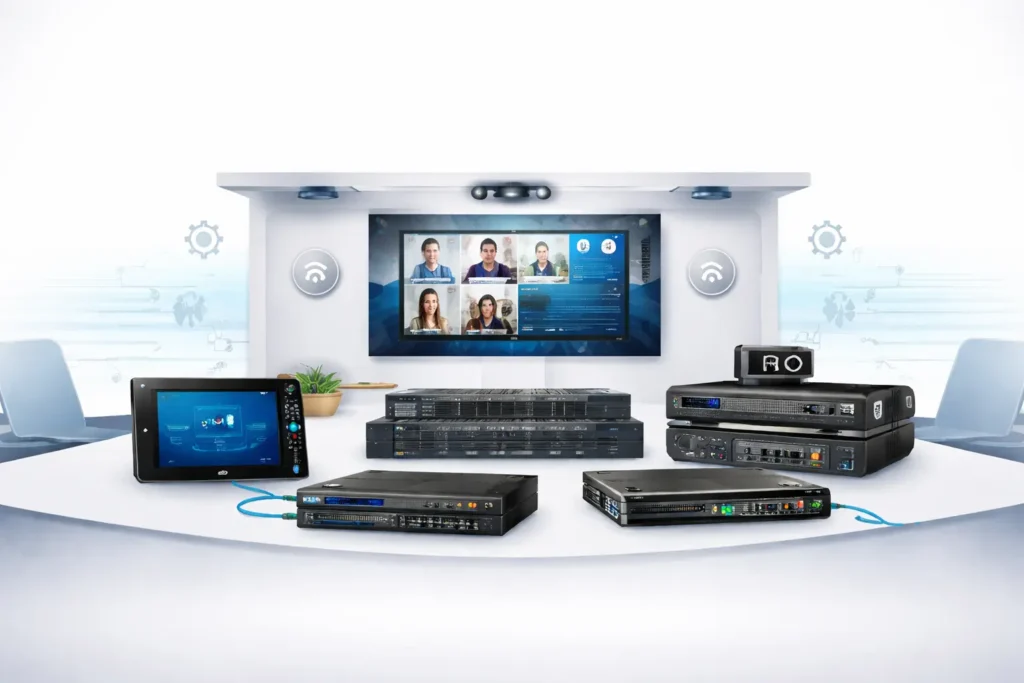
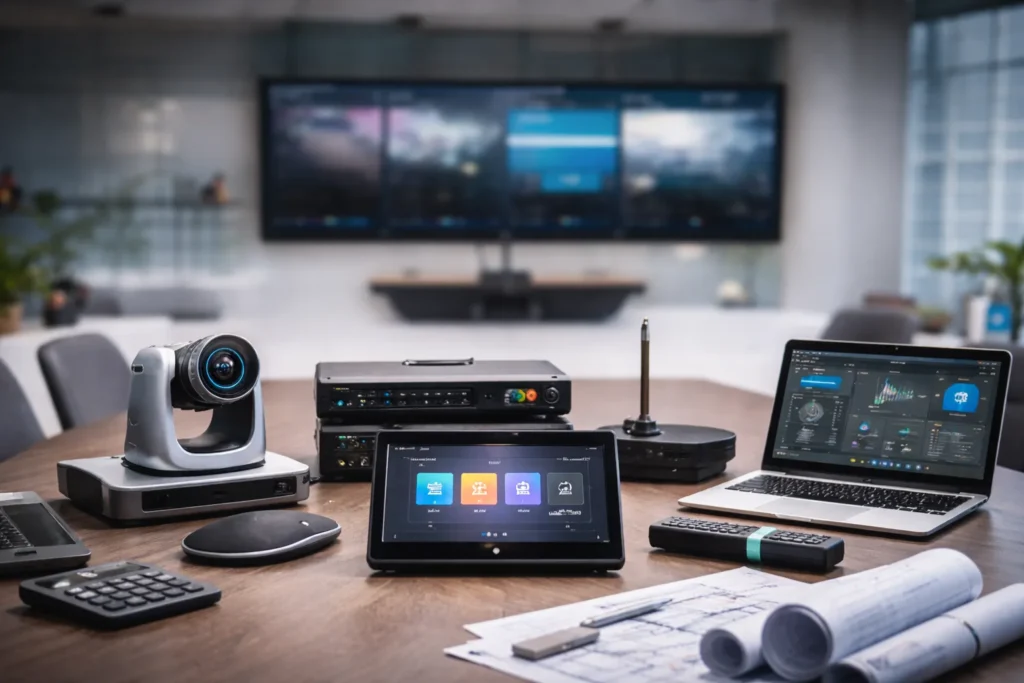
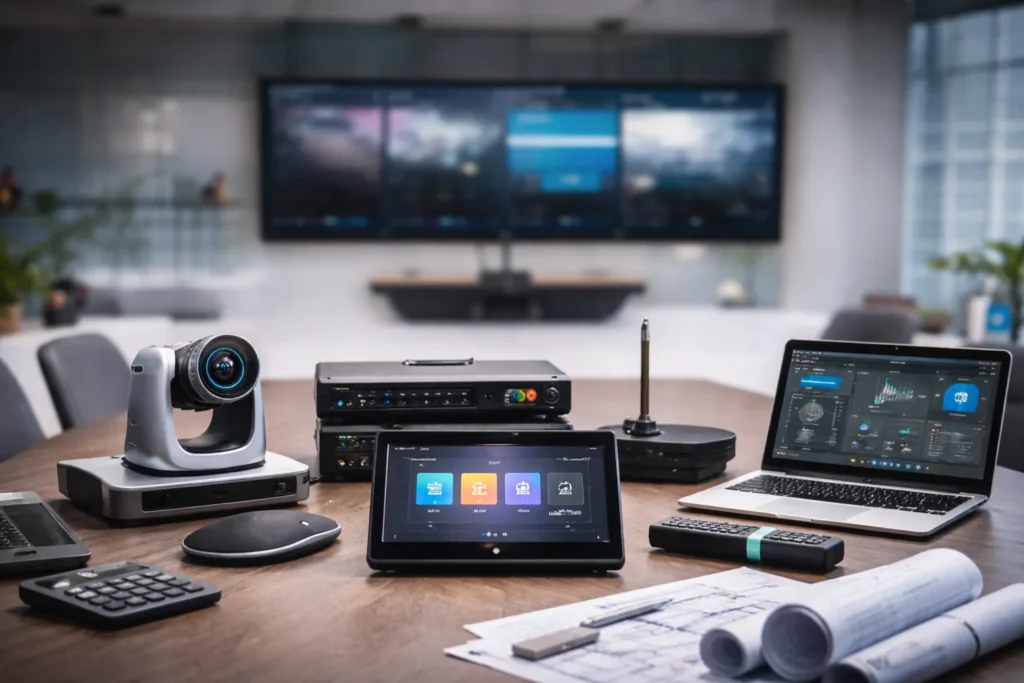
Crestron automation system controlling meeting room AV devices and video conferencing equipment

Modern workplaces rely on smart technology to improve collaboration, communication, and operational efficiency. However, managing multiple systems such as audiovisual equipment, lighting, and environmental controls can become complex. This is where Crestron automation helps organizations simplify operations and improve workplace productivity.

At our organization, we help businesses implement Crestron automation systems to create intelligent workplaces. By automating meeting rooms, controlling AV devices, and integrating workplace technologies, we enable companies to operate more efficiently while improving the overall employee experience.

What Is Crestron Automation?

Crestron automation is a centralized control system that connects and manages multiple workplace technologies from a single platform. With Crestron solutions, we can automate meeting rooms, control AV systems, manage lighting and climate settings, and monitor device performance across the workplace.

Key features of Crestron automation include:

  • Centralized AV control
  • Smart meeting room automation
  • Integrated lighting and environmental control
  • Real-time device monitoring
  • Remote system management

By implementing these solutions, we help organizations reduce manual processes and ensure workplace technology runs smoothly.

Benefits of Crestron Automation in Modern Workplaces

Crestron automation simplifies technology management and improves workplace efficiency. Below is a quick overview of how Crestron systems enhance productivity in modern organizations.

FeatureHow Crestron Automation Helps
Centralized ControlWe manage AV devices, lighting, and building systems from one dashboard
Smart Meeting RoomsWe enable one-touch meeting start and automated device control
Hybrid CollaborationWe support seamless communication between remote and in-office teams
Energy EfficiencyWe implement automated lighting and temperature management
Remote MonitoringWe allow IT teams to monitor systems and resolve issues remotely

By deploying these solutions, we help businesses reduce operational complexity and allow employees to focus on their core tasks instead of troubleshooting technology.

Streamlining Meeting Room Operations

Meeting rooms are critical spaces for collaboration and decision-making. However, technical problems such as display connection issues or microphone failures can interrupt meetings and reduce productivity.

With Crestron automation, we can improve meeting room efficiency by enabling:

  • One-touch meeting start
  • Automatic display activation
  • Integrated camera and microphone control
  • Wireless content sharing

These automated features allow teams to start meetings quickly and collaborate more effectively.

Enhancing Hybrid Workplace Collaboration

Hybrid work environments require reliable collaboration technology that connects remote and in-office employees seamlessly. With Crestron automation, we integrate advanced AV systems with modern collaboration platforms to support hybrid meetings.

Using Crestron solutions, we enable:

  • Intelligent camera tracking
  • High-quality audio distribution
  • Video conferencing integration
  • Automated room scheduling

These capabilities ensure that remote participants can fully engage in meetings and collaborate effectively with onsite teams.

Centralized Control for Workplace Technology

Managing multiple AV devices across different meeting rooms and workspaces can be challenging for IT teams. With Crestron automation, we provide centralized control systems that allow administrators to manage workplace technology from a single interface.

Key benefits include:

  • Real-time AV device monitoring
  • Remote troubleshooting and diagnostics
  • Automated system updates
  • Simplified device management

This centralized approach allows IT teams to maintain system performance while reducing maintenance workload.

Automating Lighting and Environmental Controls

Employee comfort plays an important role in workplace productivity. With Crestron automation, we integrate lighting and environmental control systems to create comfortable and energy-efficient workspaces.

Automation features include:

  • Occupancy-based lighting control
  • Automated temperature adjustments
  • Smart energy management
  • Daylight-responsive lighting systems

These automated solutions help businesses reduce energy costs while maintaining an optimal working environment.

Improving Workplace Efficiency with Smart Scheduling

Meeting room scheduling conflicts can create confusion and reduce productivity. Using Crestron automation, we implement smart scheduling solutions that allow employees to easily book and manage meeting spaces.

Key scheduling features include:

  • Real-time room availability displays
  • Automated meeting room booking
  • Calendar integration
  • Occupancy detection

These tools help organizations maximize the use of meeting spaces and reduce scheduling conflicts.

Supporting Enterprise-Level Scalability

One of the key advantages of Crestron automation is its scalability. As businesses grow, we can expand automation systems to support additional offices, meeting rooms, and collaborative spaces.

Crestron solutions can support:

  • Corporate offices
  • Enterprise campuses
  • Universities
  • Conference centers

This flexibility allows organizations to scale their workplace automation infrastructure as their needs evolve.

Enhancing the Employee Experience

Technology should simplify work rather than create additional challenges. By implementing Crestron automation, we help organizations create workplace environments where technology works seamlessly.

Employees benefit from:

  • Easy-to-use control interfaces
  • Faster meeting setup
  • Reduced technical interruptions
  • Improved collaboration tools

When workplace technology operates efficiently, employees can remain focused and productive throughout the workday.

Conclusion

Crestron automation is transforming modern workplaces by integrating technology, improving collaboration, and simplifying system management. By implementing automated meeting rooms, centralized AV control, and intelligent workplace solutions, we help businesses create smarter and more efficient work environments.

Organizations that adopt Crestron automation systems benefit from improved productivity, stronger collaboration, and reduced operational complexity. As workplaces continue to evolve, we believe automation platforms like Crestron will play a critical role in building intelligent and future-ready workplaces.

FAQ Section

What is Crestron automation used for in workplaces?

Crestron automation is used to control AV systems, lighting, climate, and collaboration tools from a centralized platform. We implement these solutions to make workplace technology easier to manage.

How does Crestron automation improve meeting room efficiency?

Crestron automation enables one-touch meeting start, automated device control, and seamless video conferencing, helping organizations reduce setup time and technical issues.

Can Crestron systems support hybrid meetings?

Yes, Crestron automation integrates with modern video conferencing platforms to support hybrid meetings with high-quality audio and video.

Is Crestron automation scalable for large organizations?

Crestron solutions are highly scalable, and we can deploy them across multiple meeting rooms, offices, and enterprise environments.

Ready to Improve Your Workplace with Crestron Automation?

If you want to simplify meeting room management, improve collaboration, and streamline workplace technology, Crestron automation can help transform your work environment. We help businesses design and implement smart AV and automation solutions tailored to modern workplaces.

Contact us today to learn how Crestron automation can enhance productivity and create a smarter workplace for your organization.

How Crestron Automation Improves Workplace Productivity Read More »

How Crestron Integration Powers Modern AV Platforms

A wide-angle view of a modern enterprise conference room featuring a Crestron touch screen interface on the table, integrated with wall-mounted displays and ceiling microphones for unified AV control.

Modern workplaces depend on advanced audiovisual technology to support collaboration, presentations, training, and hybrid communication. Conference rooms, boardrooms, and collaboration spaces are equipped with cameras, microphones, displays, and control systems that must work together seamlessly.

However, managing multiple AV devices across meeting spaces can be complex without proper system integration. This is where Crestron integration becomes essential. Crestron provides a powerful control ecosystem that connects AV hardware, collaboration platforms, and automation systems into a unified environment.

Through effective AV platform integration, organizations can streamline device management, improve meeting room experiences, and build scalable enterprise AV systems that support modern communication needs.

What Is Crestron Integration?

Crestron integration refers to the process of connecting audiovisual devices, control systems, and collaboration platforms through Crestron technologies.

Crestron control processors and software enable centralized management of various technologies within a facility, including:

  • Video displays and projectors
  • Microphones and audio systems
  • Video conferencing cameras
  • Lighting and environmental controls
  • Room scheduling systems
  • Collaboration platforms

By integrating these technologies into one control platform, organizations can simplify AV operations and deliver seamless meeting experiences.

Why AV Platform Integration Matters

Modern meeting rooms use multiple technologies that must communicate with each other to function efficiently. Without proper AV platform integration, organizations may experience system conflicts, device compatibility issues, or complicated control processes.

Benefits of proper AV integration include:

  • Centralized device management
  • Seamless communication between AV systems
  • Automated meeting room workflows
  • Improved reliability for collaboration environments
  • Enhanced user experience in conference spaces

For companies deploying large-scale enterprise AV systems, integration ensures consistent performance across multiple meeting rooms and office locations.

How Crestron Integrates with Modern AV Platforms

1. Centralized Control for Enterprise AV Systems

One of the most valuable advantages of Crestron integration is centralized control. Crestron systems allow organizations to manage multiple AV devices from a single interface.

This centralized approach enables IT and AV teams to control:

  • Displays and presentation systems
  • Audio distribution and microphones
  • Video conferencing equipment
  • Lighting and environmental settings

Centralized management reduces operational complexity and improves the reliability of enterprise AV systems.

2. Seamless AV Platform Integration

Modern organizations rely on various collaboration platforms and AV technologies. Crestron simplifies AV platform integration by connecting multiple systems into a unified ecosystem.

Key integration capabilities include:

  • Device synchronization across meeting rooms
  • Automatic configuration of AV equipment
  • Simplified control interfaces for users
  • Compatibility with various AV hardware vendors

This integration ensures that devices work together smoothly during meetings and presentations.

3. Intelligent Automation for Meeting Rooms

Automation is a key feature of Crestron-powered AV environments. Crestron systems can automate common meeting room functions to improve efficiency and user experience.

Examples of automation include:

  • Automatically turning on displays when meetings begin
  • Adjusting lighting during presentations
  • Activating microphones and audio systems
  • Switching video sources automatically

These automation features enhance the performance of enterprise AV systems and simplify meeting room operations.

4. Scalable Infrastructure for Growing Organizations

As organizations expand, they deploy additional meeting rooms and collaboration technologies. Crestron supports scalable AV infrastructure that grows with business needs.

Through effective AV platform integration, companies can easily:

  • Add new meeting rooms
  • Integrate additional AV devices
  • Expand collaboration environments
  • Manage AV systems across multiple offices

This scalability ensures long-term flexibility for large organizations.

5. Integration with Multi-Vendor AV Devices

Modern AV environments often include equipment from different manufacturers. Crestron provides flexible integration capabilities that support a wide range of AV technologies.

Crestron systems can integrate with:

  • Audio DSP processors
  • Networked video systems
  • Digital signage solutions
  • Collaboration platforms
  • Building automation systems

This interoperability allows organizations to build flexible and future-ready enterprise AV systems.

Key Benefits of Crestron Integration

FeatureBenefit
Centralized ControlManage AV systems across multiple rooms
AV Platform IntegrationConnect devices and collaboration tools
AutomationSimplify meeting room operations
ScalabilitySupport expanding AV infrastructure
Multi-Vendor CompatibilityIntegrate various AV devices

These capabilities make Crestron integration a powerful solution for modern collaboration environments.

Use Cases for Crestron Integration

Corporate Offices

Crestron simplifies hybrid meeting experiences by integrating AV systems with collaboration technologies.

Educational Institutions

Universities and training centers use Crestron to manage lecture capture systems and interactive classrooms.

Enterprise Conference Rooms

Large conference rooms benefit from centralized AV control and automated meeting workflows.

Smart Workspaces

Crestron enables smart office environments by connecting AV systems with building automation and lighting control.

Best Practices for Successful AV Platform Integration

Organizations deploying Crestron solutions should follow these best practices:

  1. Design a scalable AV architecture before deployment.
  2. Standardize control interfaces across meeting rooms.
  3. Use centralized monitoring tools to track system performance.
  4. Test AV integrations thoroughly before launch.
  5. Maintain documentation for system updates and upgrades.

Following these strategies ensures reliable performance for enterprise AV systems.

Crestron integration enables seamless AV platform integration by connecting audiovisual devices, control systems, and collaboration technologies into a centralized ecosystem. Through automation, scalable infrastructure, and intelligent device management, Crestron helps organizations build efficient enterprise AV systems that support modern hybrid workplaces and collaboration environments.

FAQ: Crestron Integration

What is Crestron integration?

Crestron integration connects audiovisual devices, control systems, and collaboration platforms to create a centralized AV environment.

Why is AV platform integration important?

It ensures AV devices work together seamlessly, improving collaboration and meeting room efficiency.

How does Crestron support enterprise AV systems?

Crestron provides centralized control, automation, and scalable infrastructure for managing AV environments across multiple locations.

What are the benefits of Crestron integration?

Benefits include simplified device management, improved collaboration experiences, automated meeting rooms, and scalable AV infrastructure.

Conclusion

Modern collaboration environments require reliable integration between audiovisual devices and communication technologies. Crestron integration provides a powerful solution for connecting these systems into a unified ecosystem.

By enabling seamless AV platform integration, centralized device control, and scalable infrastructure, Crestron helps organizations build efficient enterprise AV systems that support modern workplaces and hybrid communication environments.

Businesses looking to improve meeting room technology and collaboration efficiency can rely on Crestron solutions to deliver intelligent and future-ready AV integration.

How Crestron Integration Powers Modern AV Platforms Read More »

How Extron Control Systems Support Enterprise AV Integration

Extron Control Systems touchscreen panel controlling audiovisual devices in an enterprise meeting room environment.

Modern businesses depend on reliable audiovisual technology for meetings, presentations, and collaboration. Managing multiple AV devices across offices and conference rooms can be complex without a centralized control system.

Extron Control Systems help organizations manage displays, audio systems, conferencing platforms, and other AV devices through a single control interface. These solutions simplify AV operations and improve system reliability.

Understanding how Extron control systems work in AV integration helps businesses build efficient and scalable AV environments. This article explores their features, benefits, and real-world applications for enterprise environments.

What Are Extron Control Systems?

Extron Control Systems are centralized platforms designed to manage and automate audiovisual equipment in professional environments.

They allow users to control AV devices such as:

  • Displays and projectors
  • Audio processors and microphones
  • Video conferencing systems
  • Lighting and room automation

These enterprise AV control systems enable businesses to operate multiple AV technologies through a single interface.

Key components typically include:

  • Control processors
  • Touch panel interfaces
  • AV control software
  • Device communication protocols

These elements work together to support efficient Extron AV system integration.

How Extron Control Systems Work in AV Integration

Understanding how Extron control systems work in AV integration helps organizations manage complex AV infrastructures.

These systems act as the central hub that connects different AV devices and coordinates their operation.

Device Connectivity

Extron controllers connect AV equipment using IP networks, serial communication, or other protocols.

This allows devices from different manufacturers to function within one integrated AV system.

Centralized Control Interface

Users interact with AV systems through touch panels or control applications.

Common functions include:

  • Turning displays on or off
  • Adjusting audio levels
  • Switching presentation inputs
  • Starting video conferencing sessions

This centralized interface simplifies daily AV operations.

Automation and Workflow Management

Many Extron AV automation solutions allow organizations to automate routine tasks.

Examples include:

  • One-touch meeting start
  • Automatic display activation
  • Scheduled system shutdown
  • Lighting adjustments during presentations

Automation improves efficiency and reduces user errors.

Quick Comparison: Extron Control System Features

The table below highlights the major capabilities of Extron Control Systems and their value for organizations.

FeatureBenefit for Businesses
Centralized ControlManage multiple AV devices from one interface
AutomationEnable one-touch meeting start
ScalabilityExpand AV systems across rooms
MonitoringTrack system performance remotely

These features highlight the benefits of Extron control systems for businesses seeking efficient AV operations.

Key Benefits of Extron Control Systems for Businesses

Organizations implementing Extron Control Systems gain several advantages that improve operational efficiency.

Simplified AV Management

A centralized platform allows IT teams to manage AV devices without dealing with multiple control systems.

This simplifies daily AV operations.

Improved User Experience

Employees can easily operate AV systems using intuitive touch controls.

This reduces technical issues during meetings and presentations.

Reliable System Performance

Extron platforms are designed for professional AV environments, ensuring stable and consistent system performance.

Reliable control is critical for enterprise operations.

Scalable AV Infrastructure

These enterprise AV control systems allow organizations to expand AV infrastructure across new offices or conference spaces.

This flexibility supports business growth.

Remote Monitoring and Maintenance

IT teams can monitor AV system performance remotely.

Early detection of technical issues helps reduce downtime.

Applications of Extron Control Systems in Businesses

Extron Control Systems are widely used across enterprise environments.

Conference Rooms

AV control systems for conference rooms allow users to control displays, microphones, and conferencing platforms easily.

Training Rooms

Training environments often require flexible AV setups.

Extron systems simplify control of presentations, audio systems, and displays.

Command Centers

Control centers rely on coordinated AV infrastructure to monitor and manage operations.

Extron control systems ensure reliable device communication.

Corporate Event Spaces

Large corporate venues require centralized control to manage multiple displays, audio systems, and presentation sources.

Best Practices for Implementing Extron Control Systems

Organizations should follow certain practices to maximize the effectiveness of Extron Control Systems.

Design Scalable AV Architecture

Plan AV infrastructure that can support future expansion.

Standardize Control Interfaces

Consistent control interfaces improve usability across multiple rooms.

Integrate with IT Infrastructure

AV systems should integrate smoothly with enterprise network environments.

Test AV Systems Thoroughly

Testing ensures proper Extron AV system integration before system deployment.

Future Trends in AV Control Systems

Enterprise AV technology continues to evolve.

Future innovations will further enhance the capabilities of Extron Control Systems.

Cloud-Based AV Management

Cloud platforms will enable remote AV system management across multiple locations.

AI-Driven Automation

Artificial intelligence may assist in detecting performance issues and optimizing AV operations.

Expansion of AV-over-IP

Network-based AV infrastructure will continue to grow in enterprise environments.

These trends will further strengthen Extron AV automation solutions.

Conclusion

As businesses rely more on audiovisual technology, managing AV infrastructure efficiently becomes increasingly important.

Extron Control Systems provide centralized control, automation, and scalability for modern enterprise AV environments.

By improving system management and simplifying user interactions, these platforms play a key role in enterprise AV integration.

Understanding how Extron control systems work in AV integration allows organizations to build efficient, reliable, and future-ready AV infrastructures.

FAQ Section

What are Extron control systems used for?

Extron control systems are used to manage AV devices such as displays, microphones, and conferencing platforms through a centralized control interface.

How do Extron control systems help businesses?

They improve AV system management, automate workflows, and enhance reliability in enterprise AV environments.

Where are Extron control systems commonly used?

They are widely used in conference rooms, training facilities, command centers, and corporate event spaces.

How Extron Control Systems Support Enterprise AV Integration Read More »

AV Commissioning Checklist for System Integrators

AV commissioning checklist for system integrators verifying audio video systems before project handover

Modern businesses rely heavily on audiovisual technology to support communication, presentations, and collaboration. From conference rooms and training spaces to command centers and digital signage environments, reliable AV systems are essential for daily operations.

However, installing AV equipment is only the first step. Without proper AV Commissioning, organizations often experience issues such as poor audio quality, display failures, or network connectivity problems.

A structured step-by-step AV commissioning checklist helps system integrators verify every component, validate system performance, and ensure that the entire AV environment works flawlessly before project handover.

This guide explains the AV commissioning process, key strategies, common challenges, and best practices to help AV professionals deliver reliable and high-performing audiovisual systems.

What is AV Commissioning?

AV Commissioning is the process of testing, verifying, and validating audiovisual systems after installation to ensure they operate according to design specifications.

During commissioning, integrators confirm that:

  • AV devices are installed correctly
  • Audio and video signals function properly
  • Control systems operate reliably
  • Networked AV devices communicate effectively
  • End users can operate the system easily

A well-defined AV system testing checklist ensures that all technical components are properly verified before deployment.

For system integrators, this process reduces errors and ensures successful project delivery.

AV Installation vs Testing vs Commissioning vs Acceptance Testing

Many people use the terms installation, testing, commissioning, and acceptance testing interchangeably. However, each stage has a different purpose in an AV project. Understanding these differences helps system integrators, consultants, and clients ensure that every phase is completed correctly before the system goes live.

StagePurposeWho Performs It?Key ActivitiesOutcome
AV InstallationInstall all AV equipment according to the design plan.AV Integrators and TechniciansMount displays, install speakers, run cables, connect devices, and rack equipment.Hardware is physically installed and ready for configuration.
AV TestingVerify that each device works correctly on its own.AV TechniciansCheck audio quality, display output, microphone functionality, signal routing, and cable connections.Individual components function as expected.
AV CommissioningValidate the complete AV system to ensure all devices work together as designed.AV Commissioning Engineer or System IntegratorConfigure control systems, calibrate audio and video, test automation, verify network settings, perform end-to-end system checks, and document results.A fully optimized, reliable AV system ready for client use.
Acceptance Testing (UAT/FAT/SAT)Confirm that the completed AV system meets client requirements and project specifications.Client, Consultant, and AV IntegratorDemonstrate system functionality, verify project requirements, complete punch-list items, obtain client approval, and provide user training if required.Formal client sign-off and project handover.

Step-by-Step AV Commissioning Checklist

Below is a simplified AV commissioning workflow used by professional system integrators.

AV Commissioning StepKey Tasks
Installation VerificationCheck cabling, power connections, firmware updates
Audio TestingTest microphones, speakers, and DSP configuration
Video VerificationValidate HDMI signals, displays, and resolution
Control System TestingTest touch panels and automation functions
Network ValidationVerify IP settings and bandwidth usage

This AV installation verification checklist ensures that all technical aspects of the system are validated before client handover.

Why AV Commissioning Matters for Businesses

Organizations invest significant resources into AV infrastructure, but without proper commissioning, systems may fail during important meetings or presentations.

Proper AV Commissioning ensures that AV systems perform reliably from day one.

Key reasons commissioning matters include:

  • Detects configuration errors before deployment
  • Improves audio and video performance
  • Ensures proper integration between AV devices
  • Reduces post-installation troubleshooting
  • Provides documentation for system validation

For enterprises and commercial facilities, commissioning is essential to ensure technology investments deliver real value.

Why AV Commissioning Is Critical

Industry reports indicate that over 35% of AV system issues occur due to configuration errors discovered after installation.

These problems often result from incomplete testing during the deployment phase.

Without a proper commercial AV commissioning process, organizations may experience:

  • System downtime during meetings
  • Poor audio performance
  • Display switching issues
  • Network connectivity failures

By following a structured AV integrator commissioning workflow, integrators can identify and resolve issues before the system goes live.

This proactive approach significantly improves system reliability and user satisfaction.

Best Practices for AV Commissioning

Successful commissioning requires a structured approach and attention to detail.

Below are key best practices used by professional system integrators.

1. Verify Installation Before Testing

Before starting AV Commissioning, confirm that the installation phase is complete.

Verify:

  • Equipment mounting and rack installation
  • Signal cable connections
  • Network configuration
  • Device firmware versions

Completing this AV installation verification checklist ensures that the system is ready for testing.

2. Perform Comprehensive Audio Testing

Audio performance is one of the most important aspects of an AV environment.

During AV system testing, integrators should verify:

  • Microphone inputs
  • Speaker outputs
  • DSP processing
  • Audio signal routing
  • Echo cancellation and audio levels

Proper calibration ensures clear communication in meeting rooms and collaboration spaces.

3. Validate Video Signal Routing

Video testing confirms that all displays and switching systems function correctly.

Key verification tasks include:

  • Testing HDMI connections
  • Checking AV-over-IP video streams
  • Verifying display resolution
  • Testing video switching between sources

This step ensures seamless presentations and video conferencing experiences.

4. Test Control System Functionality

Modern AV environments rely on centralized control systems that allow users to manage multiple devices through a single interface.

Control system testing should verify:

  • Touch panel responsiveness
  • Automation scripts
  • Device communication
  • User interface navigation

A properly tested control interface ensures that users can operate the system easily.

5. Validate Network Infrastructure

Many modern AV environments operate on IP-based networks.

Network validation includes:

  • Verifying IP address configuration
  • Testing network bandwidth
  • Checking AV-over-IP streaming performance
  • Confirming VLAN configuration

A stable network infrastructure is essential for modern AV deployments.

Benefits of AV Commissioning for Businesses

Organizations that prioritize AV Commissioning gain several advantages.

Reliable System Performance

Well-tested systems operate consistently and reduce technical disruptions.

Improved Collaboration

Clear audio and reliable video improve meeting experiences.

Reduced Maintenance Costs

Early detection of configuration issues prevents costly repairs later.

Faster Troubleshooting

Commissioning documentation helps support teams diagnose issues quickly.

Higher ROI on AV Investments

Businesses gain the full value of their AV infrastructure when systems operate efficiently.

Common AV Commissioning Challenges

Even experienced system integrators may face challenges during the commissioning process.

Network Configuration Errors

Incorrect network settings can prevent AV devices from communicating.

Solution:
Collaborate with IT teams and validate network configuration early.

Audio Calibration Problems

Poor DSP tuning can cause uneven sound distribution.

Solution:
Use professional calibration tools during the AV system testing checklist phase.

Device Integration Issues

Equipment from different manufacturers may require additional configuration.

Solution:
Verify compatibility and update firmware before commissioning.

Future Trends in AV Commissioning

The AV industry continues to evolve as new technologies emerge.

Future commissioning processes will likely include:

AI-Based System Diagnostics

Artificial intelligence may automatically detect system performance issues.

Remote AV Monitoring

Cloud-based platforms allow integrators to monitor system health remotely.

AV-over-IP Expansion

More AV environments are transitioning to network-based infrastructure.

Automated Commissioning Tools

Future tools may automate parts of the commercial AV commissioning process, making testing faster and more accurate.

System integrators who adopt these technologies will gain a competitive advantage.

Conclusion

Installing AV equipment is only part of a successful AV project. Ensuring that every component functions correctly is what truly determines system performance.

AV Commissioning provides the final verification that confirms audio performance, video quality, network connectivity, and control system functionality.

By following a structured step-by-step AV commissioning checklist, system integrators can identify configuration issues early and deliver reliable AV systems to their clients.

For businesses, this means fewer technical problems, smoother collaboration, and greater confidence in their AV technology investments.

As AV systems become more complex and network-driven, professional commissioning will remain a critical step in successful system integration.

FAQ

What is an AV commissioning checklist?

An AV commissioning checklist is a structured process used by system integrators to test and verify audiovisual systems before deployment.

Why is AV commissioning important?

It ensures system reliability, improves audio and video performance, and prevents technical issues after installation.

When should AV commissioning be performed?

AV commissioning should take place after installation but before the final system handover to the client.

Need reliable AV commissioning?


Partner with Zapperr AV to ensure your AV system is tested, optimized, and ready for flawless performance. Contact our team today to discuss your project.

AV Commissioning Checklist for System Integrators Read More »

Q-SYS Programming Best Practices from an Expert Q-SYS Programmer for Scalable Enterprise AV Systems

Q-SYS programming interface used by an AV integrator to design audio DSP signal flow and control systems for enterprise audiovisual installations.

Modern enterprise AV systems are far more advanced than traditional microphone-and-display setups. Today’s environments combine AV-over-IP infrastructure, DSP automation, hybrid meeting platforms, cloud-based monitoring, room analytics, and enterprise networking into one connected ecosystem.

As AV systems become increasingly software-driven, the role of the Q-SYS programmer has changed dramatically.

A modern Q-SYS programmer is no longer focused only on DSP tuning or touch panel design. They must also understand enterprise networking, API integrations, monitoring architecture, hybrid collaboration workflows, operational scalability, and long-term maintainability.

This evolution is one reason why QSC Q-SYS has become widely adopted across:

  • Corporate meeting spaces
  • Universities
  • Government facilities
  • Hospitality venues
  • Command centers
  • Enterprise collaboration environments

Its software-based architecture allows AV integrators to create scalable and highly customizable AV ecosystems across multiple locations.

However, experienced AV professionals know an important reality that many programming guides ignore:

A system that works during commissioning is not always a system that performs reliably in daily operations.

This is why structured Q-SYS programming best practices are essential for modern enterprise AV deployments.

What is Q-SYS Programming?

Q-SYS programming involves designing and configuring audio, video, automation, monitoring, and network workflows within the Q-SYS ecosystem.

Using Q-SYS Designer software, AV programmers create:

  • DSP processing logic
  • Audio routing workflows
  • User control interfaces
  • Automation sequences
  • Device communication logic
  • AV-over-IP routing
  • Monitoring dashboards
  • Third-party integrations

Unlike traditional hardware-centric AV systems, Q-SYS operates on a software-driven architecture that allows organizations to scale AV systems efficiently across rooms, buildings, and enterprise environments.

Q-SYS programming is commonly used in:

  • Meeting rooms
  • Auditoriums
  • Training facilities
  • Lecture halls
  • Hospitality venues
  • Hybrid workplaces
  • Multi-campus enterprise deployments

As hybrid collaboration technologies continue expanding, enterprise-grade AV programming plays a major role in long-term reliability and operational efficiency.

Why Q-SYS Programming Matters in Enterprise AV

Modern AV environments depend heavily on interoperability.

Enterprise systems now combine:

  • Microsoft Teams Rooms
  • Zoom Rooms
  • PTZ cameras
  • Wireless presentation systems
  • DSP processors
  • Occupancy sensors
  • Room scheduling systems
  • Enterprise monitoring platforms

Without structured programming standards, these environments become difficult to support and troubleshoot.

Professional Q-SYS programming helps organizations achieve:

  • Stable device communication
  • Reliable DSP performance
  • Faster room startup
  • Consistent user experiences
  • Simplified troubleshooting
  • Better monitoring visibility
  • Scalable AV infrastructure

As AV-over-IP adoption increases, programming quality directly impacts workplace productivity and collaboration performance.

Best Practices for Q-SYS Programming

1. Design for Scalability from the Beginning

Many AV systems become difficult to manage because scalability was never considered during the design phase.

Organizations often begin with a few meeting rooms and later expand to:

  • Regional offices
  • Multiple campuses
  • International locations
  • Enterprise-wide AV standards

A scalable Q-SYS architecture allows AV teams to:

  • Add rooms efficiently
  • Reuse programming modules
  • Reduce deployment inconsistency
  • Simplify support workflows
  • Improve maintainability

Best practices include:

  • Standardized DSP frameworks
  • Modular automation layers
  • Flexible control workflows
  • Reusable programming structures
  • Site-specific customization support

However, experienced Q-SYS programmers understand that scalability does not mean identical duplication.

Why Reusable Templates Sometimes Fail

Many AV articles recommend reusable room templates as the ideal solution. In reality, enterprise AV deployments often expose the limitations of over-standardization.

What works perfectly in a small meeting room may fail inside:

  • Executive boardrooms
  • Auditoriums
  • Training environments
  • Hybrid collaboration hubs

Common enterprise variables include:

  • Different network policies
  • Legacy hardware dependencies
  • Firmware inconsistencies
  • Unique room acoustics
  • Security restrictions
  • Regional conferencing workflows

This creates a hidden operational challenge:

Over-standardized systems can become less flexible and harder to support.

Experienced Q-SYS programmers usually use a modular standardization model instead.

Shared Components

Customizable Components

DSP logic

Room workflows

Security standards

UI layouts

Monitoring structures

Device integrations

Naming conventions

Automation behaviors

This approach balances scalability with operational flexibility.

2. Use Modular Programming Architecture

Modular programming is one of the most important enterprise AV best practices.

Instead of building one large monolithic program, experienced programmers divide systems into functional layers.

Module

Purpose

DSP Layer

Audio processing

Control Layer

Device communication

UI Layer

Touch panel interaction

Monitoring Layer

Diagnostics and alerts

Automation Layer

Workflow triggers

Benefits include:

  • Faster troubleshooting
  • Cleaner code management
  • Easier firmware upgrades
  • Improved scalability
  • Reduced downtime

Modular architecture also minimizes cascading failures during support incidents.

Advanced Workflow Strategies Used by Senior Q-SYS Programmers

Most beginner-level AV programming guides focus only on DSP setup and touch panel layouts.

Senior-level Q-SYS programmers approach systems differently.

They design AV environments around operational behavior, not just hardware functionality.

Layered Logic Architecture

Experienced programmers separate systems into multiple operational layers:

  • Device communication logic
  • Automation workflows
  • Monitoring systems
  • UI behavior
  • Failover logic

This structure improves:

  • Troubleshooting efficiency
  • Scalability
  • Stability
  • Long-term maintainability

Operational State Programming

One advanced concept rarely discussed in AV programming is operational state management.

Enterprise Q-SYS systems often include:

  • Presentation mode
  • Hybrid meeting mode
  • Emergency override mode
  • Maintenance mode
  • After-hours shutdown workflows

This allows AV systems to dynamically adapt to real operational conditions.

API-Driven AV Ecosystems

Modern Q-SYS systems increasingly integrate with:

  • Microsoft Teams APIs
  • Occupancy analytics
  • Building management systems
  • Scheduling platforms
  • Enterprise monitoring tools

This transforms the role of the Q-SYS programmer into a hybrid AV automation architect.

Why Experienced Programmers Avoid Feature Creep

One of the biggest enterprise AV mistakes is excessive automation.

More features do not always improve user experience.

Over-engineered systems often create:

  • Increased CPU load
  • Automation conflicts
  • Troubleshooting complexity
  • Inconsistent room behavior
  • Higher support costs

Experienced AV programmers understand that operational simplicity often scales better than feature-heavy systems.

Myth vs Reality in Q-SYS Programming

Many AV programming assumptions sound good in theory but create challenges in real-world deployments.

Myth

Reality

More automation improves user experience

Excessive automation often creates instability

One UI layout works for every room

Different spaces require different workflows

Cloud monitoring eliminates downtime

Monitoring only helps when response workflows exist

AV-over-IP automatically simplifies AV

Poor network planning creates major failures

A Q-SYS programmer only needs DSP knowledge

Enterprise AV requires networking and API expertise

Prioritize Network Stability

Q-SYS operates inside IP-based AV infrastructure, meaning many AV failures are actually network-related issues.

Common impacts include:

  • Audio transport interruptions
  • Device discovery failures
  • API communication delays
  • Video routing instability
  • Monitoring visibility gaps

Best practices include:

  • VLAN segmentation
  • QoS prioritization
  • Static IP assignments
  • Multicast planning
  • Redundant network paths

However, experienced AV integrators know technical configuration alone is not enough.

Enterprise IT collaboration is equally important.

The Hidden Relationship Between AV and IT Teams

Many AV deployment delays happen because of enterprise IT governance rather than programming problems.

Common challenges include:

  • Firewall restrictions
  • VLAN approval delays
  • Security compliance reviews
  • Endpoint management policies
  • Multicast restrictions

Some AV deployments bypass IT governance completely, creating “Shadow IT” risks such as:

  • Unsupported firmware
  • Security vulnerabilities
  • Network visibility gaps
  • Compliance concerns

Experienced Q-SYS programmers reduce deployment friction through:

  • Early IT workshops
  • Shared documentation
  • Security signoff processes
  • Joint monitoring visibility
  • Clear operational ownership

Successful enterprise AV deployments depend just as much on IT collaboration as technical programming quality.

Enable Remote Monitoring and Diagnostics

Modern AV support increasingly depends on proactive monitoring rather than reactive troubleshooting.

Enterprise AV teams should implement:

  • Device health monitoring
  • Signal path verification
  • Remote diagnostics
  • Workflow-level monitoring
  • Performance analytics

Platforms like AVM360 help organizations remotely monitor AV systems and reduce downtime.

Benefits include:

  • Faster issue detection
  • Reduced truck rolls
  • Improved uptime
  • Better operational visibility
  • Predictive maintenance

However, experienced AV professionals understand an important limitation:

A device showing “online” does not always mean the room is fully functional.

This is why workflow-level monitoring is becoming increasingly important in enterprise AV operations.

Lessons Learned from Real Q-SYS Deployment Failures

Most AV articles focus only on successful deployments. Real-world environments reveal a different reality.

“Everything Worked During Testing” Failures

Many systems pass commissioning but fail under real operational conditions.

Common causes include:

  • Network congestion
  • DSP overload
  • Multicast traffic spikes
  • Acoustic differences
  • API latency

Real operational testing is often more valuable than isolated lab testing.

Firmware Update Failures

Enterprise AV teams often delay firmware upgrades because updates can unexpectedly break:

  • Plugins
  • Scripting dependencies
  • Device integrations
  • UI communication workflows

Experienced Q-SYS programmers always maintain rollback strategies before deploying firmware updates.

Why Executive Boardrooms Fail More Often

High-end executive spaces often contain:

  • More customization
  • More unsupported requests
  • More automation layers
  • More integrated technologies
  • Higher user expectations

Ironically, the most expensive rooms are often the most operationally fragile.

Maintain Documentation and Version Control

Documentation is one of the most overlooked parts of enterprise AV deployment.

Yet it directly impacts:

  • Troubleshooting speed
  • Scalability
  • Support consistency
  • Long-term maintainability

Critical documentation includes:

  • Network diagrams
  • DSP layouts
  • Device inventories
  • Firmware records
  • Programming revisions
  • Automation workflows

Version control best practices include:

  • Archiving stable releases
  • Tracking change history
  • Maintaining rollback backups
  • Labeling deployment versions

Well-documented AV systems dramatically reduce troubleshooting time during support escalations.

Future Trends in Q-SYS Programming

The AV industry continues evolving toward software-defined infrastructure.

Key trends include:

AI-Driven AV Automation

Artificial intelligence is improving diagnostics, workflow automation, predictive maintenance, and smart room optimization.

Cloud-Based AV Operations

Organizations increasingly manage AV systems through centralized cloud platforms.

AV-over-IP Expansion

Traditional matrix switching continues transitioning toward network-based AV transport.

Hybrid Workplace Integration

Modern workplaces increasingly integrate collaboration platforms, occupancy analytics, and smart workplace technologies.

The role of the Q-SYS programmer will continue evolving toward enterprise automation and infrastructure management.

Conclusion

Q-SYS programming best practices help AV integrators build scalable, reliable, and future-ready AV systems.

However, real-world enterprise AV environments require much more than basic DSP programming.

Experienced Q-SYS programmers understand:

  • Scalability requires flexibility
  • Excessive automation can backfire
  • Monitoring has operational limitations
  • IT collaboration is critical
  • Simplicity often scales better than complexity

By focusing on modular architecture, network reliability, operational workflows, monitoring visibility, and enterprise scalability, organizations can reduce downtime and improve AV performance across enterprise environments.

As AV systems continue evolving toward cloud-managed and software-defined infrastructure, choosing the right Q-SYS programmer becomes increasingly important for long-term operational success.

FAQ

What does a Q-SYS programmer do?

A Q-SYS programmer designs AV control systems, DSP workflows, automation logic, monitoring systems, and AV-over-IP infrastructure within the Q-SYS ecosystem.

Why is Q-SYS popular in enterprise AV?

Q-SYS is popular because of its software-based architecture, scalability, network flexibility, and integration capabilities for enterprise collaboration environments.

What is the biggest challenge in enterprise Q-SYS deployments?

The biggest challenge is operational scalability, including network coordination, monitoring workflows, firmware management, and deployment consistency.

Does more AV automation improve user experience?

Not always. Excessive automation can increase troubleshooting complexity and create operational instability.

Why is monitoring important in AV systems?

Monitoring helps organizations proactively detect issues, reduce downtime, improve visibility, and support enterprise AV reliability.

Q-SYS Programming Best Practices from an Expert Q-SYS Programmer for Scalable Enterprise AV Systems Read More »

Expert dvLED Wall Programming Services for High-Performance Displays

Expert dvLED Wall Programming services with technician configuring LED video wall and AV control system for seamless display performance.

The Invisible Foundation: Why Your dvLED Wall Needs Specialized Programming

Direct-view LED (dvLED) has officially moved from the high-tech confines of command centres into the heart of mainstream AV—lobbies, boardrooms, and retail hubs. But as the hardware becomes more accessible, a hard truth remains: the best display in the world only performs as well as it is programmed. Professional dvLED Wall Programming services ensure that every component of the display works perfectly together to deliver the performance organisations expect.

At Zapperr AV, we bridge the gap between “physical installation” and “optimal performance.” Here is how our certified programming expertise ensures your dvLED investment doesn’t just turn on, but truly shines.

1. Mastering the Custom Pixel Space

Unlike standard 16:9 displays, dvLED walls often feature “exotic” resolutions tailored to architectural needs.

The Zapperr Advantage: We don’t settle for “stretched” images. Our programmers specialize in EDID management and pixel-to-pixel mapping, ensuring that your content source aligns perfectly with the physical diodes. We lock in custom timings so your 4K feed doesn’t default to a blurry 1080p.

2. Deep Integration with Industry-Leading Processors

A dvLED wall is only as smart as its controller. Whether you are using NovaStar, Brompton, or Megapixel VR, Zapperr AV provides deep API integration that goes beyond simple power commands.

Dynamic Control: We program Automated Brightness levels that respond to ambient light sensors, protecting viewer comfort and diode lifespan.

Intuitive Presets: We simplify complex canvases. With one touch on a Crestron or Q-SYS panel programmed by Zapperr, your wall can switch from a single “Executive Presentation” mode to a multi-window “Global Dashboard.”

3. Proactive System Health Monitoring

dvLED generates significant heat and draws variable power. If unmanaged, this leads to premature failure.

Smart Failsafes: Zapperr AV integrates SNMP and telemetry monitoring. We program your system to send real-time alerts to your IT team if a cabinet exceeds thermal thresholds, or even initiate a graceful cooling shutdown before damage occurs.

4. Precision Commissioning and Seam Correction

Physical alignment is only half the battle. The “final mile” of a successful deployment is software-based calibration.

Visual Uniformity: Our team uses software-based seam correction to fine-tune edge brightness, making the joins between LED modules invisible. We ensure color consistency across the entire wall, regardless of the batch or processor used.

Why Choose Zapperr AV?

As dvLED becomes “mainstream,” the market is flooded with hardware, but lacks the certified programming expertise to back it up. At zapperrav.com, we don’t just install displays; we engineer digital canvases. We ensure your high-end hardware is supported by high-end logic, giving you a seamless, stable, and stunning visual experience.

Ready to Elevate Your Display?

Visit Zapperr AV today to see how our certified programmers can bring your dvLED project to life.


Expert dvLED Wall Programming Services for High-Performance Displays Read More »

Best Practices for Crestron Programming in Commercial AV Systems

Crestron programming interface controlling commercial AV systems in a smart meeting room with touch panel automation and video conferencing setup

Modern workplaces rely heavily on technology for communication and collaboration. From boardrooms to training centers, businesses depend on advanced commercial audiovisual systems to conduct meetings, presentations, and hybrid conferences.

However, installing AV hardware alone does not guarantee a smooth experience. Many organizations struggle with complex controls, integration issues, and unreliable system performance. This is where Crestron Programming for Commercial AV becomes essential.

Automation platforms like Crestron allow multiple devices—displays, microphones, cameras, and lighting systems—to work together through a centralized control system. When implemented correctly, these solutions simplify operations, improve user experience, and increase workplace productivity.

This guide explains the best practices for Crestron programming in commercial AV systems, helping businesses, AV integrators, and IT teams design efficient and scalable automation environments.

What is Crestron Programming?

Crestron Programming for Commercial AV is the process of configuring automation software that enables audiovisual devices to communicate and operate through a centralized control system. It allows organizations to manage displays, audio equipment, lighting, and conferencing tools from a single interface.

Automation systems powered by Crestron are widely used in corporate offices, universities, and government facilities to streamline AV control systems and improve meeting room efficiency.

Why Crestron Programming Matters in Commercial AV

As workplaces become more digital, the demand for reliable commercial AV automation is increasing. Companies frequently use collaboration platforms like:

  • Microsoft Teams
  • Zoom

Without proper programming and AV system design and integration, devices from different manufacturers may fail to work together efficiently.

Professional Crestron system integration ensures that:

  • Devices communicate smoothly
  • Meeting rooms start with one touch
  • Audio and video synchronization works correctly
  • IT teams can manage systems centrally

This makes smart meeting room technology easier to operate for employees and visitors.

Key Best Practices for Crestron Programming

1. Prioritize User-Friendly Interface Design

A well-designed interface is critical for any Crestron touch panel programming project.

Users should be able to start meetings, control devices, and adjust settings with minimal effort.

Best practices include:

  • Large, clearly labeled buttons
  • One-touch meeting launch
  • Simple navigation menus
  • Logical grouping of controls

This approach improves the usability of enterprise AV systems.

2. Use Modular Programming Architecture

Experienced developers rely on modular programming when building Crestron automation solutions.

This approach divides the system into reusable modules such as:

  • Display control module
  • Audio control module
  • Lighting control module
  • Video conferencing module

Benefits of modular architecture include:

  1. Faster troubleshooting
  2. Easier system upgrades
  3. Simplified maintenance
  4. Greater scalability

3. Optimize System Performance

Efficient Crestron control system programming ensures fast response times and reliable automation.

Optimization techniques include:

  • Reducing unnecessary logic loops
  • Minimizing network traffic
  • Managing processor loads
  • Streamlining device communication

Proper optimization is essential for large commercial audiovisual systems that control multiple devices simultaneously.

4. Implement Scalable AV System Design

Modern offices expand quickly, so AV system design and integration must support future growth.

Scalable systems allow organizations to:

  • Add new meeting rooms
  • Integrate new devices
  • Upgrade collaboration tools
  • Expand enterprise AV networks

Using scalable Crestron automation solutions ensures long-term reliability.

5. Ensure Seamless Integration with Collaboration Platforms

Meeting rooms often depend on conferencing software such as:

  • Zoom
  • Microsoft Teams

Proper programming ensures that users can:

  • Start meetings instantly
  • Share presentations
  • Control cameras and microphones
  • Switch between conferencing platforms

This level of commercial AV automation improves collaboration in hybrid workplaces.

Real-World Use Cases

Corporate Meeting Rooms

Large corporations implement Crestron system integration to manage meeting rooms across multiple floors.

Benefits include:

  • Centralized AV control
  • One-touch meeting launch
  • Automated lighting and display control

Universities and Training Centers

Educational institutions use AV control systems for lecture halls and hybrid classrooms.

Automation allows instructors to easily control:

  • Projectors
  • Microphones
  • Recording systems
  • Video conferencing tools

Conference and Event Spaces

Event venues rely on Crestron Programming for Commercial AV to manage large audiovisual setups including LED displays, audio processors, and live streaming equipment.

Benefits of Professional Crestron Programming

Organizations investing in professional Crestron control system programming gain several advantages.

Improved System Reliability

Proper programming reduces system failures and improves stability.

Simplified Technology Management

IT teams can manage multiple devices from a single control platform.

Increased Productivity

Employees spend less time troubleshooting AV issues.

Scalable AV Infrastructure

Businesses can expand their enterprise AV systems without redesigning the entire setup.

Common Crestron Programming Mistakes

Even experienced developers sometimes face challenges in commercial AV automation projects.

Overcomplicated Interfaces

Complex control panels confuse users and slow down meetings.

Solution:
Use simple, intuitive layouts.

Poor Device Integration

Different hardware components may fail to communicate properly.

Solution:
Follow standardized integration protocols.

Lack of Documentation

Without proper documentation, future maintenance becomes difficult.

Solution:
Maintain clear programming documentation and system diagrams.

Future Trends in Commercial AV Automation

The AV industry continues to evolve as new technologies transform workplaces.

Key trends shaping the future include:

AI-Driven AV Systems

Artificial intelligence is improving device automation and system diagnostics.

Cloud-Based AV Management

Cloud platforms enable remote monitoring and management of AV systems.

Smart Meeting Room Analytics

Organizations are using data analytics to optimize meeting room utilization.

Companies adopting advanced Crestron automation solutions will benefit from these innovations as workplace technology evolves.

Conclusion

As organizations adopt hybrid work models, reliable audiovisual infrastructure has become essential. Effective Crestron Programming for Commercial AV ensures that meeting rooms, training spaces, and conference facilities operate smoothly.

By focusing on user-friendly interfaces, modular programming, performance optimization, and scalable system design, businesses can build reliable and efficient AV environments.

Companies that invest in professional Crestron system integration and advanced commercial AV automation solutions will create smarter workplaces that support productivity, collaboration, and innovation.

FAQs

1. What is Crestron programming used for?

Crestron programming enables centralized control of AV devices such as displays, audio systems, cameras, and lighting. It simplifies automation and improves usability in commercial environments.

2. Why are Crestron systems popular in commercial AV?

Crestron systems are widely used because they offer reliable automation, scalable infrastructure, and seamless integration with modern collaboration platforms.

3. What industries use Crestron AV automation?

Industries using Crestron automation solutions include corporate offices, universities, hospitals, government buildings, and conference centers.

4. How does Crestron improve meeting room technology?

Crestron systems automate device control, simplify meeting room setup, and integrate with collaboration platforms like Zoom and Microsoft Teams.

5. What skills are needed for Crestron programming?

Developers typically need knowledge of AV networking, automation scripting, system integration, and AV control systems design.

Best Practices for Crestron Programming in Commercial AV Systems Read More »

The Future of Audio Visual Technology in Business

In today’s fast-changing digital workplace, businesses rely heavily on audio visual (AV) technology to improve communication, collaboration, and productivity. From smart meeting rooms to AI-powered conferencing systems, AV technology is transforming how organizations operate. As companies continue to adopt hybrid work models and global collaboration, the future of AV technology is becoming more innovative, integrated, and intelligent.

In this blog, we explore the future of audio visual technology in business and how organizations can benefit from adopting modern AV solutions.

The Growing Importance of AV Technology in Business

Modern workplaces depend on seamless communication. Whether teams are working from the office, home, or different countries, businesses need reliable tools to collaborate effectively.

We are seeing organizations invest more in:

  • Smart conference rooms
  • Wireless presentation systems
  • Video conferencing solutions
  • Integrated control systems
  • Cloud-based AV management

These technologies help teams connect instantly, share ideas efficiently, and improve decision-making processes.

Key Trends Shaping the Future of AV Technology

1. AI-Powered Meeting Rooms

Artificial intelligence is revolutionizing business communication. AI-enabled cameras, microphones, and meeting platforms can automatically track speakers, reduce background noise, and optimize video quality.

We are seeing AI-driven AV systems that can:

  • Automatically frame meeting participants
  • Provide real-time transcription and translation
  • Enhance audio clarity using intelligent noise cancellation

These features create more engaging and productive meetings.

2. Cloud-Based AV Management

Cloud technology is transforming how businesses manage AV infrastructure. Instead of maintaining complex on-site systems, organizations can now control and monitor their AV devices remotely.

With cloud-based AV management, we can:

  • Monitor system performance in real time
  • Troubleshoot issues remotely
  • Update software across multiple locations
  • Manage devices from a centralized dashboard

This approach reduces maintenance costs and improves operational efficiency.

3. Seamless Hybrid Work Collaboration

Hybrid work is here to stay, and AV technology plays a critical role in connecting remote and in-office teams. Future AV systems are designed to ensure every participant has an equal experience, regardless of their location.

We are seeing solutions such as:

  • Smart collaboration boards
  • Wireless content sharing
  • High-definition video conferencing
  • Integrated room booking systems

These technologies make hybrid meetings more interactive and efficient.

4. Integrated AV Control Systems

Managing multiple AV devices can be challenging without centralized control. Modern AV systems integrate displays, cameras, microphones, lighting, and room controls into a single platform.

With integrated control systems, we can:

  • Simplify meeting room operations
  • Automate room settings
  • Control multiple devices with a single interface
  • Improve user experience

This makes technology easier for employees to use and reduces IT support requirements.

5. AV Analytics and Smart Insights

Data is becoming an essential part of AV technology. Businesses can now use AV analytics to understand how meeting spaces and technology are used.

With AV analytics, we can:

  • Track meeting room usage
  • Optimize workspace design
  • Improve meeting efficiency
  • Identify technology issues early

This helps organizations make smarter decisions about workplace technology investments.

Benefits of Advanced AV Technology for Businesses

Adopting modern AV solutions offers several advantages for businesses. When we implement the right AV systems, organizations can experience:

  • Better communication and collaboration
  • Improved productivity
  • Enhanced meeting experiences
  • Reduced operational costs
  • Simplified technology management

These benefits allow businesses to operate more efficiently while creating a more connected workplace.

Preparing Your Business for the Future of AV

As technology continues to evolve, businesses must invest in scalable and flexible AV solutions. We recommend focusing on:

  • Future-ready AV infrastructure
  • Cloud-based management platforms
  • Integrated control systems
  • AI-driven collaboration tools

By planning strategically, organizations can ensure their AV systems support long-term business growth.

Upgrade Your Business with Future-Ready AV Solutions

The future of business communication is powered by smart, integrated, and scalable audio visual technology. If your organization wants to stay competitive, now is the time to invest in modern AV solutions.

At Zapperr AV, we help businesses design, implement, and manage advanced AV systems that transform collaboration and productivity. From AV consulting and system integration to ongoing support, we deliver solutions tailored to your business needs.

Ready to future-proof your workplace technology? 
Contact our experts today to discover how the right AV solutions can elevate your business communication and collaboration.

Get in touch with us today and take the first step toward a smarter, more connected workplace.

The Future of Audio Visual Technology in Business Read More »

Top Benefits of Crestron AV Control Systems for Businesses in Australia

Crestron AV control systems benefits for businesses including centralized control, hybrid meetings, automation, and scalable AV solutions.

Across Australia, workplaces are adopting smarter technologies to improve collaboration, communication, and operational efficiency. Managing multiple audiovisual devices in meeting rooms, boardrooms, and large venues can become complex without a centralized system.

That’s where Crestron AV control systems make a difference.

We help businesses across Australia simplify technology by integrating audio, video, lighting, and conferencing tools into a single, easy-to-use platform. From corporate offices to universities and healthcare facilities, Crestron solutions allow us to create reliable, scalable, and intelligent AV environments.

Centralized AV Control for Modern Workplaces

One of the biggest advantages of Crestron AV control systems is centralized management. Instead of controlling multiple devices separately, we enable teams to manage everything through a single interface such as a touchscreen, tablet, or mobile device.

With Crestron, we can control:

  • Displays and projectors
  • Audio systems
  • Lighting and blinds
  • Video conferencing platforms
  • Room scheduling systems

This simplified control allows employees to start meetings quickly and use technology without technical complexity.

Better Hybrid Meetings and Collaboration

Hybrid work has become a standard model for many Australian organizations. Because of this, we design AV environments that support seamless collaboration between in-room and remote participants.

Crestron systems integrate smoothly with platforms like Microsoft Teams and Zoom.

With these integrations, we enable teams to:

  • Launch meetings instantly
  • Share content easily
  • Provide a consistent experience for remote participants
  • Improve communication across locations

This helps create professional meeting environments that support modern workplace collaboration.

Smart Automation for Office Efficiency

Another powerful feature of Crestron systems is intelligent automation. We design meeting spaces that respond automatically to schedules and occupancy sensors.

For example:

  • Displays power on when meetings begin
  • Lighting adjusts automatically
  • Video conferencing systems launch instantly
  • Motorized blinds adjust for optimal visibility

By automating these functions, we reduce setup time and make meetings more efficient.

Scalable AV Solutions for Growing Businesses

Whether we are supporting a single office or multiple locations across Australia, Crestron systems are designed to scale easily.

We can expand AV infrastructure by adding:

  • New meeting rooms
  • Training spaces
  • Collaboration hubs
  • Large conference environments

This flexibility allows us to build long-term AV solutions that grow with your business.

Remote Monitoring and System Management

We also implement remote monitoring capabilities that allow IT teams to manage AV systems across multiple locations.

With remote management, we can:

  • Monitor system performance
  • Troubleshoot issues remotely
  • Perform updates and maintenance
  • Reduce system downtime

This proactive management ensures that AV systems remain reliable and fully operational.

Customizable User Interfaces

Crestron systems offer customizable user interfaces designed specifically for each workplace environment.

We configure touchscreen panels with simple layouts so employees can easily operate meeting room technology with minimal training. This ensures meetings start on time and systems function smoothly every time.

Conclusion

Implementing Crestron AV control systems provides a smarter and more efficient way to manage workplace technology in Australia. By combining centralized control, automation, and seamless integration with collaboration platforms, we help businesses create productive and future-ready environments.

With the right AV control system in place, we can improve meeting efficiency, simplify technology management, and support the evolving needs of hybrid work.

Upgrade Your AV Systems with Expert Crestron Solutions

If you are looking to improve meeting room technology and workplace collaboration, we can help.

Our team designs and implements customized Crestron AV control systems that simplify operations and enhance productivity across Australian workplaces.

Contact us today to discuss your AV automation needs and build a smarter workplace with Crestron technology.


Top Benefits of Crestron AV Control Systems for Businesses in Australia Read More »

QSys AV Control for Healthcare Facilities

Healthcare facilities rely on technology every minute of every day. Doctors conduct virtual consultations, nurses receive emergency alerts, surgeons collaborate with specialists, and administrators manage meetings across multiple locations. Behind many of these interactions is an audiovisual (AV) infrastructure that needs to work flawlessly.

This is where Q-SYS AV Control for Healthcare Facilities becomes valuable. Rather than managing separate systems for displays, microphones, cameras, paging, room controls, and monitoring, healthcare organizations can bring them together on a single intelligent platform.

The result is better communication, easier management, and a more consistent experience for both staff and patients.

In this guide, we’ll explore how Q-SYS supports modern healthcare environments, where it delivers the most value, and why hospitals increasingly choose software-based AV control over traditional hardware-centric systems.

Why Healthcare Facilities Need Smarter AV Control

Hospitals are among the most technology-intensive buildings in the world. Clinical staff depend on accurate information, rapid communication, and systems that remain operational around the clock.

Unlike a standard office meeting room, healthcare environments include:

  • Patient rooms
  • Operating theatres
  • Telehealth suites
  • Nurse stations
  • Medical education classrooms
  • Conference rooms
  • Digital signage networks
  • Emergency operation centres

Each area often contains displays, microphones, speakers, cameras, and control devices from different manufacturers.

Managing every device independently quickly becomes complex.

A centralized AV control platform helps reduce this complexity while improving operational efficiency.

What Is Q-SYS?

Q-SYS is a software-based audio, video, and control platform developed by QSC. Instead of relying on multiple isolated hardware systems, it uses a unified architecture that integrates audio processing, video distribution, automation, monitoring, and device control.

Its cloud-ready architecture also allows authorized IT and AV teams to monitor systems remotely, helping reduce downtime and simplify maintenance.

According to QSC, the Q-SYS platform is built on standard IT technologies, making it easier to scale across facilities and integrate with enterprise networks.

Benefits of Q-SYS AV Control for Healthcare Facilities

Centralized System Management

Large hospitals may operate hundreds of AV-enabled spaces.

Instead of configuring each room separately, administrators can manage devices from one interface.

This simplifies:

  • Device monitoring
  • Firmware updates
  • Room configuration
  • Troubleshooting
  • Preventive maintenance

Centralized management also helps IT teams identify issues before users even notice them.

Better Telehealth Experiences

Telemedicine has become an essential healthcare service rather than a temporary solution.

Healthcare providers need reliable AV systems for:

  • Virtual consultations
  • Remote patient monitoring
  • Specialist collaboration
  • Mental health appointments
  • Follow-up visits

Q-SYS integrates professional audio, high-quality cameras, DSP processing, and conferencing platforms to deliver clearer communication.

When patients struggle to hear their doctor, everyone loses valuable time. Good AV control reduces these interruptions.

Improved Meeting and Collaboration Spaces

Healthcare organizations regularly conduct:

  • Clinical reviews
  • Administrative meetings
  • Medical training
  • Board meetings
  • Emergency planning sessions

Q-SYS supports integrated meeting environments where users can control:

  • Displays
  • Cameras
  • Microphones
  • Audio levels
  • Room automation

Everything can be managed through an intuitive touchscreen interface, reducing the need for complex user training.

Supporting Patient-Centered Care

Technology should never distract from patient care.

Instead, it should help healthcare professionals focus on patients rather than equipment.

Q-SYS contributes by enabling:

  • Easy room controls
  • Reliable communication
  • Faster access to information
  • Simplified presentation systems
  • Automated workflows

When technology works as expected, clinicians spend less time troubleshooting and more time caring for patients.

Digital Signage Across Healthcare Facilities

Hospitals rely heavily on digital signage to communicate important information.

Typical applications include:

  • Wayfinding
  • Department directories
  • Waiting room information
  • Health education
  • Emergency notifications
  • Visitor announcements

Q-SYS enables centralized content management across multiple displays while integrating with other building systems where appropriate.

This helps ensure consistent messaging throughout the facility.

Integration with Existing Healthcare Technology

One of the biggest strengths of Q-SYS is its ability to integrate with third-party technologies.

Healthcare environments often include equipment from multiple vendors.

Rather than replacing every device, organizations can integrate many existing systems into a unified control environment.

Common integrations include:

  • Microsoft Teams Rooms
  • Zoom Rooms
  • Network cameras
  • Digital signage platforms
  • Building management systems
  • Lighting controls
  • Environmental controls

This flexibility protects previous investments while supporting future expansion.

Remote Monitoring Improves System Reliability

Hospitals operate 24 hours a day.

Waiting until something breaks is rarely a good strategy.

Remote monitoring allows AV teams to:

  • Detect offline devices
  • Monitor equipment health
  • Receive alerts
  • Schedule maintenance
  • Reduce emergency service calls

Proactive monitoring minimizes downtime and helps maintain reliable communication systems throughout the hospital.

Security Matters in Healthcare AV Systems

Healthcare organizations place strong emphasis on cybersecurity because they handle sensitive information and critical operations.

While AV systems are different from electronic health record (EHR) systems, they still connect to enterprise networks and should follow organizational security practices.

Q-SYS supports modern IT deployment approaches such as:

  • User authentication
  • Role-based access
  • Secure network communication
  • Centralized administration

Healthcare organizations should also follow their own IT security policies and applicable regulations when deploying connected AV systems.

Scalability for Growing Healthcare Networks

Many healthcare providers operate:

  • Main hospitals
  • Community clinics
  • Diagnostic centres
  • Outpatient facilities
  • Administrative offices

A scalable AV platform makes expansion easier.

Instead of creating entirely new control systems for every location, organizations can standardize room designs and management processes across multiple facilities.

This consistency reduces training requirements and simplifies long-term maintenance.

Why Software-Based AV Control Makes Sense

Traditional AV systems often depend on dedicated hardware for every function.

Modern software-based platforms offer greater flexibility because updates can introduce new features without replacing physical equipment.

Benefits include:

  • Easier upgrades
  • Better scalability
  • Simplified integrations
  • Centralized management
  • Lower operational complexity

This software-first approach aligns well with how modern IT departments manage enterprise technology.

Best Practices for Deploying Q-SYS in Healthcare

Successful AV projects begin with careful planning rather than equipment selection.

Healthcare organizations should:

Assess User Requirements

Different departments have different communication needs.

Operating theatres, consultation rooms, classrooms, and boardrooms all require unique AV workflows.

Standardize Room Designs

Using consistent room layouts and user interfaces reduces confusion for staff and simplifies support.

Prioritize Network Readiness

Because Q-SYS operates over IP networks, proper network planning is essential for performance and reliability.

Organizations should work closely with both AV and IT teams during deployment.

Plan for Future Growth

Healthcare technology evolves rapidly.

Choosing scalable infrastructure helps accommodate future services, additional locations, and new collaboration platforms.

Choosing the Right Q-SYS Programmer

Even the best technology requires proper implementation.

An experienced Q-SYS programmer can:

  • Design intuitive user interfaces
  • Configure automation workflows
  • Integrate third-party systems
  • Optimize audio performance
  • Simplify room operation
  • Support future expansion

Healthcare facilities often have unique operational requirements, making experienced programming and commissioning especially important.

Conclusion

Healthcare professionals need technology they can trust without thinking about it. Whether supporting telehealth consultations, managing digital signage, or controlling meeting spaces, Q-SYS AV Control for Healthcare Facilities helps create reliable, scalable, and easy-to-manage AV environments.

Its software-based architecture, centralized management, and broad integration capabilities make it well suited for hospitals, clinics, medical education facilities, and healthcare networks looking to modernize their communication infrastructure.

When paired with thoughtful system design and an experienced Q-SYS programmer, healthcare organizations can build AV systems that improve collaboration, simplify operations, and support high-quality patient care for years to come.

Frequently Asked Questions

What is Q-SYS AV Control for Healthcare Facilities?

Q-SYS is a software-based audio, video, and control platform that enables healthcare organizations to centrally manage AV systems across patient rooms, telehealth spaces, meeting rooms, digital signage, and other clinical environments.

Can Q-SYS integrate with Microsoft Teams Rooms?

Yes. Q-SYS supports integration with platforms such as Microsoft Teams Rooms and Zoom Rooms, helping healthcare teams deliver consistent collaboration experiences across different meeting and telehealth spaces.

Why is centralized AV management important in hospitals?

Centralized management allows IT and AV teams to monitor devices, perform updates, troubleshoot issues remotely, and maintain consistent system performance across multiple rooms or facilities.

Does Q-SYS support remote monitoring?

Yes. Q-SYS provides remote monitoring capabilities that help administrators detect equipment issues early, receive alerts, and reduce downtime through proactive maintenance.

Why should healthcare organizations work with an experienced Q-SYS programmer?

An experienced Q-SYS programmer can design user-friendly control interfaces, integrate multiple technologies, automate workflows, and ensure the AV system aligns with the healthcare facility’s operational requirements.

QSys AV Control for Healthcare Facilities Read More »

Scroll to Top