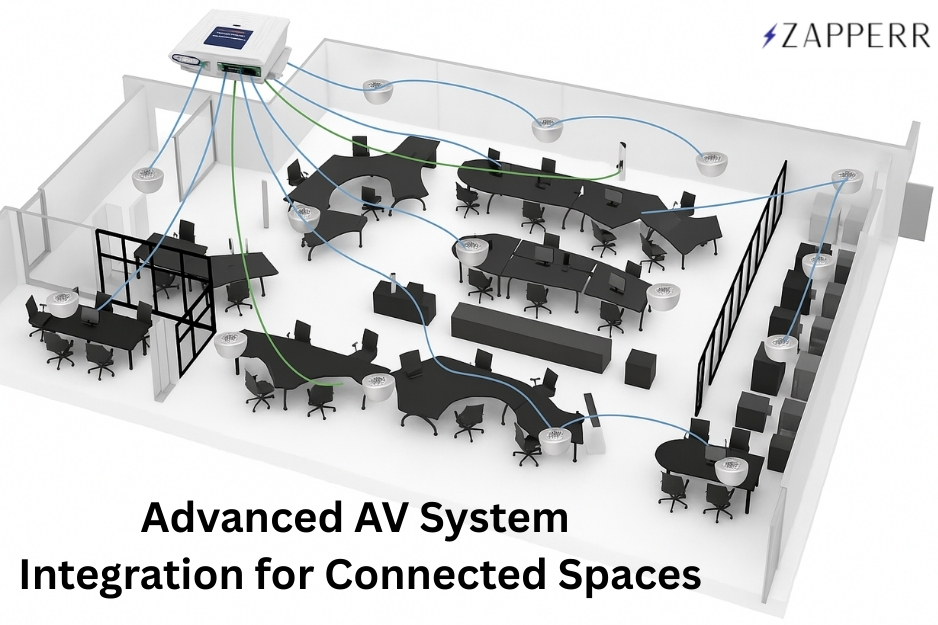


AV System Integration

Top 7 AV System Failures and How Programming Fixes Them (2026 Guide)

AV programming fixing common AV system failures like audio issues, control systems, and video conferencing in modern meeting rooms

AV programming prevents system failures by enabling automation, seamless integration, and real-time control, ensuring reliable performance across modern AV environments.

Modern AV systems combine networks, cloud platforms, and control hardware, increasing the risk of failures without proper configuration. According to AVIXA, misconfigured AV systems are a leading cause of meeting delays and operational disruptions. Organizations that implement AV programming and proactive monitoring can reduce downtime by up to 30%, improving reliability and performance.

For example, in a corporate meeting room, issues like inconsistent audio and camera switching can disrupt communication. With AV programming, systems automatically balance audio, switch cameras, and optimize performance. In hybrid environments, integration with conferencing tools ensures smooth collaboration without technical interruptions.

AV programming ensures AV systems work reliably by enabling automation, seamless integration, and real-time control. It prevents common failures like audio issues, system crashes, and user confusion while improving performance and user experience. Businesses use AV programming to reduce downtime and simplify operations. Learn more below.

What is AV Programming?

AV programming is the process of configuring control systems, automation, and device communication so that all audio visual components work together seamlessly. It enables centralized control, simplifies user interaction, and ensures consistent performance across meeting rooms, campuses, and enterprise environments.

AV System Failures vs AV Programming Fix 

IssueWithout AV ProgrammingWith AV Programming
Audio QualityInconsistent levelsAuto-balanced audio
ControlsComplex, confusingOne-touch interface
Video CallsFrequent failuresSeamless integration
Device CommunicationErrors, delaysSmooth connectivity
MonitoringReactiveReal-time alerts
User ExperienceFrustratingSimple and intuitive
DowntimeHighReduced significantly

1. Inconsistent Audio Levels

🚫 The Problem

Audio levels fluctuate, making communication difficult.

🔍 Why It Happens
  • No audio normalization
  • Poor DSP setup
  • Lack of automation
✅ How AV Programming Fixes It
  • Automatic gain control (AGC)
  • Echo cancellation
  • Real-time balancing

Using technologies like Dante ensures synchronized, high-quality audio.

Result: Clear and consistent sound across all meetings.

2. Complex and Confusing Controls

🚫 The Problem

Users struggle to operate AV systems.

🔍 Why It Happens
  • Poor UI/UX
  • Multiple remotes
  • No central control
✅ How AV Programming Fixes It

Solutions like Crestron and Extron provide:

  • One-touch controls
  • Custom UI
  • Simplified workflows

📊 Businesses report up to 25% higher user satisfaction with simplified AV interfaces.

Result: Easy system operation with minimal training.
3. Video Conferencing Failures
🚫 The Problem

Lag, disconnections, or camera issues.

🔍 Why It Happens
  • Poor integration
  • Network instability
  • No automation
✅ How AV Programming Fixes It

Integration with Zoom and Microsoft Teams ensures:

  • Auto camera switching
  • Optimized bandwidth
  • Device compatibility

📊 Around 70% of meeting delays are caused by AV issues—most preventable with programming.

Result: Seamless hybrid meetings.

4. Device Communication Failures
🚫 The Problem

Devices fail to respond or sync.

🔍 Why It Happens
  • Incorrect protocols
  • Poor integration
  • Network issues
✅ How AV Programming Fixes It
  • Protocol configuration (IP, RS-232)
  • Device mapping
  • Signal routing

Result: Smooth communication across systems.

5. No Proactive Monitoring
🚫 The Problem

Issues are only found after failure.

🔍 Why It Happens
  • No monitoring tools
  • Manual troubleshooting
✅ How AV Programming Fixes It

Platforms like AVM-360 enable:

  • Real-time monitoring
  • Instant alerts
  • Analytics

📊 Monitoring + programming reduces downtime by up to 30%.

Result : Issues resolved before impact.

6. Poor User Experience
🚫 The Problem

Meetings start late due to confusion.

🔍 Why It Happens
  • No automation
  • Poor interface design
✅ How AV Programming Fixes It
  • One-touch meeting start
  • Automated room setup
  • Presets

Result: Faster, smoother meetings.

7. System Downtime & Reliability Issues
🚫 The Problem

Frequent system failures.

🔍 Why It Happens
  • No failover
  • Lack of testing
  • Reactive maintenance
✅ How AV Programming Fixes It
  • Redundancy systems
  • Diagnostics
  • Monitoring integration

Result: Maximum uptime and reliability.

Why AV Programming is Critical in 2026

Modern AV systems are complex ecosystems. Without AV programming:

  • Systems underperform
  • Errors go unnoticed
  • User experience declines

With proper AV programming:

✔ Seamless integration
✔ Automation
✔ Reduced downtime
✔ Better ROI

Pro Tips to Avoid AV Failures

  • Use professional AV programming services
  • Include commissioning and testing
  • Implement monitoring tools
  • Focus on user-friendly design
  • Plan scalable systems

How Zapperr Delivers Reliable AV Systems

Zapperr ensures high-performance AV environments through:

  • Advanced AV programming and control system design
  • End-to-end commissioning and testing
  • Integration with monitoring platforms
  • User-focused interface design

This approach guarantees reliable, scalable, and easy-to-use AV systems.

Conclusion: Why AV Programming Matters More Than Ever

AV system failures impact productivity, communication, and business outcomes. Most issues are caused by poor integration—not hardware limitations.

With expert AV programming, businesses can eliminate failures, improve reliability, and create seamless AV experiences. In 2026, investing in AV programming is essential for building future-ready, high-performing workplaces.

FAQs

What is AV programming?

AV programming configures automation, control systems, and device communication to ensure seamless AV performance.

Why do AV systems fail?

Failures occur due to poor integration, lack of automation, and insufficient testing or monitoring.

How does AV programming reduce downtime?

It enables automation, monitoring, and diagnostics, allowing issues to be detected and resolved early.

Is AV programming necessary for small setups?

Yes, it simplifies control and improves usability even in smaller AV environments.


Top 7 AV System Failures and How Programming Fixes Them (2026 Guide) Read More »
AV Commissioning Checklist for System Integrators

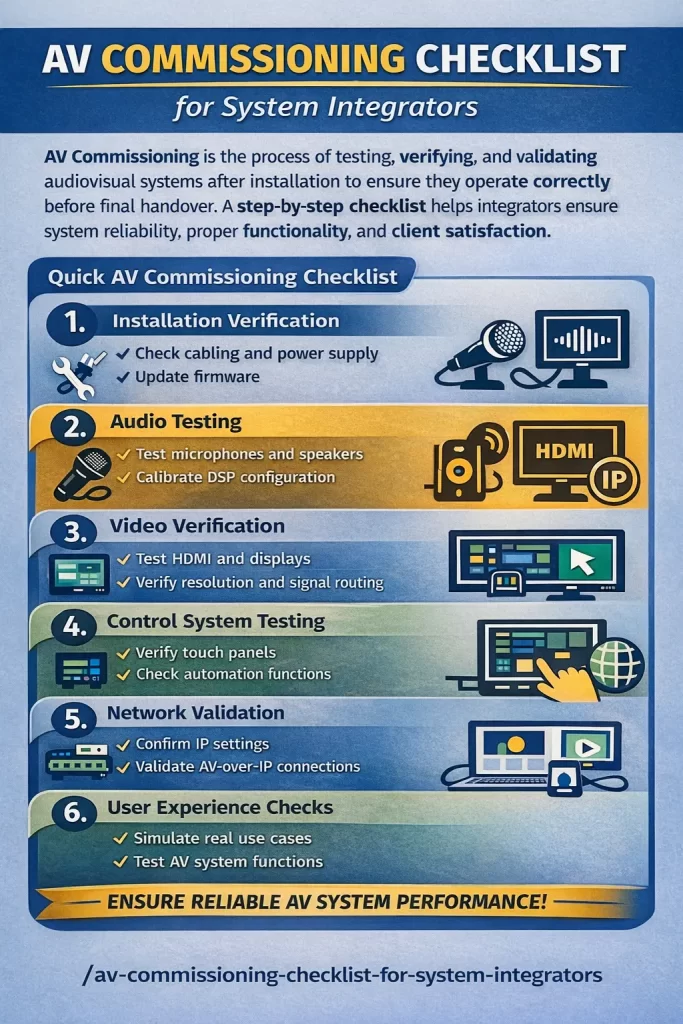
AV commissioning checklist for system integrators verifying audio video systems before project handover

Modern businesses rely heavily on audiovisual technology to support communication, presentations, and collaboration. From conference rooms and training spaces to command centers and digital signage environments, reliable AV systems are essential for daily operations.

However, installing AV equipment is only the first step. Without proper AV Commissioning, organizations often experience issues such as poor audio quality, display failures, or network connectivity problems.

A structured step-by-step AV commissioning checklist helps system integrators verify every component, validate system performance, and ensure that the entire AV environment works flawlessly before project handover.

This guide explains the AV commissioning process, key strategies, common challenges, and best practices to help AV professionals deliver reliable and high-performing audiovisual systems.

What is AV Commissioning?

AV Commissioning is the process of testing, verifying, and validating audiovisual systems after installation to ensure they operate according to design specifications.

During commissioning, integrators confirm that:

  • AV devices are installed correctly
  • Audio and video signals function properly
  • Control systems operate reliably
  • Networked AV devices communicate effectively
  • End users can operate the system easily

A well-defined AV system testing checklist ensures that all technical components are properly verified before deployment.

For system integrators, this process reduces errors and ensures successful project delivery.

Step-by-Step AV Commissioning Checklist

Below is a simplified AV commissioning workflow used by professional system integrators.

AV Commissioning StepKey Tasks
Installation VerificationCheck cabling, power connections, firmware updates
Audio TestingTest microphones, speakers, and DSP configuration
Video VerificationValidate HDMI signals, displays, and resolution
Control System TestingTest touch panels and automation functions
Network ValidationVerify IP settings and bandwidth usage

This AV installation verification checklist ensures that all technical aspects of the system are validated before client handover.

Why AV Commissioning Matters for Businesses

Organizations invest significant resources into AV infrastructure, but without proper commissioning, systems may fail during important meetings or presentations.

Proper AV Commissioning ensures that AV systems perform reliably from day one.

Key reasons commissioning matters include:

  • Detects configuration errors before deployment
  • Improves audio and video performance
  • Ensures proper integration between AV devices
  • Reduces post-installation troubleshooting
  • Provides documentation for system validation

For enterprises and commercial facilities, commissioning is essential to ensure technology investments deliver real value.

Why AV Commissioning Is Critical

Industry reports indicate that over 35% of AV system issues occur due to configuration errors discovered after installation.

These problems often result from incomplete testing during the deployment phase.

Without a proper commercial AV commissioning process, organizations may experience:

  • System downtime during meetings
  • Poor audio performance
  • Display switching issues
  • Network connectivity failures

By following a structured AV integrator commissioning workflow, integrators can identify and resolve issues before the system goes live.

This proactive approach significantly improves system reliability and user satisfaction.

Best Practices for AV Commissioning

Successful commissioning requires a structured approach and attention to detail.

Below are key best practices used by professional system integrators.

1. Verify Installation Before Testing

Before starting AV Commissioning, confirm that the installation phase is complete.

Verify:

  • Equipment mounting and rack installation
  • Signal cable connections
  • Network configuration
  • Device firmware versions

Completing this AV installation verification checklist ensures that the system is ready for testing.

2. Perform Comprehensive Audio Testing

Audio performance is one of the most important aspects of an AV environment.

During AV system testing, integrators should verify:

  • Microphone inputs
  • Speaker outputs
  • DSP processing
  • Audio signal routing
  • Echo cancellation and audio levels

Proper calibration ensures clear communication in meeting rooms and collaboration spaces.

3. Validate Video Signal Routing

Video testing confirms that all displays and switching systems function correctly.

Key verification tasks include:

  • Testing HDMI connections
  • Checking AV-over-IP video streams
  • Verifying display resolution
  • Testing video switching between sources

This step ensures seamless presentations and video conferencing experiences.

4. Test Control System Functionality

Modern AV environments rely on centralized control systems that allow users to manage multiple devices through a single interface.

Control system testing should verify:

  • Touch panel responsiveness
  • Automation scripts
  • Device communication
  • User interface navigation

A properly tested control interface ensures that users can operate the system easily.

5. Validate Network Infrastructure

Many modern AV environments operate on IP-based networks.

Network validation includes:

  • Verifying IP address configuration
  • Testing network bandwidth
  • Checking AV-over-IP streaming performance
  • Confirming VLAN configuration

A stable network infrastructure is essential for modern AV deployments.

Benefits of AV Commissioning for Businesses

Organizations that prioritize AV Commissioning gain several advantages.

Reliable System Performance

Well-tested systems operate consistently and reduce technical disruptions.

Improved Collaboration

Clear audio and reliable video improve meeting experiences.

Reduced Maintenance Costs

Early detection of configuration issues prevents costly repairs later.

Faster Troubleshooting

Commissioning documentation helps support teams diagnose issues quickly.

Higher ROI on AV Investments

Businesses gain the full value of their AV infrastructure when systems operate efficiently.

Common AV Commissioning Challenges

Even experienced system integrators may face challenges during the commissioning process.

Network Configuration Errors

Incorrect network settings can prevent AV devices from communicating.

Solution:
Collaborate with IT teams and validate network configuration early.

Audio Calibration Problems

Poor DSP tuning can cause uneven sound distribution.

Solution:
Use professional calibration tools during the AV system testing checklist phase.

Device Integration Issues

Equipment from different manufacturers may require additional configuration.

Solution:
Verify compatibility and update firmware before commissioning.

Future Trends in AV Commissioning

The AV industry continues to evolve as new technologies emerge.

Future commissioning processes will likely include:

AI-Based System Diagnostics

Artificial intelligence may automatically detect system performance issues.

Remote AV Monitoring

Cloud-based platforms allow integrators to monitor system health remotely.

AV-over-IP Expansion

More AV environments are transitioning to network-based infrastructure.

Automated Commissioning Tools

Future tools may automate parts of the commercial AV commissioning process, making testing faster and more accurate.

System integrators who adopt these technologies will gain a competitive advantage.

Conclusion

Installing AV equipment is only part of a successful AV project. Ensuring that every component functions correctly is what truly determines system performance.

AV Commissioning provides the final verification that confirms audio performance, video quality, network connectivity, and control system functionality.

By following a structured step-by-step AV commissioning checklist, system integrators can identify configuration issues early and deliver reliable AV systems to their clients.

For businesses, this means fewer technical problems, smoother collaboration, and greater confidence in their AV technology investments.

As AV systems become more complex and network-driven, professional commissioning will remain a critical step in successful system integration.

FAQ

What is an AV commissioning checklist?

An AV commissioning checklist is a structured process used by system integrators to test and verify audiovisual systems before deployment.

Why is AV commissioning important?

It ensures system reliability, improves audio and video performance, and prevents technical issues after installation.

When should AV commissioning be performed?

AV commissioning should take place after installation but before the final system handover to the client.

AV Commissioning Checklist for System Integrators Read More »

AV System Integration: Building Reliable, Connected AV Environments

Across many organisations, audio-visual technology has become essential to everyday communication. Whether we are hosting a quick team catch-up or an important client presentation, we all expect the room to just work. No complicated controls, no technical delays—just a smooth, professional experience. With AV system integration, we connect displays, microphones, speakers, cameras, and control systems into one simple setup, so we can focus on the meeting instead of the technology.

What Is AV System Integration?

AV system integration is the process of designing, installing, and configuring different audio-visual components so they function as one unified system. Instead of operating multiple devices independently, we integrate everything through a central control and signal flow structure.

A properly integrated AV system ensures that displays, microphones, cameras, speakers, and control interfaces communicate efficiently, delivering consistent performance and a better user experience.

Why AV Integration Matters

Without proper integration, AV systems often become complicated, unreliable, and difficult to operate. Users may struggle with multiple remotes, inconsistent audio, or devices that fail to connect during meetings.

We solve these challenges by designing and integrating systems that:

  • Simplify system control
  • Ensure compatibility between devices
  • Improve audio and video quality
  • Reduce technical issues during meetings
  • Enhance overall user experience

Our integrated solutions are designed to support daily operations, making collaboration smoother and more efficient.

Key Components of an Integrated AV System

A typical AV integration project involves several interconnected components that we design and configure to work together seamlessly.

Displays and Visual Systems

  • Large format displays
  • Video walls
  • Projectors
  • Interactive screens

Audio Systems

  • Ceiling or wall-mounted speakers
  • Wireless and wired microphones
  • Digital signal processors (DSP)

Video Conferencing Equipment

  • PTZ or fixed cameras
  • Conferencing platforms like Zoom or Teams
  • Room scheduling displays

Control Systems

  • Touch panels
  • Wall controllers
  • Mobile or tablet-based interfaces

We integrate these components through a central control system to ensure simple operation and reliable performance.

Our AV Integration Process

We follow a structured integration process to deliver systems that are reliable, user-friendly, and ready for everyday use.

1. Consultation and Needs Analysis

We assess your space, technical requirements, and user needs to design the right AV solution.

2. System Design

We create a detailed AV design, including equipment selection, signal flow, and control logic.

3. Installation

Our team installs, mounts, and connects all equipment according to the design plan.

4. Programming and Configuration

We program control systems, audio processing, and video routing to ensure smooth operation.

5. Testing and Commissioning

We test, calibrate, and verify the system to ensure it performs exactly as intended.

6. Training and Handover

We train your team so they can operate the system confidently.

This structured approach helps us deliver consistent performance and long-term reliability.

Where We Deliver AV Integration

We provide AV integration services for a wide range of environments, including:

  • Corporate meeting rooms
  • Boardrooms
  • Training facilities
  • Classrooms and lecture theatres
  • Auditoriums and event spaces
  • Control rooms
  • Retail and hospitality venues

For each environment, we design a tailored solution that meets the specific operational needs of the space.

Benefits of Working With Zapperr AV

Improved Reliability

We test and calibrate systems to minimise technical issues.

Simplified User Experience

We create centralised control interfaces that are easy for anyone to use.

Better Audio and Video Quality

We configure systems to deliver clear sound and sharp visuals.

Future-Ready Design

We build scalable systems that can grow with your organisation.

Reduced Support Costs

Our well-integrated systems require fewer troubleshooting visits.

Why Choose Zapperr AV for AV System Integration

At Zapperr AV, we focus on reliability, simplicity, and performance. Our team works closely with clients to understand their needs and create systems that support everyday operations.

Our AV integration services include:

  • AV system design and consultation
  • Professional installation
  • Control system programming
  • Audio and video calibration
  • System commissioning and testing
  • User training and ongoing support

We create AV environments that are easy to operate, dependable, and built for long-term performance.

Build a Seamless AV Environment

A professionally integrated AV system ensures that all components work together smoothly, providing consistent performance and a better experience for users.

Contact Zapperr AV today to discuss your AV system integration requirements and let us help you create a reliable, future-ready AV environment.

AV System Integration: Building Reliable, Connected AV Environments Read More »

Scroll to Top