av programming

AV Systems for Government Buildings: Compliance, Security & Reliability
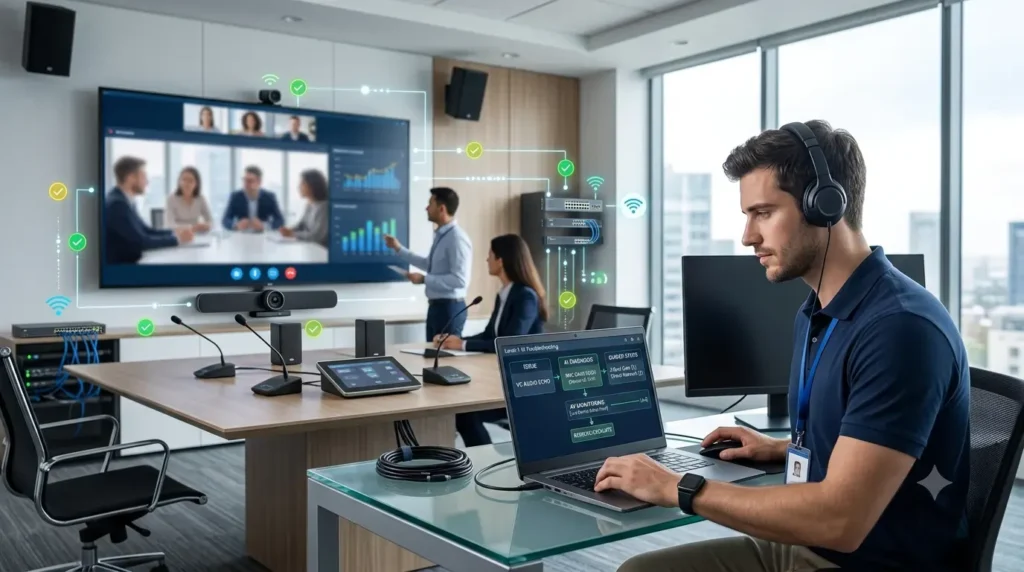
AV systems for government buildings with secure and reliable audiovisual technology

Government meetings leave little room for “the screen worked yesterday.”

When an AV system fails in a government building, the impact can go beyond an inconvenient meeting. Poor audio can affect accessibility. A failed display can interrupt an important briefing. An improperly secured device can introduce technology, network, or privacy concerns.

That is why AV systems for government buildings require careful planning around security, compliance, reliability, accessibility, monitoring, and long-term support.

The goal is not to install the most complicated AV system available. It is to create a dependable environment that supports the building’s purpose, users, IT policies, security requirements, and future needs.

Key Considerations for Government AV Systems

Before selecting AV equipment, government organisations should consider:

  • Security and access requirements
  • Applicable laws, standards, and internal policies
  • Network architecture
  • Room functionality
  • Accessibility
  • Reliability and redundancy
  • AV monitoring
  • Commissioning and documentation
  • Maintenance and lifecycle planning

These considerations should influence the AV design from the beginning rather than being added after installation.

Government AV environments can also be connected to wider IT infrastructure. NIST takes a risk-based approach to information and system security, including consideration of confidentiality, integrity, and availability. This provides a useful framework for understanding how connected AV technology should be assessed within an organisation.

Why AV Systems for Government Buildings Need Careful Planning

Government facilities can include council chambers, courtrooms, public meeting spaces, executive boardrooms, training rooms, briefing rooms, conference rooms, and control centres.

Each environment has different requirements.

A public meeting room may prioritise clear speech, presentation sharing, captioning, and accessibility. An executive boardroom may require advanced conferencing and room-control capabilities. A facility handling sensitive discussions may require additional security controls based on the organisation’s policies.

There is no single government AV system that works for every facility.

The AV solution should reflect:

  • How the room will be used
  • What information is being handled
  • Who will use the system
  • How users will access the technology
  • How the AV system connects to the network
  • What security and IT requirements apply
  • How the system will be supported over time

A well-planned AV environment starts with these requirements before equipment is purchased.

Compliance Should Begin With AV Design

Compliance should not become a last-minute checklist before project handover.

The applicable requirements depend on the country, government organisation, facility, and type of information or activities involved. Federal, state, and local organisations may have different obligations.

For this reason, AV teams should identify applicable requirements before equipment selection and installation.

A well-planned government AV project should document:

  • Applicable regulations and standards
  • Internal security policies
  • Network requirements
  • User-access requirements
  • Equipment locations
  • Data and connectivity considerations
  • Testing requirements
  • Commissioning procedures
  • Maintenance responsibilities

This creates a traceable design process and makes it easier for IT, facilities, security, and AV teams to understand how the system is intended to operate.

Rather than describing an AV product as simply “government compliant,” organisations should identify the specific requirements that apply to their environment and verify the system against those requirements.

That distinction matters.

AV Security Is More Than Protecting the Equipment Rack

A locked equipment rack is useful, but it is not the entire security strategy.

Modern government AV systems can include network-connected displays, cameras, microphones, control processors, conferencing systems, computers, media players, and other devices.

As AV technology becomes more connected, organisations need to consider how these devices fit into the wider IT and cybersecurity environment.

NIST SP 800-53 provides security and privacy controls covering areas such as access control, system and communications protection, configuration management, and physical and environmental protection.

For government AV environments, practical security considerations can include the following.

Network Architecture

AV devices should be connected according to the organisation’s approved network architecture.

Where appropriate, network segmentation and access restrictions can help limit unnecessary communication between systems. The correct implementation should be determined by the organisation’s IT and cybersecurity teams rather than by applying a generic AV template.

User Access

Not everyone who can operate a meeting room needs administrator privileges.

User permissions should match job responsibilities, while administrative access should remain limited to authorised personnel.

This can help reduce unnecessary access and make system administration easier to manage.

Device Configuration

Default credentials, unnecessary services, outdated firmware, and poorly managed configurations can create avoidable security concerns.

AV equipment should therefore follow the organisation’s approved configuration and security processes.

Regular review of device configurations can also help organisations maintain a more manageable AV environment.

Physical Security

Critical AV equipment may require physical protection depending on the facility and the sensitivity of its use.

Control processors, network equipment, computers, and other infrastructure should be located and protected appropriately.

Security works best as a series of sensible controls rather than one magical checkbox.

Reliability Matters When Meetings Cannot Simply Stop

Government facilities often support public meetings, presentations, training sessions, executive meetings, and important internal communications.

When an AV system fails, the meeting may still have to continue.

Reliable AV design for government facilities starts with understanding how the room will actually be used.

This can include:

  • Correct display selection and placement
  • Appropriate microphone coverage
  • Suitable loudspeaker design
  • Reliable signal distribution
  • Proper control-system programming
  • Network planning
  • Cable management
  • Equipment ventilation
  • Appropriate backup strategies
  • Complete system testing

Reliability also depends on what happens after installation.

A system can be professionally installed and still become difficult to manage if nobody maintains it. That is where AV monitoring and lifecycle planning become important.

AV Monitoring Helps Teams Detect Problems Earlier

Large government organisations may operate multiple meeting rooms and facilities.

Without central visibility, support teams may only discover an issue when an employee reports that a display, processor, or other device is not working.

AV monitoring can give technical teams visibility into supported equipment and system status.

Depending on the monitoring platform and configuration, organisations may be able to monitor devices such as:

  • Displays
  • Projectors
  • Control processors
  • Amplifiers
  • Network-connected AV equipment
  • Other supported room technology

The objective is not to monitor every device simply because monitoring exists.

The objective is to identify the equipment and conditions that matter most and provide useful information when something requires attention.

This supports a shift from reactive AV support toward more proactive AV management.

And discovering that a conference-room display has failed before the meeting starts is generally much more useful than discovering it when everyone is already sitting down.

Standardisation Can Simplify AV Management

A government organisation with multiple buildings can eventually accumulate a surprisingly diverse collection of AV equipment.

One room may use one control system. Another may have a completely different interface. A third may contain equipment that nobody remembers purchasing.

This can make support unnecessarily complicated.

Where practical, standardisation can simplify:

  • User training
  • Troubleshooting
  • Spare equipment management
  • Documentation
  • Maintenance
  • Monitoring
  • Support procedures
  • Future upgrades

Standardisation does not mean every room needs to be identical.

A council chamber and a small meeting room have different requirements. However, organisations can still standardise design principles, control approaches, documentation, equipment categories, and support processes.

The result is a more predictable and manageable AV environment.

Accessibility Should Be Built Into AV Design

Government facilities serve employees, visitors, community members, and other users with different needs.

Accessibility should therefore be considered during the AV planning and design process.

Depending on the facility and applicable requirements, this can include:

  • Clear speech reproduction
  • Captioning
  • Hearing assistance
  • Accessible control interfaces
  • Readable information on displays
  • Appropriate room layouts

The exact requirements depend on the relevant jurisdiction, building, and organisation.

The principle is straightforward: an AV system should help people participate rather than create another barrier.

Commissioning Proves Whether the AV System Works

Installation is not the end of an AV project.

AV commissioning provides an opportunity to test the completed system under realistic operating conditions before handover.

A proper commissioning process can include:

  • Testing displays and signal paths
  • Checking microphone coverage
  • Testing audio performance
  • Verifying control functionality
  • Testing conferencing systems
  • Checking network connectivity
  • Confirming device configurations
  • Testing automated functions
  • Recording faults and corrections
  • Completing system documentation

The commissioning process should also leave the organisation with useful records.

Good documentation helps future technicians understand how the system was designed, configured, connected, and tested.

That can save considerable time when troubleshooting problems or planning future upgrades.

Government AV Systems Need Lifecycle Planning

AV equipment does not last forever.

Displays age. Projectors require maintenance. Control processors become outdated. Software changes. Security requirements evolve. Rooms get redesigned.

That means government organisations should consider the full AV system lifecycle rather than treating installation as a one-time purchase.

A practical lifecycle can look like:

Design → Procurement → Installation → Commissioning → Monitoring → Maintenance → Upgrade → Replacement

Lifecycle planning helps organisations determine when equipment should be repaired, upgraded, or replaced.

It can also reduce the risk of relying on technology that has become difficult to support.

The cheapest decision today is not necessarily the cheapest decision over the life of the system.

How to Build a More Reliable Government AV Environment

A dependable government AV environment does not necessarily require the largest equipment list.

Instead, focus on the fundamentals.

1. Define the Room’s Purpose

Understand what meetings, presentations, collaboration, public activities, or other functions will take place in the space.

2. Identify Applicable Requirements

Work with the appropriate IT, security, facilities, accessibility, and compliance teams to determine which requirements apply.

3. Design Before Purchasing

Equipment should support the approved AV design rather than drive it.

4. Integrate the Technology Properly

Displays, audio, control systems, conferencing technology, networks, and other components should work together as one environment.

5. Test Before Handover

Commission the system and test realistic user scenarios before the system enters normal operation.

6. Document Everything

Keep useful information about equipment, configurations, connections, programming, testing, and support procedures.

7. Monitor Where It Makes Sense

Use AV monitoring to provide visibility into important systems and identify issues that require attention.

8. Plan for Replacement

Consider equipment lifecycle, supportability, software, security requirements, and future room needs.

Benefits of a Well-Planned Government AV System

A properly planned AV environment can provide benefits beyond better meetings.

It can help organisations achieve:

  • More reliable meeting rooms
  • Better visibility into AV equipment
  • Easier troubleshooting
  • More consistent user experiences
  • Better accessibility
  • Clearer documentation
  • More predictable maintenance
  • Better lifecycle planning
  • Improved coordination between AV, IT, facilities, and security teams

The exact benefits will depend on the organisation, facility, technology environment, and operational requirements.

Frequently Asked Questions About Government AV Systems

What should government organisations consider when planning an AV system?

Government organisations should consider security, applicable requirements, network architecture, room functionality, accessibility, reliability, monitoring, commissioning, documentation, maintenance, and equipment lifecycle.

How can AV systems in government buildings be secured?

Security can include appropriate network architecture, access controls, device configuration, firmware management, physical protection, and alignment with the organisation’s wider IT and cybersecurity processes.

Why is AV monitoring important for government facilities?

AV monitoring can provide visibility into supported equipment and help technical teams identify issues before they disrupt meetings or other activities.

Why is AV commissioning important?

Commissioning allows the completed system to be tested under realistic conditions. It can identify faults, verify functionality, confirm configurations, and provide useful documentation before handover.

Should every government meeting room use the same AV equipment?

Not necessarily. Different rooms have different purposes and requirements. However, organisations can standardise design principles, documentation, control approaches, equipment categories, and support processes where practical.

How often should government AV equipment be replaced?

There is no single replacement schedule for every government AV environment. Organisations should consider equipment age, supportability, software, security requirements, reliability, maintenance costs, and changing room requirements when planning upgrades or replacement.

Need Reliable AV Systems for a Government Facility?

Government AV requires more than selecting displays, microphones, speakers, and control equipment.

Zapperr AV can help organisations approach AV projects through careful design, integration, commissioning, monitoring, and lifecycle planning.

If you are planning a new government meeting room, upgrading an existing facility, or looking for a more reliable way to manage multiple AV environments, speak with an AV specialist about your requirements.

Final Thoughts

AV systems for government buildings need to balance usability, security, compliance, reliability, accessibility, and long-term support.

The best system is not necessarily the one with the most equipment or the longest specification sheet.

It is the system that fits the facility, supports its users, works within the organisation’s technology environment, meets applicable requirements, and remains manageable over time.

For government organisations, AV should be treated as part of the wider technology and facilities strategy—not simply as a collection of screens, microphones, speakers, and control panels.

When AV design, integration, security, monitoring, commissioning, and lifecycle planning work together, government facilities can create meeting and collaboration environments that are dependable, secure, accessible, and easier to manage.

In government AV, boring is often a compliment.

If the meeting starts on time, everyone can hear, the presentation appears, the controls work, and nobody has to crawl behind the display looking for a missing cable, the AV system is doing exactly what it should.

AV Systems for Government Buildings: Compliance, Security & Reliability Read More »
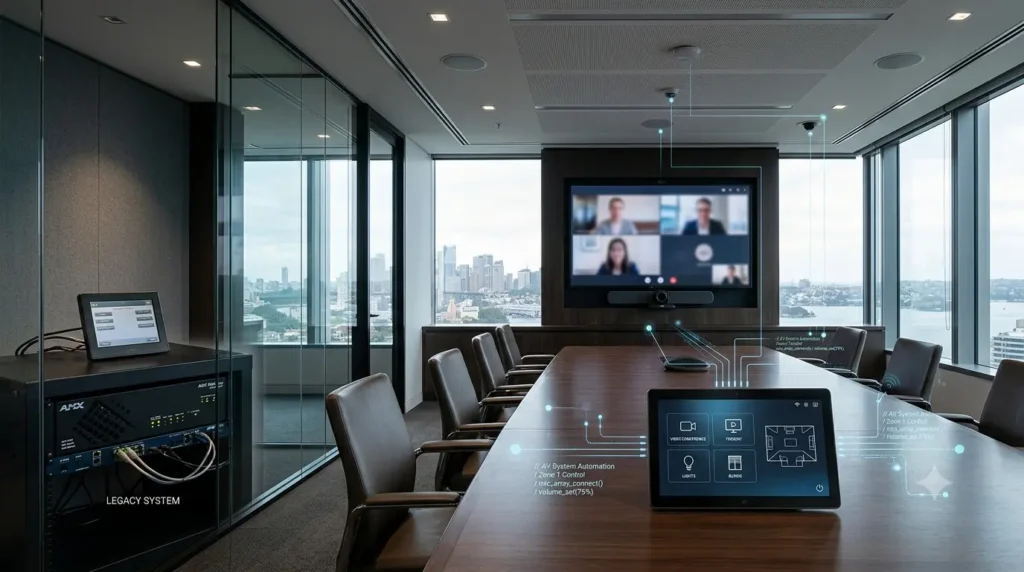
AMX Programming Explained: Legacy Systems and Modern Alternatives

AMX programming and modern AV control systems in a commercial conference room

AMX programming has been part of professional AV control for years. Many commercial meeting rooms, boardrooms, classrooms and other spaces still rely on AMX systems to control displays, audio, video distribution and room functions.

But technology moves quickly.

That leaves many businesses with a practical question: What should you do when an existing AMX control system still works, but the technology around it is changing?

Replacing everything is not always the answer. Continuing with an ageing system without understanding its limitations is not always the answer either.

The right approach starts with understanding how AMX programming works, what can be maintained, and when a modern control platform may offer a better long-term solution.

What Is AMX Programming?

AMX programming is the process of creating and configuring the logic that allows an AMX control system to operate connected AV and building technology.

A control processor can communicate with different devices and respond to user actions. For example, pressing a button on a room touch panel might turn on a display, select an input, change the audio level and place the room into a particular operating mode.

For the user, that can look like one simple button.

For the programmer, it involves logic, device communication, feedback, interface behaviour and testing.

AMX’s NetLinx platform provides tools for developing and managing AMX systems. AMX describes NetLinx Studio as a development environment for programming, organising and supporting NetLinx systems. Its documentation also includes a NetLinx programming language reference and programming guides for its controller ecosystem.

That distinction matters. Good AV programming is not simply about making equipment respond to commands. It is about making the entire room behave predictably.

How Does AMX NetLinx Programming Work?

AMX NetLinx programming allows developers to create control logic for compatible systems.

AMX’s NetLinx NX controllers, for example, can control devices using Ethernet, RS-232/422/485, relay, IR and I/O connections, as well as other AMX equipment through AxLink. AMX states that NX controllers can be programmed using NetLinx and Java, with NetLinx programs developed using NetLinx Studio.

This flexibility helped make AMX useful in complex AV environments.

A programmer can create relationships between different devices instead of forcing users to operate every component individually.

Imagine a conference room where a user has to turn on the display, select the correct source, adjust audio, start a video-conferencing system and configure the room manually.

That is not exactly the definition of “smart.”

A properly programmed control system can coordinate those actions through a much simpler user experience.

Why Do Businesses Still Have Legacy AMX Systems?

“Legacy” does not automatically mean “bad.”

Some AMX systems continue to perform their intended function. If the controller, touch panel and connected equipment remain reliable, the business may have little reason to replace a working system simply because newer platforms exist.

The challenge usually appears when the business wants to change something.

Perhaps a display needs replacing. Maybe the room is moving from an older conferencing solution to a modern platform. Perhaps the touch panel needs redesigning, or a new device needs to communicate with the existing control system.

That is when the condition of the existing programming becomes important.

The original source code, configuration files, touch-panel files and documentation can make future maintenance much easier. AMX itself provides project-based functionality in NetLinx Studio for managing source code, user-interface files, IR files and other system components.

In other words, documentation is not just paperwork.

It can be part of the system’s long-term maintainability.

Common Problems With Legacy AMX Programming

Older AMX installations can present several practical challenges.

Missing Source Code

If the original programming files are unavailable, a programmer may first need to understand how the existing system works before making changes.

That can increase investigation time and project risk.

Ageing Hardware

A legacy controller or touch panel may eventually become difficult to replace or support.

Replacing one component can also create compatibility questions elsewhere in the system.

Outdated Integrations

Older systems may communicate with equipment using a mixture of control methods.

When modern network-connected devices are introduced, the programmer needs to determine how those devices will communicate with the existing control architecture.

Limited Documentation

A system without clear documentation can become difficult for another technician or programmer to maintain.

This is particularly important when the original programming team is no longer available.

Changing User Expectations

Users expect modern AV rooms to be simple.

They want one clear interface rather than a collection of mysterious buttons that appear to have been designed during an argument between three different programmers.

Good programming should reduce that complexity.

Can an Existing AMX System Be Reprogrammed?

In many situations, an existing AMX system can be modified or reprogrammed rather than completely replaced.

The answer depends on the controller, connected equipment, available files, existing architecture and required changes.

For example, a business might need:

  • A redesigned touch-panel interface
  • New display control
  • Changes to room modes
  • Integration with replacement conferencing equipment
  • Updated device communication
  • Changes to automation logic
  • Troubleshooting of existing control behaviour

A professional assessment should come before making major changes.

The goal is to understand what already works, what needs to change and whether the existing platform can support the new requirements.

Zapperr AV provides programming across multiple commercial AV platforms, including AMX/HARMAN, alongside Crestron, Q-SYS, Extron and Kramer. Its programming service also focuses on tested code and documentation rather than simply making changes and hoping everything behaves on site.

When Should You Keep an AMX System?

Keeping an existing AMX control system can make sense when it remains reliable and meets the organisation’s requirements.

Consider keeping it when:

  • The controller is reliable.
  • The touch panel still provides a suitable user experience.
  • Existing devices remain compatible.
  • The required changes are relatively small.
  • Source code and documentation are available.
  • Qualified programming support is available.
  • A complete replacement would create unnecessary disruption.

There is little value in replacing working technology purely because something newer exists.

A car does not become undrivable because a newer model has appeared. The same basic logic applies to AV control systems.

When Should You Consider an AMX Replacement?

Migration becomes more attractive when the existing system can no longer meet the project’s technical or operational requirements.

This may happen when the system depends heavily on ageing hardware, lacks documentation, has difficult-to-maintain programming, or needs integrations that the existing architecture cannot reasonably support.

The business may also want to standardise its AV environments around another control platform.

At that point, the decision should not be based on the controller alone.

A proper assessment should consider the complete AV environment, including displays, audio, conferencing, networking, user interfaces and room requirements.

That is where AV consultation can add value before a replacement project begins.

Modern Alternatives to AMX Programming

AMX is not the only professional control platform available.

Modern alternatives include platforms such as Crestron, Extron and Q-SYS. Each has its own architecture, programming tools, hardware ecosystem and suitability for different projects.

Crestron

Crestron offers several programming approaches across its control ecosystem.

Its 4-Series documentation describes programming options that include C#, SIMPL, SIMPL# Pro and Python.

For organisations considering migration from AMX, the important question is not simply whether Crestron is newer.

The better question is whether it fits the project’s devices, programming requirements, support model and future plans.

Extron

Extron provides another professional control environment.

Its Global Scripter development environment uses Extron’s ControlScript Python library for programming compatible Pro Series control systems. The platform includes development and diagnostic tools for building and testing control applications.

For teams familiar with Python-based development, this can provide a different programming approach from traditional AMX NetLinx development.

Q-SYS

Q-SYS is another important platform in modern AV control and audio environments.

The platform is particularly relevant for projects where control, audio processing and network-based AV functions need to work together.

Zapperr’s project portfolio includes Q-SYS-based systems as well as Crestron projects, demonstrating the importance of selecting the platform around the project requirements rather than treating one technology as the answer to every problem.

AMX vs Modern Alternatives: What Should You Consider?

There is no universal winner.

Before deciding whether to maintain AMX or migrate to another platform, consider:

Existing hardware: Can the current controller and connected devices continue to meet requirements?

Source code: Do you have the original programming and interface files?

Integration: Can the system communicate with the equipment you need to use?

User experience: Is the existing interface simple and intuitive?

Support: Can qualified programmers maintain the platform?

Scalability: Will the system support future rooms and technologies?

Migration risk: What disruption could a replacement create?

Budget: Would targeted reprogramming solve the problem without requiring a complete replacement?

These questions provide a much stronger basis for decision-making than simply asking whether AMX is old.

How Zapperr AV Can Help With AMX and AV Programming

AMX programming is only one part of a professional AV control environment.

When an existing system needs modification, the work may involve control programming, touch-panel design, equipment integration, testing and commissioning.

Zapperr AV supports commercial AV programming across AMX/HARMAN and other major platforms. Its programming service covers control systems, collaboration rooms, GUI and touch-panel design, and related AV technologies.

For larger projects, Zapperr also provides full AV system integration, bringing design, programming and commissioning together under one technical scope.

And when the right answer is not obvious, an AV consultation can help businesses assess requirements, review existing plans, evaluate technology choices and develop a practical path forward.

Final Thoughts

AMX programming remains relevant for organisations that operate existing AMX control systems and need reliable technical support.

A legacy system does not automatically require replacement.

If the system remains reliable, documented and capable of meeting current requirements, professional AMX programming and maintenance may be the most practical route.

If the architecture has become difficult to maintain or cannot support future requirements, migration to a modern control platform may make more sense.

The smart approach is to assess the system before making the decision.

Don’t replace a working AV control system just because it has been around for a while. Understand it first, identify its limitations, and then choose the solution that makes the most technical and commercial sense.

AMX Programming Explained: Legacy Systems and Modern Alternatives Read More »

What Does an AV Project Manager Do in Australia? A Complete Guide for Businesses

AV project manager supervising a modern conference room AV installation with display screens, video conferencing equipment, and enterprise meeting room technology in Australia.

An AV project manager in Australia oversees the planning, coordination, installation, and delivery of audiovisual systems for businesses, universities, hotels, and enterprise environments. They manage timelines, contractors, AV integrators, IT teams, and system commissioning to ensure AV projects run smoothly, stay within budget, and deliver reliable user experiences.

Why AV Project Management Matters More Than Ever

Modern workplaces depend heavily on technology.

Meeting rooms now include video conferencing platforms, wireless presentation systems, smart cameras, DSP audio processing, room scheduling panels, and cloud-connected AV monitoring tools. What once involved a projector and a speakerphone now looks more like an IT infrastructure project.

That complexity creates one major challenge:
Who keeps everything organized?

This is where an experienced AV project manager Australia businesses rely on becomes essential.

Without structured audiovisual project management, even premium AV technology can quickly become a frustrating experience. Delayed hardware, poor coordination, incompatible systems, and installation mistakes often create expensive problems long after the project goes live.

According to AVIXA, modern AV environments increasingly combine audiovisual, networking, cloud collaboration, and automation technologies into a single connected ecosystem. As systems become more integrated, professional project management becomes critical for successful delivery.

Or, to put it another way:
Someone needs to stop the electricians, programmers, and IT teams from blaming each other before the first meeting even starts.

What Is an AV Project Manager?

An AV project manager oversees the entire lifecycle of an audiovisual project.

They coordinate people, technology, schedules, budgets, and technical workflows from the initial planning stage through final system handover.

An AV project manager typically works with:

  • Clients and stakeholders
  • AV consultants
  • AV integrators
  • IT departments
  • Construction contractors
  • Programmers
  • Manufacturers
  • Facility managers

Their job is not simply “managing screens and speakers.”

They ensure all moving parts work together efficiently while keeping projects on time and aligned with business goals.

What Does an AV Project Manager Actually Do?

1. Planning the AV Project

Every successful AV deployment starts with proper planning.

Before equipment gets ordered or installed, the AV project manager helps define:

  • Project scope
  • Business requirements
  • Technical goals
  • User expectations
  • Room functionality
  • Budget limitations
  • Installation timelines

For example, a corporate boardroom requires different AV functionality compared to:

  • University lecture theatres
  • Hotels and event venues
  • Healthcare environments
  • Government facilities

A well-planned AV system improves usability, scalability, and long-term reliability.

Poor planning usually leads to sentences like:
“We forgot to allow space for the equipment rack.”

That sentence alone has probably aged thousands of project managers worldwide.

2. Coordinating AV Design and Technical Teams

Modern AV deployments involve multiple specialists.

An AV project manager coordinates communication between:

  • AV designers
  • Electrical contractors
  • Network engineers
  • AV programmers
  • IT departments
  • Construction teams

This coordination helps avoid conflicts during installation.

For example:

  • Display placement affects room visibility
  • Audio system tuning affects speech clarity
  • Network infrastructure affects AV-over-IP performance
  • Collaboration platforms affect meeting workflows

According to Microsoft Teams Rooms Planning Documentation, successful meeting room deployments require careful planning across networking, room design, device compatibility, and user experience.

An experienced AV consultant Australia businesses trust often works alongside the AV project manager during this stage.

3. Managing Equipment Procurement

Enterprise AV projects rarely involve one manufacturer.

A single deployment may include:

  • Q-SYS DSP systems
  • Crestron control systems
  • Extron switching hardware
  • Shure microphones
  • Samsung displays
  • Logitech conferencing devices

The AV project manager helps ensure:

  • Equipment compatibility
  • Correct procurement timing
  • Budget alignment
  • Supplier coordination
  • Delivery scheduling

This role became even more important after global supply chain disruptions increased lead times across the technology industry.

Because discovering a six-week delay on a critical device one day before installation is not exactly ideal project planning.

4. Overseeing AV Installation

Once installation begins, coordination becomes critical.

The AV project manager monitors:

  • Site readiness
  • Cable infrastructure
  • Installation progress
  • Device mounting
  • Rack builds
  • Safety compliance
  • Contractor scheduling

This stage often determines whether projects stay on time or spiral into delays.

Strong audiovisual project management helps businesses reduce:

  • Downtime
  • Scheduling conflicts
  • Installation errors
  • Rework costs
  • Communication breakdowns

Good AV systems should feel invisible to users.

If employees spend ten minutes trying to share a screen during every meeting, the technology failed its purpose.

5. Coordinating AV Programming and System Testing

Modern AV systems rely heavily on software and automation.

AV programmers configure systems such as:

  • Touch panel interfaces
  • DSP audio processing
  • Device control automation
  • Video routing
  • Room scheduling integration
  • Collaboration platform workflows

The AV project manager coordinates programming timelines and system testing before deployment goes live.

Testing usually includes:

  • Audio quality checks
  • Video signal validation
  • Microphone testing
  • Network performance checks
  • User workflow testing
  • Remote monitoring validation

According to Q-SYS and Crestron Electronics, enterprise AV systems increasingly depend on network-based control, automation, and centralized management platforms.

That means AV project management now overlaps heavily with IT operations.

6. Managing Commissioning and Final Handover

Commissioning verifies that the AV system performs according to the original design requirements.

This process includes:

  • Final system testing
  • Performance validation
  • Documentation reviews
  • Client training
  • Warranty coordination
  • Support handover

Professional commissioning reduces future support issues and improves long-term system stability.

According to AVIXA CTS Certification Standards, documentation, testing, and quality assurance are essential parts of professional AV delivery standards.

Skipping commissioning often creates expensive troubleshooting later.

And nobody enjoys discovering microphone problems during a live executive presentation.

Key Skills Every AV Project Manager Needs

Successful AV project managers combine technical knowledge with leadership and communication skills.

Technical Understanding

They need strong knowledge of:

  • Audio systems
  • Video distribution
  • Networking
  • Control systems
  • Collaboration platforms
  • AV-over-IP infrastructure

Communication Skills

AV projects involve many stakeholders.

Clear communication helps reduce misunderstandings and project delays.

Problem Solving

Unexpected challenges happen in nearly every deployment.

Good project managers solve issues quickly before they affect deadlines or user experience.

Time and Budget Management

Keeping projects on schedule while controlling costs is a major part of AV project management.

AV Project Manager vs AV Consultant

Businesses often confuse these roles.

An AV consultant Australia organizations hire usually focuses on:

  • Independent system design
  • Technical recommendations
  • Infrastructure planning
  • Technology strategy

An AV project manager focuses on:

  • Project execution
  • Coordination
  • Scheduling
  • Delivery management
  • Contractor communication

Large enterprise projects often require both roles working together.

Industries That Need AV Project Management in Australia

Professional AV project management supports many industries across Australia, including:

  • Corporate offices
  • Universities
  • Government facilities
  • Healthcare environments
  • Hotels and hospitality venues
  • Retail environments
  • Stadiums and entertainment venues

As hybrid work continues expanding, businesses increasingly rely on professionally managed AV systems to support collaboration and communication.

Common Problems AV Project Managers Help Prevent

Without experienced project management, businesses often face:

  • Budget overruns
  • Delayed installations
  • Technology compatibility issues
  • Poor meeting room experiences
  • Missing equipment
  • Communication failures
  • Incomplete testing

An experienced AV project manager helps reduce these risks while improving deployment quality.

Because “we’ll figure it out during installation” is rarely a strategy. It is usually a warning sign.

How to Choose the Right AV Project Manager in Australia

When selecting an AV project manager, businesses should look for:

  • Enterprise AV experience
  • Strong technical understanding
  • Knowledge of Teams Rooms and Zoom Rooms
  • AV-over-IP experience
  • Vendor coordination skills
  • Proven project delivery history
  • Clear communication skills

It also helps to choose professionals familiar with Australian commercial construction standards and IT infrastructure requirements.

The Future of AV Project Management

The AV industry continues evolving rapidly.

Today’s AV environments now include:

  • Cloud-based AV monitoring
  • AI-powered analytics
  • Smart workplace integrations
  • Remote device management
  • Enterprise collaboration platforms
  • Centralized AV operations

According to Gartner, connected workplace technologies and hybrid collaboration systems will continue reshaping enterprise operations globally.

As AV systems become more software-driven, professional project management will become even more important.

Businesses no longer deploy isolated meeting room hardware.

They deploy connected digital workplace ecosystems.

Final Thoughts

An experienced AV project manager Australia businesses trust plays a critical role in delivering reliable, scalable, and user-friendly AV systems.

From planning and procurement to installation and commissioning, professional audiovisual project management helps organizations reduce risk, improve collaboration experiences, and avoid costly deployment issues.

As Australian workplaces continue adopting hybrid collaboration technologies, structured AV leadership becomes essential for long-term operational success.

Because at the end of the day, businesses do not invest in AV technology simply to install equipment.

They invest in communication that works when people need it most.

Need Expert AV Project Management Support?

At Zapperr AV, we help businesses across Australia deliver reliable, scalable, and professionally managed AV projects — from design and programming to integration and commissioning.

Contact our AV experts today and simplify your next AV deployment.

What Does an AV Project Manager Do in Australia? A Complete Guide for Businesses Read More »

Top 7 AV System Failures and How Programming Fixes Them (2026 Guide)

AV programming fixing common AV system failures like audio issues, control systems, and video conferencing in modern meeting rooms

AV programming prevents system failures by enabling automation, seamless integration, and real-time control, ensuring reliable performance across modern AV environments.

Modern AV systems combine networks, cloud platforms, and control hardware, increasing the risk of failures without proper configuration. According to AVIXA, misconfigured AV systems are a leading cause of meeting delays and operational disruptions. Organizations that implement AV programming and proactive monitoring can reduce downtime by up to 30%, improving reliability and performance.

For example, in a corporate meeting room, issues like inconsistent audio and camera switching can disrupt communication. With AV programming, systems automatically balance audio, switch cameras, and optimize performance. In hybrid environments, integration with conferencing tools ensures smooth collaboration without technical interruptions.

AV programming ensures AV systems work reliably by enabling automation, seamless integration, and real-time control. It prevents common failures like audio issues, system crashes, and user confusion while improving performance and user experience. Businesses use AV programming to reduce downtime and simplify operations. Learn more below.

What is AV Programming?

AV programming is the process of configuring control systems, automation, and device communication so that all audio visual components work together seamlessly. It enables centralized control, simplifies user interaction, and ensures consistent performance across meeting rooms, campuses, and enterprise environments.

AV System Failures vs AV Programming Fix 

IssueWithout AV ProgrammingWith AV Programming
Audio QualityInconsistent levelsAuto-balanced audio
ControlsComplex, confusingOne-touch interface
Video CallsFrequent failuresSeamless integration
Device CommunicationErrors, delaysSmooth connectivity
MonitoringReactiveReal-time alerts
User ExperienceFrustratingSimple and intuitive
DowntimeHighReduced significantly

1. Inconsistent Audio Levels

🚫 The Problem

Audio levels fluctuate, making communication difficult.

🔍 Why It Happens
  • No audio normalization
  • Poor DSP setup
  • Lack of automation
✅ How AV Programming Fixes It
  • Automatic gain control (AGC)
  • Echo cancellation
  • Real-time balancing

Using technologies like Dante ensures synchronized, high-quality audio.

Result: Clear and consistent sound across all meetings.

2. Complex and Confusing Controls

🚫 The Problem

Users struggle to operate AV systems.

🔍 Why It Happens
  • Poor UI/UX
  • Multiple remotes
  • No central control
✅ How AV Programming Fixes It

Solutions like Crestron and Extron provide:

  • One-touch controls
  • Custom UI
  • Simplified workflows

📊 Businesses report up to 25% higher user satisfaction with simplified AV interfaces.

Result: Easy system operation with minimal training.
3. Video Conferencing Failures
🚫 The Problem

Lag, disconnections, or camera issues.

🔍 Why It Happens
  • Poor integration
  • Network instability
  • No automation
✅ How AV Programming Fixes It

Integration with Zoom and Microsoft Teams ensures:

  • Auto camera switching
  • Optimized bandwidth
  • Device compatibility

📊 Around 70% of meeting delays are caused by AV issues—most preventable with programming.

Result: Seamless hybrid meetings.

4. Device Communication Failures
🚫 The Problem

Devices fail to respond or sync.

🔍 Why It Happens
  • Incorrect protocols
  • Poor integration
  • Network issues
✅ How AV Programming Fixes It
  • Protocol configuration (IP, RS-232)
  • Device mapping
  • Signal routing

Result: Smooth communication across systems.

5. No Proactive Monitoring
🚫 The Problem

Issues are only found after failure.

🔍 Why It Happens
  • No monitoring tools
  • Manual troubleshooting
✅ How AV Programming Fixes It

Platforms like AVM-360 enable:

  • Real-time monitoring
  • Instant alerts
  • Analytics

📊 Monitoring + programming reduces downtime by up to 30%.

Result : Issues resolved before impact.

6. Poor User Experience
🚫 The Problem

Meetings start late due to confusion.

🔍 Why It Happens
  • No automation
  • Poor interface design
✅ How AV Programming Fixes It
  • One-touch meeting start
  • Automated room setup
  • Presets

Result: Faster, smoother meetings.

7. System Downtime & Reliability Issues
🚫 The Problem

Frequent system failures.

🔍 Why It Happens
  • No failover
  • Lack of testing
  • Reactive maintenance
✅ How AV Programming Fixes It
  • Redundancy systems
  • Diagnostics
  • Monitoring integration

Result: Maximum uptime and reliability.

Why AV Programming is Critical in 2026

Modern AV systems are complex ecosystems. Without AV programming:

  • Systems underperform
  • Errors go unnoticed
  • User experience declines

With proper AV programming:

✔ Seamless integration
✔ Automation
✔ Reduced downtime
✔ Better ROI

Pro Tips to Avoid AV Failures

  • Use professional AV programming services
  • Include commissioning and testing
  • Implement monitoring tools
  • Focus on user-friendly design
  • Plan scalable systems

How Zapperr Delivers Reliable AV Systems

Zapperr ensures high-performance AV environments through:

  • Advanced AV programming and control system design
  • End-to-end commissioning and testing
  • Integration with monitoring platforms
  • User-focused interface design

This approach guarantees reliable, scalable, and easy-to-use AV systems.

Conclusion: Why AV Programming Matters More Than Ever

AV system failures impact productivity, communication, and business outcomes. Most issues are caused by poor integration—not hardware limitations.

With expert AV programming, businesses can eliminate failures, improve reliability, and create seamless AV experiences. In 2026, investing in AV programming is essential for building future-ready, high-performing workplaces.

FAQs

What is AV programming?

AV programming configures automation, control systems, and device communication to ensure seamless AV performance.

Why do AV systems fail?

Failures occur due to poor integration, lack of automation, and insufficient testing or monitoring.

How does AV programming reduce downtime?

It enables automation, monitoring, and diagnostics, allowing issues to be detected and resolved early.

Is AV programming necessary for small setups?

Yes, it simplifies control and improves usability even in smaller AV environments.


Top 7 AV System Failures and How Programming Fixes Them (2026 Guide) Read More »

AV System Integration: Building Reliable, Connected AV Environments

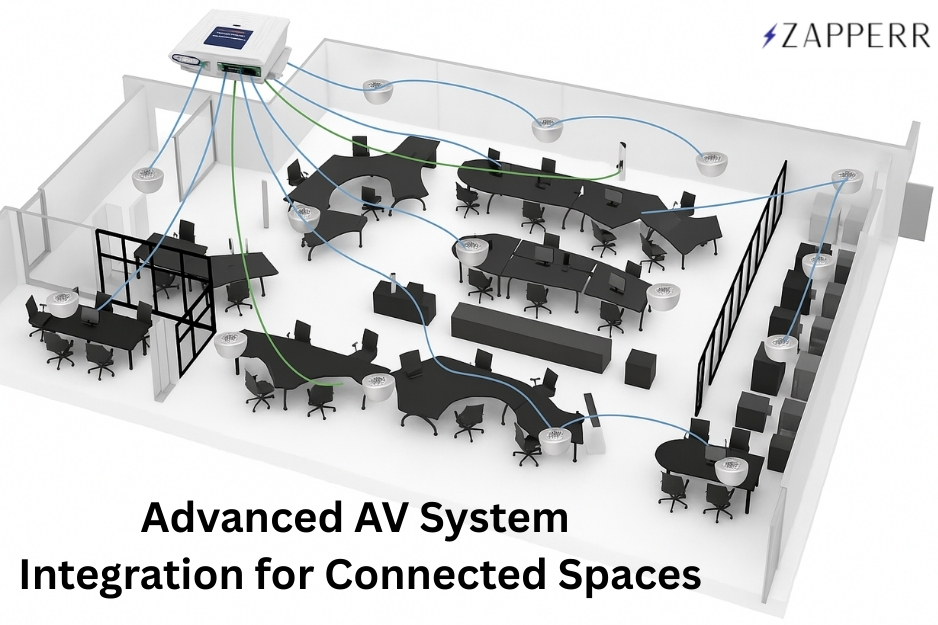
Across many organisations, audio-visual technology has become essential to everyday communication. Whether we are hosting a quick team catch-up or an important client presentation, we all expect the room to just work. No complicated controls, no technical delays—just a smooth, professional experience. With AV system integration, we connect displays, microphones, speakers, cameras, and control systems into one simple setup, so we can focus on the meeting instead of the technology.

What Is AV System Integration?

AV system integration is the process of designing, installing, and configuring different audio-visual components so they function as one unified system. Instead of operating multiple devices independently, we integrate everything through a central control and signal flow structure.

A properly integrated AV system ensures that displays, microphones, cameras, speakers, and control interfaces communicate efficiently, delivering consistent performance and a better user experience.

Why AV Integration Matters

Without proper integration, AV systems often become complicated, unreliable, and difficult to operate. Users may struggle with multiple remotes, inconsistent audio, or devices that fail to connect during meetings.

We solve these challenges by designing and integrating systems that:

  • Simplify system control
  • Ensure compatibility between devices
  • Improve audio and video quality
  • Reduce technical issues during meetings
  • Enhance overall user experience

Our integrated solutions are designed to support daily operations, making collaboration smoother and more efficient.

Key Components of an Integrated AV System

A typical AV integration project involves several interconnected components that we design and configure to work together seamlessly.

Displays and Visual Systems

  • Large format displays
  • Video walls
  • Projectors
  • Interactive screens

Audio Systems

  • Ceiling or wall-mounted speakers
  • Wireless and wired microphones
  • Digital signal processors (DSP)

Video Conferencing Equipment

  • PTZ or fixed cameras
  • Conferencing platforms like Zoom or Teams
  • Room scheduling displays

Control Systems

  • Touch panels
  • Wall controllers
  • Mobile or tablet-based interfaces

We integrate these components through a central control system to ensure simple operation and reliable performance.

Our AV Integration Process

We follow a structured integration process to deliver systems that are reliable, user-friendly, and ready for everyday use.

1. Consultation and Needs Analysis

We assess your space, technical requirements, and user needs to design the right AV solution.

2. System Design

We create a detailed AV design, including equipment selection, signal flow, and control logic.

3. Installation

Our team installs, mounts, and connects all equipment according to the design plan.

4. Programming and Configuration

We program control systems, audio processing, and video routing to ensure smooth operation.

5. Testing and Commissioning

We test, calibrate, and verify the system to ensure it performs exactly as intended.

6. Training and Handover

We train your team so they can operate the system confidently.

This structured approach helps us deliver consistent performance and long-term reliability.

Where We Deliver AV Integration

We provide AV integration services for a wide range of environments, including:

  • Corporate meeting rooms
  • Boardrooms
  • Training facilities
  • Classrooms and lecture theatres
  • Auditoriums and event spaces
  • Control rooms
  • Retail and hospitality venues

For each environment, we design a tailored solution that meets the specific operational needs of the space.

Benefits of Working With Zapperr AV

Improved Reliability

We test and calibrate systems to minimise technical issues.

Simplified User Experience

We create centralised control interfaces that are easy for anyone to use.

Better Audio and Video Quality

We configure systems to deliver clear sound and sharp visuals.

Future-Ready Design

We build scalable systems that can grow with your organisation.

Reduced Support Costs

Our well-integrated systems require fewer troubleshooting visits.

Why Choose Zapperr AV for AV System Integration

At Zapperr AV, we focus on reliability, simplicity, and performance. Our team works closely with clients to understand their needs and create systems that support everyday operations.

Our AV integration services include:

  • AV system design and consultation
  • Professional installation
  • Control system programming
  • Audio and video calibration
  • System commissioning and testing
  • User training and ongoing support

We create AV environments that are easy to operate, dependable, and built for long-term performance.

Build a Seamless AV Environment

A professionally integrated AV system ensures that all components work together smoothly, providing consistent performance and a better experience for users.

Contact Zapperr AV today to discuss your AV system integration requirements and let us help you create a reliable, future-ready AV environment.

AV System Integration: Building Reliable, Connected AV Environments Read More »

DM‑NVX Multiview: Elevating AV-over-IP for Healthcare & Education

Crestron’s recent release of DM‑NVX Multiview brings some exciting new possibilities to the world of AV-over-IP. If you’re in healthcare, education, or any sector dealing with complex AV systems, this technology will definitely make your life easier. Here’s a quick rundown:

What’s New?

  • DM‑NVX now supports up to six video sources displayed simultaneously on a single screen, with zero latency.

  • It’s all done over a standard 1Gb network, making it easy to integrate with existing infrastructure without the need for pricey network upgrades.

  • With customisable layouts, users can quickly switch between multiple video feeds, providing a highly dynamic viewing experience.

But why does this matter? Let’s dive into real-world applications, especially in healthcare and education, where Zapperr AV has been using this technology to enhance spaces and improve efficiency.

Zapperr AV Deployments: Bringing Multiview to Life

Major Melbourne Hospital – Multi-Screen Command Centre

We recently worked with a leading healthcare facility in Melbourne to integrate DM‑NVX Multiview into their command centre. The ability to display multiple sources on a single screen—think live operating room feeds, nurse station dashboards, and video conferencing—has made it so much easier for medical teams to monitor critical areas. With everything in one place, response times are quicker, and it’s much easier to ensure patient safety.

University Lecture Theatres – Dynamic Learning Spaces

We’ve also deployed this technology in university lecture theatres. Professors can now show slides, video feeds from remote students, and lab visuals on one screen, enhancing the overall learning experience. Imagine a lecture where students can see not just the instructor but also a live demonstration from another room, all without the distraction of switching between screens.


How Does This Tech Fit Into Hospitals and Universities?

Let’s take a look at how DM‑NVX Multiview can be used to address everyday challenges in healthcare and education:

  • In Hospitals: Think about a nurse’s station with four live feeds—patient monitors, cameras, and a scheduling dashboard, displayed at once. The best part? Staff can quickly switch between feeds based on patient needs, improving efficiency and focus.
  • In Universities: During a hybrid class, professors can display multiple elements: the classroom video, a presentation, remote students’ webcams, and real-time lab visuals, without the awkward transitions between screens. Everything is in one place, easy to manage, and always on time.

Why DM‑NVX Multiview is the Perfect Fit

Here’s why we think this technology is a game-changer:

Challenge

DM‑NVX Multiview Solution

Multiple sources

Display up to six sources on a single screen

Slow layout changes

Switch between 18 customisable layouts instantly

Infrastructure upgrades

Works over a 1GB network—no need to upgrade switches

Complex management

Simplifies AV control with a single decoder

Latency issues

No added latency—crystal-clear, real-time feeds

Secure deployment

Fully enterprise-grade security standards


Some Real-World Use Cases

  1. Healthcare Command Centres: Imagine a multi-screen setup at a nurse station, displaying patient info, critical data, and live feeds from various departments. The ability to see everything in real time on one screen streamlines workflow and keeps teams on top of everything.

  2. Education Spaces: Professors teaching hybrid classes can use DM‑NVX to display a presentation, student webcams, and lab footage all on a single screen. This is not only more engaging for students but also much easier for the professor to manage.

The Future of AV Monitoring with Crestron’s Technology

Incorporating DM‑NVX Multiview into healthcare and education settings is just the beginning. As more institutions shift towards hybrid and more connected environments, technologies like this will continue to simplify workflows, reduce operational headaches, and enhance collaboration.

It’s exciting to think about how this technology will evolve and integrate into other sectors, improving efficiency and delivering even greater results. At Zapperr AV, we’re already seeing how valuable this can be for our clients and are looking forward to future projects that leverage this powerful technology.

Want to Learn More?

If you want to explore how DM‑NVX Multiview could benefit your business, feel free to reach out. We’re always excited to discuss the latest tech and help businesses find solutions that work.

Sources:

DM‑NVX Multiview: Elevating AV-over-IP for Healthcare & Education Read More »

The concept of AV over IP

AV OVER IP
The concept of AV over IP

AV over IP is revolutionizing how we transmit audio and video—offering flexibilityscalability, and perfect for setups like video walls, digital signage, and remote meetings.

At Zapperr, we ensure smooth deployments with:

  • Dedicated AV networks
  • Proper IP planning
  • Sufficient bandwidth & QoS

The concept of AV over IP Read More »

Latest in AV Market Insights

Latest in AV Market

Exciting AV Industry Growth Projections

Highlights:

  • Global AV market to grow from $13.87B in 2024 to $22.93B by 2031 (CAGR: 8.74%).
  • Drivers include AI automationenergy-efficient displays, and hybrid work models.
  • Key opportunities in emerging markets and sustainable AV solutions.

Challenges: High costs, supply chain disruptions, and tighter regulations.

Watch the full breakdown and share your thoughts! How is your business adapting to these trends?

Latest in AV Market Insights Read More »

Scroll to Top