Author name: admin

DM‑NVX Multiview: Elevating AV-over-IP for Healthcare & Education

Crestron’s recent release of DM‑NVX Multiview brings some exciting new possibilities to the world of AV-over-IP. If you’re in healthcare, education, or any sector dealing with complex AV systems, this technology will definitely make your life easier. Here’s a quick rundown:

What’s New?

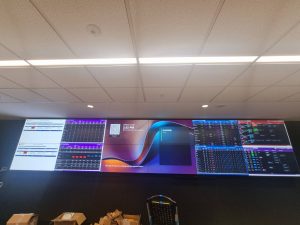
  • DM‑NVX now supports up to six video sources displayed simultaneously on a single screen, with zero latency.

  • It’s all done over a standard 1Gb network, making it easy to integrate with existing infrastructure without the need for pricey network upgrades.

  • With customisable layouts, users can quickly switch between multiple video feeds, providing a highly dynamic viewing experience.

But why does this matter? Let’s dive into real-world applications, especially in healthcare and education, where Zapperr AV has been using this technology to enhance spaces and improve efficiency.

Zapperr AV Deployments: Bringing Multiview to Life

Major Melbourne Hospital – Multi-Screen Command Centre

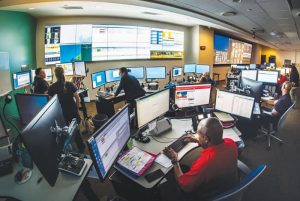
We recently worked with a leading healthcare facility in Melbourne to integrate DM‑NVX Multiview into their command centre. The ability to display multiple sources on a single screen—think live operating room feeds, nurse station dashboards, and video conferencing—has made it so much easier for medical teams to monitor critical areas. With everything in one place, response times are quicker, and it’s much easier to ensure patient safety.

University Lecture Theatres – Dynamic Learning Spaces

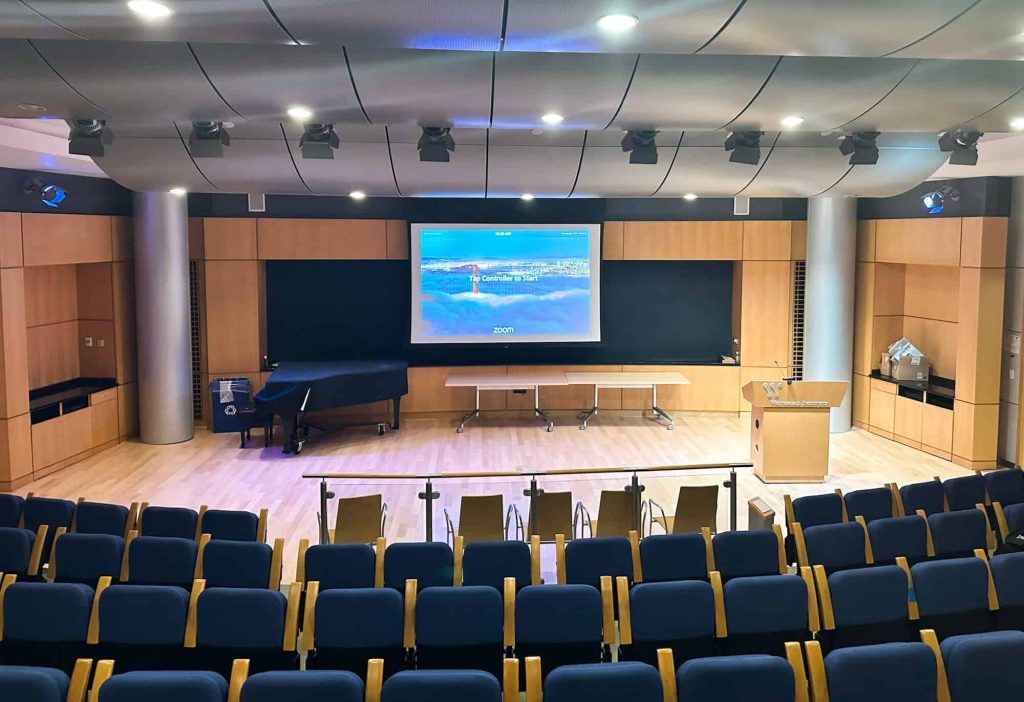
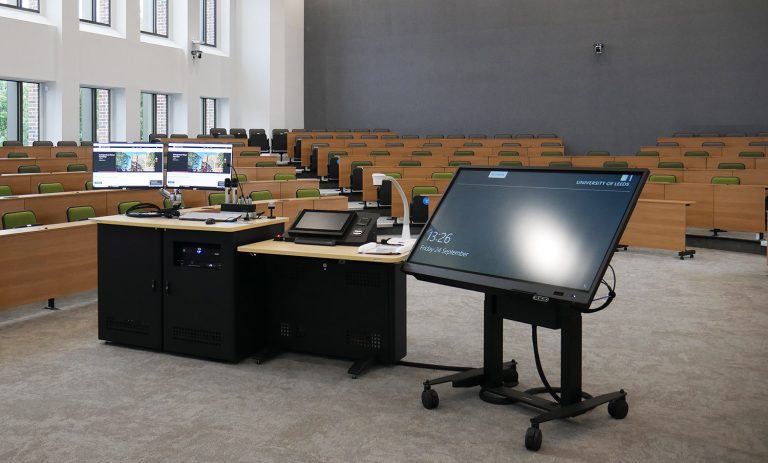
We’ve also deployed this technology in university lecture theatres. Professors can now show slides, video feeds from remote students, and lab visuals on one screen, enhancing the overall learning experience. Imagine a lecture where students can see not just the instructor but also a live demonstration from another room, all without the distraction of switching between screens.


How Does This Tech Fit Into Hospitals and Universities?

Let’s take a look at how DM‑NVX Multiview can be used to address everyday challenges in healthcare and education:

  • In Hospitals: Think about a nurse’s station with four live feeds—patient monitors, cameras, and a scheduling dashboard, displayed at once. The best part? Staff can quickly switch between feeds based on patient needs, improving efficiency and focus.
  • In Universities: During a hybrid class, professors can display multiple elements: the classroom video, a presentation, remote students’ webcams, and real-time lab visuals, without the awkward transitions between screens. Everything is in one place, easy to manage, and always on time.

Why DM‑NVX Multiview is the Perfect Fit

Here’s why we think this technology is a game-changer:

Challenge

DM‑NVX Multiview Solution

Multiple sources

Display up to six sources on a single screen

Slow layout changes

Switch between 18 customisable layouts instantly

Infrastructure upgrades

Works over a 1GB network—no need to upgrade switches

Complex management

Simplifies AV control with a single decoder

Latency issues

No added latency—crystal-clear, real-time feeds

Secure deployment

Fully enterprise-grade security standards


Some Real-World Use Cases

  1. Healthcare Command Centres: Imagine a multi-screen setup at a nurse station, displaying patient info, critical data, and live feeds from various departments. The ability to see everything in real time on one screen streamlines workflow and keeps teams on top of everything.

  2. Education Spaces: Professors teaching hybrid classes can use DM‑NVX to display a presentation, student webcams, and lab footage all on a single screen. This is not only more engaging for students but also much easier for the professor to manage.

The Future of AV Monitoring with Crestron’s Technology

Incorporating DM‑NVX Multiview into healthcare and education settings is just the beginning. As more institutions shift towards hybrid and more connected environments, technologies like this will continue to simplify workflows, reduce operational headaches, and enhance collaboration.

It’s exciting to think about how this technology will evolve and integrate into other sectors, improving efficiency and delivering even greater results. At Zapperr AV, we’re already seeing how valuable this can be for our clients and are looking forward to future projects that leverage this powerful technology.

Want to Learn More?

If you want to explore how DM‑NVX Multiview could benefit your business, feel free to reach out. We’re always excited to discuss the latest tech and help businesses find solutions that work.

Sources:

DM‑NVX Multiview: Elevating AV-over-IP for Healthcare & Education Read More »

The Future of AV in 2025: Smarter, Greener, and More Immersive Than Ever – Copy

In today’s fast-paced business environment, audio-visual (AV) systems are essential for everything from internal meetings and presentations to client-facing communication. As technology evolves, so do the demands for efficient, reliable, and proactive AV monitoring solutions. Let’s take a look at some of the key trends and insights that are shaping the AV monitoring industry today.

1. Moving Towards Proactive Monitoring

In the past, AV issues were typically addressed when they occurred, often leading to unnecessary downtime. Today, businesses are shifting to proactive monitoring, where systems are continuously tracked to identify and address potential problems before they affect operations. By keeping an eye on device health and system performance in real-time, businesses can prevent interruptions, ensure systems are running smoothly, and save time and money on costly repairs.

2. Predicting Problems Before They Happen

Imagine knowing when your projector is about to fail or when a speaker might have a wiring issue – predictive maintenance is making that possible. By using advanced tools to analyse system data, companies can predict when devices will need maintenance and address it before a failure occurs. This helps keep the business running without unexpected disruptions. Predictive monitoring allows businesses to plan ahead, schedule replacements or fixes, and keep everything operating smoothly.

3. Integrating AV with IoT (Internet of Things)

The Internet of Things (IoT) has made its way into the AV world, allowing for connected devices that can be monitored and managed from a single platform. IoT integration helps businesses keep tabs on their AV equipment, such as projectors, microphones, and cameras, from anywhere. This provides greater flexibility, allows remote troubleshooting, and ensures that issues are resolved quickly without needing someone physically present.

4. Managing Multiple Locations Made Easy

For large organisations with multiple office locations or events happening across different venues, managing AV systems can be challenging. Multi-site monitoring simplifies this by allowing companies to oversee all their AV systems from one central location. Whether it’s meeting rooms, conference halls, or training facilities, businesses can keep an eye on everything, ensuring consistent performance across all sites.

5. Simplifying the User Experience

As AV systems become more complex, managing them should be simple. Today’s AV monitoring platforms are designed to be intuitive and user-friendly. With easy-to-read dashboards and simple setup processes, even non-technical staff can monitor and manage AV systems effectively. The goal is to make AV management less about technical jargon and more about enhancing productivity and user experience.

6. Cloud-Based Monitoring: The Future is Flexible

Cloud-based AV monitoring is fast becoming the go-to solution for businesses. With cloud platforms, companies can manage their AV systems remotely, no matter where they are located. This flexibility is invaluable for businesses that have employees working in different locations or hybrid work models. The cloud allows for easy access to performance data and ensures that systems are always up and running.

7. Ensuring Security in AV Systems

With more devices becoming connected and integrated, securing AV systems has become a top priority. Data security is vital, especially with the sensitive information often shared in meetings or presentations. Businesses need AV monitoring platforms that are secure, with strong access controls and encryption in place. Ensuring the safety of the data transmitted through AV systems is essential for compliance and protecting business interests.

8. Supporting the Hybrid Work Model

The rise of hybrid work has further highlighted the importance of efficient AV systems. With remote teams and virtual meetings now the norm, businesses need reliable AV solutions that work seamlessly both in-office and remotely. AV monitoring tools allow IT teams to manage systems, diagnose issues, and even resolve problems remotely, making hybrid work smoother and more efficient.

Key Takeaways:

  • Proactive and predictive monitoring is the future of AV management, helping businesses avoid costly downtime.

  • Cloud-based AV monitoring offers greater flexibility and scalability, making it easier to manage systems across multiple locations.

  • User-friendly platforms ensure that managing AV systems is simple, even for non-technical staff.

  • Security is a priority as AV systems become more connected, ensuring that sensitive data is protected.

The AV monitoring industry is evolving rapidly, driven by the need for businesses to stay connected, secure, and efficient. By adopting these trends and technologies, organisations can ensure that their AV systems are always performing at their best, ultimately helping teams collaborate more effectively and boosting overall productivity.

The Future of AV in 2025: Smarter, Greener, and More Immersive Than Ever – Copy Read More »

What Goes Wrong During AV Monitoring? Challenges AV Integrators Face in Servicing AV Sites in the Australian Market

In today’s fast-paced and technology-driven world, audio-visual (AV) systems are essential for everything from internal meetings to customer-facing presentations. As businesses rely more on these systems for communication and collaboration, it’s becoming increasingly important to monitor them effectively. But when things go wrong, it can cause major disruptions. AV integrators, especially in the Australian market, face numerous challenges in servicing and maintaining these systems. Let’s take a closer look at what often goes wrong, the issues integrators face, and where there are still gaps in the industry.

1. Lack of Real-Time Visibility

One of the major hurdles for AV integrators is the lack of real-time visibility into how AV systems are performing. While many systems come with some kind of monitoring, they often don’t provide up-to-date, actionable insights about the health of devices.

  • Problem: AV integrators may only discover issues after a system failure or when a user reports a problem. For instance, if a projector’s lamp burns out during a critical presentation or a microphone stops working mid-meeting, these issues may go unnoticed until it’s too late.


  • Gap: In Australia, many businesses still rely on basic monitoring systems, which aren’t proactive or predictive. There’s a need for smarter, real-time monitoring tools that provide detailed insights about system health.


2. Multi-Vendor Systems Create Complexity

Many AV setups involve a mix of devices from different manufacturers—projectors from one, displays from another, and audio systems from yet another. While this diversity is often necessary, it complicates monitoring and troubleshooting.

  • Problem: Different systems often don’t communicate well with each other. One device might use a different monitoring protocol, making it hard to get a holistic view of the system’s performance. This lack of standardisation creates gaps in monitoring and service delivery.


  • Gap: AV integrators in Australia often struggle with multi-vendor setups, especially when different brands don’t integrate well. The need for technology-agnostic solutions that can easily connect and manage devices across multiple vendors is growing.


3. Inconsistent System Integration Across Sites

For companies with multiple locations, maintaining consistent AV system integration across various sites is a huge challenge. Each site may have been set up at a different time or by a different team, leading to inconsistencies.

  • Problem: If AV systems are installed at different times, often with different configurations or equipment, maintaining consistency becomes tough. This means troubleshooting across multiple sites can be inefficient and complicated.


  • Gap: The Australian market lacks uniform integration standards across sites, creating difficulties for businesses that need consistency and quality control. There’s a growing need for centralised, scalable AV management systems that provide oversight across multiple locations.


4. Reactive Monitoring Instead of Proactive Solutions

Too many AV systems are monitored in a reactive way—issues are only addressed after they occur. This approach often leads to unnecessary downtime and costly fixes.

  • Problem: Without proactive monitoring, AV system failures can cause long delays in getting things back up and running. The inability to identify potential issues early means that businesses lose valuable time, especially during key presentations or meetings.


  • Gap: Australia still has room for improvement when it comes to predictive and proactive monitoring. There’s a need for advanced tools that can flag potential issues before they disrupt operations, ultimately saving businesses time and money.


5. Skills Shortage and Lack of Training

As AV technology becomes more sophisticated, the demand for skilled technicians increases. However, there’s a shortage of trained professionals who can handle these advanced systems, leading to delays and service quality issues.

  • Problem: Many technicians don’t have the expertise to manage complex AV systems. This skills gap can result in slow response times and poor troubleshooting, leaving businesses with prolonged system downtime.


  • Gap: There’s a skills shortage in the Australian AV market. More training and certification programs are needed to ensure that AV technicians are equipped to handle modern, complex systems and provide top-notch service.


6. Limited Remote Support and Diagnostics

AV integrators often have to visit sites physically to troubleshoot and resolve issues. This can be time-consuming and costly, especially if the issue could have been resolved remotely.

  • Problem: AV issues that could be fixed remotely often require on-site visits, leading to unnecessary travel and increased costs. In today’s remote work environment, the ability to fix issues from a distance is a must.


  • Gap: Remote diagnostic capabilities in Australia are still underdeveloped. More advanced, cloud-based tools for remote troubleshooting would allow integrators to resolve issues faster, saving time and resources for both clients and technicians.


7. Budget Constraints and Cost Management

While AV systems are essential for business operations, they can be costly to install and maintain. AV integrators often need to balance the client’s budget with the need for high-quality service and efficient system management.

  • Problem: Many clients want cutting-edge AV solutions but are hesitant to invest in the ongoing monitoring and maintenance these systems require. This can create tension between cost-cutting efforts and service quality.


  • Gap: In Australia, there’s a need for more affordable, flexible monitoring solutions. AV integrators need to provide high-value, cost-effective services without compromising on quality, ensuring that businesses can get the most out of their systems without breaking the bank.


Conclusion: Addressing Gaps in the Australian AV Market

The AV industry in Australia faces several challenges when it comes to monitoring, managing, and servicing AV systems. From the lack of real-time visibility to the difficulties in managing complex, multi-vendor systems, there are many areas where businesses can improve. By adopting predictive maintenance, cloud-based solutions, remote support, and investing in skilled technicians, AV integrators can provide better service and more efficient management.

For businesses, the key to overcoming these challenges lies in embracing proactive monitoring and seamless system integration, ensuring that AV systems are always performing at their best.

What Goes Wrong During AV Monitoring? Challenges AV Integrators Face in Servicing AV Sites in the Australian Market Read More »

The Future of AV in 2025: Smarter, Greener, and More Immersive Than Ever

Future of AV
Future of AV

The world of audio-visual (AV) technology has always been fast-moving, but 2025 feels like a leap into the future. From boardrooms to classrooms, stadiums to virtual events, AV systems are becoming more intelligent, inclusive, immersive, and sustainable. The lines between physical and digital spaces are blurring and how we communicate, collaborate, and create is changing with it.

So, what’s really happening in the AV space right now? Let’s explore the trends that are not just shaping the future but actively transforming our present.

AI Is No Longer Just a Buzzword: It’s the Brain Behind Smarter AV

We’ve all heard about artificial intelligence for years, but now it’s finally becoming a part of our everyday AV experiences. Think of boardroom cameras that automatically track the speaker, or digital signage that updates based on who’s in the room. AI is taking the guesswork out of managing AV environments adjusting lighting, optimizing sound, and even predicting system failures before they happen.

And personalization? It’s next level. Content now adapts in real time based on viewer preferences, behavior, and demographics. Whether it’s a tailored presentation or signage that changes based on audience makeup, AI is making AV feel personal and responsive in ways we’ve never seen before.

Hybrid Meetings Aren’t Going Away: And AV Is Rising to the Challenge

Let’s be honest: the way we meet and work has changed forever. Hybrid is here to stay. The good news? AV technology is catching up fast. Ultra-HD cameras, spatial audio, and “Bring Your Own Meeting” setups are making remote participants feel just as present and engaged as those in the room.

More impressively, augmented and virtual reality are starting to pop up in training sessions and events. Imagine a sales team walking through a virtual product showroom together, or students exploring ancient cities in VR. It’s not science fiction anymore, it’s smart AV strategy.

Green AV Is Good AV

Sustainability isn’t just a buzzword, it’s a necessity. The AV industry is stepping up with energy-efficient displays, eco-friendly materials, and cloud-based setups that reduce the need for bulky hardware. Smart systems are helping reduce energy consumption by adjusting in real time based on usage. And companies are increasingly seeking certifications like Energy Star and LEED to back up their green claims.

Bottom line? AV is getting greener and that’s a win for everyone.

AV-as-a-Service: Pay for What You Need, When You Need It

Remember when upgrading your AV setup meant a huge upfront investment and complicated hardware decisions? Those days are fading fast. The rise of AV-as-a-Service (AVaaS) means you can now subscribe to AV systems much like you do with your favorite streaming services.

You get access to the latest technology, expert support, and flexible scalability all without breaking the bank. It’s perfect for businesses that are growing, evolving, or just want to stay ahead of the curve without the headache.

Visuals That Leave You Speechless

We’re officially in the era of jaw-dropping visuals. 4K is yesterday’s news 8K displays are now rolling out, offering detail so sharp it feels like you’re looking through a window instead of a screen. These ultra-high-resolution displays are popping up in everything from digital signage to medical imaging labs to immersive art installations.

And it’s not just resolution. MicroLED screens are more energy-efficient and vivid, while flexible and transparent displays are making their way into retail spaces and museums, turning entire environments into interactive experiences.

AV Over IP: The Network Is the New Backbone

AV systems are moving off dedicated cables and into the cloud. AV over IP delivering video and audio over standard networks is making it easier than ever to scale, upgrade, and customize systems.

For universities, corporate campuses, or multi-room venues, this is a game-changer. Need to stream content from one hall to another building? Done. Want to add a new room to the AV system? Plug it into the network. That’s it.

Sound You Can Feel: Literally

Visuals might grab attention, but sound pulls people in and spatial audio is redefining what’s possible. With 360-degree audio that simulates real-life environments, you can make a remote meeting feel like everyone’s in the same room or turn a presentation into an experience.

And here’s something futuristic: sound beaming. No headphones. Just targeted audio that follows you. Pair that with AI-optimized acoustics, and you’ve got sound that’s not just heard—but felt.

The Cloud Is Your New Control Room

Imagine managing AV setups across multiple locations, updating software, and fixing issues all from a laptop. That’s the beauty of cloud-based AV systems. They’re built for flexibility, remote management, and hybrid work models.

Integrations with platforms like Microsoft Teams, Zoom, and Google Meet are making communication smoother, while IT teams can monitor performance and push updates from anywhere in the world.

AV Joins the Smart Building Revolution

AV is no longer a standalone system, it’s becoming the nervous system of smart buildings. Systems are now integrated with lights, blinds, climate control, and occupancy sensors to create fully automated environments.

Walk into a room, and the lights adjust, the blinds come down, and your presentation starts no buttons pushed. That’s the power of AV integrated with IoT.

More Inclusive, More Accessible

One of the most heartening trends? AV is finally becoming more inclusive. Whether it’s real-time captioning for the hearing impaired, screen readers for the visually impaired, or real-time language translation, AV is helping break down barriers and make communication truly universal.

AR, VR, and Holograms: The New Frontier

We’re entering an era where AV isn’t just about seeing and hearing it’s about experiencing. Augmented Reality lets customers “try on” products in-store. Virtual Reality transports you to a training session on the other side of the world. Mixed Reality creates collaborative spaces that blend physical and digital.

And holograms? They’re going mainstream. Imagine a remote speaker appearing on stage as a lifelike 3D projection, or students learning anatomy from a floating holographic heart. It’s happening—right now.

Touchless and Voice-Controlled Interfaces

In a world where hygiene and convenience matter more than ever, touchless AV tech is booming. Motion sensors, gesture control, and voice commands are replacing remotes and keypads making systems cleaner, faster, and more user-friendly.

Real-Time Monitoring and Remote Support

Finally, behind every great AV setup is a great support system. With modern remote monitoring tools, issues can be detected and resolved before they disrupt meetings or events. It’s like having an invisible IT team on standby 24/7.

So, What Does It All Mean?

AV in 2025 isn’t just about better tech it’s about better experiences. It’s about making communication more intuitive, collaboration more immersive, and access more equitable. It’s about merging physical and digital spaces in ways that were once only imagined.

Whether you’re a business leader, IT manager, or event organizer, the question is no longer if you should upgrade, it’s how fast you can adapt.

Ready to future-proof your AV strategy?
Now’s the time to embrace these innovations and lead the change.

The Future of AV in 2025: Smarter, Greener, and More Immersive Than Ever Read More »

Esports

“In this video we’ve explored the rising popularity of global and regional esports markets, the evolving ecosystem, and the cutting-edge technologies driving this industry. We also discuss the essential equipment and integration requirements needed to support this dynamic space. Watch now to learn how to get equipped with your Esports AV offering and stay ahead in this rapidly growing field.”

Esports Read More »

Introducing the Crestron DM NVX® 384: Revolutionizing AV-over-IP Solutions

AV-over-IP Solutions

Crestron has consistently been at the forefront of audiovisual (AV) technology, delivering innovative solutions that meet the dynamic needs of various environments. The latest addition to their lineup is the DM NVX® 384, a state-of-the-art AV-over-IP encoder/decoder that sets new standards in versatility, connectivity, and performance.

Unparalleled Connectivity with USB-C® Integration

The DM NVX 384 is engineered to seamlessly integrate with modern devices, featuring USB-C ports that facilitate effortless connections with peripherals such as webcams, speakerphones, and conferencing tools. This capability is particularly beneficial in:

  • Corporate Offices: Simplifying the setup for presentations and meetings by allowing direct connections from laptops and other devices.
  • Educational Institutions: Enabling instructors to easily connect various teaching aids and devices.
  • High-End Residential Spaces: Providing homeowners with a streamlined solution for connecting multiple AV sources.

Advanced Multi-Input Switching for Enhanced Flexibility

Equipped with two USB-C inputs and two HDMI® inputs, the DM NVX 384 functions as a four-input switcher, offering unparalleled flexibility in managing multiple devices. This feature is indispensable in environments such as:

  • Classrooms: Allowing easy transitions between different teaching tools and media sources.
  • Conference Rooms: Facilitating smooth switching between presenters’ devices during collaborative sessions.
  • Home Theatres: Managing various entertainment sources like streaming devices and gaming consoles with ease.

Support for Ultra-High Resolutions and Aspect Ratios

As display technology advances, the demand for higher resolutions and wider aspect ratios has increased. The DM NVX 384 rises to the occasion by supporting 5K resolutions and ultra-wide displays with 21:9 and 32:9 aspect ratios. This ensures compatibility with the latest monitors and provides an immersive viewing experience, making it ideal for:

  • Professional Workstations: Delivering crisp and detailed visuals for design and content creation.
  • Digital Signage: Offering stunning display quality for advertising and informational displays.
  • Media Production: Ensuring accurate representation of high-resolution content during editing and playback.

Seamless Integration into the Crestron Ecosystem

The DM NVX 384 is designed to integrate effortlessly into Crestron’s existing DM NVX platform, renowned for its scalability, flexibility, and robust security. This integration allows for:

  • Unified Communications: Enhancing hybrid workplace setups with reliable AV performance.
  • Scalable Solutions: Expanding AV networks without compromising on quality or user experience.
  • Consistent User Experience: Maintaining uniformity across devices and setups within the Crestron ecosystem.

Conclusion

The Crestron DM NVX® 384 represents a significant advancement in AV-over-IP technology, offering features that cater to the diverse needs of modern AV environments. Its combination of USB-C connectivity, multi-input switching, support for ultra-high resolutions, and seamless integration into the Crestron ecosystem makes it a versatile and future-proof solution for any AV setup.

Experience the cutting-edge technology of the Crestron DM NVX 384 for your AV needs. Elevate your AV-over-IP solutions with enhanced flexibility, stunning visuals, and seamless connectivity. Contact us today to learn how the DM NVX 384 can transform your environment.

Introducing the Crestron DM NVX® 384: Revolutionizing AV-over-IP Solutions Read More »

Advanced UI/UX Strategies for Custom AV Interfaces and Touchscreen Optimization

AV user interface
AV user interface

A custom AV system can contain excellent hardware and still deliver a frustrating user experience.

The reason is simple: users do not interact with processors, DSPs, control logic, or signal paths. They interact with the interface.

In a meeting room, that interaction often happens under pressure. Someone needs to start a Teams meeting, select a presentation source, adjust the volume, mute a microphone, or switch displays—usually without wanting a five-minute tutorial first.

That makes custom AV interfaces and touchscreen optimization more than a visual design exercise. The interface must connect people with complex technology while keeping the experience simple.

The best approach combines user-centered design, accessibility, room-specific workflows, clear feedback, reliable system states, and continuous testing.

Start With the User, Not the AV Equipment

One common mistake in AV interface design is starting with the equipment list.

A designer looks at the room and thinks: “It has two displays, three sources, a DSP, cameras, lighting and room combining.”

The user is thinking: “I need to start my meeting.”

Those are very different perspectives.

A user-centered interface starts by identifying the tasks people actually need to complete. Common actions might include starting a meeting, presenting content, changing a source, controlling volume, muting audio, adjusting cameras, or ending the session.

The interface should then organize controls around those workflows.

This matters in enterprise environments where many users may only enter a particular room occasionally. A system that requires users to understand AV terminology has already placed too much responsibility on the user.

Design the Interface Around Real Room Workflows

A conference room should not behave like a generic tablet application.

The room has a physical layout, specific equipment, environmental conditions, and established meeting workflows. The interface should reflect those realities.

For example, a small huddle room may only require:

  • Start or join meeting
  • Share content
  • Camera control
  • Microphone mute
  • Volume
  • End meeting

A divisible training room may require substantially more, including room combining, multiple displays, source routing, presentation modes, and different operating states.

This is why copying the same touchscreen layout into every room can create poor UX.

Consistency still matters, but consistency should focus on interaction patterns and terminology, not forcing every room to expose identical controls.

Make Touch Controls Easy to Understand and Operate

Touchscreen optimization requires more than making buttons visually attractive.

Controls need enough space for accurate interaction, especially when users operate the interface quickly or while standing.

Crestron‘s touch-screen guidance recommends keeping layouts simple and avoiding overcrowding. Its documentation also provides guidance on button dimensions and touch-screen layouts, reinforcing the principle that available screen space should influence interface design rather than encouraging designers to squeeze more functions onto every page.

Accessibility standards provide another useful reference point. WCAG 2.2 includes a minimum target-size criterion of 24 by 24 CSS pixels, subject to specified exceptions.

However, meeting a technical minimum does not automatically produce a comfortable commercial AV interface.

A button can technically meet a requirement and still feel awkward in a real room.

For frequently used controls, consider the physical context, viewing distance, screen size, and likelihood of accidental touches.

Use Visual Hierarchy Instead of Filling the Screen

More controls do not automatically create a more powerful interface.

In fact, too many choices can make a sophisticated AV system feel complicated.

Primary actions should receive visual priority. Secondary controls can sit deeper in the navigation structure, while rarely used technical settings should remain away from the normal user workflow.

Think about the difference between:

Start Meeting

and:

Conferencing → Platform → Device → Meeting → Start

The second workflow may expose more system logic, but that does not make it better for the person trying to join a meeting.

A strong interface hides unnecessary complexity without hiding useful functionality.

Give Users Feedback After Every Important Action

Touch interfaces create a subtle problem: users need confirmation that the system actually received their command.

If someone taps “Mute” and nothing visibly changes, they may tap it again.

Now the system has received two commands.

Clear state feedback prevents this type of uncertainty.

A good AV interface should make important states obvious:

  • Microphone muted or unmuted
  • Camera on or off
  • Display active or inactive
  • Presentation source selected
  • Room combined or separated
  • Volume level
  • Meeting in progress
  • System unavailable

Commercial AV platforms use concepts such as status information and persistent navigation to help users understand the current state of the system.

The principle is broader than any particular platform: users should not have to guess what the system is doing.

Accessibility Should Influence the Design From the Beginning

Accessibility works best when designers consider it during interface planning rather than adding it at the end.

Color contrast provides one practical example. WCAG 2.2 specifies a minimum contrast ratio of 4.5:1 for normal text and 3:1 for large text under its Level AA contrast criterion. It also addresses contrast for important non-text interface components.

For AV interfaces, accessibility can also involve:

  • Clear labels instead of icon-only controls
  • Readable text
  • Distinguishable active and inactive states
  • Logical navigation
  • Alternative interaction methods where appropriate
  • Avoiding reliance on color alone to communicate system status

The goal is not to make every interface look identical.

The goal is to make important information understandable and important actions usable.

Myth vs Reality: What Actually Makes an AV Touchscreen Easy to Use?

Myth: Fewer buttons always mean better UX

Reality: Fewer unnecessary decisions create better UX. Removing useful controls can make common functions harder to discover.

The objective should be simplicity, not minimalism for its own sake.

Myth: More automation always improves the experience

Reality: Automation helps when it removes repetitive work. It can become frustrating when users cannot understand what the system is doing or cannot recover when automation makes the wrong assumption.

Good automation should feel helpful rather than mysterious.

Myth: Every conference room should use exactly the same interface

Reality: Users benefit from familiar navigation and terminology, but rooms have different capabilities.

A boardroom and a two-person huddle room do not need the same control structure.

Myth: A modern-looking interface is automatically intuitive

Reality: Visual polish cannot compensate for poor workflows.

A beautiful interface can still make users hunt for the button they need.

Myth: Voice control automatically solves accessibility

Reality: Voice interaction can provide another way to control technology, but its usefulness depends on the environment, implementation, user preference, and system capabilities.

Alternative interaction methods should solve a real user need rather than exist simply because the technology is available.

Designing AV Interfaces That Scale Across Rooms and Buildings

A single custom touchscreen is one design problem.

A hundred touchscreens across several locations are a governance problem.

Organizations need a way to maintain consistency while allowing room-specific functionality.

A scalable approach can separate the interface into reusable layers:

Core navigation → Common controls → Room-specific functions → Advanced controls

Common actions can retain familiar positions and terminology, while room-specific features appear only where they make sense.

This approach also makes future changes easier.

Templates, reusable components, consistent naming conventions, and controlled interface updates can help organizations avoid a situation where every conference room gradually develops its own completely different user experience.

The objective is not to make every room identical.

It is to make the experience familiar enough that users can walk into a different room and still understand how to operate it.

Basic AV UX vs Advanced AV UX

The difference between a functional interface and a mature enterprise AV interface often comes down to what happens beyond the initial design.

Basic AV UX Approach

Advanced AV UX Approach

Focuses primarily on appearance

Focuses on complete user workflows

Assumes the system will work normally

Designs for failure and recovery

Uses the same interface everywhere

Uses consistent patterns with room-specific controls

Tests before deployment

Continues evaluating after deployment

Adds accessibility later

Considers accessibility from the beginning

Measures features

Measures task completion and user friction

Hides technical complexity poorly

Simplifies technical complexity for users

Treats UX as a design task

Treats UX as a continuous improvement process

This distinction becomes particularly important as organizations deploy AV systems across multiple offices, room types, and user groups.

Design for Failure, Not Just Success

This is one of the most overlooked areas of custom AV interface design.

Most interface concepts show the happy path:

Tap → system responds → task completed.

Real AV systems are less cooperative.

A network connection can fail. A display can become unavailable. A source may not be detected. A camera can stop responding. A control processor can experience a problem.

The interface should communicate these states clearly.

Instead of displaying a technical message that means little to an ordinary employee, provide useful information and an appropriate next step.

For example:

Camera unavailable

could be more useful when accompanied by:

The room camera is not responding. Try again or contact AV support.

The interface should also avoid declaring the entire room unusable when only one component has failed.

This principle of graceful degradation can turn a frustrating failure into a manageable one.

Prototype the Workflow Before Polishing the Graphics

A common design trap is spending too much time making screens look finished before testing whether the workflow works.

Start with the interaction.

Can a user:

  1. Wake the system?
  2. Understand the room status?
  3. Start or join a meeting?
  4. Share content?
  5. Control essential audio and video functions?
  6. Recover from a common problem?
  7. End the session?

Test these tasks with representative users before spending significant effort on visual polish.

A prototype does not need to contain every advanced feature.

It needs to answer the important question:

Can people accomplish the jobs they came to the room to do?

Advanced AV UX Optimization: From Touchscreen Design to Interaction Telemetry

UX work should not necessarily end when the touchscreen is installed.

Once a system operates in the real world, organizations can learn from support incidents, user feedback, workflow observations, and—where technically appropriate and privacy-compliant—interaction data.

Repeated actions can reveal friction.

For example, if users repeatedly enter a source-selection screen and return without completing the task, the problem might not be the button itself. The source labels may be unclear, the desired device may not be available, or the workflow may not match what users expect.

A useful optimization cycle is:

Observe → Identify → Hypothesize → Test → Measure → Improve

The important point is not to optimize for the lowest number of taps.

Sometimes an extra confirmation step prevents a much larger mistake.

Instead, measure whether users can complete important tasks reliably and understand what the system is doing.

This approach turns AV UX into a continuous improvement process rather than a one-time design project.

Frequently Asked Questions About AV Touchscreen UX

What makes a good AV touchscreen interface?

A good AV touchscreen interface makes common tasks easy to discover and complete. It should use clear navigation, appropriate touch targets, readable labels, visible system states, logical workflows, and useful error messages.

Should every conference room have the same touchscreen interface?

Not necessarily. Organizations should maintain consistent navigation patterns, terminology, and common controls while adapting the interface to each room’s equipment and workflows.

How can AV touchscreen accessibility be improved?

Start with readable text, sufficient contrast, clear labels, distinguishable system states, logical navigation, appropriate touch targets, and alternative interaction methods where they provide genuine value.

Why is failure handling important in AV UX?

AV systems depend on multiple interconnected components. If one device fails, the interface should explain what happened and provide an appropriate recovery path instead of leaving users with confusing technical errors.

How can organizations improve AV interfaces after deployment?

Organizations can combine user feedback, support incidents, usability testing, system status information, and appropriate interaction data to identify recurring friction and improve workflows over time.

Final Thoughts

Advanced UI/UX strategies for custom AV interfaces are ultimately about reducing the distance between what users want to accomplish and what the technology requires them to understand.

The best touchscreen is not necessarily the one with the most features, the fewest buttons, or the most impressive animations.

It is the one that makes the right action obvious.

That means designing around real workflows, providing clear system feedback, considering accessibility, planning for failure, and creating an interface architecture that can scale across different rooms and users.

Most importantly, treat the interface as part of the AV system—not as decoration placed on top of it.

When UI designers, AV programmers, integrators, and users work from the same workflow, complex technology can become surprisingly simple to operate.

Need a Custom AV Interface Designed Around Your Users?

A well-designed AV interface can simplify complex room technology, improve meeting-room usability, and give users greater confidence when operating professional AV systems.

If your organization needs custom AV interface design, touchscreen programming, AV integration, or control-system optimization, work with an experienced AV team that understands both the technology and the people using it.

The goal should not be to add more controls.

It should be to make the right controls easier to use.

Advanced UI/UX Strategies for Custom AV Interfaces and Touchscreen Optimization Read More »

The Importance of User-Friendly Interfaces in Office AV Systems

Future of AV
Future of AV

Technology has become the backbone of productivity, collaboration, and innovation. Work space (in office or remote) audiovisual (AV) systems play a vital role in facilitating communication, whether it’s for team meetings, client presentations, or virtual collaboration. However, if the systems do not function seamlessly it hampers their effectiveness. A user-friendly interface ensures that AV technology empowers employees rather than hinders them.

What Are User-Friendly Interfaces in AV Systems?

A user-friendly interface is designed to make technology accessible, simple, and intuitive for everyone, regardless of their technical proficiency. It emphasises:

  • Simplicity: Interfaces should be clean and uncluttered, presenting only the necessary options.
  • Intuitiveness: Users should instinctively know how to interact with the system without prior experience.
  • Consistency: Uniform layouts and predictable features across different devices help users feel comfortable.
  • Responsiveness: Quick feedback to user inputs ensures smooth operation.
  • Accessibility: Interfaces must cater to users with varying abilities, making them inclusive for all.

Why User-Friendly Interfaces Matter in Office AV Systems

The design of an interface can make or break its adoption and functionality in the workplace. A user-friendly AV system can deliver numerous benefits:

  1. Boosts Productivity

Complex AV systems with confusing interfaces can waste valuable time during meetings. Employees may struggle to set up equipment or troubleshoot issues, delaying the start of discussions. Intuitive interfaces eliminate such frustrations, allowing teams to focus on their work rather than the technology.

  1. Reduces Training Costs

Systems with straightforward interfaces minimise the need for extensive training. New employees can quickly familiarise themselves with the tools, while existing staff can adapt to upgrades with ease. This reduces downtime and the costs associated with training programs.

  1. Increases Technology Adoption

Employees are more likely to embrace technology that is easy to use. High adoption rates mean that businesses can fully leverage their AV system investments.

  1. Minimises User Errors

Clear, logical designs reduce the chances of errors during operation. This leads to fewer disruptions, smoother meetings, and a more professional experience for all participants.

How User-Friendly Interfaces Enhance Collaboration

In a modern office, collaboration is key. User-friendly AV systems facilitate seamless interactions between team members, whether they are in the same room or across the globe.

  1. Simplifies Hybrid Meetings

With remote work becoming the norm, hybrid meetings are common. A well-designed interface ensures that in-person and remote participants can easily connect, share screens, and communicate effectively without technical glitches.

  1. Streamlines Presentations

Presenters should not have to fumble with cables or settings to share their content. A user-friendly AV system simplifies the process, allowing presentations to proceed smoothly and keeping the audience engaged.

  1. Supports Cross-Platform Compatibility

Modern AV interfaces should be compatible with various devices, including laptops, tablets, and smartphones. This flexibility ensures that employees can use their preferred tools without compatibility issues.

Designing User-Friendly AV Interfaces

Creating an interface that meets the needs of a diverse workforce requires careful planning and execution.

  1. Focus on the User Experience

The end-user should be at the center of interface design. Understanding their needs, preferences, and pain points is crucial to creating a system they’ll enjoy using.

  1. Incorporate Automation

Automating routine tasks, such as system start-up or input selection, can make AV systems more efficient. For example, a system that automatically detects connected devices and adjusts settings accordingly reduces manual effort.

  1. Provide Consistent Navigation

A consistent layout across all system screens ensures that users always know where to find controls, regardless of their specific task. This predictability fosters confidence and reduces confusion.

  1. Offer Real-Time Feedback

When users interact with the system, immediate feedback is essential. Whether it’s a progress bar or a simple acknowledgment of an input, feedback reassures users that the system is functioning as intended.

Benefits of User-Friendly Interfaces

The advantages of investing in user-friendly interfaces extend beyond convenience. These benefits have tangible impacts on business operations:

  1. Improved Collaboration

When technology works seamlessly, teams can communicate and collaborate without interruptions. This leads to faster decision-making and better project outcomes.

  1. Cost Savings

Reducing training time, minimising errors, and improving efficiency can significantly lower operational costs over time.

  1. Future-Proofing Investments

Technology evolves rapidly. Systems with user-friendly designs are more adaptable to upgrades and new features, ensuring a longer lifespan for your investment.

Adapting Interfaces for Diverse User Groups

  1. Addressing Varied Technical Skills

Workplaces often include a mix of tech-savvy employees and those less familiar with digital tools. Designing for inclusivity ensures that everyone can use the AV systems effectively.

  1. Catering to a Multi-Generational Workforce

Different generations have different experiences with technology. Interfaces that account for these variations can bridge the gap, providing a cohesive user experience for all employees.

  1. Supporting Remote Workforces

As remote work continues to grow, interfaces must be optimised for use on mobile devices and across virtual platforms. This ensures consistent functionality for users, no matter where they are.

The Future of AV Interfaces

As technology advances, the need for user-friendly designs will only increase. Innovations like voice-activated controls, AI-driven personalisation, and augmented reality integrations are set to transform how we interact with AV systems. However, the core principle remains the same: technology should empower users, not intimidate them.

Organisations that prioritise user-friendly interfaces will reap the rewards of increased efficiency, higher employee satisfaction, and a competitive edge in their industries.

Conclusion

User-friendly interfaces are not just a luxury; they are a necessity in today’s tech-driven workplaces. By simplifying complex AV systems, organisations can unlock their full potential, driving productivity, collaboration, and innovation. As the demand for seamless technology continues to grow, investing in intuitive AV interfaces will remain a cornerstone of successful business operations.

The Importance of User-Friendly Interfaces in Office AV Systems Read More »

Future-Ready Workplaces: Redefining Offices with Smart AV Technology

Smart AV Technology
Smart AV Technology

Introduction to Smart Office Technology

In the modern workplace, Smart AV Technology is no longer a luxury but a necessity. Audio-visual (AV) systems form the backbone of these innovations, revolutionizing how we collaborate, communicate, and operate daily. By integrating AV technology into smart office designs, businesses can enhance productivity, reduce operational costs, and create a more engaging environment for employees and clients alike.

Key Benefits of AV Technology in Smart Offices

Enhanced Collaboration

AV technology facilitates seamless communication across distributed teams. Features such as high-definition video conferencing, wireless presentation systems, and interactive whiteboards bridge the gap between physical and virtual workspaces. These systems foster real-time collaboration, enabling employees to focus on innovation rather than troubleshooting outdated technology.

Improved Productivity

Smart offices equipped with AV systems automate repetitive tasks, streamline workflows, and eliminate inefficiencies. For example, voice-activated controls allow employees to adjust lighting, temperature, and AV equipment without interrupting their focus.

Cost Efficiency

Energy-efficient AV solutions reduce utility costs while maintaining optimal performance. For instance, intelligent lighting systems integrated with occupancy sensors ensure energy is consumed only when necessary, minimizing waste.

Enhanced Client Experiences

A smart office equipped with state-of-the-art AV technology leaves a lasting impression on clients. Dynamic digital signage, immersive video walls, and automated room scheduling demonstrate a commitment to innovation and professionalism.

Components of a Future-Ready AV System

High-Definition Video Conferencing

Video conferencing systems are at the heart of modern communication. Key features include:

  • Crystal-Clear Resolution: High-definition cameras and displays ensure participants appear sharp and lifelike.
  • Noise Reduction Technology: Advanced microphones and speakers eliminate background noise for distraction-free conversations.
  • Multi-Platform Compatibility: Seamless integration with platforms such as Zoom, Microsoft Teams, and Google Meet.

Interactive Collaboration Tools

Interactive tools foster creativity and engagement among teams. Examples include:

  • Smart Whiteboards: Digital whiteboards allow participants to brainstorm, annotate, and share ideas in real-time.
  • Wireless Presentation Systems: Employees can present from any device, reducing setup time and enhancing flexibility.
  • Collaboration Hubs: Centralized systems for document sharing and task management.

Digital Signage and Displays

Digital signage offers versatile solutions for communication and branding. Key applications include:

  • Internal Communication: Display announcements, performance metrics, and team achievements.
  • Visitor Engagement: Welcome guests with personalized messages and interactive maps.
  • Marketing Campaigns: Showcase promotional content dynamically in high-traffic areas.

Intelligent Room Scheduling

Automated scheduling systems streamline the use of meeting spaces. Features include:

  • Real-Time Availability: Digital displays outside meeting rooms show current bookings and availability.
  • Integration with Calendars: Sync with tools like Outlook and Google Calendar for hassle-free scheduling.
  • Energy Efficiency: Rooms automatically release resources if meetings are canceled or rescheduled.

AV Control Systems

Control systems simplify the operation of complex AV setups. Features include:

  • Centralized Management: Unified control of lighting, audio, visual, and environmental settings.
  • User-Friendly Interfaces: Touchscreen panels and mobile apps for intuitive operation.
  • Automation: Preset configurations for different scenarios, such as presentations, conferences, or training sessions.

The Role of AV in Workplace Sustainability

Energy Management

Smart offices prioritize sustainability with AV solutions designed for energy efficiency. Examples include:

  • Adaptive Lighting: Automated systems adjust brightness based on natural light and occupancy.
  • Efficient Displays: LED screens consume less energy compared to traditional displays.
  • Power Management: Smart plugs and timers ensure devices are powered off when not in use.

Reducing Carbon Footprint

By enabling remote work and virtual collaboration, AV technology significantly reduces the need for travel, contributing to lower carbon emissions.

Sustainable Materials

Many AV manufacturers are adopting eco-friendly practices, such as using recyclable materials and reducing packaging waste, to align with corporate sustainability goals.

Future Trends in Smart Office AV Systems

Artificial Intelligence Integration

AI enhances AV systems by automating tasks and improving efficiency. For instance:

  • Predictive maintenance identifies potential issues before they disrupt operations.
  • Virtual assistants manage meeting schedules and control AV equipment.

Augmented and Virtual Reality

AR and VR are transforming training and presentations. Immersive environments allow employees to visualize complex concepts, enhancing learning and retention.

5G Connectivity

Faster internet speeds with 5G unlock the potential for real-time collaboration and high-quality video streaming, even in bandwidth-intensive scenarios.

Transform Your Workplace Today

Ready to create a smarter, more efficient office environment? Partner with us to design and implement cutting-edge AV solutions tailored to your business needs. Enhance collaboration, reduce costs, and elevate client experiences with technology that works seamlessly. Contact us today to take the first step toward a future-ready workplace.

Conclusion:

Smart offices powered by innovative AV technology are redefining the modern workplace. By enhancing collaboration, boosting productivity, and aligning with sustainability goals, these systems deliver long-term value. Investing in future-ready AV solutions positions your organization as a leader in innovation and efficiency, ensuring success in an ever-evolving business landscape.

Future-Ready Workplaces: Redefining Offices with Smart AV Technology Read More »

Why Audio Visual Design Matters: Elevating Experiences Through Excellence

Audio Visual Design
Audio Visual Design

The Essence of Audio Visual Design

Audio visual design is the cornerstone of successful communication in modern environments. Whether in corporate boardrooms, educational institutions, or entertainment venues, well-crafted AV design fosters seamless interaction and engagement. This meticulous process integrates audio, visual, and interactive technologies to create cohesive, user-centered experiences.

What Does an AV Designer Do?

An AV designer develops the technical plans and documentation required for successful audiovisual projects. Responsibilities typically include requirements gathering, technology selection, schematic creation, signal flow design, equipment specification, rack layouts, floor plans, and installation support. The objective is to ensure AV systems perform reliably while meeting user and business requirements.

Key Benefits of Audio Visual Design

  1. Enhanced User Engagement: Thoughtful AV design captivates audiences, ensuring messages are delivered effectively.
  2. Optimized Communication: Seamless integration of audio and visual elements ensures clarity and precision.
  3. Future-Proofing Spaces: Adaptable and scalable systems accommodate technological advancements.

Expanding on User Engagement

Well-designed AV systems do more than deliver content; they create immersive experiences that hold attention and inspire action. For example, incorporating dynamic video walls in corporate settings can transform mundane presentations into compelling visual narratives, leaving a lasting impression on stakeholders.

Additionally, retail environments leverage interactive AV setups like touch-enabled displays to encourage customers to explore products, thereby increasing engagement and sales conversions.

Designing with Purpose: Core Principles of AV Design

User-Centric Approach

A successful AV system prioritizes user needs. Intuitive interfaces, accessibility features, and ergonomic considerations ensure that systems are easy to use for all stakeholders. For instance, touch-panel controls that simplify meeting setups and on-screen prompts can significantly enhance usability, saving valuable time.

Moreover, incorporating voice-activated systems in smart homes or corporate environments empowers users to interact hands-free, catering to convenience and accessibility.

Seamless Integration

Integrating AV components into architectural and interior designs eliminates visual clutter while enhancing functionality. Systems should blend naturally into their environment without compromising performance. In museums, for instance, discreetly installed AV systems ensure that exhibits remain the focal point, while multimedia guides enrich visitor experiences.

In hospitality, AV design transforms lobbies with digital art displays, providing a visually appealing and memorable guest experience.

Scalability and Flexibility

Designing for future growth is essential. Scalable systems allow for expansion as needs evolve, while flexible configurations support diverse use cases, from video conferencing to immersive experiences. For example, modular AV setups in conference centers can adapt to host events ranging from small meetings to large-scale conventions.

Moreover, industries like education benefit from scalable AV setups that can grow from supporting single classrooms to institution-wide systems for online and in-person hybrid learning models.

How Does Audio Visual Design Work?

Most successful AV projects follow a structured design process:

  1. Requirements gathering
  2. Site assessment
  3. Technology selection
  4. AV system design
  5. Documentation development
  6. Engineering review
  7. Installation support
  8. Commissioning and validation

Following a structured process helps reduce project risks, improve system reliability, and ensure the final solution aligns with operational requirements.

Applications of Audio Visual Design

Corporate Environments

Audio Visual Design vs AV Integration

Audio Visual Design

AV Integration

Focuses on planning and documentation

Focuses on installation and deployment

Creates schematics and drawings

Installs and configures equipment

Defines project requirements

Executes project delivery

Occurs before installation

Occurs during implementation

Produces design documentation

Produces operational systems

Both services are essential, but AV design provides the blueprint that guides successful AV integration.

In corporate settings, AV design enables effective collaboration and productivity. From dynamic video conferencing systems to interactive digital signage, AV solutions foster efficient communication and engagement. Meeting rooms equipped with wireless presentation systems allow teams to share content effortlessly, facilitating real-time collaboration.

Open office environments benefit from sound masking systems, ensuring private conversations remain confidential while maintaining a productive atmosphere.

Educational Spaces

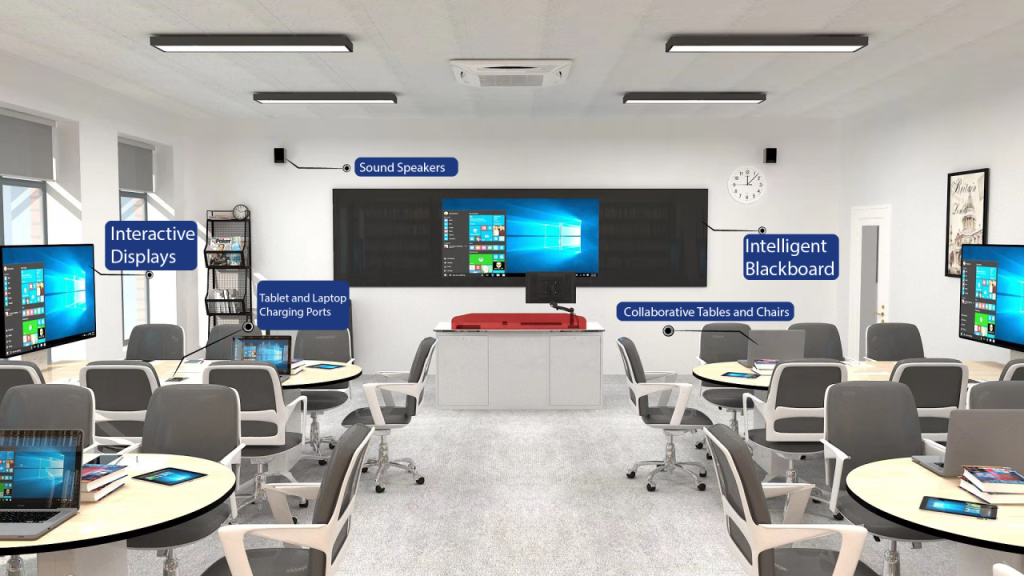
Classrooms and lecture halls benefit from AV designs that support interactive learning. Tools such as smart boards, projection systems, and sound reinforcement ensure information is conveyed effectively. For example, virtual classrooms with high-definition audio and video bridge the gap between in-person and remote learning.

Additionally, advanced learning tools like augmented reality (AR) and virtual reality (VR) systems allow students to explore subjects like history, science, or art through interactive and immersive experiences.

Entertainment and Events

From concerts to theater productions, AV design brings performances to life. High-quality sound systems, synchronized lighting, and immersive visuals elevate audience experiences. In sports arenas, large LED displays combined with surround sound systems enhance the excitement for fans, creating unforgettable moments.

In addition, theme parks use AV technologies such as 4D theaters and motion simulators to create unique and memorable guest experiences.

Healthcare and Telemedicine

In healthcare, AV systems facilitate telemedicine consultations, enabling doctors to interact with patients remotely. High-definition cameras, integrated medical imaging displays, and secure video conferencing platforms ensure effective communication and diagnosis, even from a distance.

Hospitals also integrate AV solutions for patient entertainment and education, improving comfort during hospital stays.

Retail Spaces

Retail spaces benefit greatly from AV design. Interactive kiosks, dynamic displays, and immersive soundscapes create a compelling shopping environment. For instance, flagship stores often use large-scale video walls to display promotional content and attract foot traffic.

The Components of Exceptional Audio Visual Design

Audio Systems

Crystal-clear audio is paramount. Key elements include:

  • Speakers: Strategic placement ensures uniform sound distribution.
  • Microphones: High-quality microphones capture voices and instruments with precision.
  • Acoustic Treatments: Reducing echo and noise enhances audio clarity.

Enhanced Audio Strategies

Using beamforming microphone arrays in boardrooms ensures that all participants’ voices are heard clearly, even in large spaces. Meanwhile, immersive soundscapes in retail environments influence customer behavior, enhancing the shopping experience.

Additionally, implementing noise-cancellation systems in open workspaces boosts productivity by minimizing distractions.

Visual Systems

Visual elements amplify the impact of messages. Components include:

  • Displays: High-definition screens and projectors deliver vibrant visuals.
  • Lighting: Dynamic lighting systems enhance ambiance and focus attention.
  • Cameras: For live events and video conferencing, cameras provide clear imagery.

Interactive Visuals

Interactive displays in classrooms and training centers foster engagement and collaboration. For example, touchscreen panels allow users to annotate content in real-time, enriching discussions and boosting retention.

In corporate settings, interactive dashboards in control rooms enable operators to monitor and respond to critical systems efficiently.

Control Systems

Centralized control systems simplify the operation of complex AV setups. Features include:

  • Automation: Automated controls optimize lighting, sound, and display settings.
  • Touch Panels: Intuitive interfaces provide seamless navigation of system functionalities.    Common Audio Visual Design Challenges

    Even advanced technology can fail when design considerations are overlooked.

    Common challenges include:

    • Poor room acoustics
    • Incompatible technology selections
    • Insufficient network infrastructure
    • Limited scalability
    • Inadequate documentation
    • Budget overruns
    • User adoption issues

    Professional AV design helps identify and address these issues before installation begins, reducing costly rework and project delays.

The Future of Audio Visual Design

Emerging technologies are reshaping AV design. Innovations such as artificial intelligence, augmented reality, and IoT integration are paving the way for more personalized and interactive experiences. Designers must stay ahead of these trends to deliver cutting-edge solutions.

AI-Driven Enhancements

Artificial intelligence optimizes AV performance by:

  • Automatically adjusting audio levels and lighting.
  • Analyzing user behavior to improve system usability.

For example, AI-driven analytics can monitor attendee engagement during events, providing actionable insights for organizers.

Augmented and Virtual Reality

Immersive technologies transform how users interact with AV systems, providing richer and more engaging experiences. For instance, virtual reality training modules in corporate environments simulate real-world scenarios, equipping employees with practical skills.

IoT Integration

Internet of Things (IoT) devices enable seamless communication between AV components, enhancing automation and user convenience. Smart sensors that adjust room lighting and temperature based on occupancy improve both efficiency and comfort.

Moreover, IoT-enabled systems in smart cities use AV technologies for public safety and efficient resource management.

Conclusion: The Impact of Superior AV Design

Investing in exceptional audio visual design delivers transformative benefits, including improved communication, heightened user engagement, and enduring functionality. As technology continues to evolve, the importance of innovative, user-focused AV design cannot be overstated. By prioritizing thoughtful integration and scalability, organizations can create environments that inspire and connect.

Ready to Transform Your Space?

Partner with a professional AV design team to revolutionize your communication and interaction. Whether you’re enhancing corporate efficiency, creating immersive entertainment, or modernizing educational facilities, expert AV solutions are just a step away. Let us help you create environments that inspire and connect. Contact us today!

Frequently Asked Questions (FAQ)

What is audio visual design?

Audio visual design involves the integration of audio, visual, and interactive technologies to create user-friendly, cohesive systems that enhance communication and engagement in various environments.

Why is AV design important in corporate settings?

AV design improves collaboration and productivity by enabling seamless communication through tools like video conferencing systems, digital signage, and interactive displays.

How does scalability benefit AV systems?

Scalability ensures that AV systems can grow and adapt to changing needs, making them a long-term investment for organizations.

What role does AI play in modern AV design?

AI enhances AV design by automating adjustments, such as audio levels and lighting, and improving system usability through behavioral analysis.

Can AV design be customized for specific industries?

Yes, AV design is highly customizable and can be tailored to meet the unique requirements of industries such as education, entertainment, healthcare, and corporate environments.

Why Audio Visual Design Matters: Elevating Experiences Through Excellence Read More »

Scroll to Top