Author name: admin

Q-SYS Programming Best Practices from an Expert Q-SYS Programmer for Scalable Enterprise AV Systems

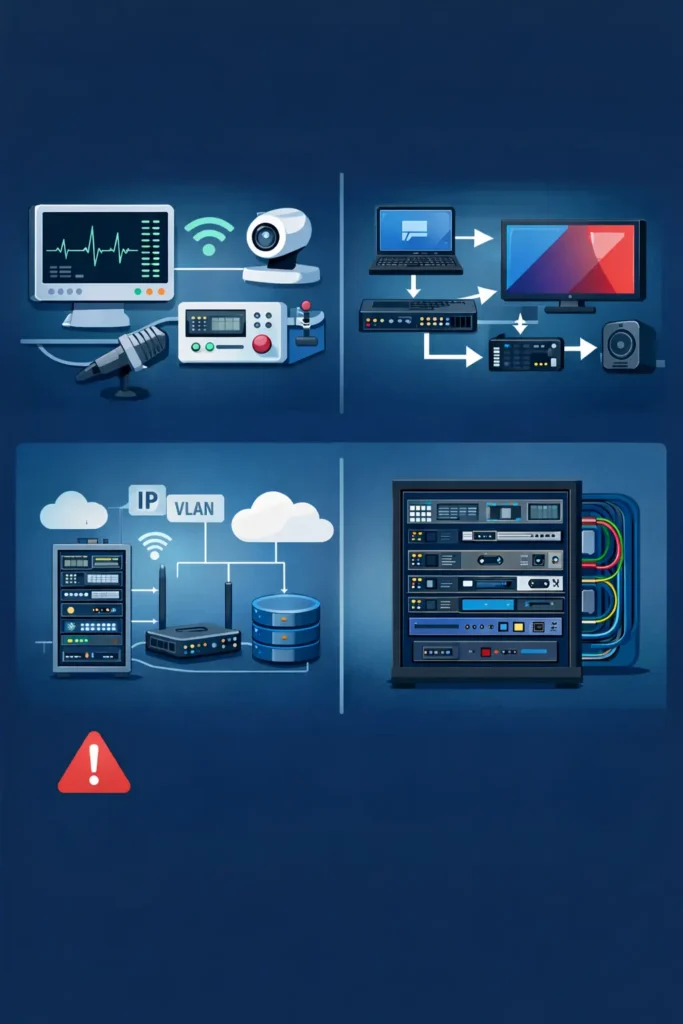
Q-SYS programming interface used by an AV integrator to design audio DSP signal flow and control systems for enterprise audiovisual installations.

Modern enterprise AV systems are far more advanced than traditional microphone-and-display setups. Today’s environments combine AV-over-IP infrastructure, DSP automation, hybrid meeting platforms, cloud-based monitoring, room analytics, and enterprise networking into one connected ecosystem.

As AV systems become increasingly software-driven, the role of the Q-SYS programmer has changed dramatically.

A modern Q-SYS programmer is no longer focused only on DSP tuning or touch panel design. They must also understand enterprise networking, API integrations, monitoring architecture, hybrid collaboration workflows, operational scalability, and long-term maintainability.

This evolution is one reason why QSC Q-SYS has become widely adopted across:

  • Corporate meeting spaces
  • Universities
  • Government facilities
  • Hospitality venues
  • Command centers
  • Enterprise collaboration environments

Its software-based architecture allows AV integrators to create scalable and highly customizable AV ecosystems across multiple locations.

However, experienced AV professionals know an important reality that many programming guides ignore:

A system that works during commissioning is not always a system that performs reliably in daily operations.

This is why structured Q-SYS programming best practices are essential for modern enterprise AV deployments.

What is Q-SYS Programming?

Q-SYS programming involves designing and configuring audio, video, automation, monitoring, and network workflows within the Q-SYS ecosystem.

Using Q-SYS Designer software, AV programmers create:

  • DSP processing logic
  • Audio routing workflows
  • User control interfaces
  • Automation sequences
  • Device communication logic
  • AV-over-IP routing
  • Monitoring dashboards
  • Third-party integrations

Unlike traditional hardware-centric AV systems, Q-SYS operates on a software-driven architecture that allows organizations to scale AV systems efficiently across rooms, buildings, and enterprise environments.

Q-SYS programming is commonly used in:

  • Meeting rooms
  • Auditoriums
  • Training facilities
  • Lecture halls
  • Hospitality venues
  • Hybrid workplaces
  • Multi-campus enterprise deployments

As hybrid collaboration technologies continue expanding, enterprise-grade AV programming plays a major role in long-term reliability and operational efficiency.

Why Q-SYS Programming Matters in Enterprise AV

Modern AV environments depend heavily on interoperability.

Enterprise systems now combine:

  • Microsoft Teams Rooms
  • Zoom Rooms
  • PTZ cameras
  • Wireless presentation systems
  • DSP processors
  • Occupancy sensors
  • Room scheduling systems
  • Enterprise monitoring platforms

Without structured programming standards, these environments become difficult to support and troubleshoot.

Professional Q-SYS programming helps organizations achieve:

  • Stable device communication
  • Reliable DSP performance
  • Faster room startup
  • Consistent user experiences
  • Simplified troubleshooting
  • Better monitoring visibility
  • Scalable AV infrastructure

As AV-over-IP adoption increases, programming quality directly impacts workplace productivity and collaboration performance.

Best Practices for Q-SYS Programming

1. Design for Scalability from the Beginning

Many AV systems become difficult to manage because scalability was never considered during the design phase.

Organizations often begin with a few meeting rooms and later expand to:

  • Regional offices
  • Multiple campuses
  • International locations
  • Enterprise-wide AV standards

A scalable Q-SYS architecture allows AV teams to:

  • Add rooms efficiently
  • Reuse programming modules
  • Reduce deployment inconsistency
  • Simplify support workflows
  • Improve maintainability

Best practices include:

  • Standardized DSP frameworks
  • Modular automation layers
  • Flexible control workflows
  • Reusable programming structures
  • Site-specific customization support

However, experienced Q-SYS programmers understand that scalability does not mean identical duplication.

Why Reusable Templates Sometimes Fail

Many AV articles recommend reusable room templates as the ideal solution. In reality, enterprise AV deployments often expose the limitations of over-standardization.

What works perfectly in a small meeting room may fail inside:

  • Executive boardrooms
  • Auditoriums
  • Training environments
  • Hybrid collaboration hubs

Common enterprise variables include:

  • Different network policies
  • Legacy hardware dependencies
  • Firmware inconsistencies
  • Unique room acoustics
  • Security restrictions
  • Regional conferencing workflows

This creates a hidden operational challenge:

Over-standardized systems can become less flexible and harder to support.

Experienced Q-SYS programmers usually use a modular standardization model instead.

Shared Components

Customizable Components

DSP logic

Room workflows

Security standards

UI layouts

Monitoring structures

Device integrations

Naming conventions

Automation behaviors

This approach balances scalability with operational flexibility.

2. Use Modular Programming Architecture

Modular programming is one of the most important enterprise AV best practices.

Instead of building one large monolithic program, experienced programmers divide systems into functional layers.

Module

Purpose

DSP Layer

Audio processing

Control Layer

Device communication

UI Layer

Touch panel interaction

Monitoring Layer

Diagnostics and alerts

Automation Layer

Workflow triggers

Benefits include:

  • Faster troubleshooting
  • Cleaner code management
  • Easier firmware upgrades
  • Improved scalability
  • Reduced downtime

Modular architecture also minimizes cascading failures during support incidents.

Advanced Workflow Strategies Used by Senior Q-SYS Programmers

Most beginner-level AV programming guides focus only on DSP setup and touch panel layouts.

Senior-level Q-SYS programmers approach systems differently.

They design AV environments around operational behavior, not just hardware functionality.

Layered Logic Architecture

Experienced programmers separate systems into multiple operational layers:

  • Device communication logic
  • Automation workflows
  • Monitoring systems
  • UI behavior
  • Failover logic

This structure improves:

  • Troubleshooting efficiency
  • Scalability
  • Stability
  • Long-term maintainability

Operational State Programming

One advanced concept rarely discussed in AV programming is operational state management.

Enterprise Q-SYS systems often include:

  • Presentation mode
  • Hybrid meeting mode
  • Emergency override mode
  • Maintenance mode
  • After-hours shutdown workflows

This allows AV systems to dynamically adapt to real operational conditions.

API-Driven AV Ecosystems

Modern Q-SYS systems increasingly integrate with:

  • Microsoft Teams APIs
  • Occupancy analytics
  • Building management systems
  • Scheduling platforms
  • Enterprise monitoring tools

This transforms the role of the Q-SYS programmer into a hybrid AV automation architect.

Why Experienced Programmers Avoid Feature Creep

One of the biggest enterprise AV mistakes is excessive automation.

More features do not always improve user experience.

Over-engineered systems often create:

  • Increased CPU load
  • Automation conflicts
  • Troubleshooting complexity
  • Inconsistent room behavior
  • Higher support costs

Experienced AV programmers understand that operational simplicity often scales better than feature-heavy systems.

Myth vs Reality in Q-SYS Programming

Many AV programming assumptions sound good in theory but create challenges in real-world deployments.

Myth

Reality

More automation improves user experience

Excessive automation often creates instability

One UI layout works for every room

Different spaces require different workflows

Cloud monitoring eliminates downtime

Monitoring only helps when response workflows exist

AV-over-IP automatically simplifies AV

Poor network planning creates major failures

A Q-SYS programmer only needs DSP knowledge

Enterprise AV requires networking and API expertise

Prioritize Network Stability

Q-SYS operates inside IP-based AV infrastructure, meaning many AV failures are actually network-related issues.

Common impacts include:

  • Audio transport interruptions
  • Device discovery failures
  • API communication delays
  • Video routing instability
  • Monitoring visibility gaps

Best practices include:

  • VLAN segmentation
  • QoS prioritization
  • Static IP assignments
  • Multicast planning
  • Redundant network paths

However, experienced AV integrators know technical configuration alone is not enough.

Enterprise IT collaboration is equally important.

The Hidden Relationship Between AV and IT Teams

Many AV deployment delays happen because of enterprise IT governance rather than programming problems.

Common challenges include:

  • Firewall restrictions
  • VLAN approval delays
  • Security compliance reviews
  • Endpoint management policies
  • Multicast restrictions

Some AV deployments bypass IT governance completely, creating “Shadow IT” risks such as:

  • Unsupported firmware
  • Security vulnerabilities
  • Network visibility gaps
  • Compliance concerns

Experienced Q-SYS programmers reduce deployment friction through:

  • Early IT workshops
  • Shared documentation
  • Security signoff processes
  • Joint monitoring visibility
  • Clear operational ownership

Successful enterprise AV deployments depend just as much on IT collaboration as technical programming quality.

Enable Remote Monitoring and Diagnostics

Modern AV support increasingly depends on proactive monitoring rather than reactive troubleshooting.

Enterprise AV teams should implement:

  • Device health monitoring
  • Signal path verification
  • Remote diagnostics
  • Workflow-level monitoring
  • Performance analytics

Platforms like AVM360 help organizations remotely monitor AV systems and reduce downtime.

Benefits include:

  • Faster issue detection
  • Reduced truck rolls
  • Improved uptime
  • Better operational visibility
  • Predictive maintenance

However, experienced AV professionals understand an important limitation:

A device showing “online” does not always mean the room is fully functional.

This is why workflow-level monitoring is becoming increasingly important in enterprise AV operations.

Lessons Learned from Real Q-SYS Deployment Failures

Most AV articles focus only on successful deployments. Real-world environments reveal a different reality.

“Everything Worked During Testing” Failures

Many systems pass commissioning but fail under real operational conditions.

Common causes include:

  • Network congestion
  • DSP overload
  • Multicast traffic spikes
  • Acoustic differences
  • API latency

Real operational testing is often more valuable than isolated lab testing.

Firmware Update Failures

Enterprise AV teams often delay firmware upgrades because updates can unexpectedly break:

  • Plugins
  • Scripting dependencies
  • Device integrations
  • UI communication workflows

Experienced Q-SYS programmers always maintain rollback strategies before deploying firmware updates.

Why Executive Boardrooms Fail More Often

High-end executive spaces often contain:

  • More customization
  • More unsupported requests
  • More automation layers
  • More integrated technologies
  • Higher user expectations

Ironically, the most expensive rooms are often the most operationally fragile.

Maintain Documentation and Version Control

Documentation is one of the most overlooked parts of enterprise AV deployment.

Yet it directly impacts:

  • Troubleshooting speed
  • Scalability
  • Support consistency
  • Long-term maintainability

Critical documentation includes:

  • Network diagrams
  • DSP layouts
  • Device inventories
  • Firmware records
  • Programming revisions
  • Automation workflows

Version control best practices include:

  • Archiving stable releases
  • Tracking change history
  • Maintaining rollback backups
  • Labeling deployment versions

Well-documented AV systems dramatically reduce troubleshooting time during support escalations.

Future Trends in Q-SYS Programming

The AV industry continues evolving toward software-defined infrastructure.

Key trends include:

AI-Driven AV Automation

Artificial intelligence is improving diagnostics, workflow automation, predictive maintenance, and smart room optimization.

Cloud-Based AV Operations

Organizations increasingly manage AV systems through centralized cloud platforms.

AV-over-IP Expansion

Traditional matrix switching continues transitioning toward network-based AV transport.

Hybrid Workplace Integration

Modern workplaces increasingly integrate collaboration platforms, occupancy analytics, and smart workplace technologies.

The role of the Q-SYS programmer will continue evolving toward enterprise automation and infrastructure management.

Conclusion

Q-SYS programming best practices help AV integrators build scalable, reliable, and future-ready AV systems.

However, real-world enterprise AV environments require much more than basic DSP programming.

Experienced Q-SYS programmers understand:

  • Scalability requires flexibility
  • Excessive automation can backfire
  • Monitoring has operational limitations
  • IT collaboration is critical
  • Simplicity often scales better than complexity

By focusing on modular architecture, network reliability, operational workflows, monitoring visibility, and enterprise scalability, organizations can reduce downtime and improve AV performance across enterprise environments.

As AV systems continue evolving toward cloud-managed and software-defined infrastructure, choosing the right Q-SYS programmer becomes increasingly important for long-term operational success.

FAQ

What does a Q-SYS programmer do?

A Q-SYS programmer designs AV control systems, DSP workflows, automation logic, monitoring systems, and AV-over-IP infrastructure within the Q-SYS ecosystem.

Why is Q-SYS popular in enterprise AV?

Q-SYS is popular because of its software-based architecture, scalability, network flexibility, and integration capabilities for enterprise collaboration environments.

What is the biggest challenge in enterprise Q-SYS deployments?

The biggest challenge is operational scalability, including network coordination, monitoring workflows, firmware management, and deployment consistency.

Does more AV automation improve user experience?

Not always. Excessive automation can increase troubleshooting complexity and create operational instability.

Why is monitoring important in AV systems?

Monitoring helps organizations proactively detect issues, reduce downtime, improve visibility, and support enterprise AV reliability.

Q-SYS Programming Best Practices from an Expert Q-SYS Programmer for Scalable Enterprise AV Systems Read More »

Expert dvLED Wall Programming Services for High-Performance Displays

Expert dvLED Wall Programming services with technician configuring LED video wall and AV control system for seamless display performance.

The Invisible Foundation: Why Your dvLED Wall Needs Specialized Programming

Direct-view LED (dvLED) has officially moved from the high-tech confines of command centres into the heart of mainstream AV—lobbies, boardrooms, and retail hubs. But as the hardware becomes more accessible, a hard truth remains: the best display in the world only performs as well as it is programmed. Professional dvLED Wall Programming services ensure that every component of the display works perfectly together to deliver the performance organisations expect.

At Zapperr AV, we bridge the gap between “physical installation” and “optimal performance.” Here is how our certified programming expertise ensures your dvLED investment doesn’t just turn on, but truly shines.

1. Mastering the Custom Pixel Space

Unlike standard 16:9 displays, dvLED walls often feature “exotic” resolutions tailored to architectural needs.

The Zapperr Advantage: We don’t settle for “stretched” images. Our programmers specialize in EDID management and pixel-to-pixel mapping, ensuring that your content source aligns perfectly with the physical diodes. We lock in custom timings so your 4K feed doesn’t default to a blurry 1080p.

2. Deep Integration with Industry-Leading Processors

A dvLED wall is only as smart as its controller. Whether you are using NovaStar, Brompton, or Megapixel VR, Zapperr AV provides deep API integration that goes beyond simple power commands.

Dynamic Control: We program Automated Brightness levels that respond to ambient light sensors, protecting viewer comfort and diode lifespan.

Intuitive Presets: We simplify complex canvases. With one touch on a Crestron or Q-SYS panel programmed by Zapperr, your wall can switch from a single “Executive Presentation” mode to a multi-window “Global Dashboard.”

3. Proactive System Health Monitoring

dvLED generates significant heat and draws variable power. If unmanaged, this leads to premature failure.

Smart Failsafes: Zapperr AV integrates SNMP and telemetry monitoring. We program your system to send real-time alerts to your IT team if a cabinet exceeds thermal thresholds, or even initiate a graceful cooling shutdown before damage occurs.

4. Precision Commissioning and Seam Correction

Physical alignment is only half the battle. The “final mile” of a successful deployment is software-based calibration.

Visual Uniformity: Our team uses software-based seam correction to fine-tune edge brightness, making the joins between LED modules invisible. We ensure color consistency across the entire wall, regardless of the batch or processor used.

Why Choose Zapperr AV?

As dvLED becomes “mainstream,” the market is flooded with hardware, but lacks the certified programming expertise to back it up. At zapperrav.com, we don’t just install displays; we engineer digital canvases. We ensure your high-end hardware is supported by high-end logic, giving you a seamless, stable, and stunning visual experience.

Ready to Elevate Your Display?

Visit Zapperr AV today to see how our certified programmers can bring your dvLED project to life.


Expert dvLED Wall Programming Services for High-Performance Displays Read More »

Best Practices for Crestron Programming in Commercial AV Systems

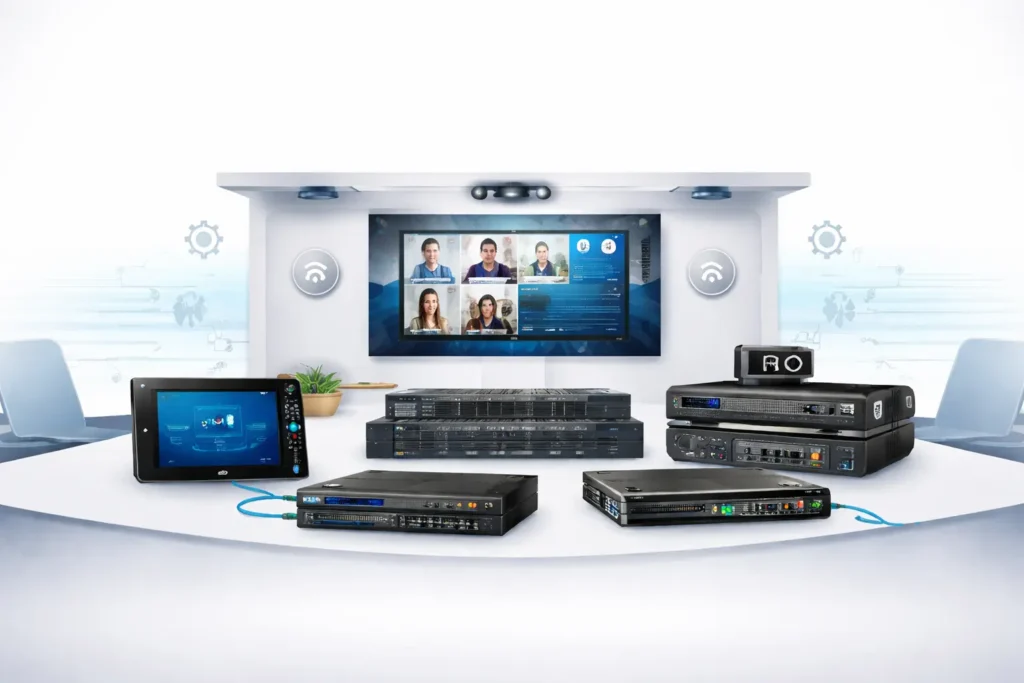
Crestron programming interface controlling commercial AV systems in a smart meeting room with touch panel automation and video conferencing setup

Modern workplaces rely heavily on technology for communication and collaboration. From boardrooms to training centers, businesses depend on advanced commercial audiovisual systems to conduct meetings, presentations, and hybrid conferences.

However, installing AV hardware alone does not guarantee a smooth experience. Many organizations struggle with complex controls, integration issues, and unreliable system performance. This is where Crestron Programming for Commercial AV becomes essential.

Automation platforms like Crestron allow multiple devices—displays, microphones, cameras, and lighting systems—to work together through a centralized control system. When implemented correctly, these solutions simplify operations, improve user experience, and increase workplace productivity.

This guide explains the best practices for Crestron programming in commercial AV systems, helping businesses, AV integrators, and IT teams design efficient and scalable automation environments.

What is Crestron Programming?

Crestron Programming for Commercial AV is the process of configuring automation software that enables audiovisual devices to communicate and operate through a centralized control system. It allows organizations to manage displays, audio equipment, lighting, and conferencing tools from a single interface.

Automation systems powered by Crestron are widely used in corporate offices, universities, and government facilities to streamline AV control systems and improve meeting room efficiency.

Why Crestron Programming Matters in Commercial AV

As workplaces become more digital, the demand for reliable commercial AV automation is increasing. Companies frequently use collaboration platforms like:

  • Microsoft Teams
  • Zoom

Without proper programming and AV system design and integration, devices from different manufacturers may fail to work together efficiently.

Professional Crestron system integration ensures that:

  • Devices communicate smoothly
  • Meeting rooms start with one touch
  • Audio and video synchronization works correctly
  • IT teams can manage systems centrally

This makes smart meeting room technology easier to operate for employees and visitors.

Key Best Practices for Crestron Programming

1. Prioritize User-Friendly Interface Design

A well-designed interface is critical for any Crestron touch panel programming project.

Users should be able to start meetings, control devices, and adjust settings with minimal effort.

Best practices include:

  • Large, clearly labeled buttons
  • One-touch meeting launch
  • Simple navigation menus
  • Logical grouping of controls

This approach improves the usability of enterprise AV systems.

2. Use Modular Programming Architecture

Experienced developers rely on modular programming when building Crestron automation solutions.

This approach divides the system into reusable modules such as:

  • Display control module
  • Audio control module
  • Lighting control module
  • Video conferencing module

Benefits of modular architecture include:

  1. Faster troubleshooting
  2. Easier system upgrades
  3. Simplified maintenance
  4. Greater scalability

3. Optimize System Performance

Efficient Crestron control system programming ensures fast response times and reliable automation.

Optimization techniques include:

  • Reducing unnecessary logic loops
  • Minimizing network traffic
  • Managing processor loads
  • Streamlining device communication

Proper optimization is essential for large commercial audiovisual systems that control multiple devices simultaneously.

4. Implement Scalable AV System Design

Modern offices expand quickly, so AV system design and integration must support future growth.

Scalable systems allow organizations to:

  • Add new meeting rooms
  • Integrate new devices
  • Upgrade collaboration tools
  • Expand enterprise AV networks

Using scalable Crestron automation solutions ensures long-term reliability.

5. Ensure Seamless Integration with Collaboration Platforms

Meeting rooms often depend on conferencing software such as:

  • Zoom
  • Microsoft Teams

Proper programming ensures that users can:

  • Start meetings instantly
  • Share presentations
  • Control cameras and microphones
  • Switch between conferencing platforms

This level of commercial AV automation improves collaboration in hybrid workplaces.

Real-World Use Cases

Corporate Meeting Rooms

Large corporations implement Crestron system integration to manage meeting rooms across multiple floors.

Benefits include:

  • Centralized AV control
  • One-touch meeting launch
  • Automated lighting and display control

Universities and Training Centers

Educational institutions use AV control systems for lecture halls and hybrid classrooms.

Automation allows instructors to easily control:

  • Projectors
  • Microphones
  • Recording systems
  • Video conferencing tools

Conference and Event Spaces

Event venues rely on Crestron Programming for Commercial AV to manage large audiovisual setups including LED displays, audio processors, and live streaming equipment.

Benefits of Professional Crestron Programming

Organizations investing in professional Crestron control system programming gain several advantages.

Improved System Reliability

Proper programming reduces system failures and improves stability.

Simplified Technology Management

IT teams can manage multiple devices from a single control platform.

Increased Productivity

Employees spend less time troubleshooting AV issues.

Scalable AV Infrastructure

Businesses can expand their enterprise AV systems without redesigning the entire setup.

Common Crestron Programming Mistakes

Even experienced developers sometimes face challenges in commercial AV automation projects.

Overcomplicated Interfaces

Complex control panels confuse users and slow down meetings.

Solution:
Use simple, intuitive layouts.

Poor Device Integration

Different hardware components may fail to communicate properly.

Solution:
Follow standardized integration protocols.

Lack of Documentation

Without proper documentation, future maintenance becomes difficult.

Solution:
Maintain clear programming documentation and system diagrams.

Future Trends in Commercial AV Automation

The AV industry continues to evolve as new technologies transform workplaces.

Key trends shaping the future include:

AI-Driven AV Systems

Artificial intelligence is improving device automation and system diagnostics.

Cloud-Based AV Management

Cloud platforms enable remote monitoring and management of AV systems.

Smart Meeting Room Analytics

Organizations are using data analytics to optimize meeting room utilization.

Companies adopting advanced Crestron automation solutions will benefit from these innovations as workplace technology evolves.

Conclusion

As organizations adopt hybrid work models, reliable audiovisual infrastructure has become essential. Effective Crestron Programming for Commercial AV ensures that meeting rooms, training spaces, and conference facilities operate smoothly.

By focusing on user-friendly interfaces, modular programming, performance optimization, and scalable system design, businesses can build reliable and efficient AV environments.

Companies that invest in professional Crestron system integration and advanced commercial AV automation solutions will create smarter workplaces that support productivity, collaboration, and innovation.

FAQs

1. What is Crestron programming used for?

Crestron programming enables centralized control of AV devices such as displays, audio systems, cameras, and lighting. It simplifies automation and improves usability in commercial environments.

2. Why are Crestron systems popular in commercial AV?

Crestron systems are widely used because they offer reliable automation, scalable infrastructure, and seamless integration with modern collaboration platforms.

3. What industries use Crestron AV automation?

Industries using Crestron automation solutions include corporate offices, universities, hospitals, government buildings, and conference centers.

4. How does Crestron improve meeting room technology?

Crestron systems automate device control, simplify meeting room setup, and integrate with collaboration platforms like Zoom and Microsoft Teams.

5. What skills are needed for Crestron programming?

Developers typically need knowledge of AV networking, automation scripting, system integration, and AV control systems design.

Best Practices for Crestron Programming in Commercial AV Systems Read More »

The Future of Audio Visual Technology in Business

In today’s fast-changing digital workplace, businesses rely heavily on audio visual (AV) technology to improve communication, collaboration, and productivity. From smart meeting rooms to AI-powered conferencing systems, AV technology is transforming how organizations operate. As companies continue to adopt hybrid work models and global collaboration, the future of AV technology is becoming more innovative, integrated, and intelligent.

In this blog, we explore the future of audio visual technology in business and how organizations can benefit from adopting modern AV solutions.

The Growing Importance of AV Technology in Business

Modern workplaces depend on seamless communication. Whether teams are working from the office, home, or different countries, businesses need reliable tools to collaborate effectively.

We are seeing organizations invest more in:

  • Smart conference rooms
  • Wireless presentation systems
  • Video conferencing solutions
  • Integrated control systems
  • Cloud-based AV management

These technologies help teams connect instantly, share ideas efficiently, and improve decision-making processes.

Key Trends Shaping the Future of AV Technology

1. AI-Powered Meeting Rooms

Artificial intelligence is revolutionizing business communication. AI-enabled cameras, microphones, and meeting platforms can automatically track speakers, reduce background noise, and optimize video quality.

We are seeing AI-driven AV systems that can:

  • Automatically frame meeting participants
  • Provide real-time transcription and translation
  • Enhance audio clarity using intelligent noise cancellation

These features create more engaging and productive meetings.

2. Cloud-Based AV Management

Cloud technology is transforming how businesses manage AV infrastructure. Instead of maintaining complex on-site systems, organizations can now control and monitor their AV devices remotely.

With cloud-based AV management, we can:

  • Monitor system performance in real time
  • Troubleshoot issues remotely
  • Update software across multiple locations
  • Manage devices from a centralized dashboard

This approach reduces maintenance costs and improves operational efficiency.

3. Seamless Hybrid Work Collaboration

Hybrid work is here to stay, and AV technology plays a critical role in connecting remote and in-office teams. Future AV systems are designed to ensure every participant has an equal experience, regardless of their location.

We are seeing solutions such as:

  • Smart collaboration boards
  • Wireless content sharing
  • High-definition video conferencing
  • Integrated room booking systems

These technologies make hybrid meetings more interactive and efficient.

4. Integrated AV Control Systems

Managing multiple AV devices can be challenging without centralized control. Modern AV systems integrate displays, cameras, microphones, lighting, and room controls into a single platform.

With integrated control systems, we can:

  • Simplify meeting room operations
  • Automate room settings
  • Control multiple devices with a single interface
  • Improve user experience

This makes technology easier for employees to use and reduces IT support requirements.

5. AV Analytics and Smart Insights

Data is becoming an essential part of AV technology. Businesses can now use AV analytics to understand how meeting spaces and technology are used.

With AV analytics, we can:

  • Track meeting room usage
  • Optimize workspace design
  • Improve meeting efficiency
  • Identify technology issues early

This helps organizations make smarter decisions about workplace technology investments.

Benefits of Advanced AV Technology for Businesses

Adopting modern AV solutions offers several advantages for businesses. When we implement the right AV systems, organizations can experience:

  • Better communication and collaboration
  • Improved productivity
  • Enhanced meeting experiences
  • Reduced operational costs
  • Simplified technology management

These benefits allow businesses to operate more efficiently while creating a more connected workplace.

Preparing Your Business for the Future of AV

As technology continues to evolve, businesses must invest in scalable and flexible AV solutions. We recommend focusing on:

  • Future-ready AV infrastructure
  • Cloud-based management platforms
  • Integrated control systems
  • AI-driven collaboration tools

By planning strategically, organizations can ensure their AV systems support long-term business growth.

Upgrade Your Business with Future-Ready AV Solutions

The future of business communication is powered by smart, integrated, and scalable audio visual technology. If your organization wants to stay competitive, now is the time to invest in modern AV solutions.

At Zapperr AV, we help businesses design, implement, and manage advanced AV systems that transform collaboration and productivity. From AV consulting and system integration to ongoing support, we deliver solutions tailored to your business needs.

Ready to future-proof your workplace technology? 
Contact our experts today to discover how the right AV solutions can elevate your business communication and collaboration.

Get in touch with us today and take the first step toward a smarter, more connected workplace.

The Future of Audio Visual Technology in Business Read More »

Top Benefits of Crestron AV Control Systems for Businesses in Australia

Crestron AV control systems benefits for businesses including centralized control, hybrid meetings, automation, and scalable AV solutions.

Across Australia, workplaces are adopting smarter technologies to improve collaboration, communication, and operational efficiency. Managing multiple audiovisual devices in meeting rooms, boardrooms, and large venues can become complex without a centralized system.

That’s where Crestron AV control systems make a difference.

We help businesses across Australia simplify technology by integrating audio, video, lighting, and conferencing tools into a single, easy-to-use platform. From corporate offices to universities and healthcare facilities, Crestron solutions allow us to create reliable, scalable, and intelligent AV environments.

Centralized AV Control for Modern Workplaces

One of the biggest advantages of Crestron AV control systems is centralized management. Instead of controlling multiple devices separately, we enable teams to manage everything through a single interface such as a touchscreen, tablet, or mobile device.

With Crestron, we can control:

  • Displays and projectors
  • Audio systems
  • Lighting and blinds
  • Video conferencing platforms
  • Room scheduling systems

This simplified control allows employees to start meetings quickly and use technology without technical complexity.

Better Hybrid Meetings and Collaboration

Hybrid work has become a standard model for many Australian organizations. Because of this, we design AV environments that support seamless collaboration between in-room and remote participants.

Crestron systems integrate smoothly with platforms like Microsoft Teams and Zoom.

With these integrations, we enable teams to:

  • Launch meetings instantly
  • Share content easily
  • Provide a consistent experience for remote participants
  • Improve communication across locations

This helps create professional meeting environments that support modern workplace collaboration.

Smart Automation for Office Efficiency

Another powerful feature of Crestron systems is intelligent automation. We design meeting spaces that respond automatically to schedules and occupancy sensors.

For example:

  • Displays power on when meetings begin
  • Lighting adjusts automatically
  • Video conferencing systems launch instantly
  • Motorized blinds adjust for optimal visibility

By automating these functions, we reduce setup time and make meetings more efficient.

Scalable AV Solutions for Growing Businesses

Whether we are supporting a single office or multiple locations across Australia, Crestron systems are designed to scale easily.

We can expand AV infrastructure by adding:

  • New meeting rooms
  • Training spaces
  • Collaboration hubs
  • Large conference environments

This flexibility allows us to build long-term AV solutions that grow with your business.

Remote Monitoring and System Management

We also implement remote monitoring capabilities that allow IT teams to manage AV systems across multiple locations.

With remote management, we can:

  • Monitor system performance
  • Troubleshoot issues remotely
  • Perform updates and maintenance
  • Reduce system downtime

This proactive management ensures that AV systems remain reliable and fully operational.

Customizable User Interfaces

Crestron systems offer customizable user interfaces designed specifically for each workplace environment.

We configure touchscreen panels with simple layouts so employees can easily operate meeting room technology with minimal training. This ensures meetings start on time and systems function smoothly every time.

Conclusion

Implementing Crestron AV control systems provides a smarter and more efficient way to manage workplace technology in Australia. By combining centralized control, automation, and seamless integration with collaboration platforms, we help businesses create productive and future-ready environments.

With the right AV control system in place, we can improve meeting efficiency, simplify technology management, and support the evolving needs of hybrid work.

Upgrade Your AV Systems with Expert Crestron Solutions

If you are looking to improve meeting room technology and workplace collaboration, we can help.

Our team designs and implements customized Crestron AV control systems that simplify operations and enhance productivity across Australian workplaces.

Contact us today to discuss your AV automation needs and build a smarter workplace with Crestron technology.


Top Benefits of Crestron AV Control Systems for Businesses in Australia Read More »

QSys AV Control for Healthcare Facilities

Healthcare environments demand precision, reliability, and crystal-clear communication. In hospitals, clinics, and medical campuses, even minor AV disruptions can impact patient care and operational efficiency. That’s why we implement intelligent, scalable AV control systems using Q-SYS, developed by QSC.

By designing and programming QSys solutions specifically for healthcare facilities, we help create smarter, safer, and more connected environments.

Why We Choose QSys for Healthcare AV Control

Healthcare facilities operate 24/7. We need systems that are:

  • Reliable under pressure
  • Secure and compliant
  • Easy to manage centrally
  • Scalable for future expansion

QSys delivers a network-based AV ecosystem that allows us to control audio, video, and room automation from a single platform.

How We Improve Communication in Healthcare Facilities

1️⃣ We Deliver Crystal-Clear Audio for Critical Situations

In medical environments, audio clarity is essential. We configure QSys with:

  • Advanced acoustic echo cancellation
  • Automatic gain control
  • Noise suppression
  • Multi-zone paging systems

This ensures clear communication during:

  • Emergency code alerts
  • Surgical coordination
  • Nurse station paging
  • Telehealth consultations

When clarity matters most, we ensure the system performs flawlessly.

2️⃣ We Centralise AV Control Across Departments

Hospitals include operating theatres, ICUs, boardrooms, training rooms, and waiting areas. Instead of managing separate systems, we unify everything through QSys.

With centralised control, we can:

  • Monitor system health in real time
  • Manage audio routing across departments
  • Control displays and cameras remotely
  • Reduce downtime through proactive maintenance

This improves operational efficiency and reduces IT workload.

3️⃣ We Enable Seamless Telehealth & Video Integration

Telemedicine is now essential. We integrate QSys with platforms like Microsoft Teams and Zoom to support:

  • Remote patient consultations
  • Virtual specialist meetings
  • Multi-location medical collaboration
  • Medical training sessions

By optimising DSP processing and camera control, we ensure professional-quality virtual care experiences.

4️⃣ We Strengthen Emergency Communication Systems

Emergency response speed saves lives. We design QSys systems to:

  • Instantly route emergency announcements
  • Trigger pre-recorded alert messages
  • Override background audio
  • Send zone-specific notifications

This level of automation enhances safety and compliance within healthcare environments.

5️⃣ We Build Scalable, Future-Ready AV Infrastructure

Healthcare facilities expand and evolve. With QSys’s software-based architecture, we can:

  • Add new rooms without replacing core infrastructure
  • Update firmware remotely
  • Integrate third-party systems
  • Scale from small clinics to large hospital campuses

We design systems that grow with your facility.

Real-World Applications We Support

🏥 Operating Theatres

We configure controlled audio routing and video feeds for observation and documentation.

🩺 Nurse Stations

We implement multi-zone paging and emergency alert management.

🎓 Training & Simulation Labs

We deploy recording, streaming, and instructor-controlled AV systems.

🏢 Administrative & Boardrooms

We integrate conferencing, presentation systems, and automated controls.

We Prioritise Security and Compliance

Healthcare IT environments require strict security. We configure QSys systems with:

  • Secure network segmentation
  • Role-based access control
  • Encrypted communications
  • IT policy alignment

This ensures your AV infrastructure supports compliance standards without compromising performance.

Why We Recommend Professional QSys Programming

Healthcare AV systems are complex. Each room has unique technical and operational requirements. We:

  • Design optimised signal flows
  • Configure automated safety triggers
  • Integrate telehealth platforms
  • Ensure redundancy where required
  • Provide long-term support and monitoring

Our goal is to deliver stable, secure, and easy-to-manage AV control systems that healthcare teams can rely on every day.

Ready to Upgrade Your Healthcare AV Infrastructure?

We specialise in designing and programming QSys AV control systems for healthcare facilities of all sizes.

If you want:

✔ Reliable emergency communication
✔ Seamless telehealth integration
✔ Centralised AV control
✔ Reduced downtime and proactive monitoring
✔ A scalable, future-ready solution

Let’s build a smarter healthcare environment together.

👉 Contact us today to schedule a consultation and discover how we can transform your healthcare AV systems with QSys.

QSys AV Control for Healthcare Facilities Read More »

How AV Monitoring Solutions Prevent Costly Downtime for Australian Businesses

In today’s fast-moving Australian business environment, technology drives everything. From corporate boardrooms and universities to healthcare facilities and government offices, AV systems are critical to daily operations.

When these systems fail, productivity stops.

At Zapperrav, we understand that AV downtime isn’t just a technical issue — it’s a business risk. That’s why we provide professional AV monitoring solutions designed to keep your systems running smoothly and prevent disruptions before they impact your organisation.

Why AV Downtime Is More Expensive Than You Think

Many businesses only think about AV support when something breaks. But by that point, the cost has already begun.

Downtime can result in:

  • Cancelled client meetings
  • Disrupted hybrid conferences
  • Lost productivity
  • Emergency repair expenses
  • Damage to brand reputation

Instead of reacting to failures, we focus on proactive AV maintenance to prevent them from happening in the first place.

What Are AV Monitoring Solutions?

Our AV monitoring solutions provide continuous, real-time oversight of your audiovisual systems. We remotely track the health and performance of:

  • Displays and projectors
  • Audio processors and amplifiers
  • AV control systems
  • Video conferencing equipment
  • Network connectivity
  • Power status and device temperature

By monitoring system performance 24/7, we identify potential issues early — often before users even notice a problem.

This proactive approach keeps your business running without interruption.

How Remote AV Support Makes the Difference

One of the biggest advantages of modern AV infrastructure is the ability to provide remote AV support.

When an issue arises, we can:

  • Access systems remotely
  • Diagnose faults in real time
  • Restart or reconfigure devices
  • Apply firmware updates
  • Resolve many problems without an on-site visit

For organisations with multiple offices across Australia, remote AV support dramatically reduces response times and eliminates unnecessary travel delays.

The result? Faster resolutions and minimal disruption.

The Power of Proactive AV Maintenance

Traditional AV support is reactive — something breaks, then it gets fixed.

We believe that approach is outdated.

With proactive AV maintenance, we continuously analyse system performance data to detect early warning signs such as:

  • Overheating equipment
  • Signal instability
  • Failing components
  • Network communication errors

By addressing minor issues early, we prevent major failures, reduce emergency call-outs, and extend the lifespan of your AV investment.

Proactive maintenance not only lowers costs — it improves reliability and user confidence in your technology.

Why Australian Businesses Trust Proactive Monitoring

Hybrid work environments and digital collaboration tools have made AV systems mission-critical.

We work with Australian businesses that rely on seamless communication across:

  • Corporate offices
  • Education institutions
  • Healthcare environments
  • Government facilities
  • Commercial venues

For these organisations, reliable AV performance isn’t optional — it’s essential.

Our AV monitoring solutions, combined with expert remote AV support and structured proactive AV maintenance, provide peace of mind that systems will perform when they are needed most.

Frequently Asked Questions

1. What are AV monitoring solutions?

AV monitoring solutions are systems that continuously track the health and performance of audiovisual equipment to detect and resolve issues before they cause downtime.

2. How does remote AV support reduce downtime?

Remote AV support allows technicians to access and fix systems without waiting for an on-site visit, significantly reducing response time and business disruption.

3. What is proactive AV maintenance?

Proactive AV maintenance involves monitoring system performance, identifying early warning signs, and resolving potential issues before equipment fails.

4. Is AV monitoring suitable for multi-site organisations?

Yes. AV monitoring solutions are especially valuable for businesses operating across multiple Australian locations, providing centralised oversight and faster issue management.

5. How much can businesses save with proactive monitoring?

While savings vary, businesses typically reduce emergency repair costs, avoid productivity losses, and extend equipment lifespan — leading to substantial long-term cost benefits.

🚀 Protect Your Business with Smarter AV Support

At Zapperrav, we don’t wait for systems to fail.

We provide intelligent AV monitoring solutions, fast remote AV support, and structured proactive AV maintenance to keep your business operating without interruption.

If your organisation depends on reliable AV systems, it’s time to move from reactive fixes to proactive protection.

👉 Book a consultation with our team today and discover how we can:

  • Reduce AV downtime
  • Improve system reliability
  • Lower long-term maintenance costs
  • Ensure seamless business operations

Let’s future-proof your AV systems — before problems arise.

How AV Monitoring Solutions Prevent Costly Downtime for Australian Businesses Read More »

AV System Integration for Healthcare Facilities: Connecting Technology to Improve Patient Care

Healthcare facilities today are more connected than ever before. Hospitals, medical centres, specialist clinics, and aged care facilities rely on technology not only for treatment — but for communication, collaboration, education, and patient engagement.

This is where healthcare AV integration becomes essential.

Modern audiovisual systems are no longer standalone tools like a screen in a waiting room or a speaker in a conference space. Instead, they form a fully integrated ecosystem that connects departments, supports telehealth, improves training, and enhances patient experiences — all while maintaining strict reliability and security standards.

In a healthcare environment, seamless communication can directly impact patient outcomes. That’s why integrated AV systems are becoming a strategic investment rather than just a technical upgrade.

What Is Healthcare AV Integration?

Healthcare AV integration is the process of designing and connecting audiovisual technologies so they work together smoothly across an entire medical facility.

This can include:

  • Video conferencing systems for telehealth
  • Digital signage for wayfinding and announcements
  • Interactive displays in training rooms
  • Audio and paging systems for urgent communication
  • Control systems that manage all AV devices centrally

Instead of managing separate devices independently, integrated systems allow healthcare providers to operate everything from a unified platform. The result is better communication, reduced technical issues, and improved operational efficiency.

Why AV Integration Is Critical in Modern Healthcare

1. Supporting Telehealth and Remote Consultations

Telehealth has become a permanent part of healthcare delivery. Integrated AV systems ensure virtual consultations run smoothly with high-definition video, crystal-clear audio, and secure connectivity.

For patients in rural or remote areas, this means greater access to specialists without long travel times. For hospitals, it enables collaboration between doctors across different locations.

Reliable healthcare AV integration ensures consultations feel professional, personal, and interruption-free.

2. Enhancing Communication Between Medical Teams

Hospitals operate in fast-paced environments where every second counts. Clear communication between departments is critical.

Integrated AV solutions support:

  • Interdisciplinary video meetings
  • Case review discussions
  • Emergency paging systems
  • Secure internal broadcasts

By connecting communication tools across departments, staff can collaborate faster and make informed decisions more efficiently.

3. Improving the Patient Experience

Visiting a hospital can be stressful. Integrated AV systems help create a more supportive and informative environment for patients and visitors.

Digital signage can:

  • Provide clear wayfinding directions
  • Display appointment schedules
  • Share health education content
  • Deliver emergency alerts

Interactive displays in waiting areas can offer useful information or calming content, helping reduce anxiety and improve overall satisfaction.

In patient rooms, integrated entertainment and communication systems allow individuals to stay connected with family members and access helpful recovery information.

4. Supporting Medical Training and Education

Healthcare is a field that depends on continuous learning. AV integration plays a major role in training environments such as lecture theatres, simulation labs, and surgical observation rooms.

Integrated systems allow:

  • Live streaming of procedures
  • Recording for later review
  • Hybrid training sessions
  • Interactive classroom learning

These tools enhance knowledge sharing and allow medical professionals to develop skills in more flexible and effective ways.

5. Boosting Operational Efficiency

Healthcare facilities operate 24/7, and technology downtime is not an option.

Integrated AV systems allow IT teams to:

  • Monitor equipment remotely
  • Manage multiple systems from a central interface
  • Reduce duplication of devices
  • Streamline maintenance processes

This improves reliability while lowering long-term operational costs. Instead of troubleshooting isolated systems, staff can manage a connected infrastructure designed for performance and scalability.

Key Features of Effective Healthcare AV Integration

Because healthcare environments are highly sensitive, AV systems must meet specific requirements:

✔ Secure network integration
✔ High-definition video and clear audio
✔ Centralised control systems
✔ Scalable, future-ready infrastructure
✔ Minimal downtime during installation
✔ Ongoing support and maintenance

Every system must prioritise privacy, compliance, and consistent reliability.

Common Challenges in Healthcare AV Projects

Healthcare facilities present unique technical challenges, including:

  • Strict data privacy and security regulations
  • Complex existing IT networks
  • Infection control requirements
  • Continuous operations with limited downtime

Careful planning and professional integration ensure systems are implemented without disrupting patient care or daily operations.

The Future of Healthcare AV Integration

As healthcare continues to embrace digital transformation, AV integration will become even more advanced. Future-ready facilities are already adopting:

  • AI-supported telemedicine rooms
  • Smart patient monitoring dashboards
  • Fully networked training centres
  • Advanced video collaboration spaces

IP-based AV infrastructure will continue to support connected care models, remote expertise, and data-driven decision-making.

Final Thoughts

Healthcare AV integration is about much more than screens and speakers. It is about building a connected environment where communication is clear, collaboration is seamless, and patient care is enhanced.

From telehealth rooms to surgical theatres, from digital signage to staff collaboration spaces, integrated AV systems help healthcare facilities operate more efficiently while improving the experience for both patients and medical professionals.

In today’s healthcare landscape, a well-designed AV integration strategy isn’t optional — it’s essential for delivering safe, effective, and future-ready care.

AV System Integration for Healthcare Facilities: Connecting Technology to Improve Patient Care Read More »

Extron Programming for Auditoriums & Conference Centers Advanced Auditorium AV Control Systems for Large Venues

Modern auditoriums and conference centers demand more than basic audio-visual setups. From international summits and corporate conventions to university graduations and live performances, large venues require powerful, reliable, and easy-to-manage AV systems. This is where Extron large venue programming delivers exceptional performance.

Powered by Extron, advanced control systems ensure seamless integration of audio, video, lighting, and presentation technologies into one centralized auditorium AV control system.

Why Auditoriums Need Professional AV Control Systems

Large venues typically include:

  • Multiple projection screens or LED walls
  • High-powered sound systems
  • Wireless and wired microphones
  • Stage lighting control
  • Video conferencing integration
  • Recording and streaming systems
  • Digital signage displays

Without a centralized control system, managing these technologies becomes complex and inefficient. Extron programming simplifies operations with intuitive touch panel control and automated workflows.

What Is Extron Large Venue Programming?

Extron programming involves configuring control processors, user interfaces, and automation logic to ensure all AV components work together flawlessly.

Using platforms like Extron Global Configurator and Extron Control Script, AV professionals create customized control environments that allow venue operators to:

  • Switch video sources instantly
  • Control audio levels across zones
  • Manage lighting presets
  • Automate event setups
  • Monitor system performance

This eliminates the need for multiple remotes or manual device control.

Key Benefits of Extron Programming for Auditoriums

1️⃣ Centralized AV Control

Operators can manage the entire venue from a single touch interface. Whether it’s switching from a keynote presentation to a live video feed or adjusting microphone levels mid-event, everything is controlled seamlessly.

2️⃣ Automated Event Modes

Custom programming allows preset modes such as:

  • Conference Mode
  • Presentation Mode
  • Live Performance Mode
  • Video Streaming Mode
  • Recording Mode

With one touch, the entire system adjusts automatically.

3️⃣ Scalable for Large Conference Centers

Conference centers often contain:

  • Multiple breakout rooms
  • Main auditoriums
  • Lobby display areas
  • Press rooms

Extron large venue programming enables centralized control across multiple spaces, improving efficiency and reducing technical staffing requirements.

4️⃣ Integration with Video Conferencing Platforms

Modern conference venues frequently integrate with platforms like Microsoft Teams and Zoom for hybrid events.

Extron control systems allow:

  • Seamless switching between in-person and remote presenters
  • Audio routing for virtual participants
  • Camera control and automation
  • Streamlined hybrid meeting workflows

This ensures smooth event experiences without technical disruptions.

Advanced Audio & Video Management

In large auditoriums, audio clarity is critical. Extron programming enables:

  • Multi-zone audio control
  • DSP integration
  • Echo cancellation for conferencing
  • Balanced microphone mixing

For video, systems can manage:

  • Matrix switching
  • Multi-screen output
  • Live streaming feeds
  • Recording workflows
  • Digital signage displays

The result is a powerful and reliable auditorium AV control system tailored to each venue’s needs.

Why Choose Extron for Large Venue Automation?

✔ Enterprise-grade reliability
✔ Secure networked AV architecture
✔ Flexible programming options
✔ Scalable infrastructure
✔ User-friendly touch panels
✔ Remote monitoring capabilities

Extron systems are widely trusted in government facilities, universities, corporate headquarters, and convention centers worldwide.

Future-Proofing Your Auditorium AV System

As events become more hybrid and technology-driven, venues must adapt to:

  • 4K/8K video distribution
  • AV over IP systems
  • Remote event management
  • AI-powered camera tracking
  • Cloud-based monitoring

Professional Extron programming ensures your venue is ready for future technological advancements without major infrastructure changes.

Conclusion

A modern auditorium or conference center cannot rely on disconnected AV components. It requires a fully integrated, scalable, and intelligent auditorium AV control system.

Extron large venue programming provides the performance, flexibility, and reliability needed to deliver flawless events every time. From automated event modes to hybrid conferencing integration, Extron empowers venue operators with complete control at their fingertips.

If you’re planning to upgrade or design a new large venue AV system, investing in professional Extron programming ensures operational efficiency, superior audience experience, and long-term reliability.

Upgrade Your Auditorium AV Control System Today

Planning a new auditorium or upgrading your conference center AV system?

Our certified Extron programming specialists design and deploy fully integrated large venue control systems tailored for performance, reliability, and scalability.

We provide:

✔ Custom Extron large venue programming
✔ Centralized auditorium AV control systems
✔ Hybrid event & conferencing integration
✔ Multi-room and breakout room automation
✔ Ongoing maintenance & remote support

Whether you manage a university auditorium, corporate conference center, government facility, or convention venue, we deliver solutions that ensure flawless event execution every time.

Book a consultation today and discover how Extron programming can transform your large venue AV operations.

📞 Speak with an AV automation expert
📩 Request a customized proposal


Extron Programming for Auditoriums & Conference Centers Advanced Auditorium AV Control Systems for Large Venues Read More »

Integrating QSys with Microsoft Teams Rooms: A Complete Guide for Modern AV Environments

Modern workplaces demand seamless collaboration, and QSys programming plays a crucial role in making that possible. As hybrid work becomes the norm, organizations are investing in intelligent AV systems that combine powerful audio processing with reliable video conferencing. Integrating QSC’s Q-SYS ecosystem with Microsoft Teams Rooms is one of the most effective ways to create a professional, scalable, and user-friendly meeting experience.

Developed by QSC, the Q-SYS ecosystem is a cloud-manageable audio, video, and control platform built on a network-based architecture. When integrated with Microsoft Teams Rooms, it transforms standard meeting spaces into fully automated collaboration hubs.

Let’s explore how this integration works and why it’s ideal for modern corporate environments.

Why Integrate QSys with Microsoft Teams Rooms?

While Microsoft Teams Rooms provides a reliable conferencing platform, large or complex meeting spaces often require advanced DSP processing, microphone management, camera automation, and custom control interfaces. This is where QSys programming adds real value.

1. Superior Audio Processing

Q-SYS offers advanced DSP capabilities including:

  • Acoustic echo cancellation (AEC)
  • Automatic gain control
  • Noise reduction
  • Multi-zone audio routing

This ensures crystal-clear speech during Teams meetings, even in large boardrooms or divisible spaces.

2. Custom Control & Automation

With Q-SYS Designer software, programmers can:

  • Create custom touch panel interfaces
  • Automate room startup/shutdown sequences
  • Control lighting, displays, and blinds
  • Integrate occupancy sensors

Users simply tap “Start Meeting” and everything powers up automatically.

3. Scalable for Any Room Size

From huddle rooms to auditoriums, Q-SYS cores can scale based on room complexity. This makes it ideal for:

  • Corporate boardrooms
  • Training rooms
  • University lecture halls
  • Government facilities

How QSys Integrates with Microsoft Teams Rooms

The integration typically follows one of these architectures:

1️⃣ USB-Based Integration

Q-SYS acts as the room’s audio DSP.

  • Q-SYS Core processes microphones and speakers
  • Audio is sent to the Teams Rooms compute device via USB
  • Teams handles video conferencing

This is common in medium to large rooms.

2️⃣ Network-Based (IP) Integration

Using Q-SYS control plugins and APIs:

  • Teams Rooms devices communicate over IP
  • Room controls sync with the Teams touch panel
  • Status monitoring and automation can be programmed

This setup is ideal for enterprise environments needing centralized control.

Essential Components for Integration

To successfully integrate QSys with Microsoft Teams Rooms, you typically need:

  • Q-SYS Core Processor
  • Q-SYS network audio endpoints
  • Teams Rooms compute device
  • Touch control panel
  • Certified microphones and cameras

Proper QSys programming ensures all components communicate seamlessly.

Advanced Features You Can Achieve

🎥 Intelligent Camera Switching

Q-SYS can automate camera tracking based on:

  • Active speaker detection
  • Preset recall
  • Microphone zone activity

This improves meeting engagement without manual camera control.

🔊 Multi-Room & Divisible Spaces

Using Q-SYS logic programming:

  • Rooms can combine or divide
  • Audio routing automatically adjusts
  • Teams meeting settings remain consistent

Perfect for conference centers and training facilities.

☁ Remote Monitoring & Management

With Q-SYS Reflect:

  • Monitor system health remotely
  • Push firmware updates
  • Diagnose issues proactively

This reduces downtime and support costs.

Best Practices for QSys and Teams Integration

✔ Use certified Teams Rooms hardware
✔ Ensure proper network configuration (VLANs & QoS)
✔ Optimize microphone placement
✔ Keep firmware updated
✔ Work with experienced QSys programmers

Professional configuration prevents echo issues, latency, and control conflicts.

Common Challenges (and Solutions)

ChallengeSolution
Echo during callsProper AEC configuration in Q-SYS
Device detection issuesVerify USB routing & driver settings
Audio delayOptimize network and DSP processing
Control sync errorsUse certified Q-SYS plugins

Why Hire a Professional QSys Programmer?

While small rooms may work with basic setups, enterprise deployments require advanced scripting, logic control, and API integration. A certified QSys programmer can:

  • Design efficient signal flow
  • Customize automation logic
  • Ensure Teams compatibility
  • Provide long-term scalability

This protects your AV investment and ensures reliable performance.

Final Thoughts

Integrating Q-SYS with Microsoft Teams Rooms delivers a powerful, future-ready meeting solution. You get the advanced processing and customization of Q-SYS combined with the user-friendly collaboration features of Microsoft Teams.

For organizations looking to upgrade their AV infrastructure, this integration offers:

  • Enhanced audio clarity
  • Seamless room automation
  • Scalable system design
  • Reduced technical issues
  • Professional user experience

As hybrid work continues to evolve, smart AV integration isn’t optional—it’s essential.

Contact our QSys programming specialists today to design a customized, scalable, and future-ready AV solution tailored to your business needs. Let’s build smarter, more efficient meeting environments together.

Integrating QSys with Microsoft Teams Rooms: A Complete Guide for Modern AV Environments Read More »

Scroll to Top