

Author name: admin

What Does a Q-SYS Programming Contractor Actually Do?

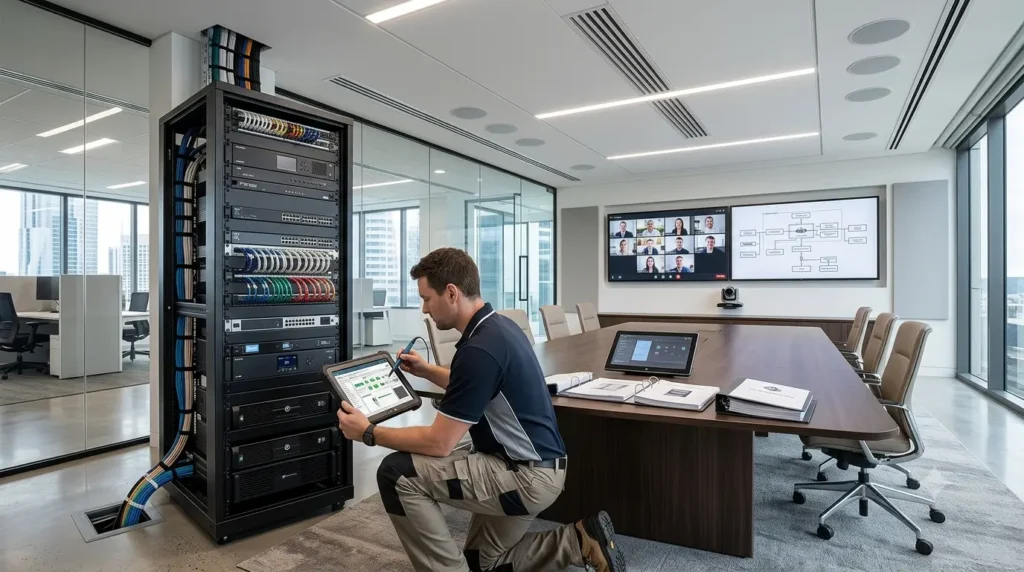
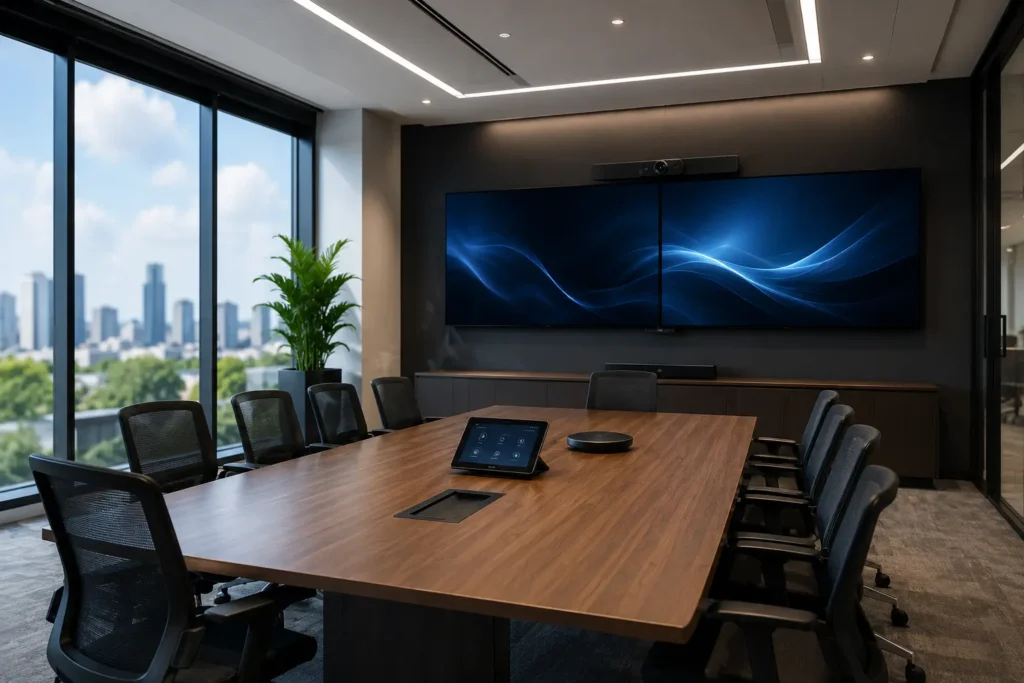
Q-SYS commercial AV system setup

A Q-SYS programming contractor designs, configures, and optimizes commercial AV systems using the Q-SYS platform. Their work includes audio DSP tuning, room automation, touchscreen control programming, conferencing integrations, troubleshooting, and AV system commissioning for reliable day-to-day operation.

Modern meeting rooms look simple on the surface.

You tap a touchscreen. The display powers on. Cameras switch automatically. Audio works. The meeting starts.

But behind that smooth experience sits a large amount of programming, testing, automation, and system logic.

That work usually comes from a professional Q-SYS programming contractor.

Without proper programming, even premium AV hardware can become frustrating to use. A room filled with expensive equipment still fails if users cannot start meetings quickly or hear each other clearly.

This article explains what a Q-SYS contractor actually does, why businesses hire them, and how professional Q-SYS AV programming improves commercial AV performance.

What Is Q-SYS?

Q-SYS is a software-based platform developed by QSC for managing audio, video, and control systems across commercial environments.

Unlike older hardware-heavy AV systems, Q-SYS uses a networked architecture that allows businesses to integrate multiple technologies into one flexible platform.

Q-SYS commonly supports:

  • Corporate meeting rooms
  • Universities
  • Government buildings
  • Hotels
  • Healthcare facilities
  • Entertainment venues

According to AVIXA, software-driven AV systems continue to grow as organizations invest in hybrid collaboration technologies and scalable workplace solutions.

That growth increases demand for skilled commercial AV programming services.

What Does a Q-SYS Programming Contractor Actually Do?

A Q-SYS programming contractor creates the logic and workflows that control how AV systems behave in real environments.

Think of them as the engineers behind the user experience.

They program systems so users can walk into a room, press one button, and start working without technical confusion.

That sounds simple.

It rarely is.

Designing AV Control Workflows

One of the main responsibilities of Q-SYS control programming involves building automation workflows for rooms and devices.

This can include:

  • Powering displays on automatically
  • Switching video inputs
  • Routing microphones
  • Adjusting audio levels
  • Activating camera presets
  • Managing room modes
  • Triggering lighting scenes

A well-programmed system reduces friction for users.

A poorly programmed system creates support tickets faster than free office coffee disappears on Monday morning.

Programming Touchscreen Interfaces

Most commercial AV systems rely on touch panels for room control.

A Q-SYS programmer designs interfaces that allow users to manage rooms quickly and confidently.

Good interface design focuses on:

  • Simple layouts
  • Clear labels
  • Fast navigation
  • Consistent controls
  • Minimal user training

Users should not need technical instructions just to share a laptop screen.

The best AV interfaces feel obvious from the first touch.

Configuring Audio DSP for Clear Communication

Audio quality remains one of the most important parts of any meeting experience.

If microphones echo or voices sound unclear, people notice immediately.

A Q-SYS AV programming specialist configures DSP settings to optimize sound performance across the space.

This includes:

  • Acoustic echo cancellation
  • Noise reduction
  • Equalization
  • Gain structure
  • Speaker tuning
  • Audio routing

According to Microsoft, high-quality audio significantly improves collaboration experiences in hybrid meetings.

This is why DSP configuration requires real expertise instead of guesswork.

Integrating Microsoft Teams and Zoom Rooms

Modern businesses rely heavily on video conferencing platforms.

A Q-SYS contractor often integrates AV systems with:

  • Microsoft Teams
  • Zoom
  • SIP conferencing systems
  • Wireless presentation tools

The goal is consistent meeting performance with stable audio, video, and room control functionality.

Reliable conferencing systems matter because nobody enjoys spending the first ten minutes of a meeting asking:
“Can everyone hear me now?”

Again.

Integrating Third-Party AV Devices

Commercial AV systems rarely use equipment from a single manufacturer.

Q-SYS programmers often integrate with:

  • Cameras
  • Digital signage
  • Lighting systems
  • HVAC controls
  • Occupancy sensors
  • DSP processors
  • Microphone systems

This integration work requires technical knowledge across networking, device communication, and automation protocols.

Experienced programmers understand how different systems interact under real-world conditions.

Writing Custom Automation Scripts

Some AV projects require advanced automation beyond standard templates.

Q-SYS supports scripting capabilities that allow contractors to build custom logic for unique business requirements.

Examples include:

  • Occupancy-based room automation
  • Automated fault alerts
  • Smart scheduling workflows
  • Camera tracking behaviors
  • Device health monitoring

This is where experienced contractors separate themselves from entry-level programmers.

Templates help.

Real-world problem solving matters more.

Testing and Commissioning AV Systems

Programming alone does not guarantee a stable system.

Testing plays a major role in successful AV deployments.

Professional contractors perform commissioning to verify that:

  • Devices communicate correctly
  • Audio performs consistently
  • Control systems respond properly
  • Video routing functions reliably
  • User workflows operate smoothly

Good commissioning reduces downtime and minimizes future troubleshooting.

Skipping proper testing usually creates problems that appear during the most important meetings.

AV systems somehow have excellent timing for that.

Supporting Remote Monitoring and Troubleshooting

Many businesses now expect proactive AV support instead of reactive troubleshooting.

A Q-SYS programmer may configure remote monitoring tools that track:

  • Device status
  • System health
  • Connection failures
  • Usage trends
  • Fault notifications

Remote diagnostics allow support teams to identify issues early and resolve problems faster.

For enterprise environments, this reduces operational disruptions significantly.

Why Businesses Hire Commercial AV Programming Services

Commercial AV systems continue to become more software-driven and network-dependent.

That complexity increases the value of experienced commercial AV programming services.

Businesses often hire specialists because they want:

  • Reliable meeting spaces
  • Better automation
  • Easier room controls
  • Consistent user experiences
  • Faster troubleshooting
  • Scalable AV systems
  • Reduced support requests

Professional programming also helps organizations future-proof their AV investments as workplace technology evolves.

Skills Every Good Q-SYS Programming Contractor Should Have

Not every AV programmer delivers the same level of expertise.

Strong contractors usually understand multiple technical areas.

AV Networking Knowledge

Modern AV systems depend heavily on IP networking.

A programmer should understand:

  • VLANs
  • QoS settings
  • Dante networking
  • Multicast traffic
  • Device addressing

Many “audio issues” actually begin as network configuration problems.

User Experience Design

Advanced functionality still needs to feel simple for end users.

The best programmers focus on usability, not complexity.

Troubleshooting Skills

Commercial AV systems involve many interconnected devices.

Experienced programmers identify problems quickly and solve them logically.

Documentation Standards

Professional contractors provide clear documentation such as:

  • Signal flow diagrams
  • Device lists
  • IP addressing records
  • Control logic summaries
  • Backup project files
  • Commissioning reports

Good documentation saves time during future upgrades and maintenance.

How Professional Q-SYS Programming Improves Business Operations

Reliable AV systems improve more than meeting quality.

They also help businesses:

  • Reduce downtime
  • Improve collaboration
  • Simplify room operation
  • Minimize IT support requests
  • Support hybrid work
  • Increase meeting room efficiency

According to AVIXA, workplace collaboration technology continues to influence productivity and communication strategies globally.

In other words, good AV systems are no longer optional infrastructure.

They directly affect daily business performance.

Final Thoughts

A Q-SYS programming contractor does far more than configure buttons or connect devices.

They design the automation, audio workflows, control logic, and integrations that allow commercial AV systems to function reliably.

From DSP tuning and room automation to Teams integration and remote diagnostics, professional Q-SYS control programming plays a major role in modern workplace technology.

The best AV systems usually feel effortless for users.

Ironically, that effortless experience often requires hundreds of technical decisions working perfectly behind the scenes.

That is exactly what experienced AV programmers help deliver.

FAQ

What is Q-SYS programming?

Q-SYS programming involves configuring audio, video, control, and automation workflows within a commercial AV environment using the Q-SYS platform.

What does a Q-SYS programming contractor do?

A Q-SYS contractor designs touchscreen controls, configures DSP audio processing, integrates conferencing platforms, programs automation workflows, and tests AV system performance.

Can Q-SYS integrate with Microsoft Teams Rooms?

Yes. Q-SYS commonly integrates with Microsoft Teams and other conferencing platforms to support hybrid meeting environments.

Why is professional AV programming important?

Professional programming improves system reliability, user experience, automation, and long-term scalability while reducing troubleshooting and downtime.

Do Q-SYS programmers provide remote support?

Many contractors provide remote monitoring, diagnostics, and troubleshooting support for commercial AV systems.

What Does a Q-SYS Programming Contractor Actually Do? Read More »

How to Set Up Q-SYS System Monitoring and Alerts (2026 Expert Guide)

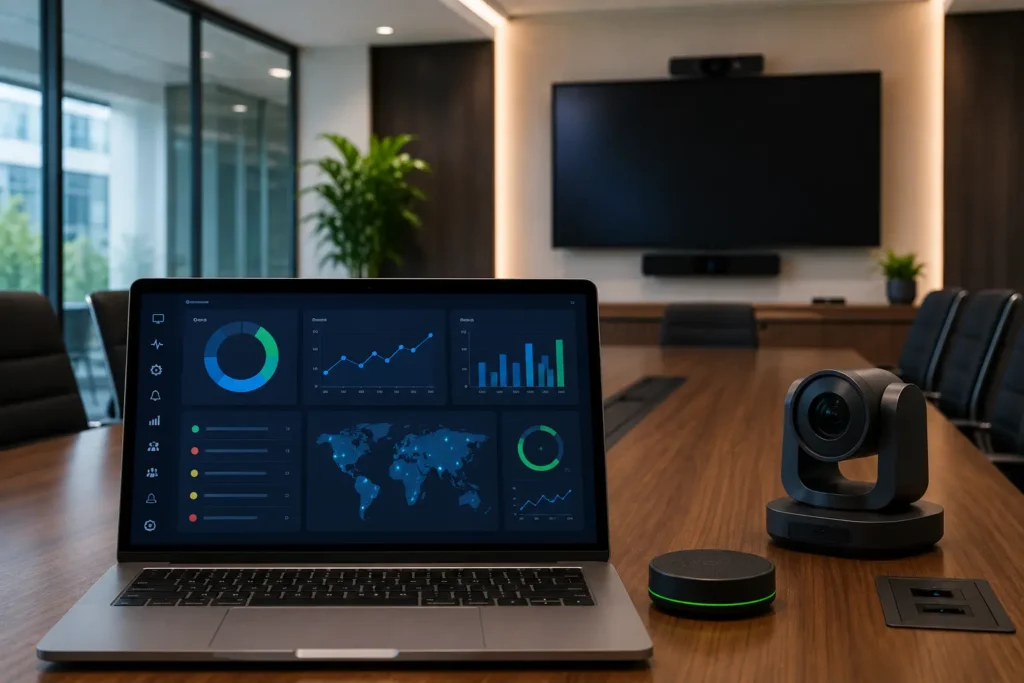
Q-SYS Monitoring

Set up monitoring in Q-SYS by enabling system tracking in Q-SYS Designer, connecting to Reflect, and configuring alerts like device failures, signal loss, and network issues.

To set up Q-SYS system monitoring and alerts, enable monitoring in Q-SYS Designer, connect your Core to Q-SYS Reflect, and configure alert triggers such as offline devices, CPU thresholds, or signal loss. Use email, SNMP, or API-based notifications to receive real-time alerts and prevent AV downtime.

Why Q-SYS Monitoring Matters in Modern AV Systems

AV systems rarely fail quietly—they fail loudly, publicly, and usually during important meetings.

That’s why proactive monitoring has become essential. According to AVIXA, organizations that adopt proactive AV monitoring reduce downtime and improve overall system reliability.

The QSC ecosystem offers a unified platform where control, DSP, and monitoring work together. As a result, AV teams can detect and fix issues before users even notice them.

Key Benefits of Q-SYS Monitoring

  • Real-time system visibility
  • Faster troubleshooting
  • Reduced downtime
  • Better user experience
  • Data-driven AV decisions

What You Need Before Setting Up Q-SYS Monitoring

Before you configure Q-SYS monitoring setup, ensure your system includes:

1. Q-SYS Core Processor

The Core device acts as the central engine for monitoring and control.

2. Q-SYS Designer Software

You will configure monitoring logic and alerts here.

3. Stable Network Infrastructure

Monitoring depends on consistent IP communication.

4. Q-SYS Reflect (Recommended)

Reflect enables centralized and remote monitoring across multiple locations.

Step-by-Step Q-SYS Monitoring Setup

Let’s break down the Q-SYS monitoring setup into simple steps.

Step 1: Enable Monitoring in Q-SYS Designer

Open your design file and configure system-level monitoring:

  • Enable SNMP agent
  • Assign meaningful system names
  • Configure device identification

👉 Use clear naming conventions like:
“ConferenceRoom_Display_Left” instead of “Display01”

This small step dramatically improves troubleshooting speed.

Step 2: Connect Your Core to Q-SYS Reflect

Connecting to Reflect transforms your monitoring from local to enterprise-level.

Once connected, you can:

  • Monitor systems remotely
  • Track device health in real time
  • Access logs and alerts centrally

This step is critical if you manage multiple rooms or sites.

Step 3: Configure Monitoring Components

Q-SYS allows you to monitor multiple parameters inside your design.

Key Metrics to Monitor:

  • Device online/offline status
  • Signal presence (audio/video)
  • CPU and memory usage
  • Network performance
  • Peripheral device health

Use:

  • Status components
  • Named controls
  • Lua scripting (for advanced logic)

These tools help you build a powerful AV system monitoring framework.

How to Configure Alerts in Q-SYS

Monitoring without alerts is useless. Alerts turn data into action.

Common Alert Triggers

  • Device goes offline
  • Signal loss detected
  • CPU usage exceeds threshold
  • Temperature rises beyond safe limits
  • Network disconnects

Alert Methods You Can Use

1. Email Alerts

Configure SMTP settings to notify your team instantly.

2. SNMP Traps

Integrate with enterprise tools like:

  • SolarWinds
  • PRTG
  • Nagios

3. API/Webhooks

Send alerts to:

  • Ticketing systems
  • Custom dashboards
  • Slack or Teams

Build a Simple Monitoring Dashboard

A clear dashboard helps teams react quickly.

Use Q-SYS UCI to display:

  • System status overview
  • Device health indicators
  • Active alerts
  • Performance metrics

Dashboard Design Tips

  • Green = Normal
  • Yellow = Warning
  • Red = Critical

Keep it simple. Complexity slows response time.

Best Practices for Q-SYS Monitoring Setup

1. Use Smart Naming Conventions

Clear labels reduce confusion during troubleshooting.

2. Set Practical Alert Thresholds

Avoid unnecessary alerts.

Example:

  • CPU alert at 85–90%
  • Temperature based on manufacturer guidelines

3. Prevent Alert Fatigue

Too many alerts lead to ignored alerts.

Focus only on:

  • Critical issues
  • Performance-impacting events

4. Test Your Monitoring System

Always simulate real failures:

  • Disconnect devices
  • Disable network
  • Verify alert triggers

5. Document Your Setup

Maintain records of:

  • Alert rules
  • Device list
  • Notification channels

This improves long-term maintainability.

Common Mistakes to Avoid

❌ Ignoring Network Health

Network issues often trigger false alerts.

❌ Overcomplicating Dashboards

Complex dashboards delay decision-making.

❌ No Alert Prioritization

Treating all alerts equally creates chaos.

❌ Skipping Q-SYS Reflect

Without Reflect, remote monitoring becomes limited.

Real Enterprise Use Case

Imagine managing 100+ meeting rooms.

Without monitoring:

  • Users report problems after failure
  • IT reacts late
  • Productivity drops

With Q-SYS monitoring:

  • You receive alerts instantly
  • You fix issues before meetings start
  • Users never notice problems

That’s proactive AV in action.

How Q-SYS Monitoring Improves ROI

Monitoring directly impacts business performance.

Key ROI Benefits:

  • Reduced downtime
  • Lower support costs
  • Faster issue resolution
  • Longer system lifespan

Industry insights from AVIXA show that proactive maintenance reduces operational disruptions compared to reactive support models.

Future of AV Monitoring with Q-SYS

AV monitoring is evolving rapidly.

What’s Coming Next:

  • AI-based predictive alerts
  • Cloud-first AV monitoring
  • Integration with collaboration tools

The goal is simple: fix issues before they happen.

FAQs

1. What is Q-SYS monitoring setup?

Q-SYS monitoring setup involves configuring system tracking, device health monitoring, and alert mechanisms to ensure AV systems run smoothly without interruptions.

2. How do Q-SYS alerts work?

Q-SYS alerts trigger when predefined conditions occur, such as device failures or signal loss. Notifications are sent via email, SNMP, or APIs.

3. Do I need Q-SYS Reflect?

Reflect is not mandatory, but it is highly recommended for centralized and remote monitoring across multiple locations.

4. Can Q-SYS integrate with IT monitoring tools?

Yes, Q-SYS supports SNMP integration, allowing connection with enterprise monitoring systems like SolarWinds and PRTG.

5. What should I monitor in Q-SYS systems?

Focus on device status, CPU usage, signal presence, network health, and temperature for optimal system performance.


{ “@context”: “https://schema.org”, “@type”: “FAQPage”, “mainEntity”: [ { “@type”: “Question”, “name”: “What is Q-SYS monitoring setup?”, “acceptedAnswer”: { “@type”: “Answer”, “text”: “Q-SYS monitoring setup involves configuring system tracking, device health monitoring, and alert mechanisms to ensure AV systems run smoothly without interruptions.” } }, { “@type”: “Question”, “name”: “How do Q-SYS alerts work?”, “acceptedAnswer”: { “@type”: “Answer”, “text”: “Q-SYS alerts trigger when predefined conditions occur, such as device failures or signal loss. Notifications are sent via email, SNMP, or APIs.” } }, { “@type”: “Question”, “name”: “Do I need Q-SYS Reflect?”, “acceptedAnswer”: { “@type”: “Answer”, “text”: “Reflect is not mandatory, but it is highly recommended for centralized and remote monitoring across multiple locations.” } }, { “@type”: “Question”, “name”: “Can Q-SYS integrate with IT monitoring tools?”, “acceptedAnswer”: { “@type”: “Answer”, “text”: “Yes, Q-SYS supports SNMP integration, allowing connection with enterprise monitoring systems like SolarWinds and PRTG.” } }, { “@type”: “Question”, “name”: “What should I monitor in Q-SYS systems?”, “acceptedAnswer”: { “@type”: “Answer”, “text”: “Focus on device status, CPU usage, signal presence, network health, and temperature for optimal system performance.” } } ] }

How to Set Up Q-SYS System Monitoring and Alerts (2026 Expert Guide) Read More »

What Is AV Integration? A Complete Beginner’s Guide

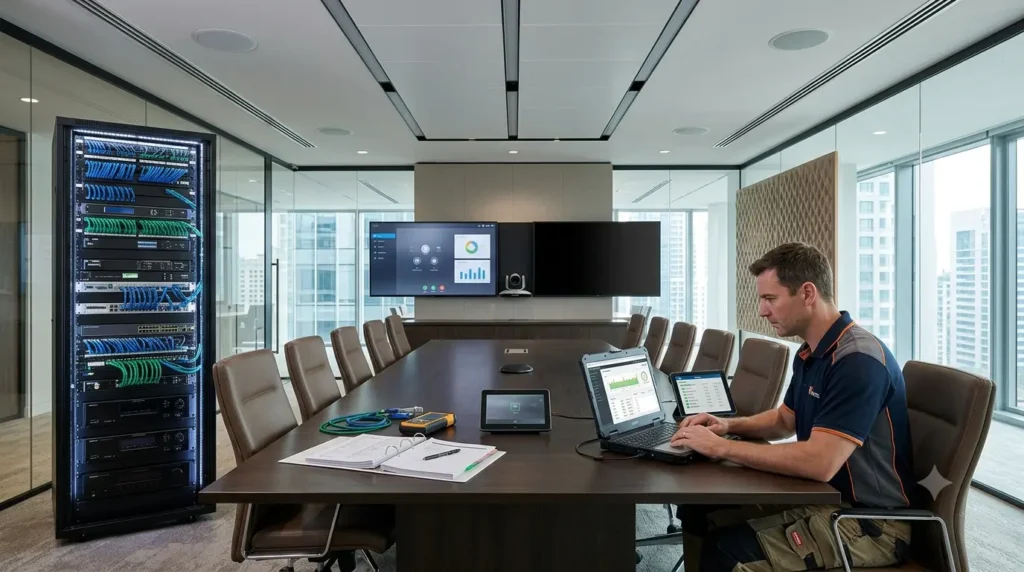
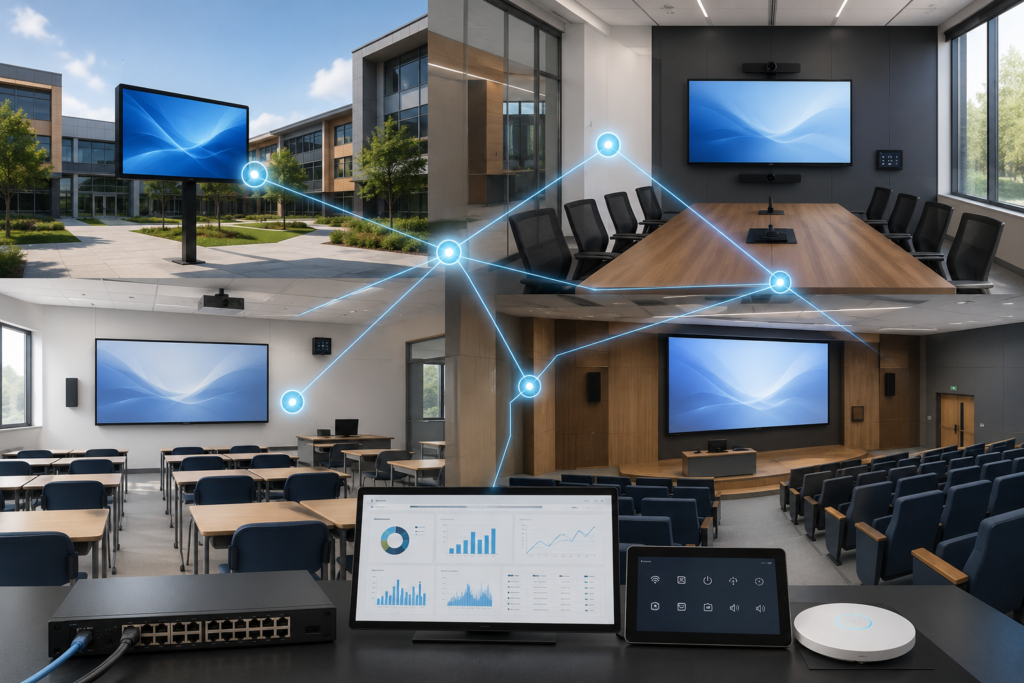
Q-SYS Monitoring

Modern businesses rely on technology to communicate, collaborate, and deliver better experiences. Whether it’s a meeting room, classroom, conference center, or retail space, audio visual (AV) technology plays a critical role in daily operations.

However, simply purchasing displays, speakers, microphones, and control systems is not enough. These technologies need to work together seamlessly. That is where AV integration comes in.

In this beginner’s guide, we’ll explain what AV integration is, how it works, its benefits, and why businesses are investing in professional AV integration services.

What Is AV Integration?

AV integration is the process of connecting audio, video, control, and communication technologies into a single, unified system.

The goal is simple: ensure all AV equipment works together efficiently and delivers a consistent user experience.

An integrated AV system may include:

  • Displays and video walls
  • Projectors
  • Speakers and microphones
  • Video conferencing systems
  • Control systems
  • Digital signage
  • Wireless presentation tools
  • Room scheduling solutions
  • Network-connected AV devices

Instead of managing each device separately, AV integration creates a centralized system that is easier to operate and maintain.

How Does AV Integration Work?

AV integration combines multiple technologies through careful planning, programming, configuration, and testing.

A typical AV integration project involves:

System Design

The process begins by understanding business requirements and designing an AV solution that meets operational needs.

Equipment Selection

The right hardware is selected based on room size, user requirements, budget, and desired functionality.

Infrastructure Planning

Network connectivity, cabling, power requirements, and device placement are planned to ensure reliable performance.

System Programming

Control systems and automation platforms are programmed so users can manage devices through a simple interface.

Installation and Configuration

Devices are installed, connected, and configured to work as a single system.

Testing and Commissioning

The system undergoes testing to verify functionality, performance, and user experience before deployment.

What Does the AV Integration Process Look Like?

Successful AV integration involves much more than installing displays and connecting cables.

A professional AV integration project follows a structured process that ensures all technologies work together seamlessly and deliver the expected user experience.

1. Discovery and Consultation

The project begins by understanding business goals, room requirements, user needs, and technical challenges.

2. AV System Design

AV consultants create system designs, schematics, equipment lists, and infrastructure requirements.

3. Equipment Selection

The right technologies are selected based on performance, scalability, budget, and project objectives.

4. Programming and Configuration

Control systems, automation workflows, and user interfaces are programmed to simplify operation.

5. Installation and Integration

AV hardware is installed, connected, and integrated into a unified environment.

6. Testing and Commissioning

Every device, signal path, and user workflow is tested to ensure optimal performance.

7. User Training and Support

End users and support teams receive training to maximize system adoption and long-term success.

Why Is AV Integration Important?

AV integration helps organizations maximize the value of their technology investments.

Without integration, users often face:

  • Complicated room controls
  • Audio issues
  • Device compatibility problems
  • Poor meeting experiences
  • Increased support requests

A professionally integrated system helps eliminate these challenges and improves reliability.

AV Integration vs AV Installation: What’s the Difference?

Many people use the terms AV installation and AV integration interchangeably, but they are not the same.

AV Installation

AV Integration

Focuses on installing hardware

Focuses on creating a complete AV solution

Connects individual devices

Connects and optimizes entire systems

Limited testing

Comprehensive testing and commissioning

Basic functionality

Enhanced user experience and automation

Hardware deployment

Long-term operational performance

Think of installation as setting up the equipment, while integration ensures everything works together efficiently.

What Are the Benefits of AV Integration?

Improved User Experience

Users can operate meeting rooms and collaboration spaces with minimal training.

Simple controls reduce frustration and improve productivity.

Better Collaboration

Integrated AV systems support seamless communication between in-person and remote participants.

This is especially important in hybrid work environments.

Increased Reliability

When devices are designed to work together, system performance improves and downtime decreases.

Simplified Management

Centralized control allows IT and AV teams to monitor and manage systems more efficiently.

Scalability

Integrated systems can grow alongside business requirements and technology upgrades.

How Does AV Integration Improve Business Outcomes?

AV integration is not just a technology project. It is a business investment.

Organizations that deploy professionally integrated AV systems often experience:

Improved Meeting Experiences

Reliable audio, video, and collaboration tools help meetings run smoothly.

Reduced Downtime

Integrated systems are easier to monitor, troubleshoot, and maintain.

Better Productivity

Employees spend less time dealing with technology issues and more time collaborating.

Consistent User Experiences

Standardized room designs create familiar experiences across offices and locations.

Lower Support Costs

Well-integrated systems reduce support tickets and minimize reactive troubleshooting.

Where Is AV Integration Used?

AV integration is used across many industries.

Corporate Offices

Businesses use integrated AV systems for:

  • Meeting rooms
  • Boardrooms
  • Training spaces
  • Collaboration areas

Education

Schools and universities deploy AV integration for:

  • Classrooms
  • Lecture halls
  • Distance learning
  • Campus-wide communication

Healthcare

Healthcare facilities use AV systems for:

  • Telemedicine
  • Staff communication
  • Patient information displays

Government

Government organizations rely on integrated AV solutions for:

  • Control rooms
  • Council chambers
  • Public communication

Hospitality

Hotels and event venues use AV technology for:

  • Conference rooms
  • Digital signage
  • Guest experiences
  • Event spaces

What Technologies Are Commonly Integrated?

Modern AV integration projects often include technologies from leading manufacturers such as:

  • Crestron
  • Q-SYS
  • Extron
  • Biamp
  • Logitech
  • Microsoft Teams Rooms
  • Zoom Rooms
  • Cisco Collaboration Devices

The objective is to ensure these technologies work together within a unified environment.

What Challenges Does AV Integration Solve?

Many organizations experience common AV problems before integration.

These include:

Poor Audio Quality

Integrated DSPs and audio systems improve speech clarity and meeting effectiveness.

Complicated Controls

Centralized control systems simplify room operation.

Device Compatibility Issues

Integration ensures equipment communicates properly across platforms.

Inconsistent User Experiences

Standardized room designs create consistent experiences across multiple locations.

Limited Visibility

Monitoring and management tools provide insight into system health and performance.

Why Choose Professional AV Integration Services?

AV integration involves much more than connecting cables.

Professional AV integrators provide:

  • System design expertise
  • Equipment recommendations
  • Technical documentation
  • Programming services
  • Testing and commissioning
  • Ongoing support

A professional approach helps reduce project risks and ensures systems perform as expected.

How Does AV Integration Support Hybrid Work?

Hybrid work has transformed workplace technology requirements.

Employees expect reliable video conferencing, high-quality audio, and easy room operation regardless of location.

Integrated AV systems help organizations:

  • Improve collaboration
  • Support remote participants
  • Reduce meeting disruptions
  • Enhance workplace productivity

This makes AV integration a critical component of modern workplace strategies.

What Should Businesses Consider Before Starting an AV Integration Project?

Before investing in AV integration, consider:

  • Business goals
  • Room requirements
  • User needs
  • Budget
  • Future scalability
  • Support and maintenance requirements

Working with experienced AV consultants and integrators can help ensure long-term success.

Industry Insight: Why AV Integration Matters More Than Ever

Industry organizations such as AVIXA continue to highlight the growing convergence of AV and IT technologies.

Modern workplaces increasingly depend on unified communications, cloud collaboration platforms, room automation, and network-connected AV systems.

As organizations support hybrid work and digital transformation initiatives, professionally integrated AV environments become essential for delivering reliable user experiences and maximizing technology investments.

Need Professional AV Integration Services?

Whether you’re deploying Microsoft Teams Rooms, Zoom Rooms, Crestron, Q-SYS, Extron, Biamp, or other AV technologies, professional integration ensures every component works together seamlessly.

Zapperr AV provides AV integration services across Australia and New Zealand, helping businesses design, program, commission, and optimize modern AV environments.

From meeting rooms and boardrooms to enterprise-wide deployments, our certified engineers deliver scalable, reliable, and future-ready AV solutions.

Contact Zapperr AV today to discuss your AV integration project.

Frequently Asked Questions

What is the difference between AV integration and AV installation?

AV installation focuses on deploying equipment, while AV integration ensures all technologies work together as a unified system.

What does an AV integrator do?

An AV integrator designs, programs, installs, configures, tests, and supports audio visual systems to ensure optimal performance.

How much does AV integration cost?

The cost depends on room size, technology requirements, system complexity, and project scope.

Why is AV integration important for hybrid workplaces?

Integrated AV systems provide reliable video conferencing, collaboration, and room automation that support both in-office and remote participants.

What industries benefit from AV integration?

Corporate offices, education, healthcare, government, hospitality, retail, and entertainment organizations all benefit from professional AV integration services.

Conclusion

AV integration is the foundation of modern communication and collaboration environments.

By connecting audio, video, control, and communication technologies into a unified system, organizations can improve productivity, enhance user experiences, and maximize technology investments.

Whether you’re building a new meeting room, upgrading collaboration spaces, or planning a large enterprise deployment, professional AV integration ensures your technology works together seamlessly and reliably.

What Is AV Integration? A Complete Beginner’s Guide Read More »

AV System Not Working? Common Issues and How to Fix Them Fast

Technician fixing AV system with display and audio equipment

If your AV system is not working, it’s usually due to loose cables, wrong input selection, software glitches, or network issues. Start by checking connections, restarting devices, verifying inputs, and updating software. For recurring problems, professional AV support and monitoring are essential.

What Does “AV System Not Working” Mean?

An AV system failure can include:

  • No display on screen
  • No sound or distorted audio
  • Video conferencing not connecting
  • System freezing or not responding

These issues are common in modern workplaces where AV systems are integrated with networks, software, and control platforms.

 Common AV Issues and Quick Fixes 

IssueMost Likely CauseQuick Fix
No PowerLoose cable / faulty outletCheck power & reset breaker
No DisplayWrong input / bad cableSelect correct input & reconnect
No SoundMuted / wrong outputCheck volume & audio settings
Frozen SystemSoftware glitchRestart system
Video Conferencing IssuesApp/device mismatchSelect correct camera/mic
Signal DropPoor cables/interferenceReplace cables
Network IssuesIP/VLAN problemsCheck network settings

👉 This quick table helps users fix most issues in under 5 minutes.

1. No Power to AV Equipment

🚨 Problem:

Devices won’t turn on.

🔍 Causes:

  • Loose or unplugged power cables
  • Faulty outlet
  • Tripped breaker

âś… Fix:

  • Check and secure all cables
  • Test power outlet
  • Reset breaker

đź’ˇ Tip: Use a UPS to avoid unexpected shutdowns.

2. No Display on Screen

🚨 Problem:

Black screen or “No Signal”.

🔍 Causes:

  • Incorrect input source
  • Faulty HDMI cable
  • Source device inactive

âś… Fix:

  • Select correct input (HDMI 1, HDMI 2)
  • Reconnect or replace cable
  • Restart laptop or media device

3. No Sound or Poor Audio

🚨 Problem:

No audio or distorted sound.

🔍 Causes:

  • Muted system
  • Wrong audio output
  • Loose speaker cables

âś… Fix:

  • Check volume and mute
  • Select correct output device
  • Inspect connections

4. AV System Freezing or Not Responding

🚨 Problem:

Touch panel or control system stops working.

🔍 Causes:

  • Software bugs
  • Network communication failure
  • Overloaded system

âś… Fix:

  • Restart control system
  • Power cycle all devices
  • Check network connection

⚠️ If this happens often, it indicates poor AV programming or system design.

5. Video Conferencing Not Working

🚨 Problem:

Camera, mic, or meeting platform not functioning.

🔍 Causes:

  • Wrong device selected
  • Outdated software
  • Internet issues

âś… Fix:

  • Select correct camera and microphone
  • Restart app (Zoom/Teams)
  • Update software
  • Check internet

6. Intermittent Signal Drop

🚨 Problem:

Audio/video cuts in and out.

🔍 Causes:

  • Low-quality cables
  • Signal interference
  • Loose connectors

âś… Fix:

  • Replace cables with high-quality ones
  • Secure all connections
  • Improve airflow to avoid overheating

7. Network-Related AV Issues

🚨 Problem:

AV over IP systems not working.

🔍 Causes:

  • Network congestion
  • IP conflicts
  • VLAN misconfiguration

âś… Fix:

  • Restart network switches
  • Check IP settings
  • Ensure proper network setup

💡 Modern AV systems rely heavily on network performance—this is a critical area.

Why Modern AV Systems Fail More Often

Today’s AV systems are more advanced—but also more complex.

They depend on:

  • Network infrastructure
  • Software platforms
  • Control systems
  • Multiple integrated devices

According to AVIXA, increasing system complexity is one of the main reasons for AV failures in modern workplaces.

How to Prevent AV Problems (Long-Term Fix)

Instead of reacting to issues, focus on prevention.

âś… Best Practices:

  • Regular AV system maintenance
  • Use certified, high-quality components
  • Keep firmware updated
  • Train staff on proper usage
  • Implement real-time monitoring

Why AV Monitoring Is Critical in 2026

Most AV failures don’t happen instantly—they build over time.

With proactive monitoring, you can:

  • Detect issues before users notice
  • Reduce downtime
  • Fix problems remotely
  • Improve system reliability

This shift from break-fix to proactive service is now recommended by experts and consulting firms like Deloitte.

When Should You Call an AV Expert?

You should seek professional help if:

  • Issues happen frequently
  • Systems fail during critical meetings
  • Multiple rooms are affected
  • Troubleshooting doesn’t work

At this stage, the issue is usually design, integration, or programming-related—not just a simple fix.

Why Choose ZapperrAV?

ZapperrAV helps businesses eliminate AV issues with:

  • âś” AV Consulting (better system design)
  • âś” AV Integration (seamless setup)
  • âś” AV Programming (reliable automation)
  • âś” AV Monitoring (prevent failures before they happen)

Conclusion

AV system problems are common—but they don’t have to disrupt your business.

By understanding these 7 common issues and applying quick fixes, you can restore functionality fast.

For long-term reliability, the real solution is professional AV support and proactive monitoring.

Need Help Fixing Your AV System?

If your AV system keeps failing or you want to prevent issues before they happen:

👉 Contact ZapperrAV today for expert AV consulting, integration, and monitoring solutions across Australia & New Zealand.

AV System Not Working? Common Issues and How to Fix Them Fast Read More »

AV Consulting and Programming for Integrators in Australia & New Zealand

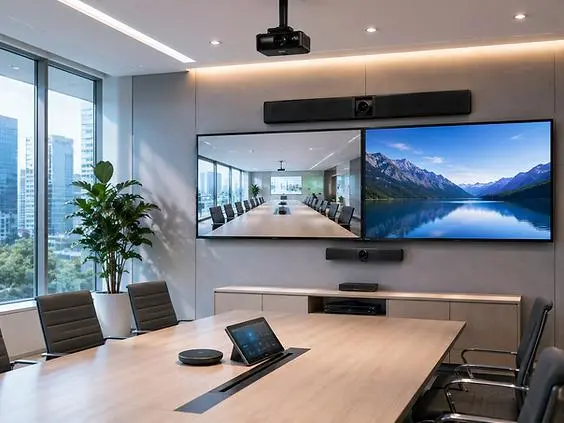
AV consulting and programming for integrators in Australia and New Zealand modern meeting room setup

AV consulting and programming for integrators in Australia and New Zealand helps design, automate, and optimize audiovisual systems to ensure seamless performance, scalability, and user-friendly operation across modern business environments.

What is AV Consulting and Programming for Integrators?

Short answer:
AV consulting plans the system, and AV programming makes it work.

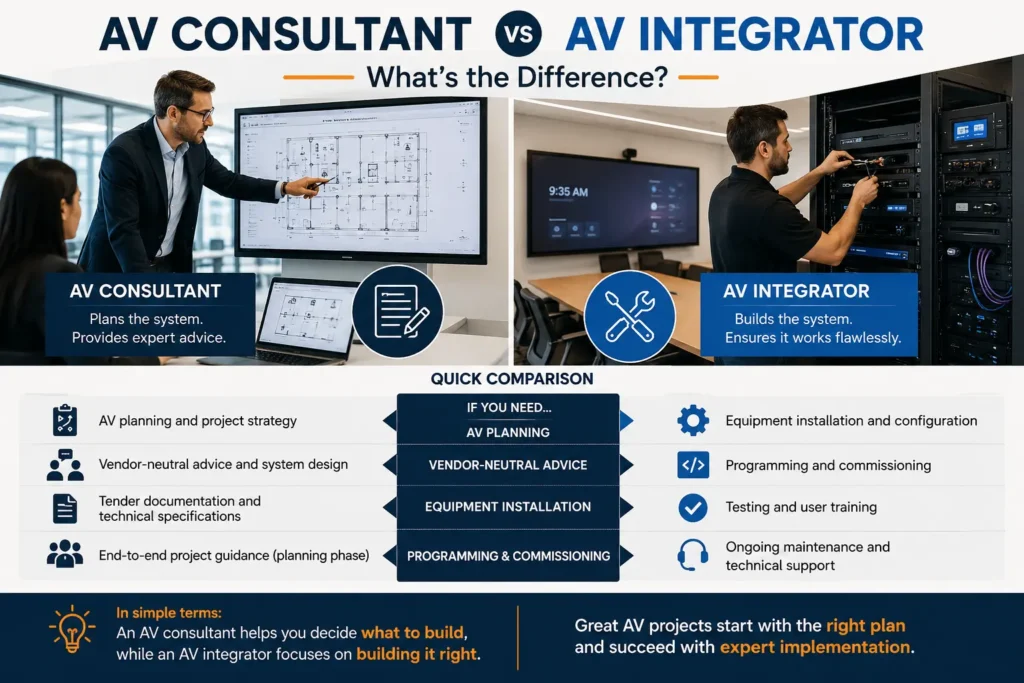
AV consulting focuses on designing audio visual solutions in Australia and New Zealand based on business needs, infrastructure, and long-term scalability. AV programming ensures that all AV components—displays, audio systems, cameras, and control platforms—communicate seamlessly.

For integrators, this ensures systems are not just installed but fully optimized for performance and usability.

👉 This is essential when delivering complete AV integration services in Australia and New Zealand, where reliability and automation are critical.

Why Do Integrators in Australia & New Zealand Need AV Consulting and Programming?

Short answer:
Because installation alone doesn’t guarantee performance—design and control do.

Without proper consulting and programming, integrators often face:

  • Device compatibility issues
  • Poor user experience
  • Frequent system failures

According to industry insights from AVIXA, poor system design is a major cause of AV project delays and inefficiencies.

Key Benefits:

  • Reduced project risks
  • Faster deployments
  • Improved system performance
  • Higher client satisfaction

👉 Businesses today expect complete audio visual solutions in Australia and New Zealand, not just basic AV installations.

What Does AV Consulting Include?

Short answer:
It defines how your AV system is planned, structured, and future-proofed.

Core Consulting Services:

  • Requirement analysis
  • AV system design and architecture
  • Equipment selection
  • Network and infrastructure planning
  • Scalability and future-proofing

A strong consulting approach ensures every component works together efficiently from the start.

👉 This aligns closely with AV design services in Australia and New Zealand for accurate system planning.

What Does AV Programming Involve?

Short answer:
It connects, automates, and controls all AV components.

Key Programming Capabilities:

  • Control system programming (touch panels, automation)
  • Device integration (audio, video, displays)
  • Signal routing and switching
  • Custom user interface (UI/UX) design
  • Remote control and monitoring setup

Platforms like Crestron, Q-SYS, and Extron are widely used in enterprise AV environments.

👉 Advanced programming is essential for delivering high-performance AV programming services in Australia and New Zealand.

How AV Consulting Improves Project Success

Short answer:
It reduces errors, saves costs, and ensures long-term efficiency.

Key Advantages:

1. Better System Design

Prevents compatibility issues and performance bottlenecks.

2. Cost Optimization

Avoids overspending on unnecessary equipment.

3. Faster Deployment

Clear planning reduces delays and rework.

4. Future Scalability

Systems can grow with business needs.

A Deloitte study shows early planning can reduce rework costs by up to 30%.

How AV Programming Enhances System Performance

Short answer:
It ensures systems are reliable, automated, and easy to use.

Key Benefits:

1. Automation

One-touch control simplifies complex systems.

2. Reliability

Reduces downtime and system failures.

3. Customization

Tailors systems to specific business needs.

4. Remote Monitoring

Allows integrators to manage systems without on-site visits.

👉 Integrators increasingly combine this with AV monitoring solutions to proactively manage system performance.

What Problems Occur Without Proper AV Programming?

Short answer:
Systems become unreliable, complex, and expensive to maintain.

Common Issues:

  • Devices not communicating
  • Confusing user interfaces
  • Frequent system failures
  • High maintenance costs

Poor programming remains one of the leading causes of AV system issues in enterprise environments.

What Are the Latest AV Trends in Australia & New Zealand?

Short answer:
AI, automation, and remote monitoring are shaping modern AV systems.

Key Trends:

1. AI-Powered AV Systems

Automates system performance and optimization.

2. Remote AV Monitoring

Provides real-time alerts and diagnostics.

3. Cloud-Based AV Management

Enables centralized control across multiple locations.

4. Hybrid Workplace AV

Supports remote and in-office collaboration.

According to Statista, investment in collaboration technology is increasing due to hybrid work adoption.

Why Businesses Need AV Consulting Services in Australia & New Zealand

Short answer:
Because modern workplaces demand reliable and scalable AV systems.

Businesses rely on AV systems for:

  • Communication
  • Collaboration
  • Presentations
  • Remote meetings

Without proper consulting and programming, these systems fail to deliver expected results.

👉 Choosing the right AV consulting services in Australia and New Zealand ensures long-term performance and ROI.

How to Choose the Right AV Consulting Partner in Australia & New Zealand

Short answer:
Look for expertise, certifications, and proven results.

Key Factors:

  • Industry experience
  • Certifications (Crestron, Q-SYS, etc.)
  • Portfolio and case studies
  • End-to-end service capability
  • Ongoing support

👉 The best providers offer complete AV integration services in Australia and New Zealand along with consulting and programming.

How AV Consulting and Programming Work Together

Short answer:
Consulting designs the system; programming brings it to life.

Think of it simply:

  • Consulting = Strategy
  • Programming = Execution

Both are essential for delivering high-performance AV systems.

Real-World Use Cases in Australia & New Zealand

Short answer:
AV consulting and programming are used across multiple industries.

Corporate Offices

Meeting rooms, boardrooms, hybrid collaboration systems

Healthcare

Command centers, patient communication systems

Education

Smart classrooms, lecture capture systems

Hospitality

Event AV systems, digital signage

👉 These industries depend heavily on audio visual solutions in Australia and New Zealand for daily operations.

How Integrators Can Improve AV Project Outcomes

Short answer:
Focus on planning, programming, and continuous optimization.

Best Practices:

  • Start AV planning early
  • Use standardized programming frameworks
  • Test systems thoroughly
  • Implement remote monitoring
  • Train end users

FAQs

What is AV consulting and programming?

AV consulting designs AV systems, while programming configures and automates them for seamless performance.

Why is AV programming important?

It ensures all AV devices work together smoothly, improving reliability and user experience.

How much do AV consulting services cost in Australia and New Zealand?

Costs vary depending on project size, complexity, and technology requirements.

What industries benefit from AV consulting?

Corporate, healthcare, education, and hospitality sectors benefit the most.

What tools are used in AV programming?

Common platforms include Crestron, Q-SYS, and Extron.

🚀 Final Thoughts

AV consulting and programming for integrators in Australia and New Zealand are essential for delivering reliable, scalable, and future-ready AV systems.

Today, businesses expect more than installation—they need complete audio visual solutions in Australia and New Zealand that improve performance and user experience.

👉 To stay competitive, integrators must focus on:

  • Smart AV design
  • Advanced programming
  • Integrated monitoring

📞 Get Expert Help

Need AV consulting or programming services? Contact ZapperrAV for a tailored solution.

AV Consulting and Programming for Integrators in Australia & New Zealand Read More »

Benefits of Early AV Integration in Building Design and Construction

AV integration planning during building design and construction

Early AV integration in building design reduces costs, prevents delays, improves system performance, and ensures scalable, future-ready AV environments.

What is early AV integration?
Early AV integration is the process of planning and implementing audiovisual systems during the initial design and construction phases to ensure seamless performance, lower costs, and long-term scalability.

Why AV Integration in Construction Must Start Early

Short answer: Late AV planning creates problems. Early AV integration prevents them.
Reality: Fixing AV issues during construction is far more expensive than designing them correctly from the start.

Many projects still treat AV as a final step. This leads to redesigns, delays, and compromised performance.

Early AV integration ensures:

  • Alignment with architectural design
  • Proper infrastructure planning
  • Smooth collaboration across teams

According to AVIXA, integrating AV systems early improves reliability and reduces deployment challenges in complex environments.

How Does Early AV Integration Reduce Costs?

Short answer: It eliminates expensive rework.
Reality: Changes during construction cost significantly more than planning ahead.

Late-stage AV changes often require:

  • Rewiring
  • Structural modifications
  • Equipment relocation

đź’° Cost Benefits of AV Integration

  • Avoids redesign and reconstruction
  • Reduces labor and material waste
  • Minimizes installation errors
  • Prevents project overruns

According to McKinsey & Company, rework can account for 5–10% of total construction costs.

👉 Early AV integration directly reduces these avoidable expenses.

Real-World Example: Cost Savings Through Early AV Integration

Short answer: Early planning delivers measurable savings.

A corporate office project integrated AV systems during the design phase instead of after construction.

The result:

  • Reduced installation time
  • Eliminated rework
  • Improved system performance

👉 The project avoided costly structural modifications and delivered faster completion.

Does AV Integration Improve Building Performance?

Short answer: Yes, significantly.
Reality: AV systems perform best when designed with the building—not added later.

AV systems depend on:

  • Acoustic design
  • Power availability
  • Network infrastructure
  • Physical space planning

📊 Performance Benefits

  • Clear audio and optimized acoustics
  • Proper screen visibility and placement
  • Stable connectivity
  • Fewer system failures

According to Deloitte, integrated digital systems improve operational efficiency in modern buildings.

How Does AV Integration Enhance User Experience?

Short answer: Seamless AV = better user experience.
Reality: Users expect technology to just work.

Poor AV setups lead to:

  • Meeting delays
  • Audio/video issues
  • Frustrating user interfaces

Early AV integration ensures:

  • Intuitive controls
  • Consistent performance
  • Reliable collaboration tools

👉 This is critical in hybrid workplaces where communication must be flawless.

Why AV Integration Is Critical for Smart Buildings

Short answer: AV is part of the smart ecosystem.
Reality: Buildings are evolving into connected digital environments.

Modern buildings include:

  • IoT systems
  • Automation platforms
  • Unified communication tools

According to Statista, smart building adoption is growing globally due to demand for connected infrastructure.

👉 Early AV integration ensures compatibility with these systems.

Planning a new building project?
👉 Start your AV integration early to avoid costly delays and ensure seamless performance.

Can Early AV Integration Prevent Project Delays?

Short answer: Yes, it reduces delays significantly.
Reality: AV issues are a common cause of project bottlenecks.

Common delay triggers:

  • Missing infrastructure
  • Incorrect system placement
  • Network compatibility issues

⏱️ Delay Prevention Benefits

  • Aligns AV with construction timelines
  • Eliminates last-minute changes
  • Ensures readiness before handover

👉 Projects stay on schedule when AV integration starts early.

How Does AV Integration Support Scalability?

Short answer: It prepares buildings for future upgrades.
Reality: Technology evolves rapidly.

Without early AV planning:

  • Upgrades require major changes
  • Costs increase over time

đź”® Scalability Benefits

  • Flexible infrastructure
  • Upgrade-ready systems
  • Support for emerging technologies

This aligns with digital transformation trends from Gartner.

What Role Does AV Integration Play in Collaboration Spaces?

Short answer: It enables effective communication.

Modern collaboration depends on:

  • Video conferencing
  • Clear audio
  • Reliable displays

Early AV integration ensures:

  • Optimal room layouts
  • Proper device positioning
  • Strong connectivity

👉 Better collaboration leads to higher productivity.

How Does Early AV Integration Improve Safety and Compliance?

Short answer: It ensures systems meet standards from day one.

AV systems often connect with:

  • Emergency communication systems
  • Public address systems
  • Security systems

Early integration ensures:

  • Compliance with regulations
  • Reliable system performance
  • Effective emergency communication

What Happens When AV Integration Is Done Late?

Short answer: Costs increase and performance decreases.

⚠️ Common Problems

  • Poor cable management
  • Installation conflicts
  • Reduced system efficiency
  • Increased project costs

👉 Late AV integration almost always leads to compromises.

Industry Insights Supporting Early AV Integration

Short answer: Data confirms the shift toward early planning.

  • 📊 Construction rework costs reach 5–10% (McKinsey)
  • 📊 Smart building demand is growing (Statista)
  • 📊 Integrated systems improve efficiency (Deloitte)
  • 📊 AV demand is increasing in digital environments (AVIXA)
  • 📊 Infrastructure planning is driven by digital transformation (Gartner)

👉 These trends highlight why early AV integration is essential.

Best Practices for AV Integration in Building Design

Short answer: Plan early, collaborate, and design for the future.

âś… Key Strategies

  1. Involve AV experts during the design phase
  2. Coordinate with architects and engineers
  3. Plan power, network, and space requirements
  4. Use scalable AV system designs
  5. Validate designs before installation

👉 Collaboration ensures successful AV integration.

How ZapperrAV Supports Early AV Integration

Short answer: We integrate AV from day one.

We help with:

  • AV design and planning
  • AV programming and integration
  • Coordination with project teams
  • Scalable AV solutions

👉 Our approach ensures your AV systems perform perfectly fr

Planning a building project or upgrading your infrastructure?

👉 Partner with ZapperrAV for expert AV integration services that reduce costs, improve performance, and future-proof your systems.

 FAQs

1. What is AV integration in construction?

AV integration involves designing and implementing audiovisual systems within a building to ensure seamless functionality and performance.

2. Why is early AV integration important?

It reduces costs, prevents delays, and ensures AV systems align with building infrastructure.

3. Does AV integration save money?

Yes. It minimizes rework, reduces labor costs, and avoids expensive redesigns.

4. What industries benefit from AV integration?

Corporate, healthcare, education, hospitality, and smart buildings all benefit from AV integration.

5. Can AV systems be upgraded later?

Yes, but early AV integration makes upgrades easier, faster, and more cost-effective.

Benefits of Early AV Integration in Building Design and Construction Read More »

What a Hospital AV System Drawing Should Actually Include — And Why Most Don’t (2026 Guide)

Hospital AV system diagram showing devices, signal flow, network setup, and rack layout in healthcare environment

Hospital AV Single Line Diagrams (SLDs) must explicitly detail the intersection of hardware, network topology, and control logic—yet most fall short of a “commissioning-ready” standard.

The result? Technical debt, “Day 2” integration failures, and critical system downtime in high-stakes clinical environments.

In this technical guide, we break down what a professional Hospital AV Documentation Package must include to ensure a system is scalable, serviceable, and resilient.

Why Is Detailed AV Documentation Mission-Critical?

In healthcare, drawings are more than a blueprint; they are the as-built record of a clinical workflow. Without accurate Functional Schematics, onsite commissioning teams are forced to “field-engineer” solutions—a high-risk approach in life-safety environments.

Hospital AV Infrastructure supports:

  • Telehealth & Remote Diagnostics: Low-latency video paths.
  • Integrated Operating Theatres (Digital OR): Zero-latency signal routing.
  • Nurse Call Integration: Logic-based alert distribution.
  • Code Blue/Emergency Overrides: Priority-level audio ducking and paging.

What Should a Professional Hospital AV Design Package Include?

1. Device-Level Interconnects (The Schematic)

Every piece of hardware requires a unique Asset Tag and clearly defined I/O points.

  • Clinical Displays: Surgical monitors and patient entertainment (IPTV/Patient Engagement).
  • Capture Nodes: Telemedicine cameras and medical-grade encoders.
  • Transducers: Beamforming microphone arrays and 70V/100V distributed audio.
  • Processing: Core Control Processors and DSPs (Digital Signal Processors).

2. Signal Flow & Logic Paths

A Single Line Diagram (SLD) must allow a technician to trace a signal from source to sink without ambiguity.

  • Inputs/Sources: Medical PCs, Modal imaging, and BYOD interfaces.
  • Processing & Switching: Matrix routing, scaling, and DSP crosspoints.
  • Endpoints: Zero-client decoders, projectors, and clinical displays.

The Litmus Test: Can a programmer look at your drawing and understand the EDID strategy and HDCP handshake requirements?

3. Network Topology & AV-over-IP Architecture

Modern healthcare AV lives on the converged or isolated 10G network.

  • VLAN Tagging & Multicast Management: Essential for NAV (Networked AV) stability.
  • IP Addressing Schemas: Static vs. DHCP Reservations for control assets.
  • IGMP Snooping & QoS: Ensuring audio (Dante/AES67) and video (SDVoE/NVX) packets aren’t dropped.

4. Control System UI & Functional Logic

Control logic defines the user experience. Without a Functional Narrative, the UI is just a collection of buttons.

  • Automation Triggers: “Surgery Start” macros that trigger lighting presets, route medical cameras, and initiate recording.
  • Global Presets: Logic for combined/divided consultation suites.
  • Heartbeat Monitoring: Logic for proactive “Day 2” system health checks.

5. Rack Elevations & Thermal Management

Rack Layouts are critical for long-term reliability and service access.

  • RU Mapping: Logical placement for weight distribution and cable management.
  • Power Distribution (PDU): Managed PDUs for remote hard-reboots.
  • Thermal Calculations: Ensuring BTU output doesn’t exceed the rack’s cooling capacity.

6. Cable Schedules & Termination Standards

Cabling is the most common point of failure.

  • Media Types: Shielded CAT6A, OM3/OM4 Fiber, and high-speed HDMI/DP.
  • Termination Labels: Standardized Source/Destination tagging at both ends.
  • Pull-Schedules: Accurate lengths to prevent signal attenuation over passive runs.

7. Reflected Ceiling Plans (RCP) & Floor Layouts

  • Acoustic Coverage: Speaker dispersion maps and microphone pickup patterns.
  • Viewing Angles: Ensuring sightlines meet DISCAS (Display Image Size for 2D Content in Audiovisual Systems) standards.
  • Backing & Blocking: Physical mounting requirements for heavy clinical displays.

Why Do Most Hospital AV Drawings Fail?

  1. They are “Sales Drawings,” not “Shop Drawings”: They show what is in the room, but not how it communicates.
  2. Siloed Engineering: The AV design doesn’t account for the hospital’s IT security protocols or firewall restrictions.
  3. Missing “Day 2” Support Logic: No provision for remote monitoring, diagnostic ports, or system failovers.

The Zapperr Result: Commissioning-Ready Documentation

When AV documentation is executed with technical precision, project delivery accelerates.

  • Reduced Commissioning Windows: Programmers can pre-code based on the drawing.
  • MTTR (Mean Time to Repair): Onsite staff can diagnose faults in minutes using the schematic.
  • Interoperability: Seamless integration between Crestron/Q-SYS control and hospital BMS/EMR systems.

What a Hospital AV System Drawing Should Actually Include — And Why Most Don’t (2026 Guide) Read More »

Multi-Platform AV Programming Australia: Managing Crestron, Extron, Biamp & Dante

q s

Modern AV systems in Australia now combine multiple technologies instead of relying on a single vendor. Businesses, universities, and government facilities use integrated AV platforms to improve collaboration, scalability, and meeting room performance.

Multi-platform AV programming connects control systems, audio DSPs, switching platforms, and AV-over-IP networks into one seamless ecosystem.

Common platforms include:

  • Crestron for automation and room control
  • Extron for signal routing and switching
  • Biamp for audio DSP and conferencing
  • Dante for audio-over-IP networking

Why Multi-Platform AV Systems Are Growing in Australia

Australian organizations need flexible AV systems that support hybrid work, smart meeting rooms, and scalable infrastructure.

Benefits include:

  • Better user experience
  • Vendor flexibility
  • Easier scalability
  • Reduced downtime
  • Future-ready AV systems

This is why demand for professional Extron programming services and Biamp programming Australia solutions continues growing.

How These Platforms Work Together

Crestron – Automation & Control

Crestron manages:

  • Touch panels
  • Room automation
  • Device communication
  • Meeting workflows

It acts as the central control system.

Extron – Video Switching

Extron handles:

  • HDMI switching
  • Video routing
  • Signal distribution

Professional Extron programming services help businesses automate video workflows and simplify AV management.

Biamp – Audio DSP

Biamp improves:

  • Audio clarity
  • Echo cancellation
  • Conferencing performance

Expert Biamp programming Australia services help optimize meeting room audio for hybrid collaboration.

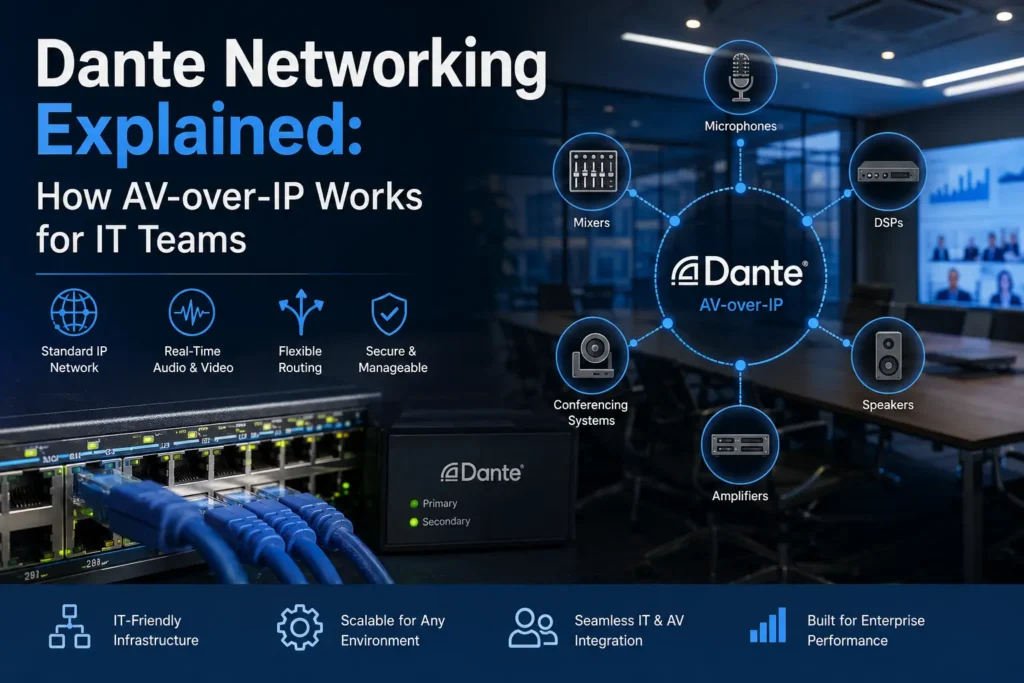
Dante – Audio-over-IP

Developed by Australian company Audinate, Dante allows scalable audio networking with low latency and reduced cabling.

Common Challenges

Multi-platform AV systems can become complex due to:

  • Different communication protocols
  • Network configuration issues
  • Troubleshooting across platforms
  • AV-over-IP management

Strong programming and network design are essential for reliability.

Best Practices

Successful AV integration projects in Australia usually include:

  • Centralized control systems
  • Dedicated AV VLANs
  • Modular programming
  • Real-time monitoring
  • Clear documentation

These practices improve system stability and reduce support issues.

Conclusion

Multi-platform AV programming is now essential for modern Australian workplaces.

By combining Crestron, Extron, Biamp, and Dante, organizations can create scalable, reliable, and future-ready AV environments.

Professional Extron programming services and advanced Biamp programming Australia solutions help ensure these systems operate smoothly across enterprise and commercial spaces.

Ready to Simplify Your Multi-Platform AV Systems?

Managing complex AV environments across multiple rooms, offices, or campuses requires the right programming expertise and integration strategy.

Whether you need reliable Extron programming services, advanced Biamp programming Australia support, or complete multi-platform AV integration, working with experienced AV programmers helps reduce downtime, improve user experience, and future-proof your AV infrastructure.

At Zapperr AV, we help businesses, AV integrators, and enterprise teams across Australia with:

  • Multi-platform AV programming
  • Crestron and Extron control systems
  • Biamp DSP programming
  • Dante audio networking
  • AV-over-IP integration
  • AV commissioning and troubleshooting
  • Enterprise meeting room automation

If you’re planning a new AV deployment or upgrading existing systems, our team can help design, program, and optimize a scalable AV solution tailored to your environment.

Contact Zapperr AV Today

  • Improve AV reliability
  • Reduce support issues
  • Simplify room control
  • Build scalable AV systems for the future

Visit Zapperr AV Contact Page to discuss your AV project with our team.

Multi-Platform AV Programming Australia: Managing Crestron, Extron, Biamp & Dante Read More »

Top 7 AV System Failures and How Programming Fixes Them (2026 Guide)

AV programming fixing common AV system failures like audio issues, control systems, and video conferencing in modern meeting rooms

AV programming prevents system failures by enabling automation, seamless integration, and real-time control, ensuring reliable performance across modern AV environments.

Modern AV systems combine networks, cloud platforms, and control hardware, increasing the risk of failures without proper configuration. According to AVIXA, misconfigured AV systems are a leading cause of meeting delays and operational disruptions. Organizations that implement AV programming and proactive monitoring can reduce downtime by up to 30%, improving reliability and performance.

For example, in a corporate meeting room, issues like inconsistent audio and camera switching can disrupt communication. With AV programming, systems automatically balance audio, switch cameras, and optimize performance. In hybrid environments, integration with conferencing tools ensures smooth collaboration without technical interruptions.

AV programming ensures AV systems work reliably by enabling automation, seamless integration, and real-time control. It prevents common failures like audio issues, system crashes, and user confusion while improving performance and user experience. Businesses use AV programming to reduce downtime and simplify operations. Learn more below.

What is AV Programming?

AV programming is the process of configuring control systems, automation, and device communication so that all audio visual components work together seamlessly. It enables centralized control, simplifies user interaction, and ensures consistent performance across meeting rooms, campuses, and enterprise environments.

AV System Failures vs AV Programming Fix 

IssueWithout AV ProgrammingWith AV Programming
Audio QualityInconsistent levelsAuto-balanced audio
ControlsComplex, confusingOne-touch interface
Video CallsFrequent failuresSeamless integration
Device CommunicationErrors, delaysSmooth connectivity
MonitoringReactiveReal-time alerts
User ExperienceFrustratingSimple and intuitive
DowntimeHighReduced significantly

1. Inconsistent Audio Levels

đźš« The Problem

Audio levels fluctuate, making communication difficult.

🔍 Why It Happens
  • No audio normalization
  • Poor DSP setup
  • Lack of automation
âś… How AV Programming Fixes It
  • Automatic gain control (AGC)
  • Echo cancellation
  • Real-time balancing

Using technologies like Dante ensures synchronized, high-quality audio.

Result: Clear and consistent sound across all meetings.

2. Complex and Confusing Controls

đźš« The Problem

Users struggle to operate AV systems.

🔍 Why It Happens
  • Poor UI/UX
  • Multiple remotes
  • No central control
âś… How AV Programming Fixes It

Solutions like Crestron and Extron provide:

  • One-touch controls
  • Custom UI
  • Simplified workflows

📊 Businesses report up to 25% higher user satisfaction with simplified AV interfaces.

Result: Easy system operation with minimal training.
3. Video Conferencing Failures
đźš« The Problem

Lag, disconnections, or camera issues.

🔍 Why It Happens
  • Poor integration
  • Network instability
  • No automation
âś… How AV Programming Fixes It

Integration with Zoom and Microsoft Teams ensures:

  • Auto camera switching
  • Optimized bandwidth
  • Device compatibility

📊 Around 70% of meeting delays are caused by AV issues—most preventable with programming.

Result: Seamless hybrid meetings.

4. Device Communication Failures
đźš« The Problem

Devices fail to respond or sync.

🔍 Why It Happens
  • Incorrect protocols
  • Poor integration
  • Network issues
âś… How AV Programming Fixes It
  • Protocol configuration (IP, RS-232)
  • Device mapping
  • Signal routing

Result: Smooth communication across systems.

5. No Proactive Monitoring
đźš« The Problem

Issues are only found after failure.

🔍 Why It Happens
  • No monitoring tools
  • Manual troubleshooting
âś… How AV Programming Fixes It

Platforms like AVM-360 enable:

  • Real-time monitoring
  • Instant alerts
  • Analytics

📊 Monitoring + programming reduces downtime by up to 30%.

Result : Issues resolved before impact.

6. Poor User Experience
đźš« The Problem

Meetings start late due to confusion.

🔍 Why It Happens
  • No automation
  • Poor interface design
âś… How AV Programming Fixes It
  • One-touch meeting start
  • Automated room setup
  • Presets

Result: Faster, smoother meetings.

7. System Downtime & Reliability Issues
đźš« The Problem

Frequent system failures.

🔍 Why It Happens
  • No failover
  • Lack of testing
  • Reactive maintenance
âś… How AV Programming Fixes It
  • Redundancy systems
  • Diagnostics
  • Monitoring integration

Result: Maximum uptime and reliability.

Why AV Programming is Critical in 2026

Modern AV systems are complex ecosystems. Without AV programming:

  • Systems underperform
  • Errors go unnoticed
  • User experience declines

With proper AV programming:

âś” Seamless integration
âś” Automation
âś” Reduced downtime
âś” Better ROI

Pro Tips to Avoid AV Failures

  • Use professional AV programming services
  • Include commissioning and testing
  • Implement monitoring tools
  • Focus on user-friendly design
  • Plan scalable systems

How Zapperr Delivers Reliable AV Systems

Zapperr ensures high-performance AV environments through:

  • Advanced AV programming and control system design
  • End-to-end commissioning and testing
  • Integration with monitoring platforms
  • User-focused interface design

This approach guarantees reliable, scalable, and easy-to-use AV systems.

Conclusion: Why AV Programming Matters More Than Ever

AV system failures impact productivity, communication, and business outcomes. Most issues are caused by poor integration—not hardware limitations.

With expert AV programming, businesses can eliminate failures, improve reliability, and create seamless AV experiences. In 2026, investing in AV programming is essential for building future-ready, high-performing workplaces.

FAQs

What is AV programming?

AV programming configures automation, control systems, and device communication to ensure seamless AV performance.

Why do AV systems fail?

Failures occur due to poor integration, lack of automation, and insufficient testing or monitoring.

How does AV programming reduce downtime?

It enables automation, monitoring, and diagnostics, allowing issues to be detected and resolved early.

Is AV programming necessary for small setups?

Yes, it simplifies control and improves usability even in smaller AV environments.


Top 7 AV System Failures and How Programming Fixes Them (2026 Guide) Read More »

The Complete AV Project Documentation Checklist

AV project documentation checklist for system integration, commissioning, and handover process

A successful AV project depends not just on design and installation—but on structured documentation. From planning to handover, having the right documents ensures smooth execution, fewer errors, and long-term system reliability.

Why AV Project Documentation Matters

In today’s enterprise AV environments, documentation is critical for delivering consistent and scalable solutions. Whether you’re working on boardrooms or large venues, proper documentation ensures better collaboration and faster troubleshooting.

For example, during the early stages of planning, referring to anAV Design Guide helps define system architecture and stakeholder requirements more clearly.

According to industry standards from AV organizations like AVIXA, well-documented AV systems significantly reduce project risks and improve lifecycle management.

1. Pre-Project Planning Documents

Strong documentation begins before installation.

  • Project Scope Document – Defines goals, budget, and timelines
  • Needs Analysis Report – Identifies room type and user expectations
  • Site Survey Report – Covers layout, power, and network readiness

These documents create a clear roadmap for execution.

2. AV System Design Documentation

This phase translates ideas into technical plans.

  • System Diagrams – Signal flow, block diagrams, and topology
  • Equipment List (BOM) – Complete list of AV components
  • Technical Specifications – Compatibility and performance details

If you’re unsure how AV systems are structured, understanding AV Programming helps clarify how different devices communicate and operate together.

3. Installation Documentation

Accurate installation documentation ensures smooth deployment.

  • Installation Drawings – Rack layouts and cable routing
  • Cable Schedules – Labeling, types, and connection points
  • Installation Checklists – Setup verification and safety checks

4. AV Programming & Configuration Docs

Automation is at the heart of modern AV systems.

  • Control System Logic – UI flow and automation sequences
  • Configuration Files – DSP, firmware, and network settings
  • Integration Details – Zoom, Teams, and third-party tools

Modern enterprises also rely on AV Monitoring systems to track performance and detect issues in real time.

5. Testing & Commissioning Documents

Before project completion, systems must be validated.

  • Test Plans – Audio, video, and control testing

Commissioning Reports – Performance benchmarks and issue logs

Reports from global consulting firms like Deloitte highlight that structured testing and documentation reduce operational failures in technology deployments.

6. Handover Documentation

This phase ensures the client can operate the system independently.

  • User Manuals – Step-by-step guides
  • As-Built Drawings – Final installed layouts
  • Training Materials – End-user and admin training

7. Maintenance & Support Documentation

Long-term success depends on proper documentation.

  • Maintenance Schedules – Preventive servicing timelines
  • Support Contacts – Vendors and SLAs
  • Change Logs – Updates and modifications

For ongoing project efficiency, tools related to AV Project Management help teams manage documentation and workflows effectively.

 AV Documentation vs No Documentation

FactorWith DocumentationWithout Documentation
Project ClarityHighLow
Installation SpeedFastDelayed
Error RateMinimalHigh
MaintenanceEasyDifficult
ScalabilityStrongLimited

Common Mistakes to Avoid

  • Skipping documentation during fast-track projects
  • Not updating documents after system changes
  • Poor file organization
  • Lack of documentation standards

Final Thoughts

AV project documentation is not optional—it’s essential. From planning to maintenance, a structured approach ensures smoother deployments, better user experience, and long-term system success.

By combining proper documentation with modern tools and standards, AV professionals can deliver high-performing, scalable AV systems in 2026 and beyond.

FAQs

What is AV project documentation?
It includes all documents required to design, install, and maintain AV systems.

Why is AV documentation important?
It reduces errors, improves collaboration, and ensures system reliability.

What are the key AV documents?
Scope documents, system designs, installation drawings, and user manuals.

Who creates AV documentation?
AV consultants, system integrators, and project managers.

The Complete AV Project Documentation Checklist Read More »

Scroll to Top